*If you purchased through the Yahoo! Shopping app, please be sure to check the important notes regarding purchases made through the Yahoo! Shopping app.
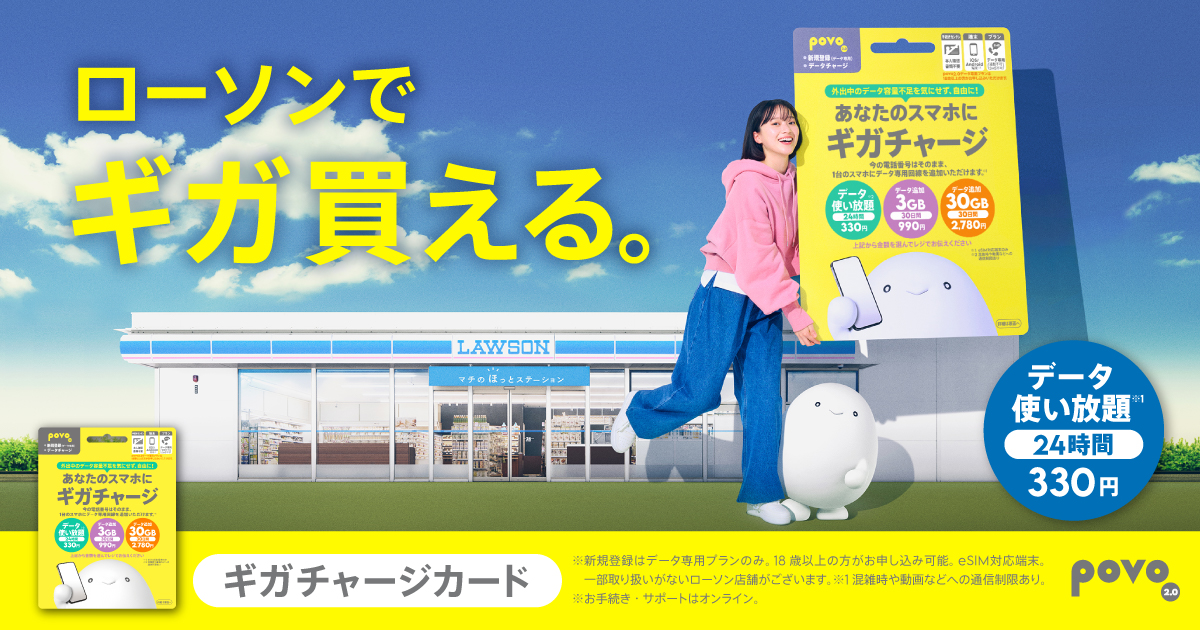
This card allows you to purchase Topping for povo2.0 using cash.
If you have an eSIM-compatible device, you can top up your data allowance regardless of which carrier you're subscribed to.
povo2.0 is easy to use for customers who prefer to pay their daily communication fees in cash, as well as for students and others who do not have a credit card.
Take your card to the cashier and tell the staff your desired Topping.
After payment, enter the redemption code printed on the Gigacharge card to add data capacity to your account.
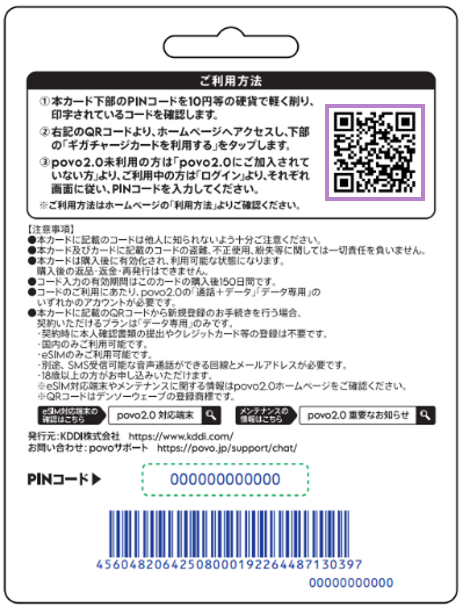
Customers who are not currently using povo2.0 can sign up in as little as 3 minutes by scanning the QR code on the back of the "Giga Charge Card" *1.
The cards can be purchased at LAWSON stores nationwide *2 or on Yahoo! Shopping.
*1: QR Code is a registered trademark of DENSO WAVE.
*2: Some stores may not carry this product.
| Topping Name | Amount | Validity |
|---|---|---|
| データ使い放題(24時間)※3 | 330円 | 24 hours |
| データ追加3GB(30日間) | 990円 | 30日間 |
| データ追加30GB(30日間) | 2,780円 | 30日間 |
*3: Communication speeds may be limited during network congestion or when using video or cloud games.
If you would like to add other Topping, you will need to download the app and register your payment method.
You will need to download the app to apply (new, switching from another company/ UQ mobile), purchase Topping, and check various details.
Download the app here

* Includes cases such as repurchasing the card or checking the remaining data capacity
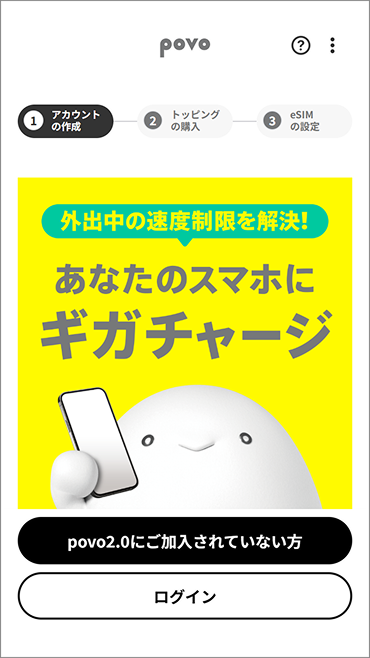
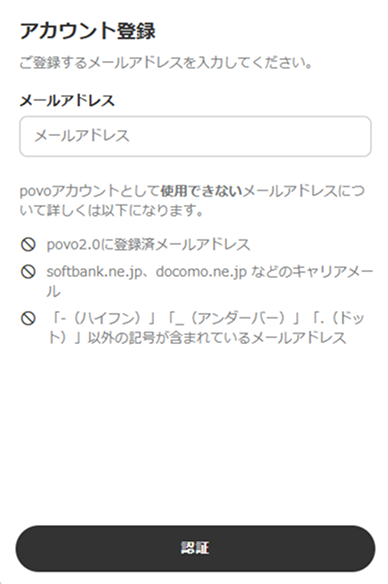
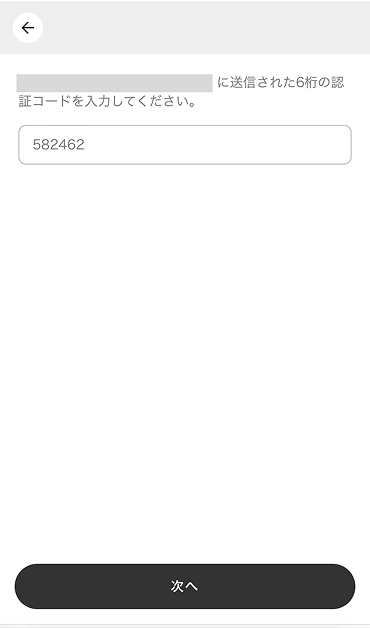
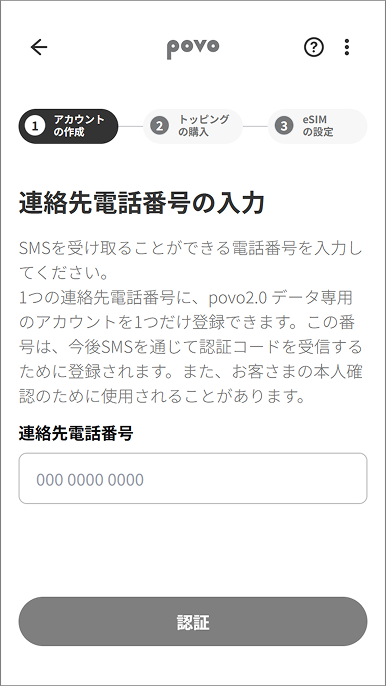
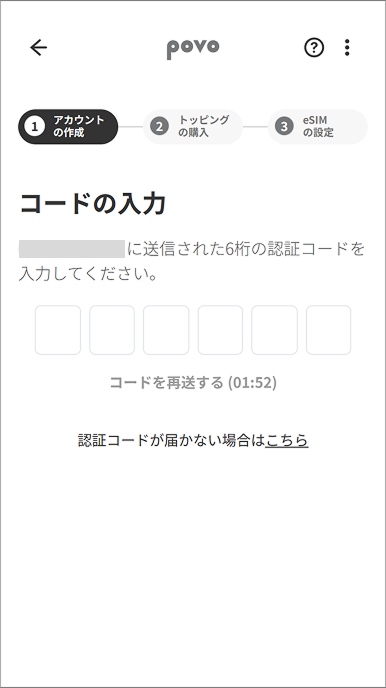
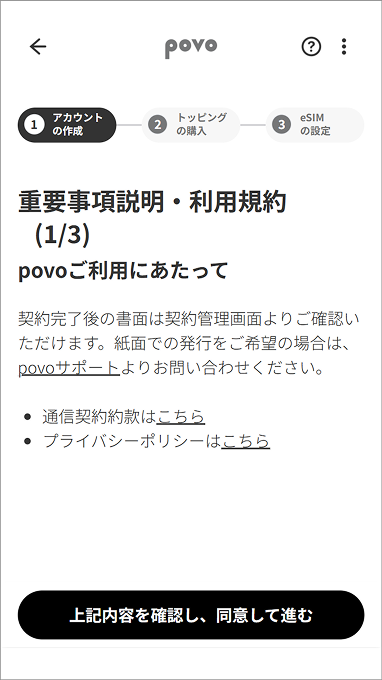
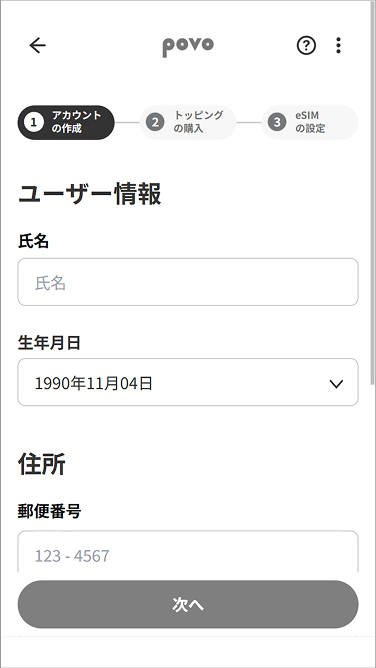
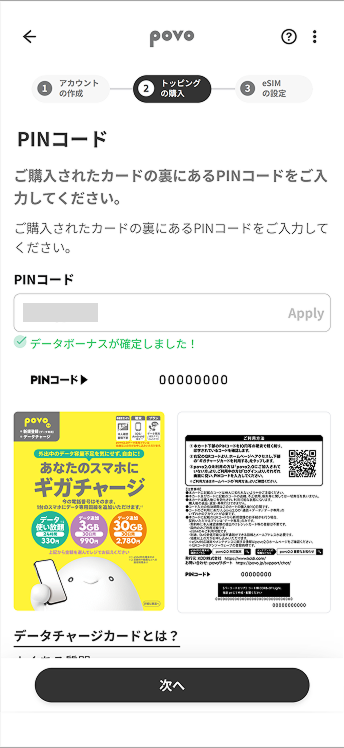
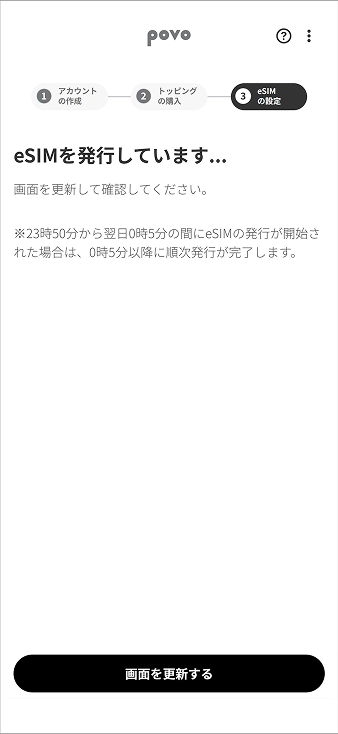
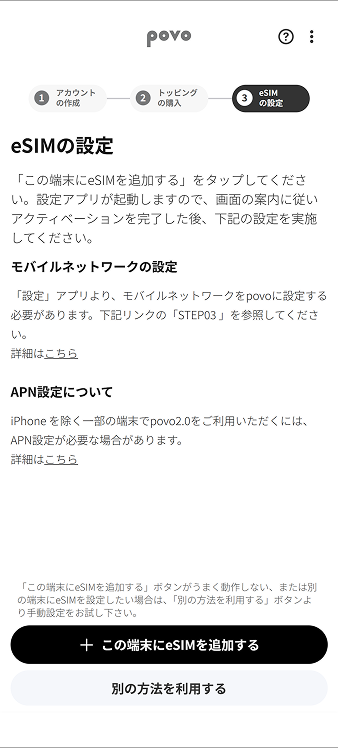
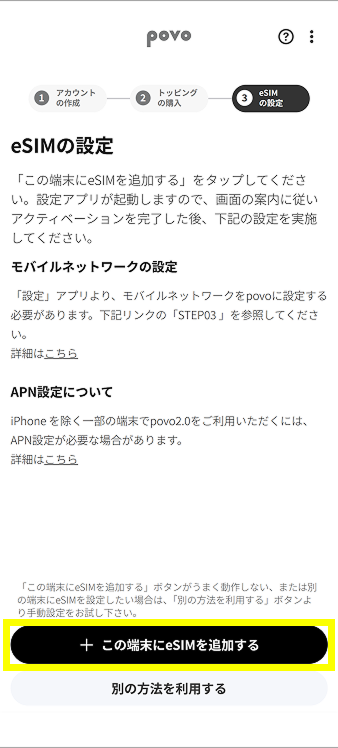
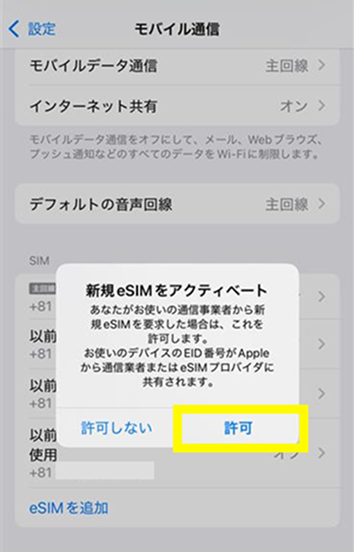
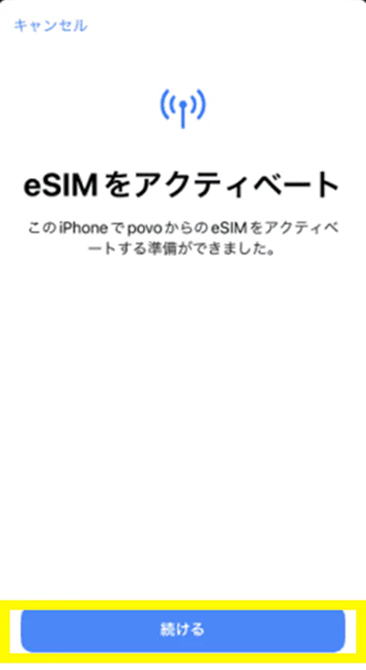
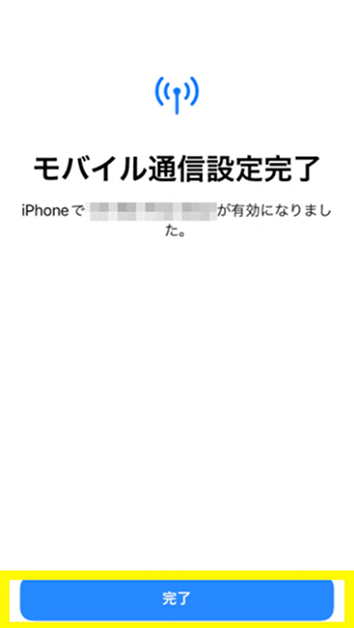
*If you are unable to use it or it does not work properly, please try the "Code Entry Method" below.
*In the case of code entry method
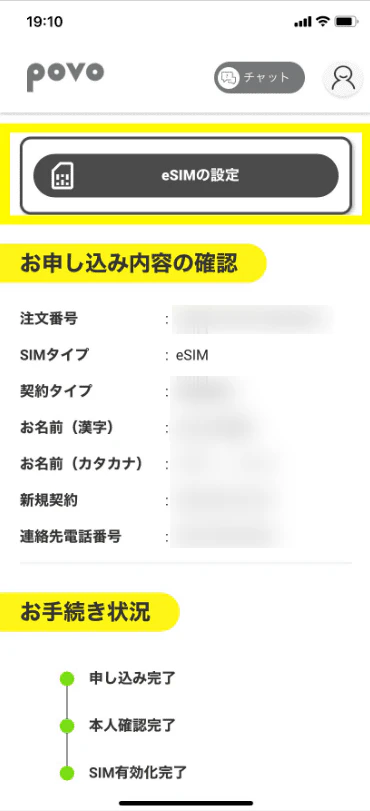
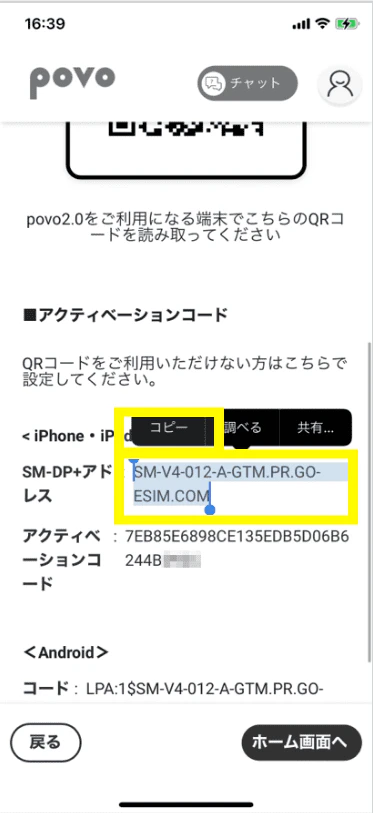
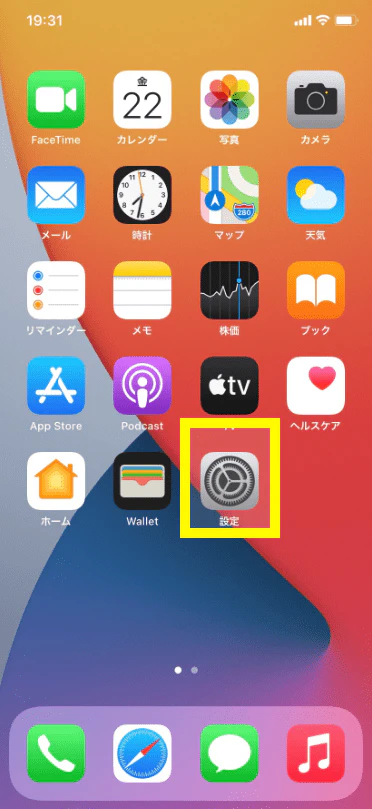
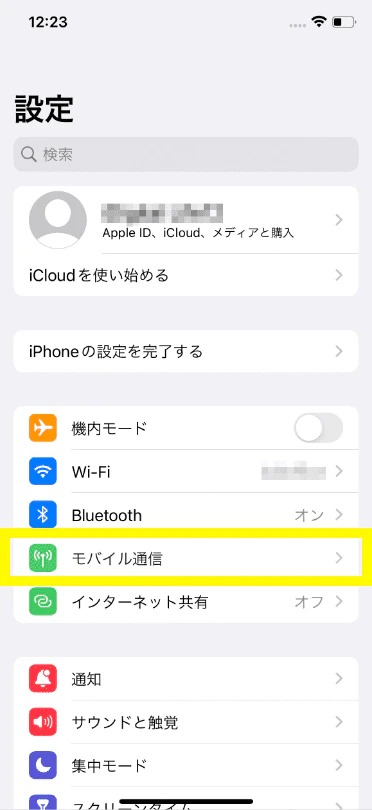
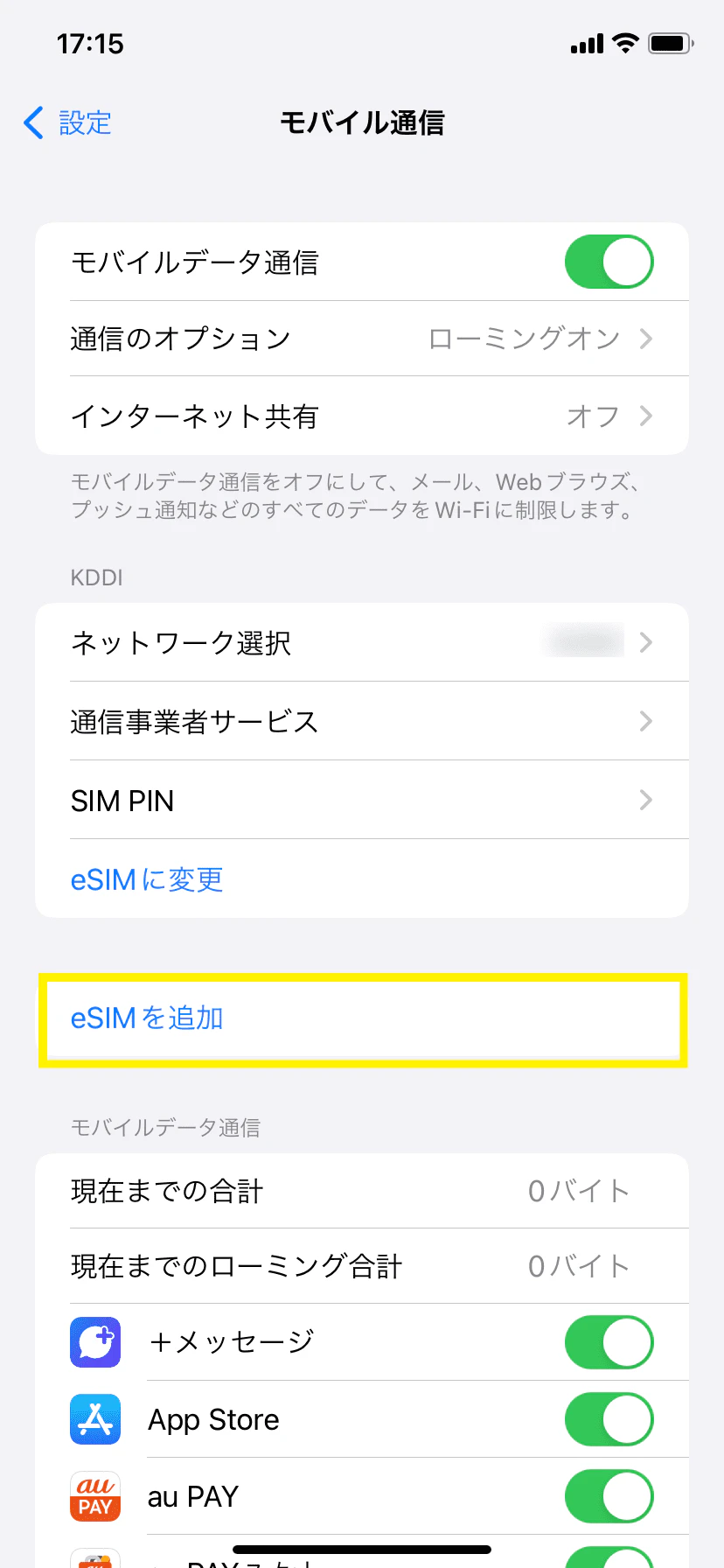
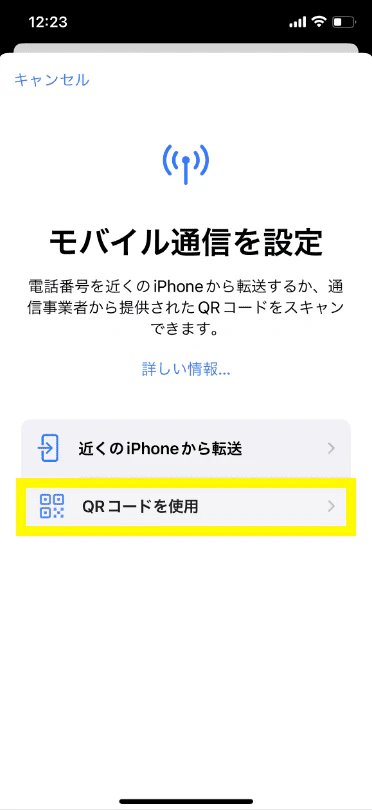
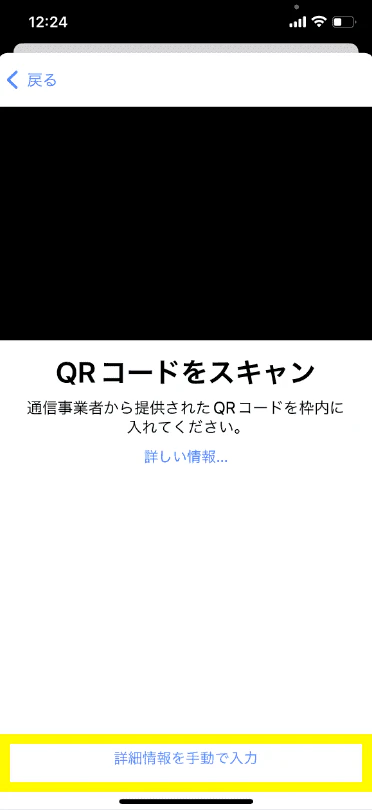
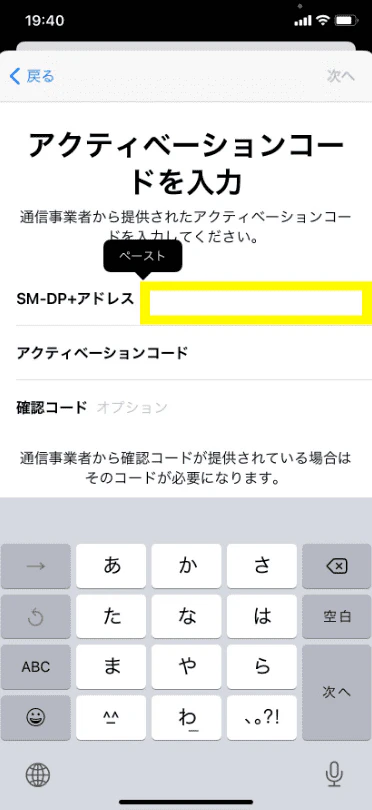
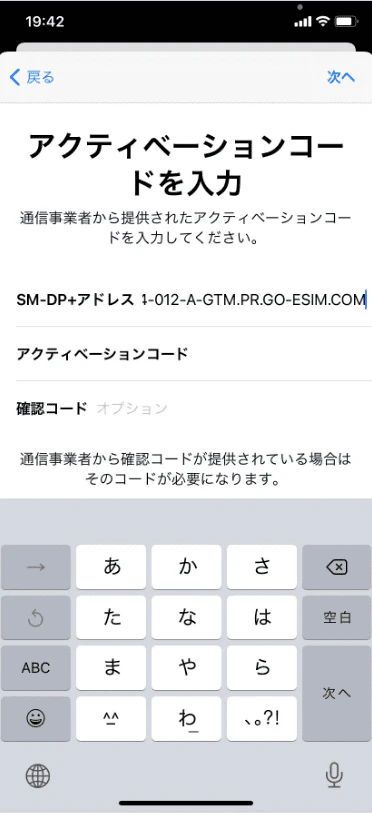
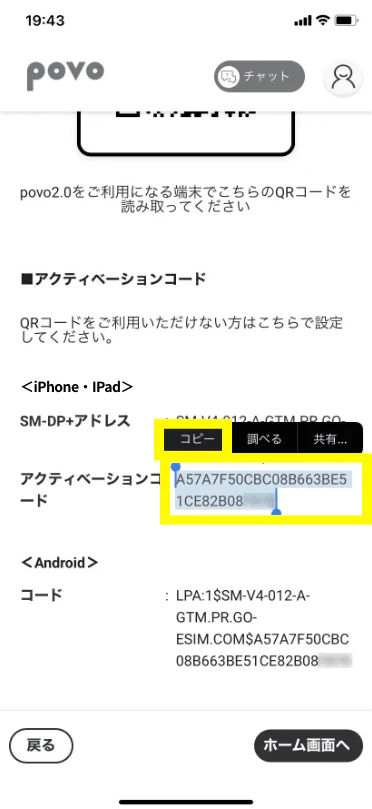
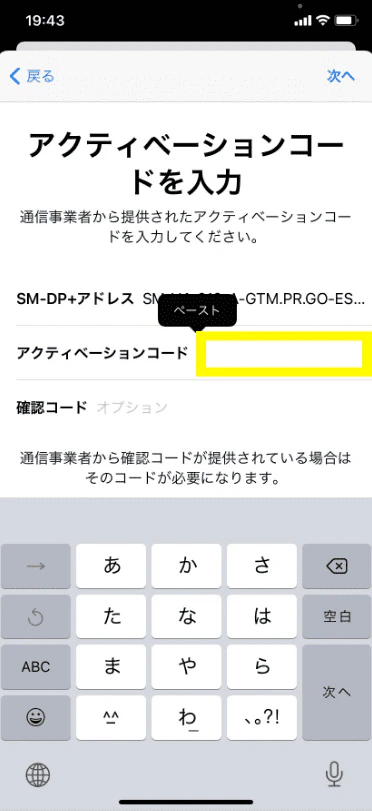
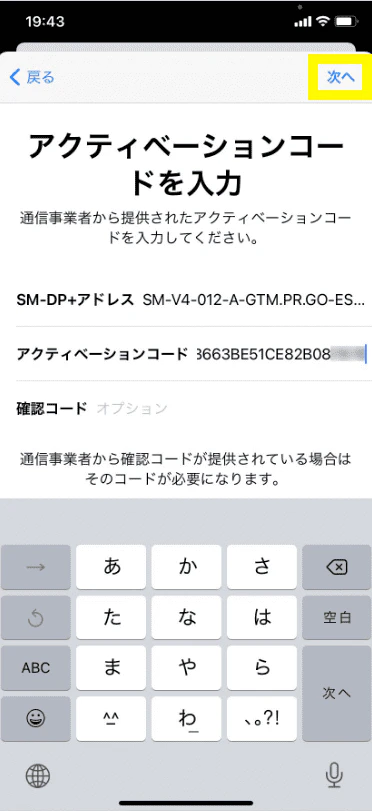
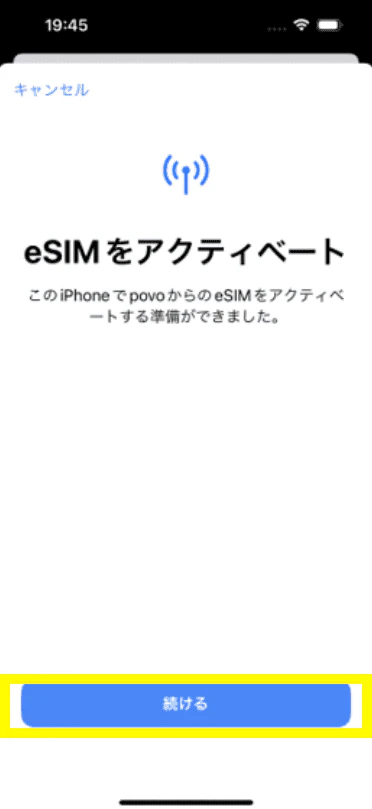
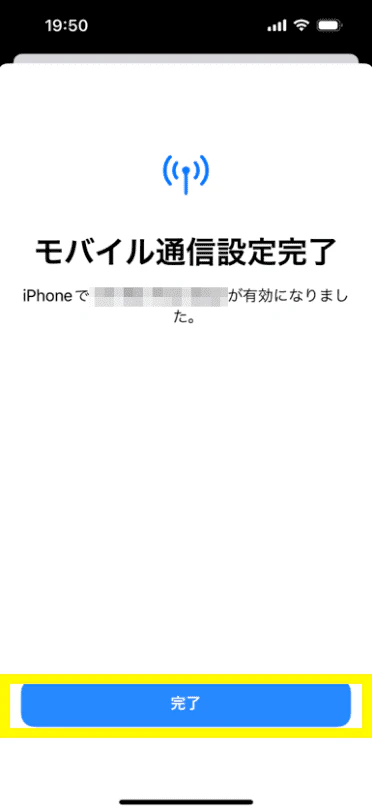
*There is no need to enter a "confirmation code."
*For iPad, select Settings > Mobile Data > Add New Plan > Other... to go to the screen where you can select a mobile data plan.
*If you are unable to complete the eSIM setup, it may be because the code was not copied properly. Please double-check that all alphanumeric characters have been copied and try again. If this still does not work, please try the "QR code method *1" below.
*To move to the STEP02-1 screen after going to the home screen once, go to the person icon in the upper left corner of the home screen > Contract Management.
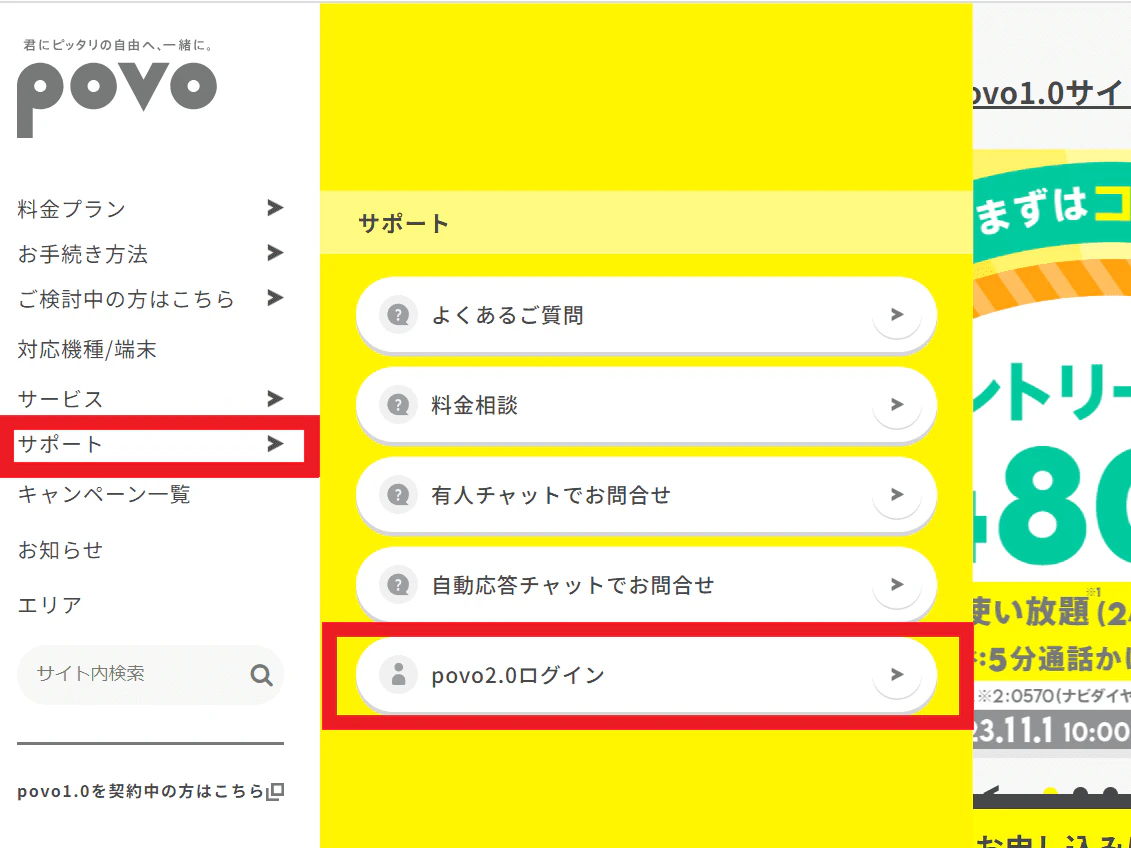
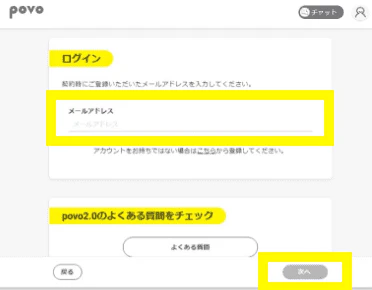
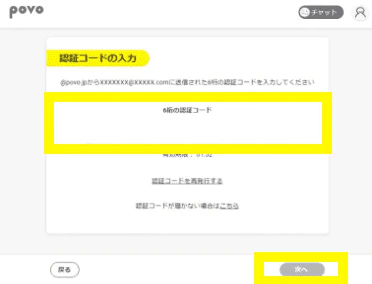
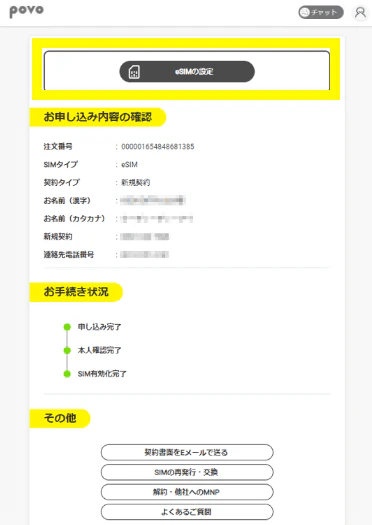
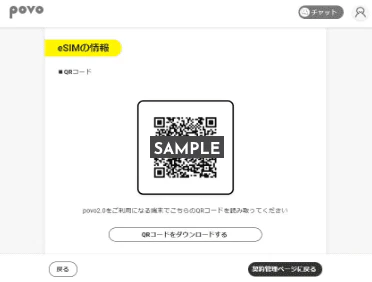
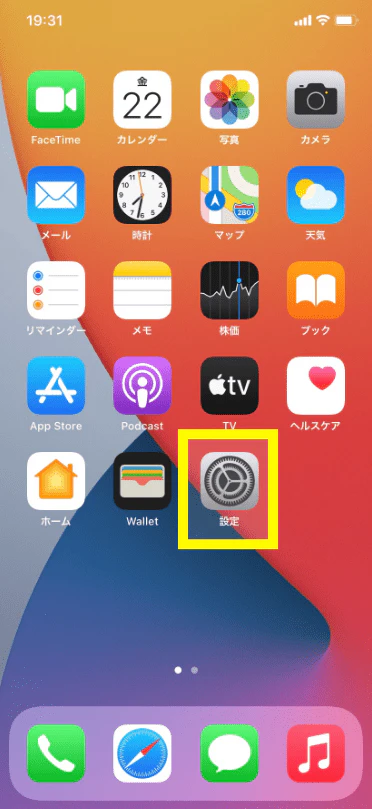
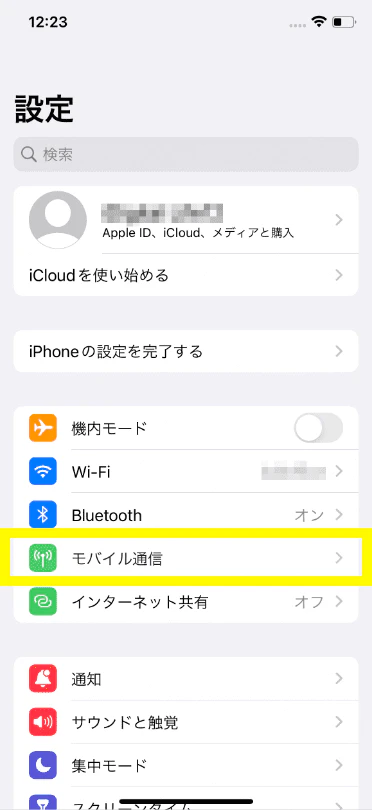
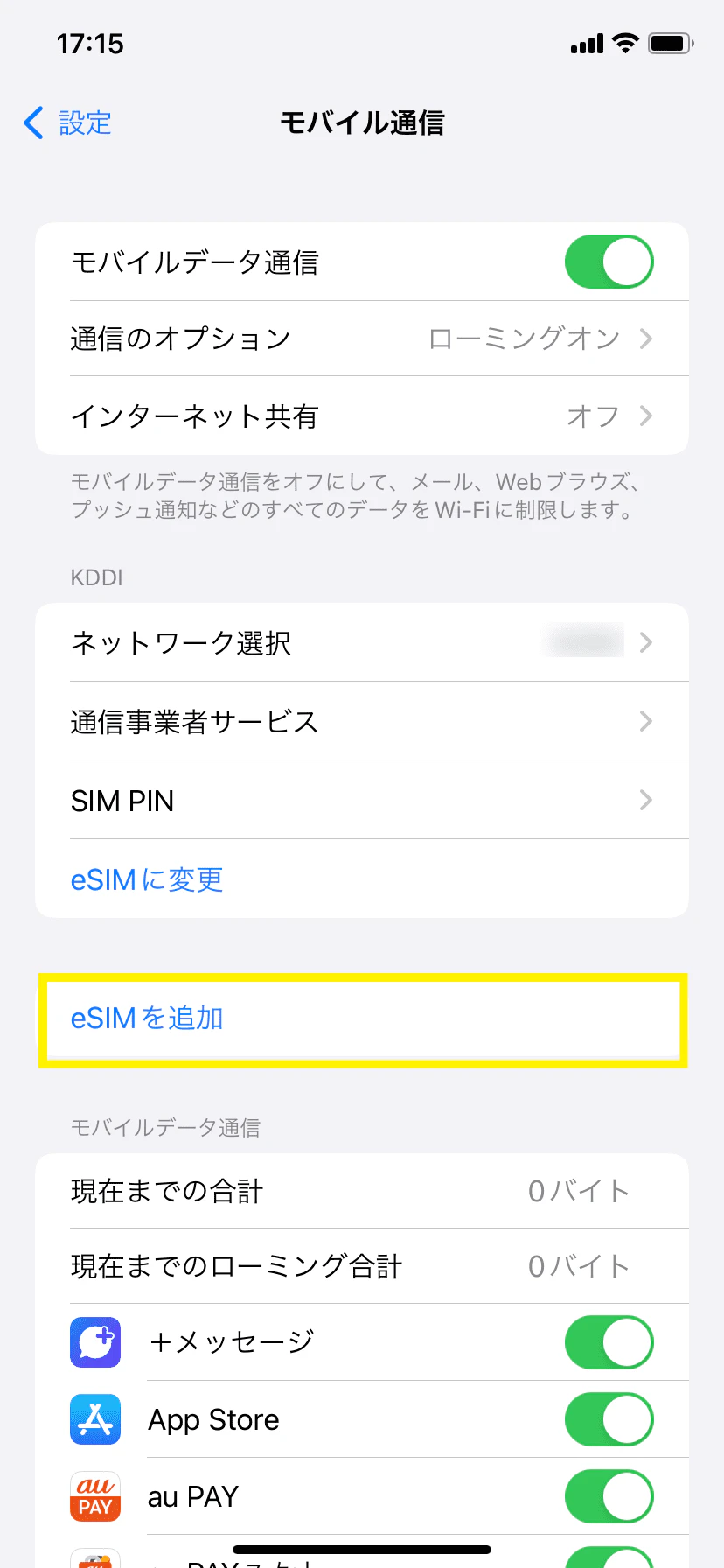
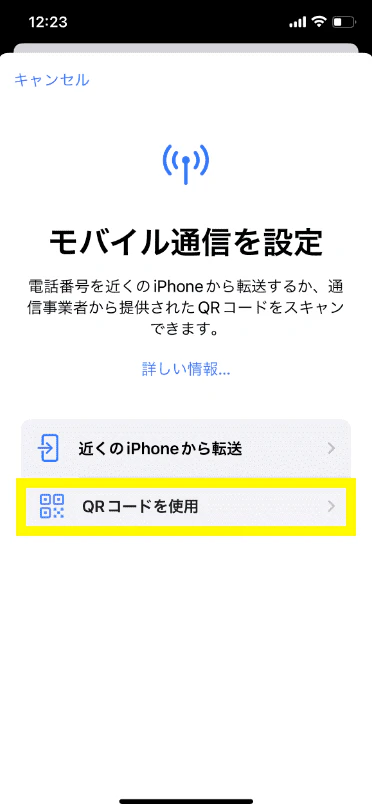
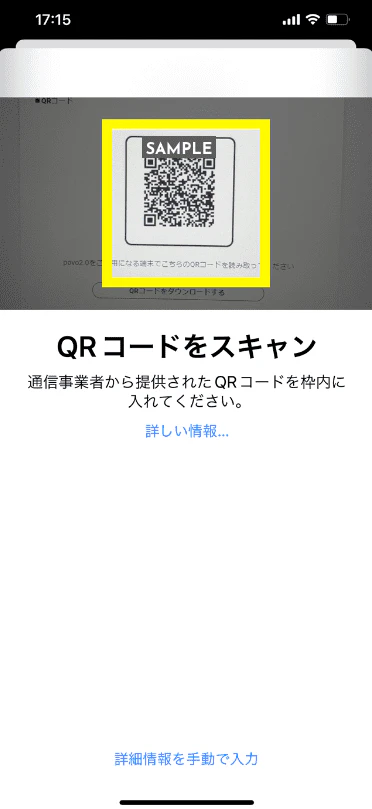
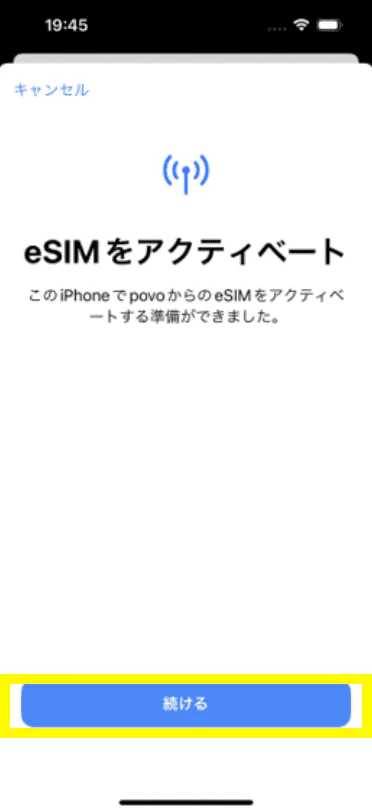
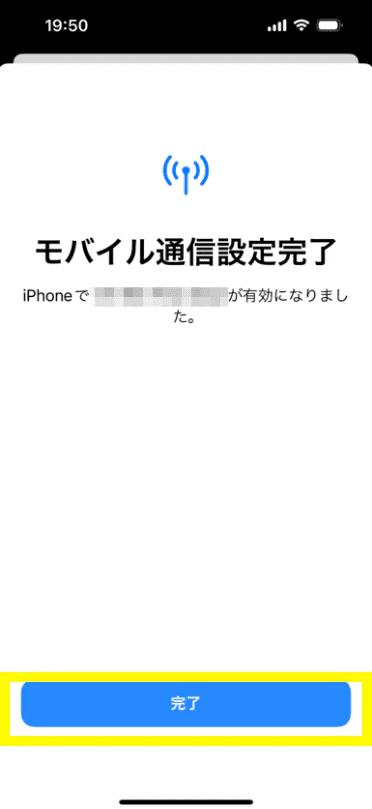
*For iPad, select Settings > Mobile Data > Add New Plan > Other... to go to the screen where you can select a mobile data plan.
*Even if you are redirected to the home screen, please make sure to check the call test and mobile data communication test in STEP 05 before purchasing Topping.
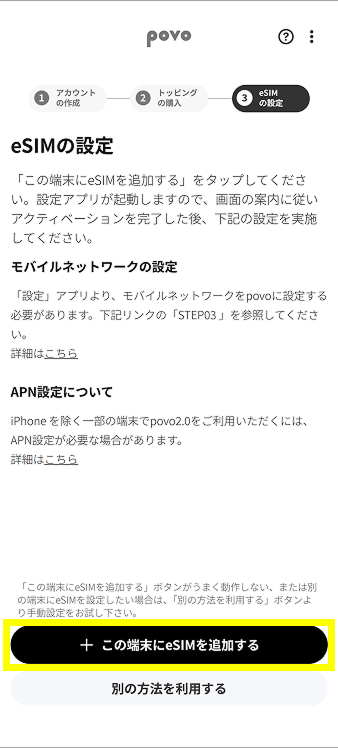
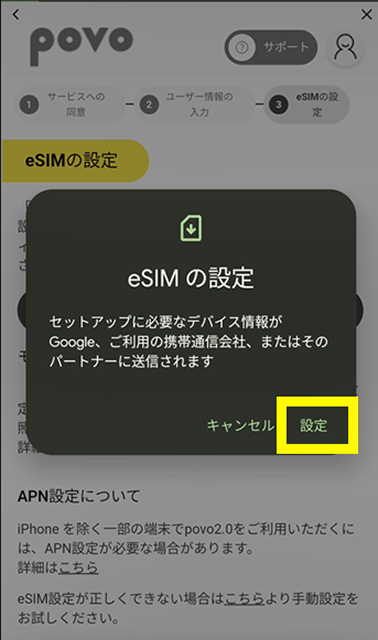
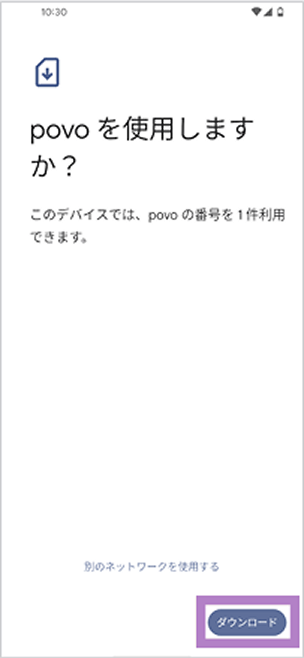
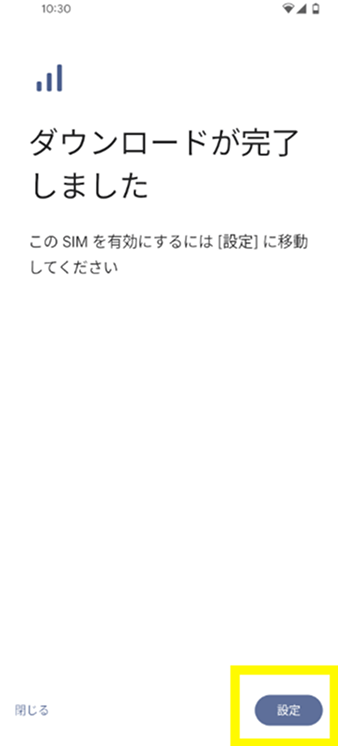
*If you are unable to use it or it does not work properly, please try the "Code Entry Method" below.
*In the case of code entry method
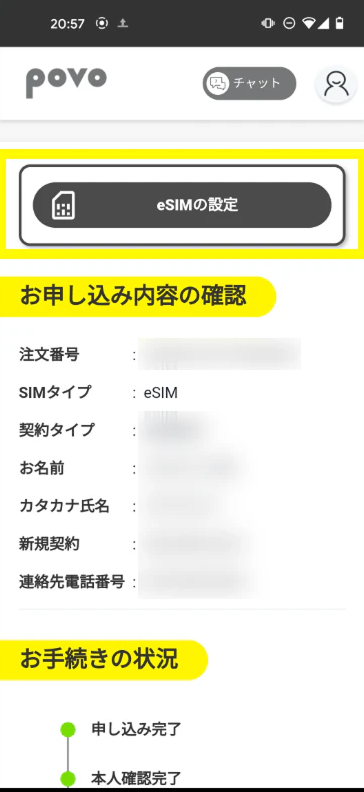
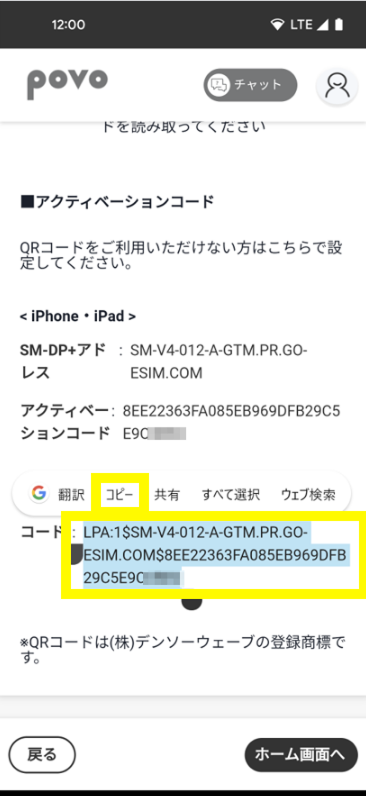
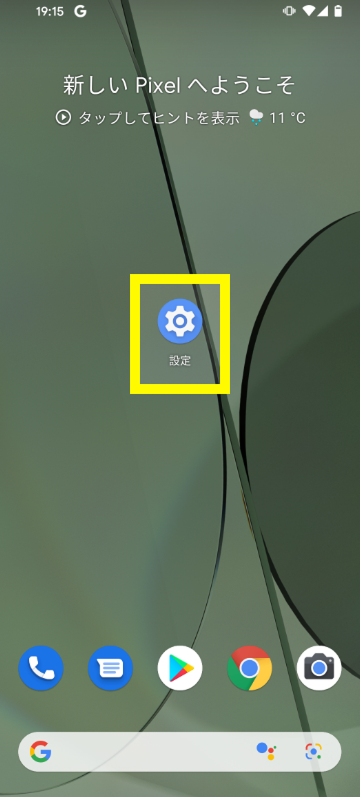
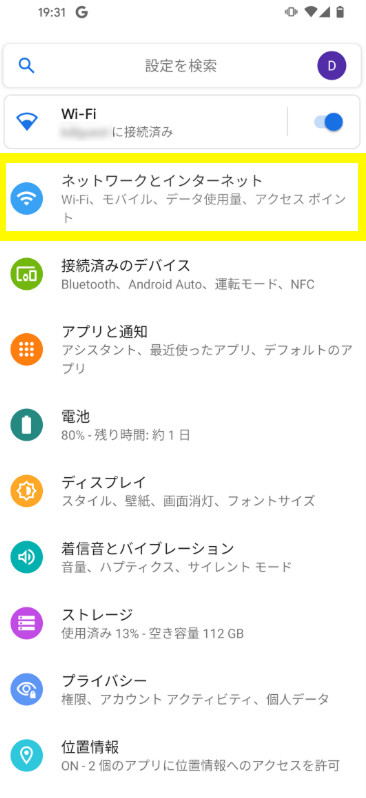
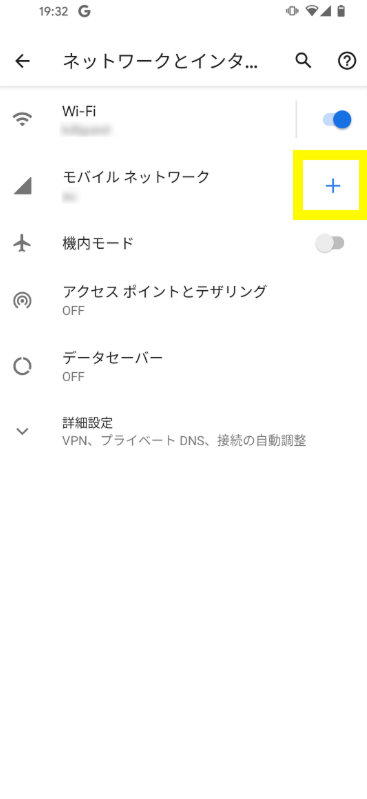
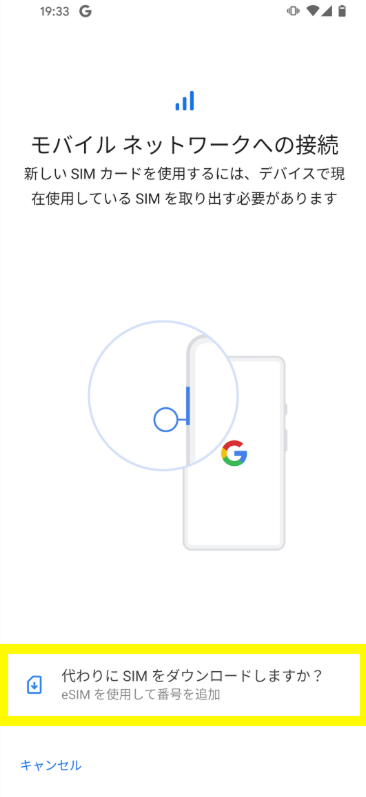
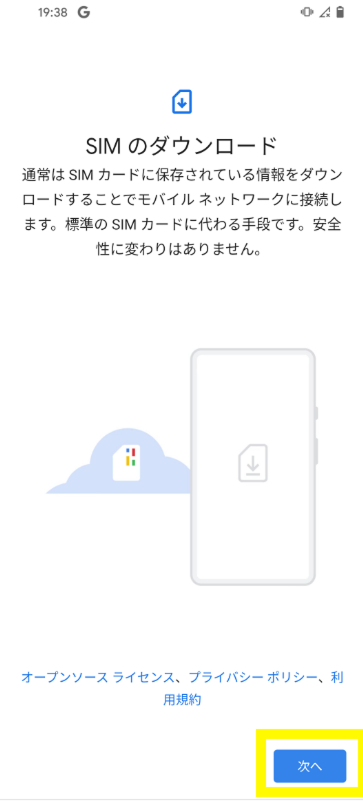
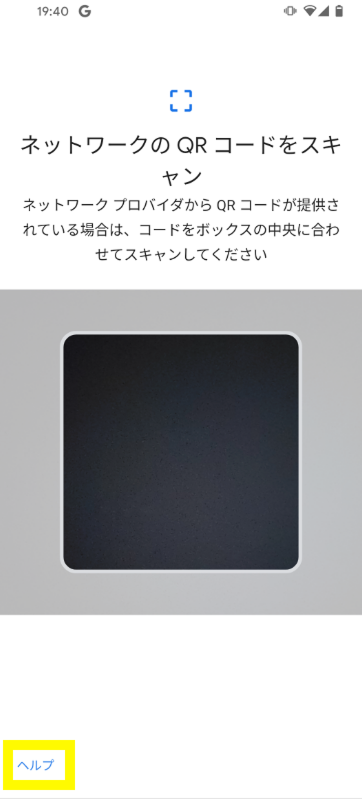
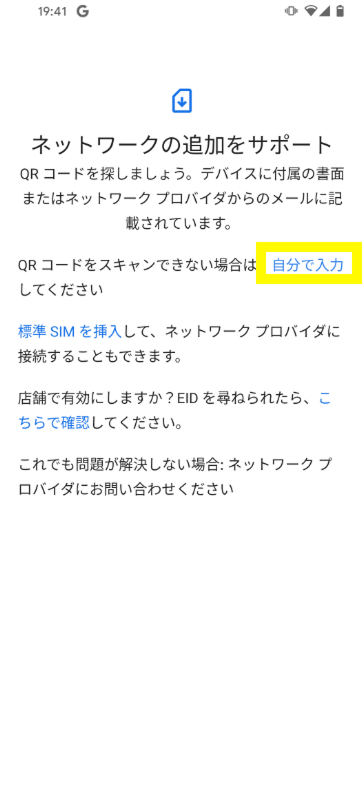
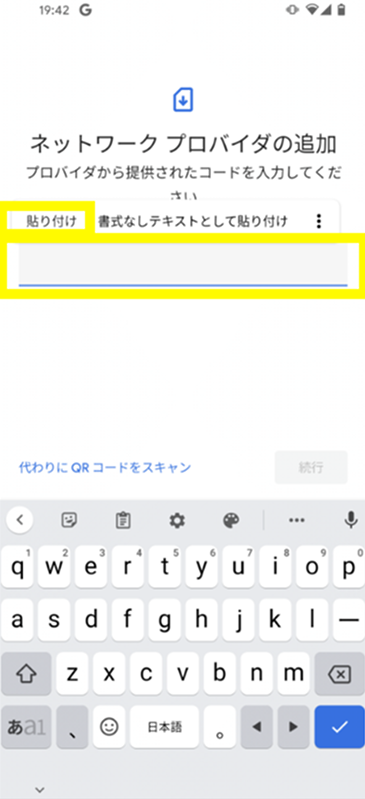
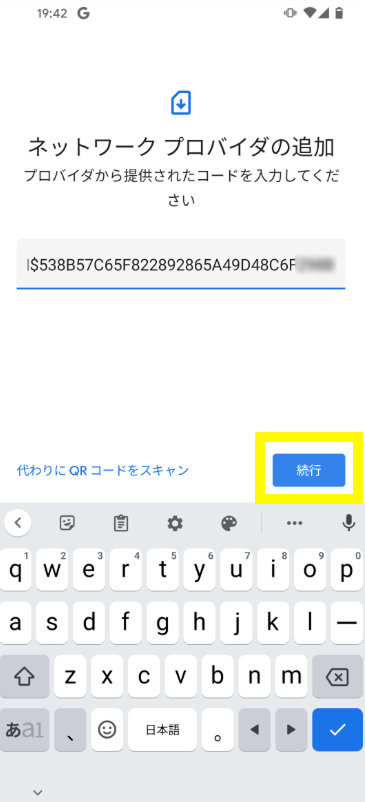
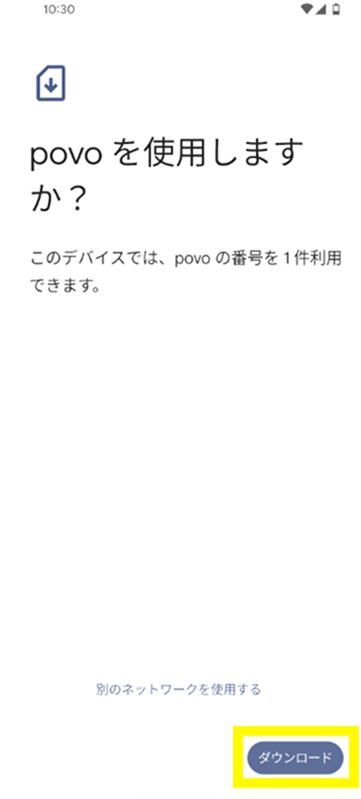
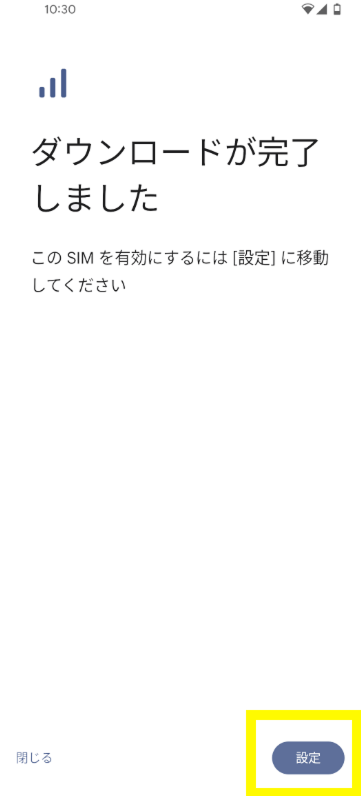
*If you are unable to complete the eSIM setup, it may be because the code was not copied properly. Please double-check that all alphanumeric characters have been copied and try again. If this still does not work, please try the "QR code method *1" below.
*To move to the STEP02-1 screen after going to the home screen once, go to the person icon in the upper left corner of the home screen > Contract Management.
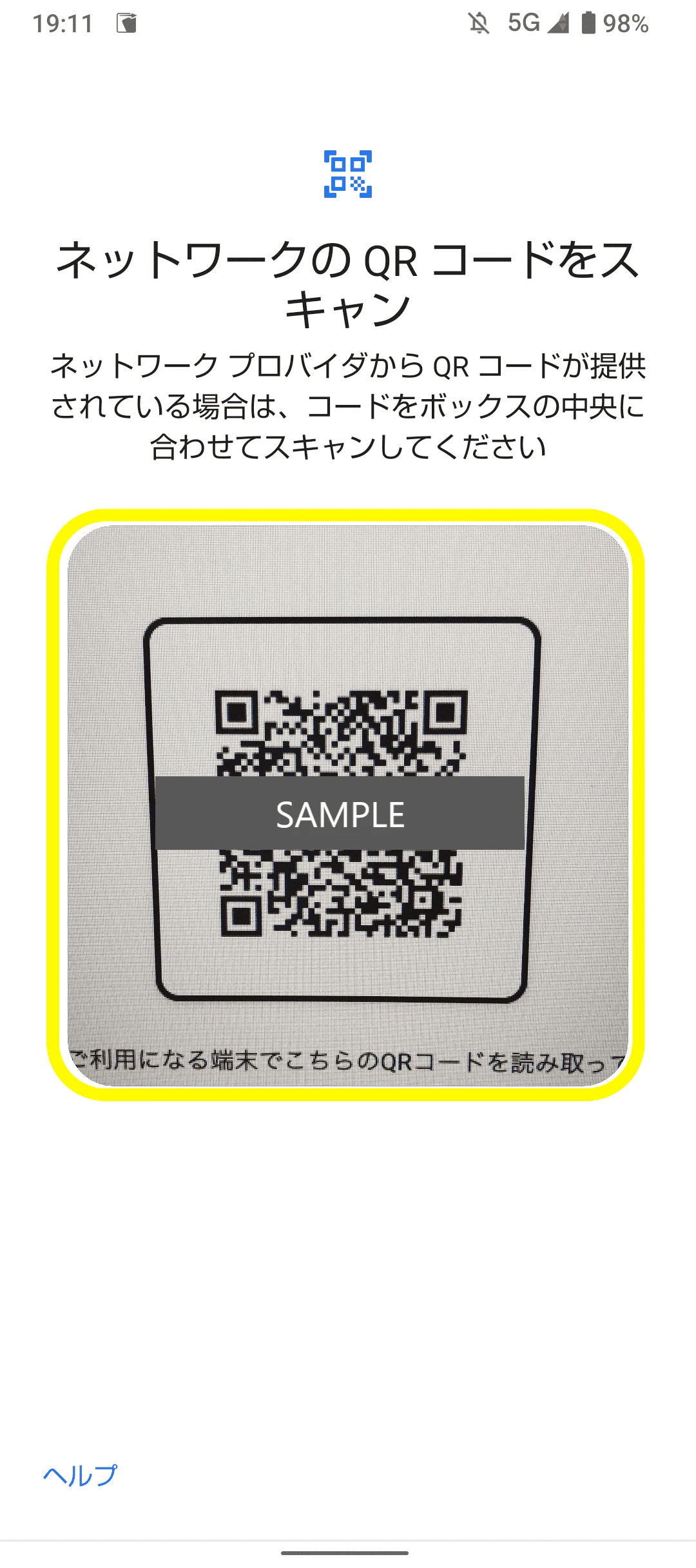
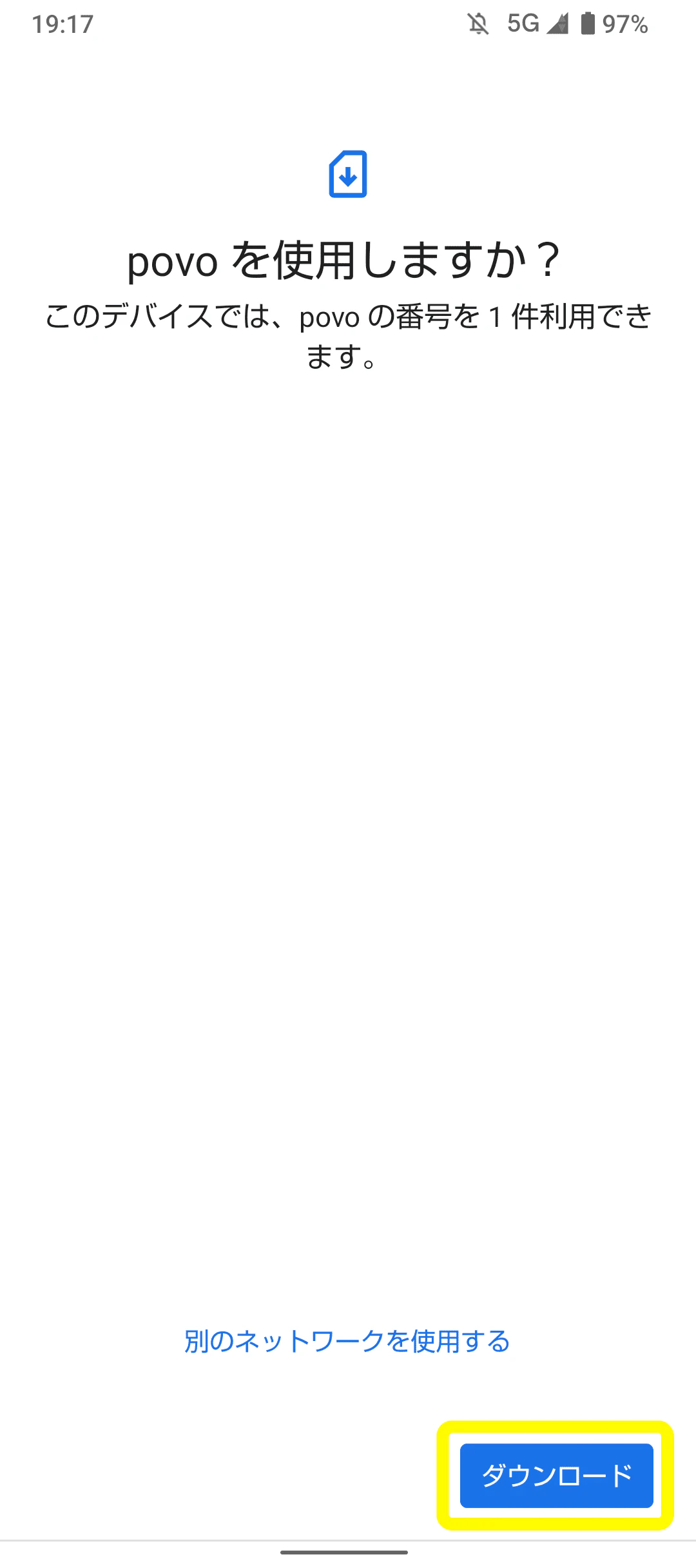
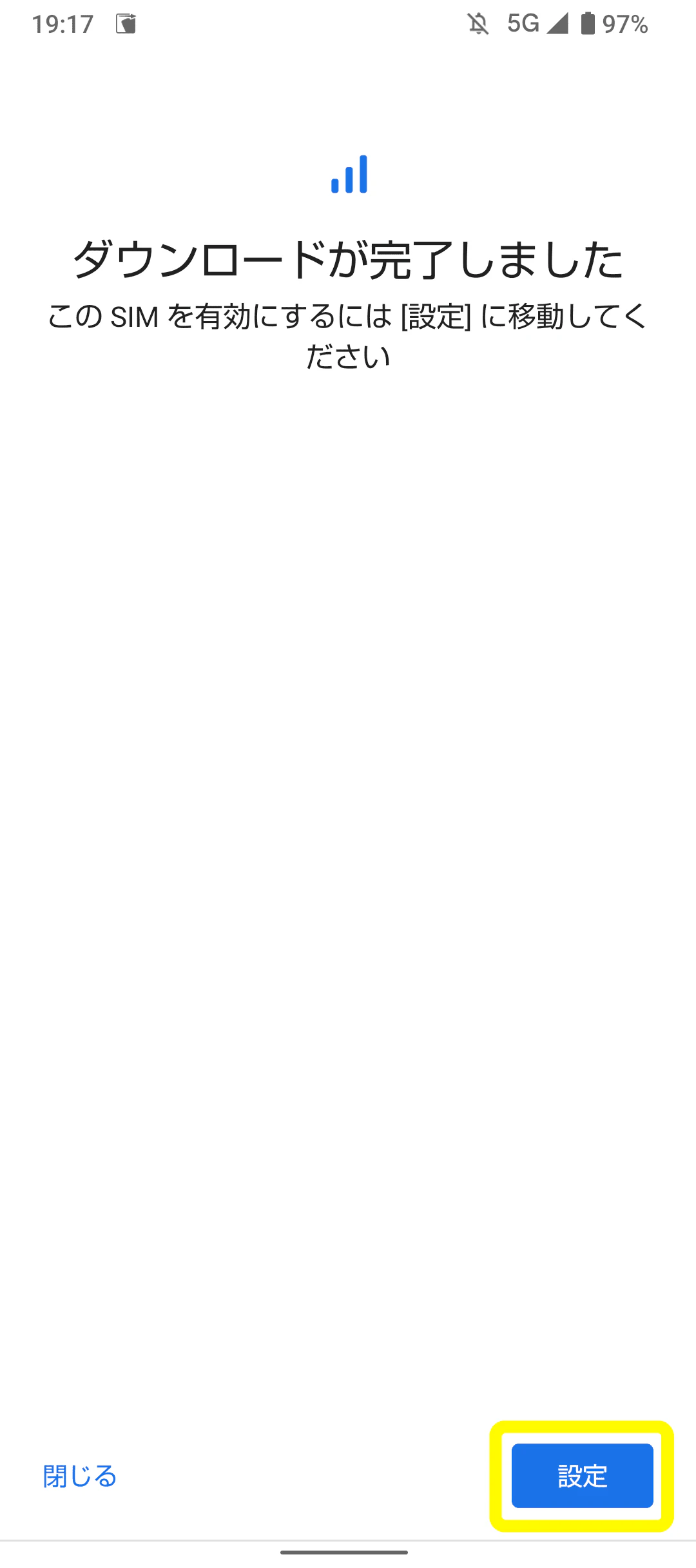
*Please purchase Topping only after checking the call test and mobile data communication test in STEP 05.
* Includes cases such as repurchasing the card or checking the remaining data capacity
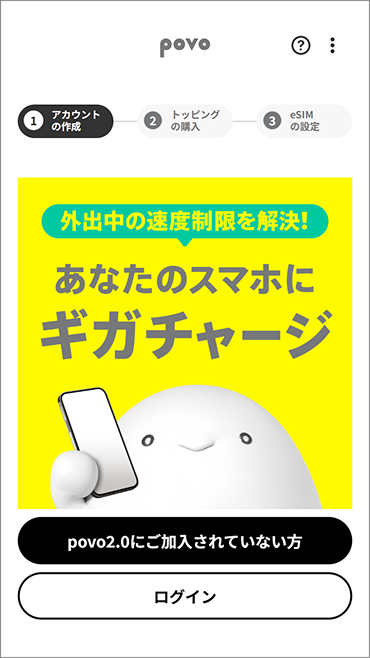
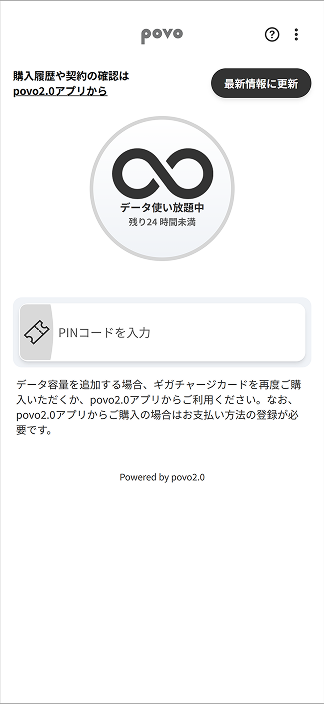
* Includes cases such as repurchasing the card or checking the remaining data capacity
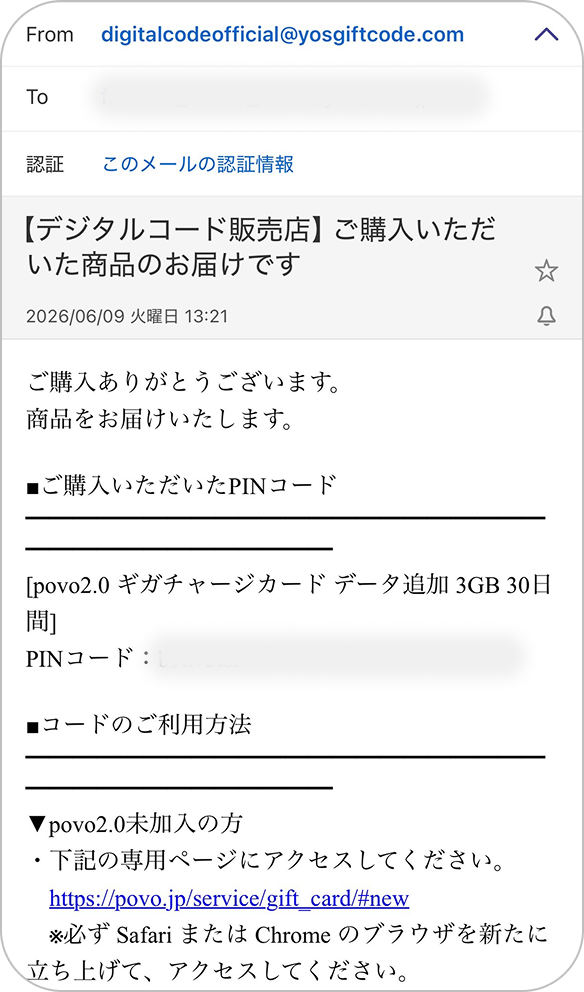
*If you are unable to use it or it does not work properly, please try the "Code Entry Method" below.
*In the case of code entry method
*There is no need to enter a "confirmation code."
*For iPad, select Settings > Mobile Data > Add New Plan > Other... to go to the screen where you can select a mobile data plan.
*If you are unable to complete the eSIM setup, it may be because the code was not copied properly. Please double-check that all alphanumeric characters have been copied and try again. If this still does not work, please try the "QR code method *1" below.
*To move to the STEP02-1 screen after going to the home screen once, go to the person icon in the upper left corner of the home screen > Contract Management.
*For iPad, select Settings > Mobile Data > Add New Plan > Other... to go to the screen where you can select a mobile data plan.
*Even if you are redirected to the home screen, please make sure to check the call test and mobile data communication test in STEP 05 before purchasing Topping.
*If you are unable to use it or it does not work properly, please try the "Code Entry Method" below.
*In the case of code entry method
*If you are unable to complete the eSIM setup, it may be because the code was not copied properly. Please double-check that all alphanumeric characters have been copied and try again. If this still does not work, please try the "QR code method *1" below.
*To move to the STEP02-1 screen after going to the home screen once, go to the person icon in the upper left corner of the home screen > Contract Management.
*Please purchase Topping only after checking the call test and mobile data communication test in STEP 05.
* Includes cases such as repurchasing the card or checking the remaining data capacity
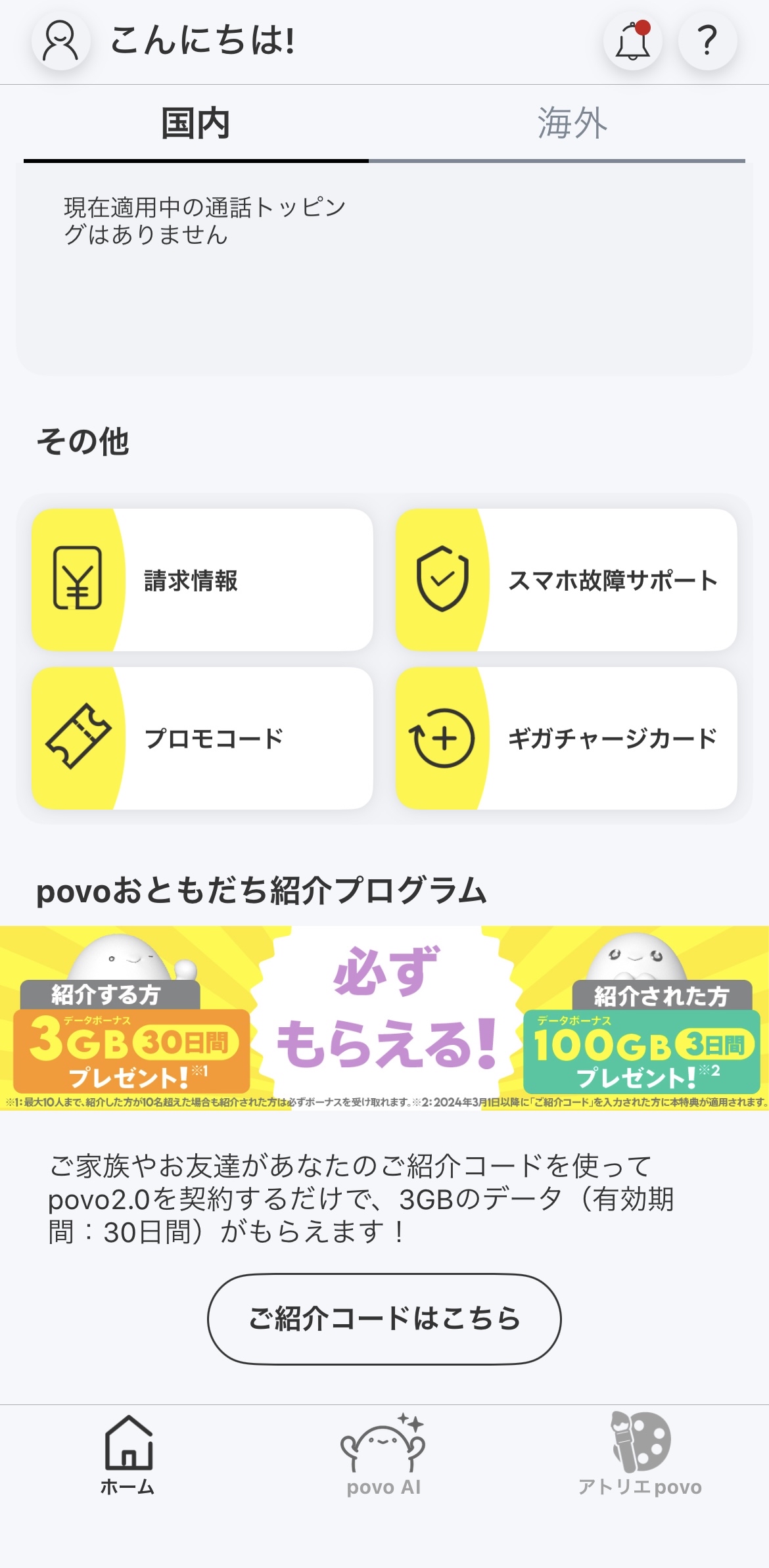
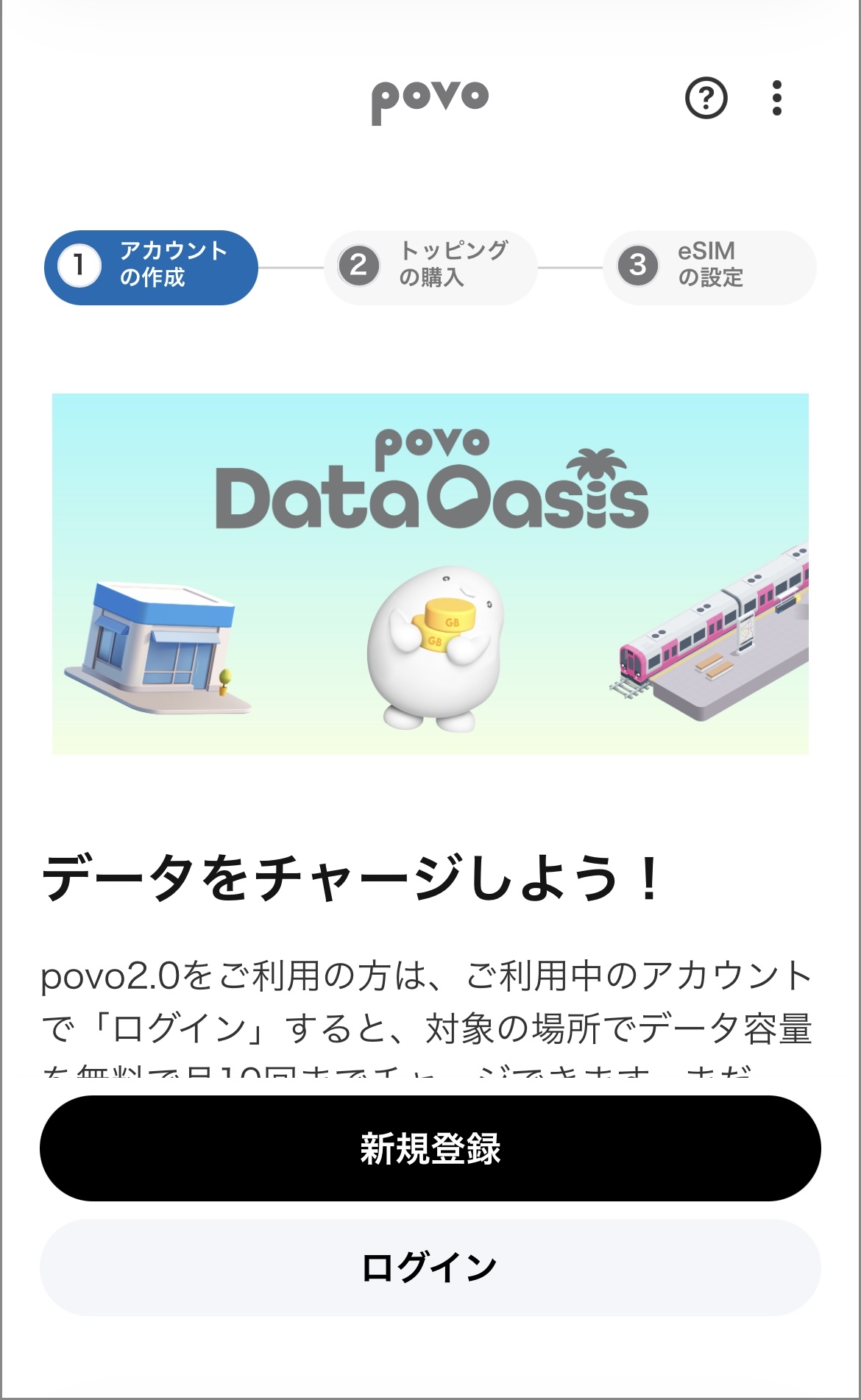
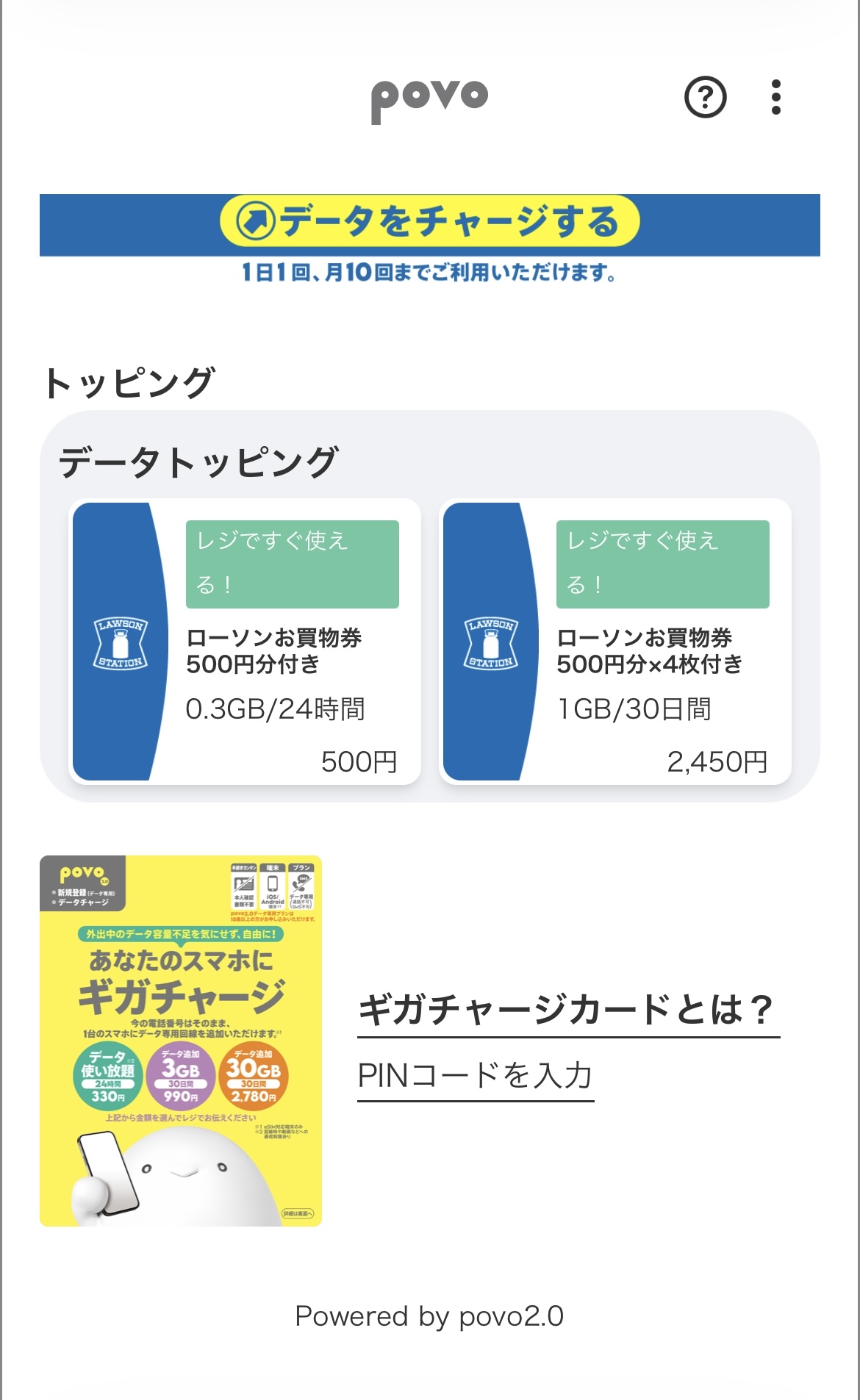
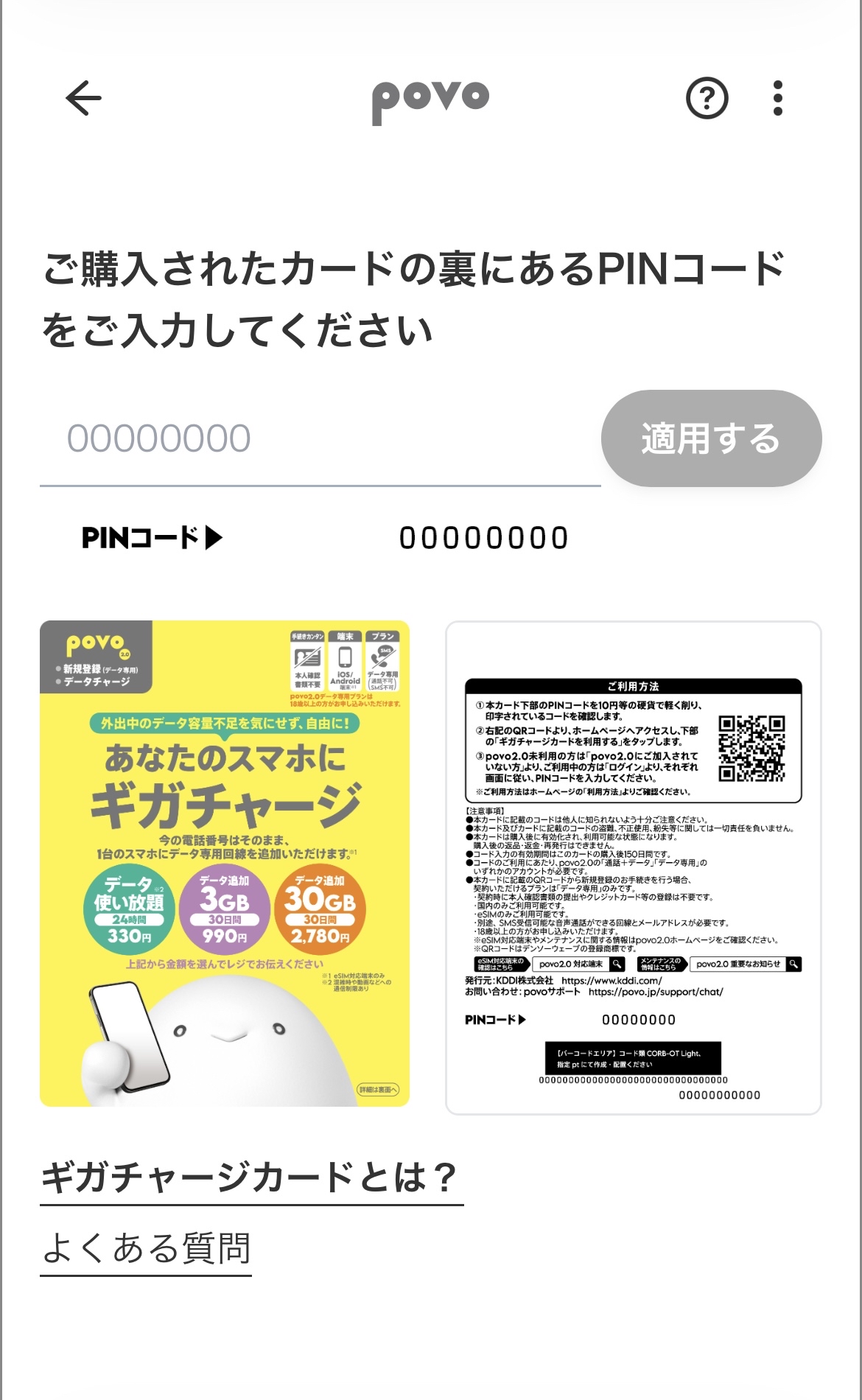
| Convenience store |
|---|
| LAWSON (including Natural LAWSON) |
| LAWSON Store 100 |
| Online Store |
|---|
| Yahoo! Shopping |
●Please be extremely careful not to let anyone else know the code printed on the card.
●We are not responsible for the theft, unauthorized use, or loss of the card or the code printed on it.
●The card will be activated and ready for use after purchase. Returns, refunds, and reissues are not possible after purchase. The 8-day cancellation policy (initial contract termination system) does not apply.
● The code entry validity for 150 days after the card is purchased.
●To use the code, you will need either a povo2.0 "Calls+Data" or "Data Only" account.
●Plans for foreign visitors to Japan (Japan SIM) are not included.
●Registered codes cannot be revoked under any circumstances.
●When registering using the QR code *1 printed on the card,
The only plan available for you is the "Data Only" plan.
• You will not be able to make or receive phone calls or SMS messages.
・You cannot switch carriers (MNP).
- You do not need to submit identification documents or register a credit card/post-payment (paidy) at the time of contract.
・Available for use within Japan only.
Only eSIM is available.
• A separate line capable of receiving SMS messages and making voice calls is required.
This service is for individuals aged 13 and older. (However, individuals under 13 can use it if their parent or guardian registers them as a user at the time of contract.)
All procedures and support will be conducted online.
● This service may not be available on devices other than those compatible with povo2.0. Please check here before purchasing whether your device is compatible with povo2.0 or eSIM.
*1: QR Code is a registered trademark of Denso Wave.
●If you proceed with the process using the browser within the Yahoo! Shopping app, the application screen may not display correctly. Please be sure to use the Safari or Chrome browser to complete the process.
*The information presented is current as of June 23, 2026.



