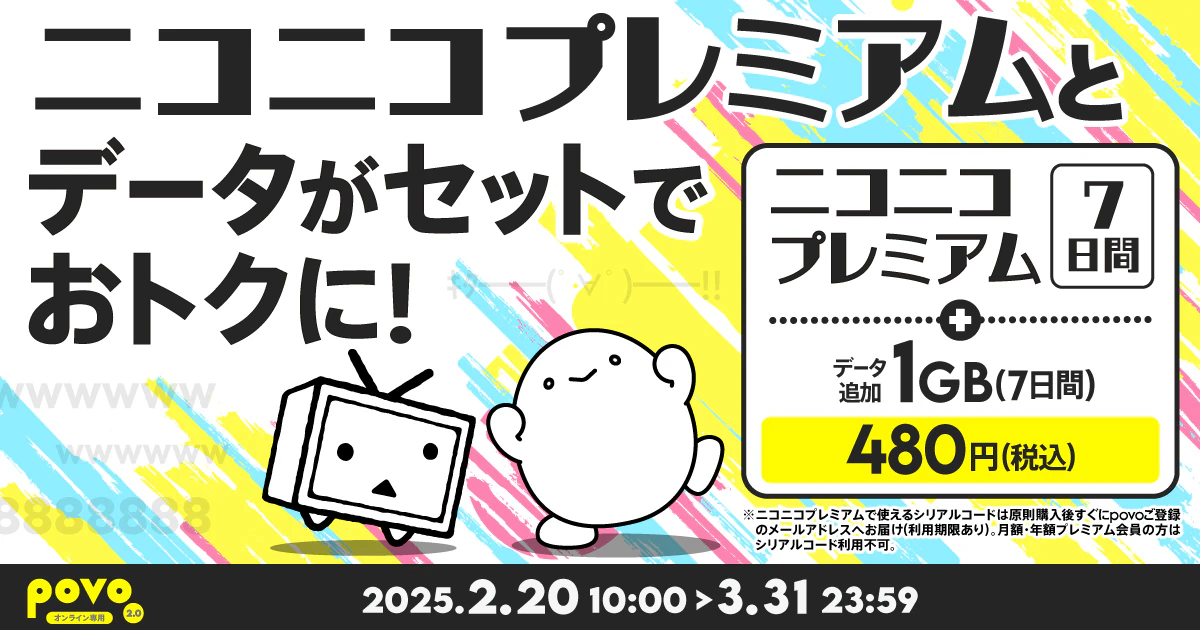
This is perfect for those who want to try out Niconico Premium. You can easily try out Niconico Premium for 7 days for a monthly fee of 790 yen (tax included), and it also comes with data, making it a great value Topping!
Please click here for information based on the Specified Commercial Transactions Act
This is a paid plan that allows you to watch Niconico "more comfortably and enjoyably."
Main benefits
・No video ads! Watch the videos you want to watch! *Some videos excluded
・Enjoy videos comfortably with high-quality 1080p!
・Don't miss the scenes you want to see! You can catch up on scenes you missed during live broadcasts with catch-up playback!
・ Many anime works! A wealth of content exclusive to premium members!
In addition to this, there are plenty of other perks to make your stay comfortable!
(1)Provided content
| Topping Name | Topping Breakdown (validity) |
Fee |
|---|---|---|
| [Limited offer] Niconico Premium (7 days) + 1GB Data Top-up (7 days) *1 | Niconico Premium (7 days) *2 | 480円 |
| データ追加1GB(7日間)※3 |
*1. After purchasing this topping, you will not be able to purchase topping again until 23:59 seven days after the purchase date, regardless of your data usage.
*2. Immediately after purchasing this topping, you will receive the serial code for "Niconico Premium (7 days)" via email. If there is a delay, we will inform you by email.
・When using Niconico Premium, please agree to the terms of use set by Dwango Co., Ltd. and create an account (free of charge).
・The deadline for entering the serial code is (Fri) April 25, 2025.
・Every 24 hours that passes from the time of serial code registration completion is counted as one day. Premium membership service is applied for 7 days, and will not be automatically renewed to a paid plan after 7 days have passed.
・Please note that if you are already a monthly or yearly premium member, you cannot use the serial code.
・If you are a limited-time premium member provided with a serial code, you can apply the serial code. In that case, the premium membership validity will be extended.
*3 Every 24 hours that passes from the time of purchase is counted as one day. For the time being, the pass can be used until 11:59:59 PM on validity expiration date.
(2) Offer period ★1
February 20, 2025 (Thu) 10:00 to March 31, 2025 (Mon) 23:59
(3) How to purchase
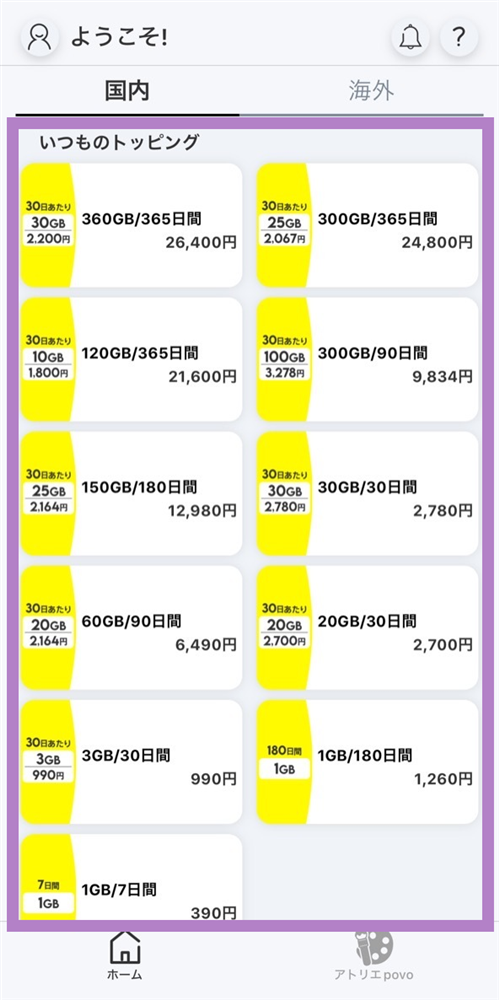
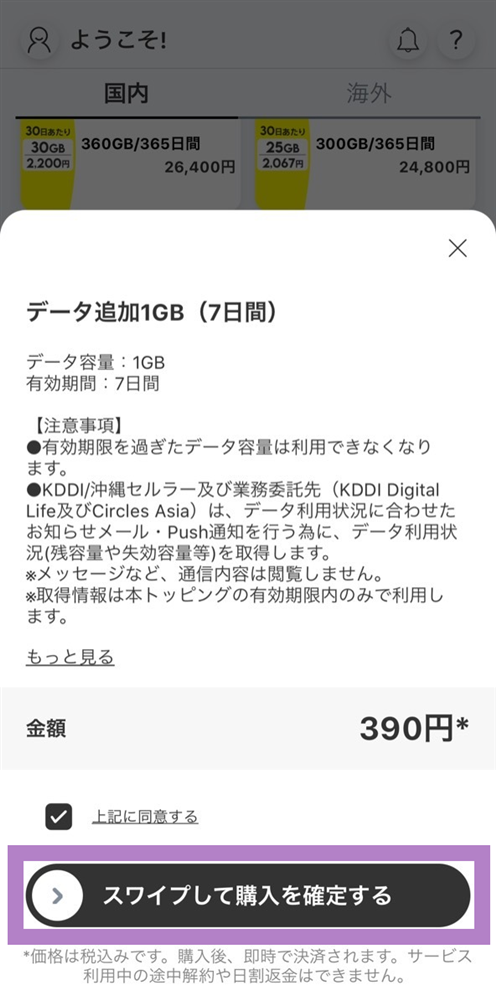
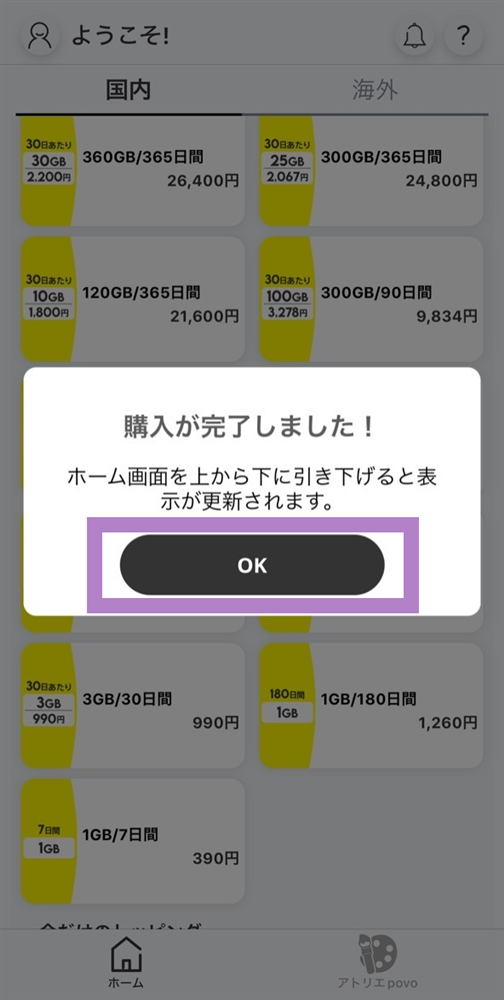
Please purchase through the povo2.0 app. The "Data Top-up (7 days)" will be automatically applied immediately after purchasing Topping.
The Niconico Premium (7 days) serial code will be sent to the email address registered with povo2.0 immediately after purchasing Topping. If there is a significant delay, we will inform you by email.
*The serial code for "Niconico Premium (7 days)" will be sent from "info@povo.jp". If you are unable to receive the email due to your circumstances (including, but not limited to, if your email address is not valid or if emails from us cannot be received due to spam filters), you will not be eligible for the benefit. Please check your email reception settings in advance.
*If any fraudulent activity or behavior contrary to public order and morals is discovered when receiving the set product, it will not be eligible for the reward.
*All prices listed include tax included unless otherwise specified.
Please apply using povo2.0 app.
■ Notes on using povo2.0
●(★1) We may sell the same or similar topping in the future.
●After purchasing this topping, you will not be able to purchase topping again until 23:59 on the day after purchase, regardless of your data usage.
● validity is managed for each data topping purchased. Even if you purchase a new data topping before validity of a purchased data topping expires, validity of the data topping that was applied before the purchase will not be extended, and validity of the data topping that were applied at the same time will expire.
●The order in which data is consumed is as follows:
If you have data topping or data bonus*, it will be consumed from your data bonus.
If you have multiple data topping, the one with the earliest expiration date will be used first.
*Includes prepaid codes, campaign codes, trade codes, referral codes, and promo codes.
●If you use a large amount of data within a certain validity, your data speed will be limited during peak hours.
●Payment will be made immediately after purchase. Cancellation of this topping or pro rata refunds are not possible.
●The maximum communication speed is provided by the best-effort method. Actual communication speeds vary depending on location, communication environment, network congestion and compatible products.
● If you cancel povo2.0, you will no longer be able to use the service even if you have remaining data capacity or validity.
■Notes regarding the serial code for "Niconico Premium (7 days)"
●<How to use>
1. Go to Niconico Log in To use Niconico Premium, please agree to the terms of use set forth by Dwango Co., Ltd. and create an account (free of charge).
2. Serial code authentication screen Access.
3. Enter the serial code and click "Use serial code."
4. When the authentication confirmation screen appears, click "Use serial code."
5. Once the serial code has been authenticated and the premium membership registration completion screen appears, your registration is complete.
For details on registering as a premium member with a serial code, Here
●The deadline for entering the serial code is (Fri) April 25, 2025.
●Every 24 hours that passes from the time of serial code registration completion is counted as one day. Premium membership service is applied for 7 days, and will not be automatically renewed to a paid plan after 7 days have passed.
●If you are already a monthly or yearly premium member, you cannot use the serial code. Thank you for your understanding.
●If you are a limited-time premium member provided with a serial code, you can apply the serial code. In that case, the premium membership validity will be extended.
●Serial codes cannot be exchanged for cash, reissued, refunded, or compensated.
●Please note that this cannot be exchanged for cash or transferred to another person.
●Due to system maintenance, etc., the service may be temporarily unavailable without notice.
●Service content and prices are subject to change without notice.
●Even if you are a premium member, there are paid contents such as Niconico Channel and paid live broadcasts that require separate payment. For details about premium membership, What is a Premium Member? For details about paid content, "What is Niconico Channel?"
"About paid live broadcast programs" Please check.
●Regarding the 8-day cancellation (initial contract cancellation system), the serial code for "Niconico Premium (7 days)" in this Topping does not apply. Please note that only the applied data Topping" Data Top-up 1GB (7 days) 390 yen" is applicable. In this case, you will be fees for povo2.0 communication service provided up until the contract cancellation, starting from the purchase date.
<Inquiries regarding serial codes>
Contact form
https://qa.nicovideo.jp/faq/show/379?site_domain=def au lt
*The information listed is current as of February 20, 2025.
This Topping will be sent to the email address registered with "povo2.0" immediately after purchase. If there is a significant delay, you will be notified by email. Data Top-up (for 7 days) will be automatically applied immediately after purchasing this Topping.
There is a deadline for input.
The deadline for entering the serial code is (Fri), April 25, 2025.
Each 24-hour period after the serial code registration completion time counts as one day, and the code is valid for 7 days. For details, please check the email sent to you.
<How to use>
1. Log in to Niconico. To use Niconico Premium, please agree to the terms of use set by Dwango Co., Ltd. and create an account (free of charge).
2. Access the serial code authentication screen.
3. Enter the serial code and click "Use serial code."
4. When the authentication confirmation screen appears, click "Use serial code."
5. Once the serial code has been authenticated and the premium membership registration completion screen appears, your registration is complete.
Click here for details on registering as a premium member with a serial code
| name | [Limited offer] Niconico Premium (7 days) + 1GB Data Top-up (7 days) |
|---|---|
| Seller name (company name) | KDDI Corporation/ Okinawa Cellular Telephone Company |
| Operations Manager | Toshiro Akiyama/Yasuaki Miyakura |
| Location | KDDI Corporation 〒102-0072 Garden Air Tower, 3-10-10 Iidabashi, Chiyoda-ku, Tokyo Okinawa Cellular Telephone Company 〒900-8540 1-2-1 Matsuyama, Naha City, Okinawa Prefecture |
| Inquiry | • About povo2.0 Please contact povo support (chat window). Business hours: 9:00-21:00 https:// povo.jp/chat/ *We do not accept inquiries by phone. |
| Sales price | It will be displayed on the screen during the purchase process. Consumption tax is shown as included in the price. Please check the sales price breakdown on this Topping details page. |
| Money incurred by the customer other than the sales price | The customer is responsible for any internet connection fees and communication fees required to view pages on this site, purchase Topping, watch content, etc. |
| Payment Method | You can pay with the credit card registered to your povo2.0 account. Please follow the steps below to check/change your registered credit card. <How to check/change using the "povo2.0 app"> 1. Scroll down on the app home screen, tap "Billing Information," and check your currently registered credit card information. To change your credit card information: 2. Tap "Change" next to your credit card number 3. Tap "Continue" 4. Enter the new credit card information you will use for payment (card number, expiration date, security code) and tap "Update" |
| Payment and delivery dates | Simply click the "Purchase" button for Topping in question on the "povo2.0" app available on App Store or Google Play, and payment will be completed immediately. ・ Data Top-up (7 days): After purchase is complete, the data will be added immediately to your povo2.0 line. You can check Data Top-up by tapping the top of the "povo2.0" app or "Detailed Breakdown." ・"Niconico Premium (7 days)": Immediately after purchasing this Topping, the serial code for "Niconico Premium (7 days)" will be sent to the email address registered with "povo2.0". If there is a significant delay, you will be notified by email. |
| Application expiration date | - You can check validity during which Topping can be purchased from Topping details on the "povo2.0 app." ・The deadline for entering "Niconico Premium (7 days)" is (Fri) April 25, 2025. For details, please check the information email sent at the time of submission. |
| Operating environment | The "povo2.0" app is compatible with some devices. Please check the details page. |
| Returns and Cancellations | 商品の性質上、ご購入後のお客様のご都合による返金・返品・キャンセルはお受けいたしかねます。本トッピング詳細ページにてあらかじめ提供内容をよくお確かめの上、ご購入願います。 ※データ追加1GB(7日間)については、初期契約解除の対象となります。また、その場合、購入された日を起算日として契約解除までに提供を受けたpovo2.0通信サービスの利用料金は請求させていただきます。 |
| About cooling off | This service is not subject to the cooling-off period stipulated in the Specified Commercial Transactions Act. |
You will need to download the app to apply (new, switching from another company/ UQ mobile), purchase Topping, and make various confirmations.
Search for "povo2.0" on App Store or Google Play, or download it from the link below.