Toppings Purchase Guide

  • STEP 1

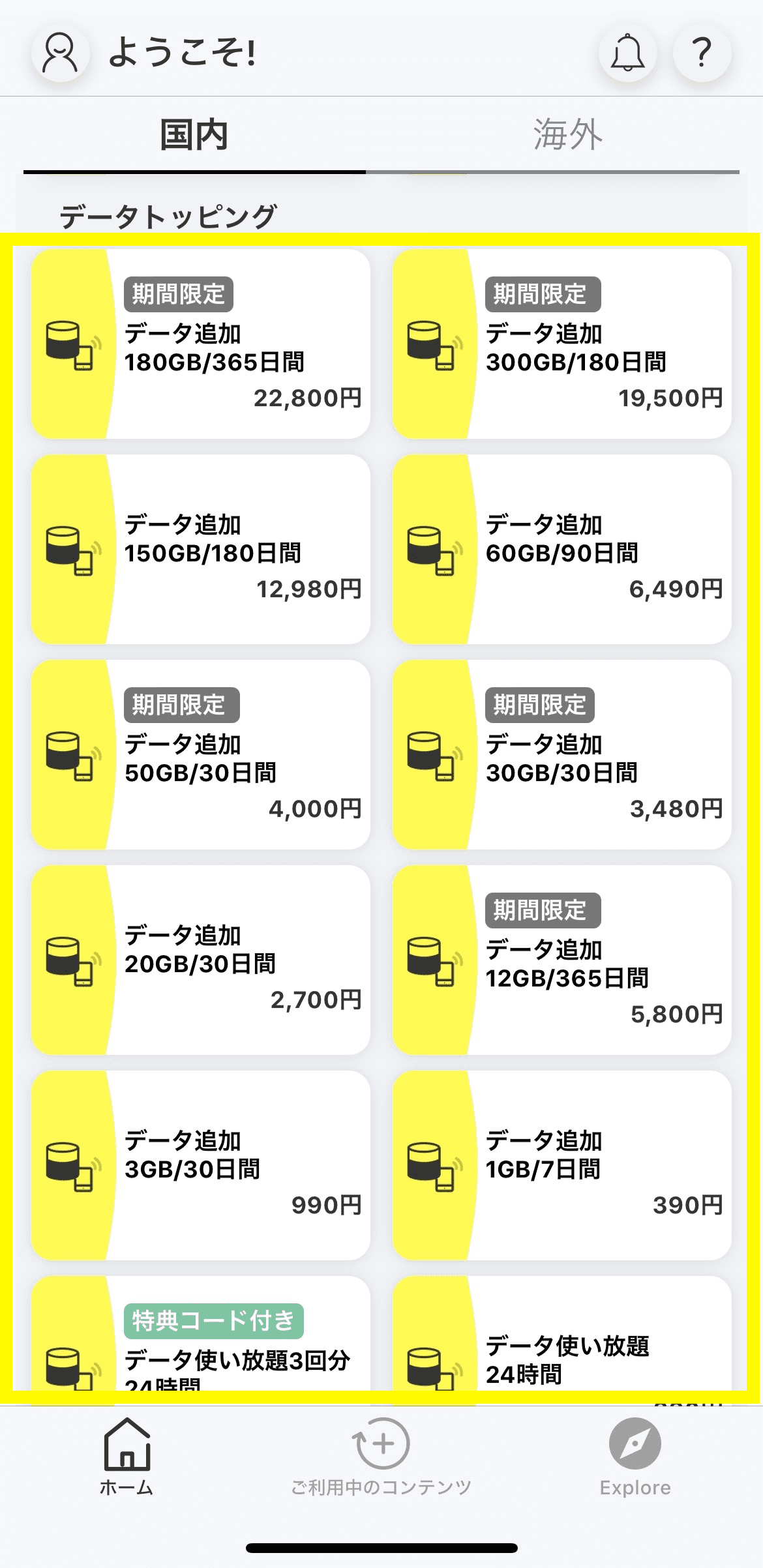
    Select the data Topping you want to purchase on the home screen of the povo2.0 app

  • STEP 2

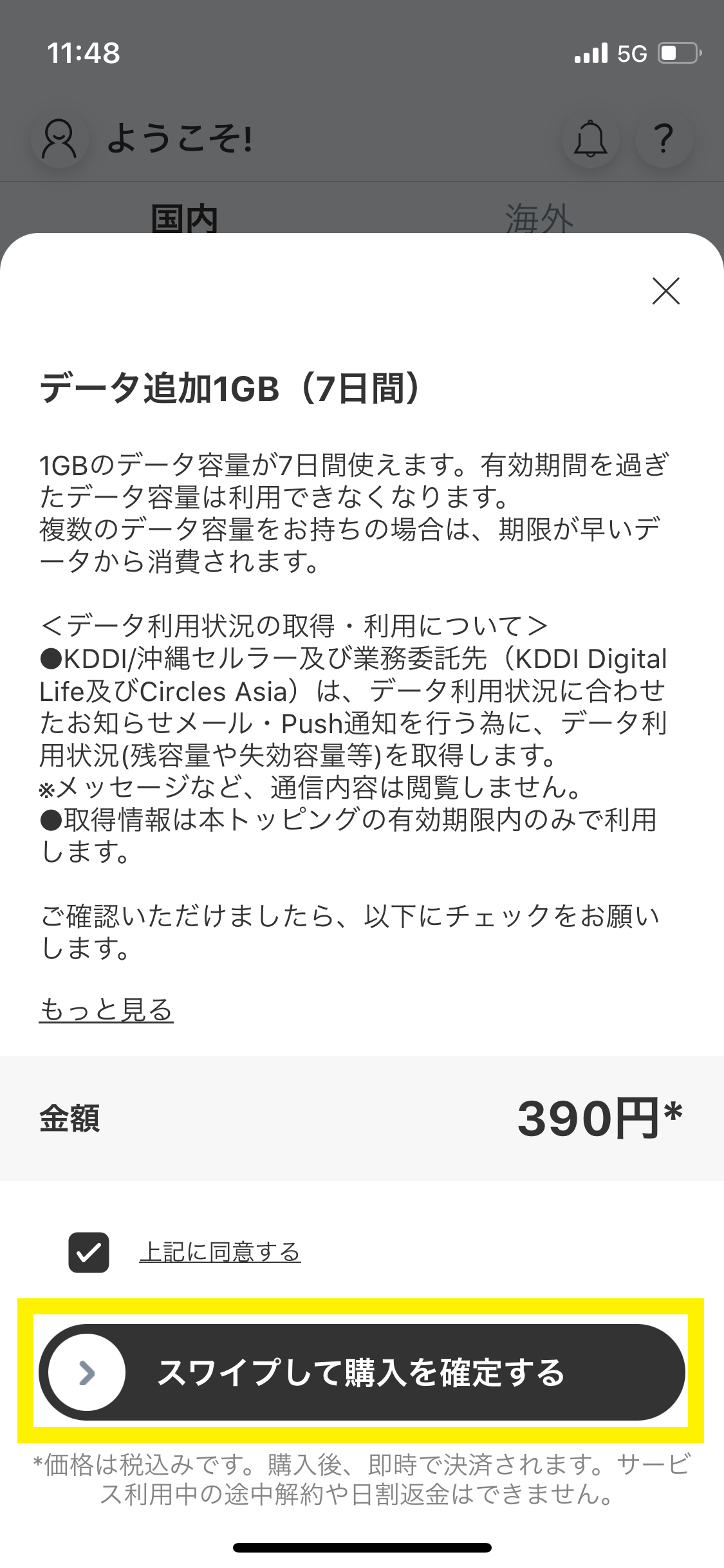
    Please read the explanation in the pop-up, check "I agree to the above", and swipe from left to right on the "Swipe to confirm purchase" button.

  • STEP 3

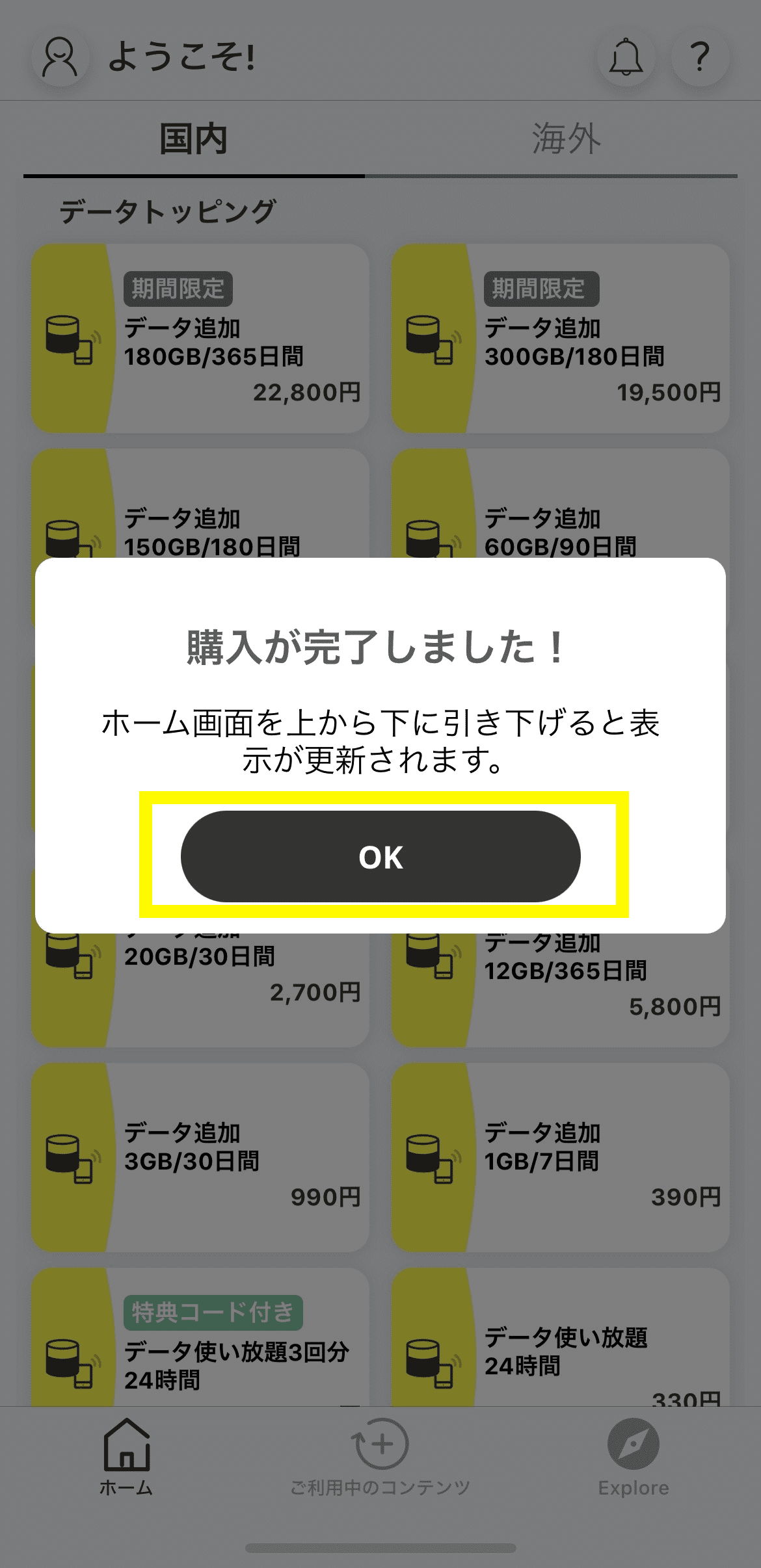
    A purchase completion message will appear, so tap "OK" (pull down from the top of the home screen to refresh the display).

Promo Code Guide

  • STEP 1

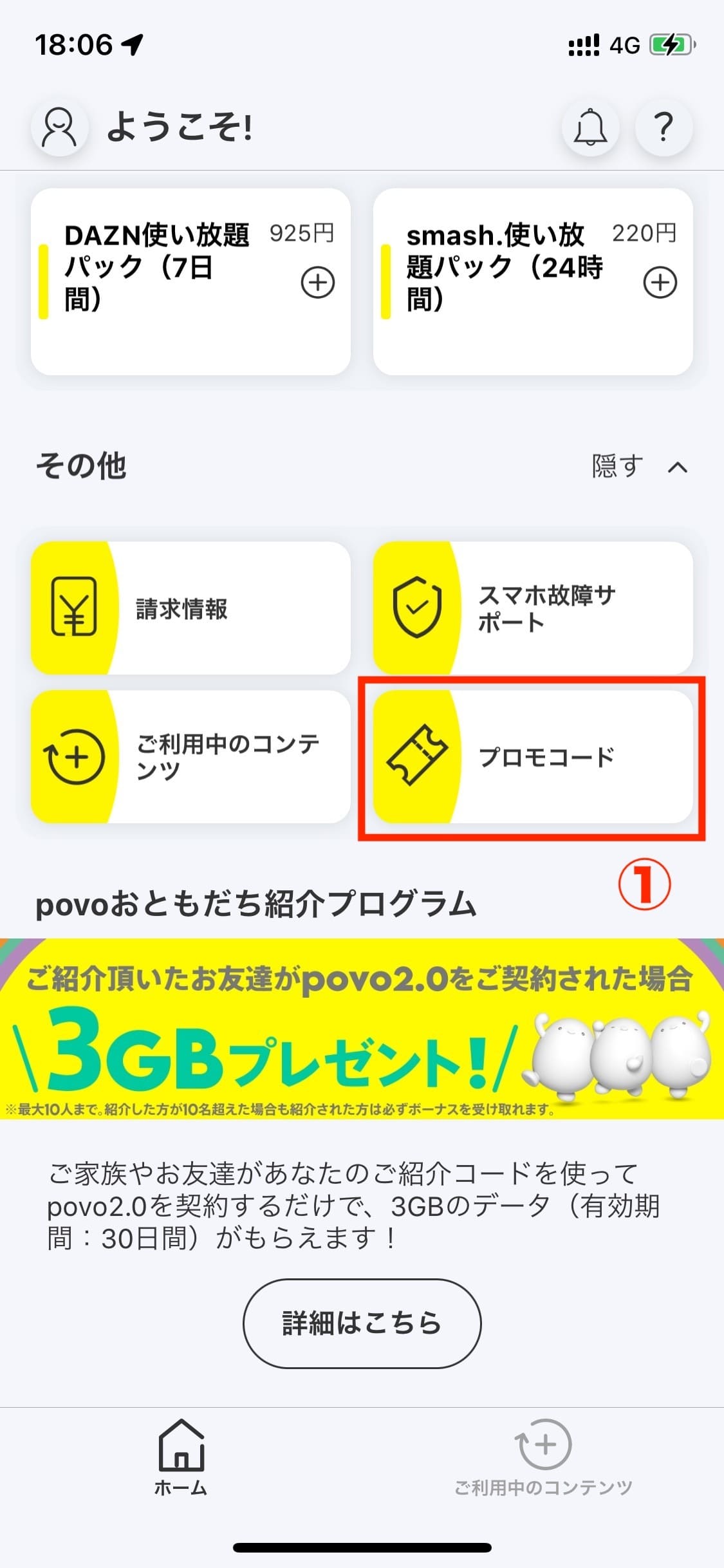
    Open the povo2.0 app, scroll to the bottom of the "Home" tab, and select "Promo Code."

  • STEP 2

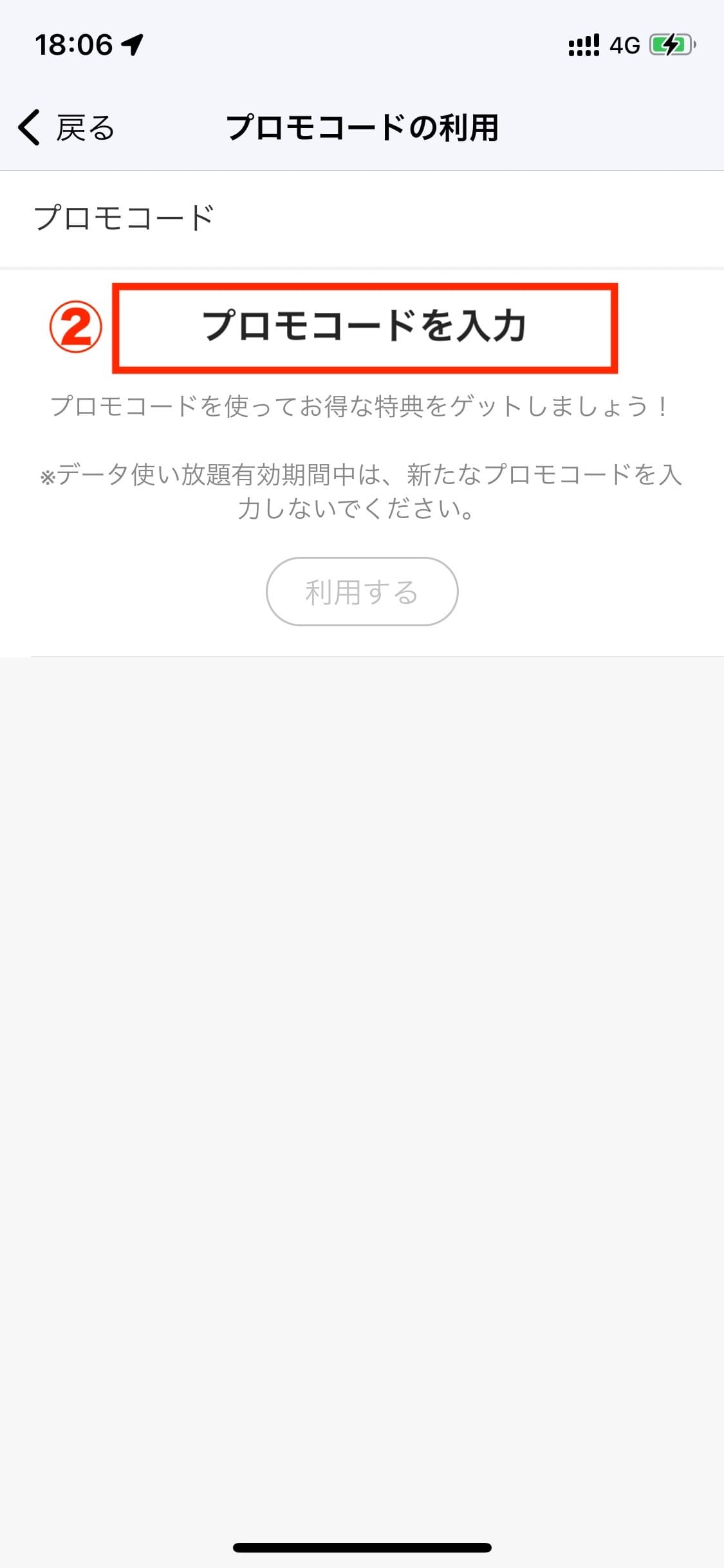
    Enter the promo code in the "Enter promo code" field and press "Use" to apply the promo code.

International Roaming Guide

  • STEP 1

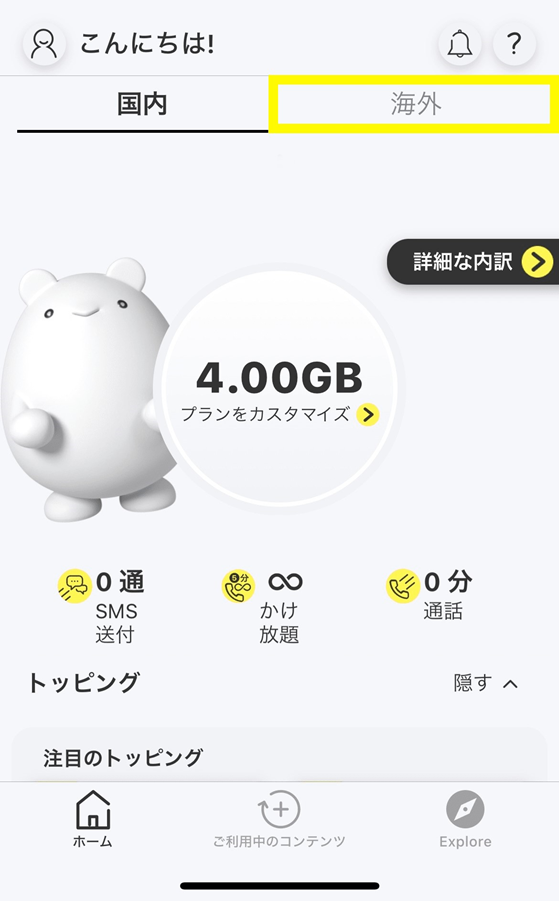
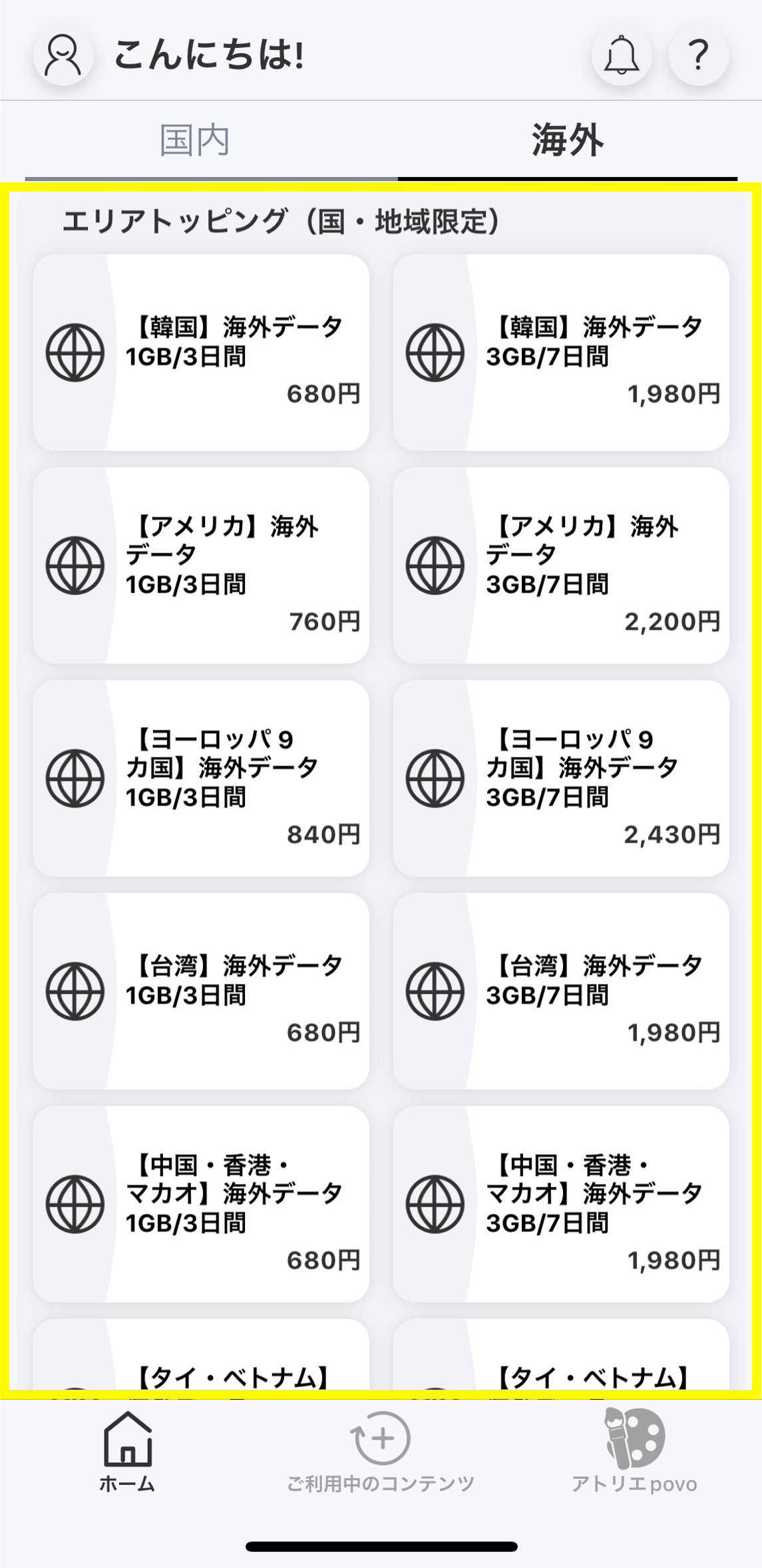
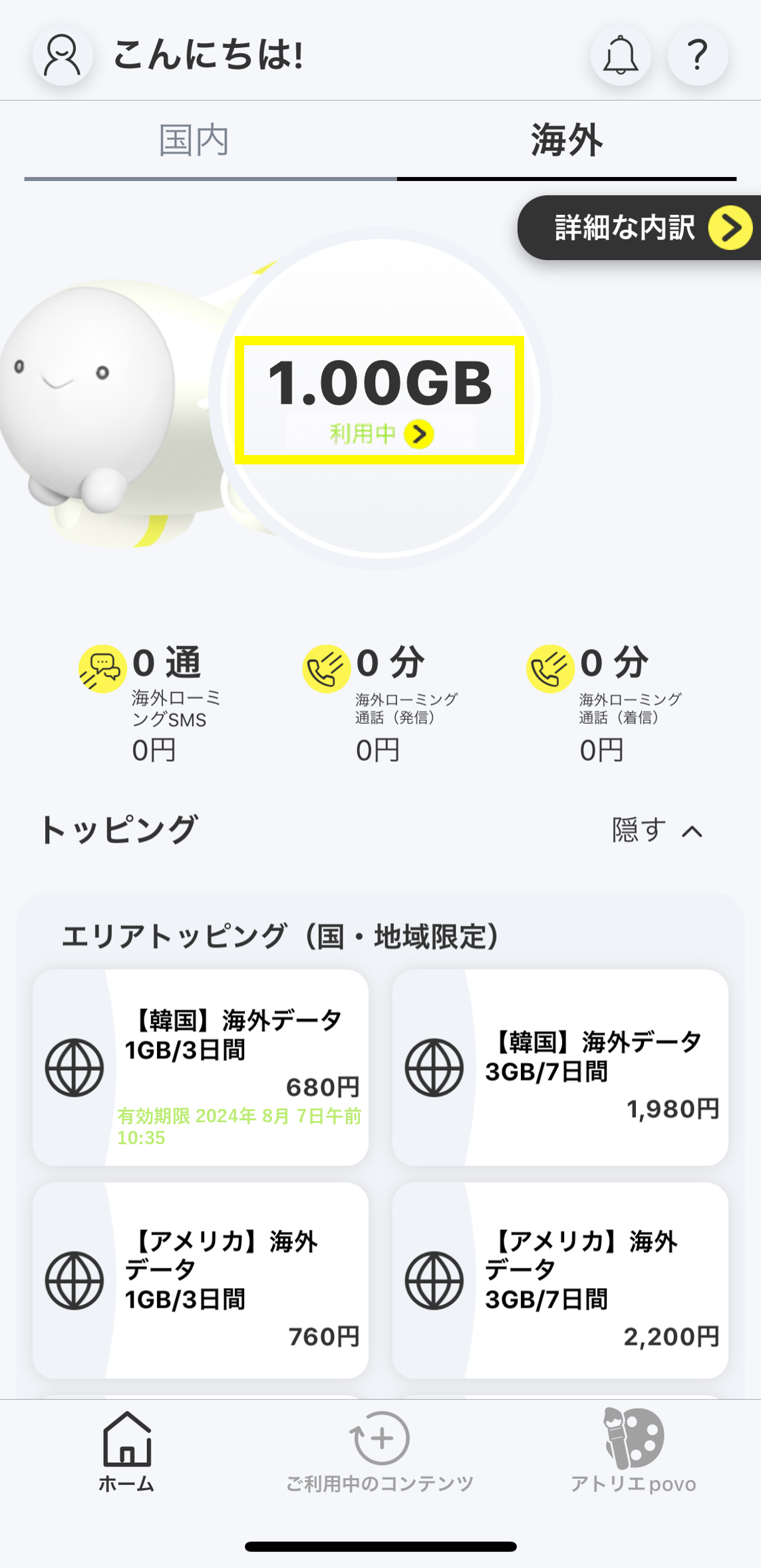
    Select "Overseas" on the home screen of povo2.0 app

  • STEP 2

    Select Overseas data Topping you want to purchase on the overseas home screen

  • STEP 3

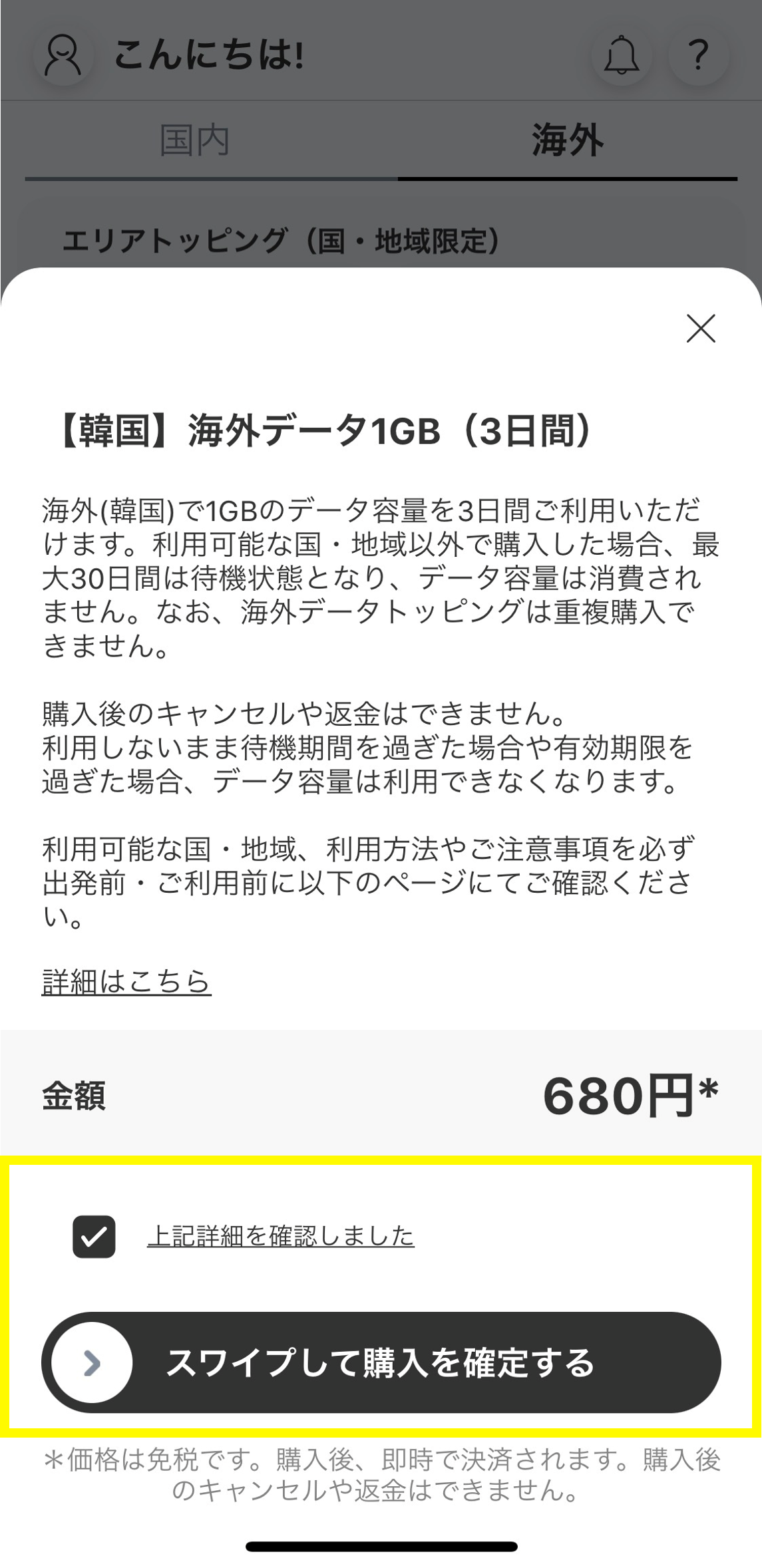
    After reading the instructions in the pop-up, check "I have confirmed the above details" and swipe from left to right on the "Swipe to confirm purchase" button.

  • STEP 4

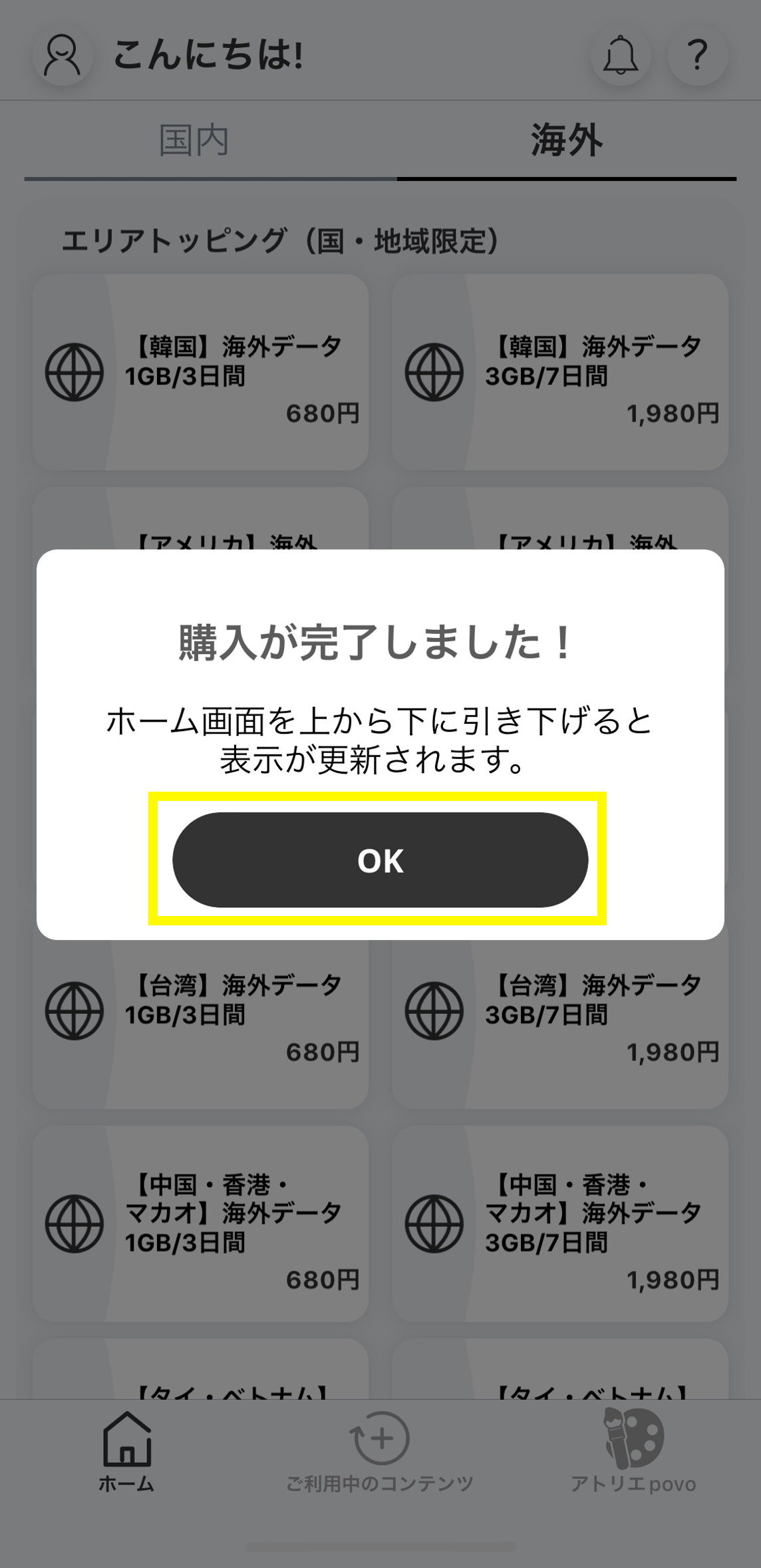
    A purchase completion message will appear, so tap "OK" (pull down from the top of the home screen to refresh the display).

  • STEP 5

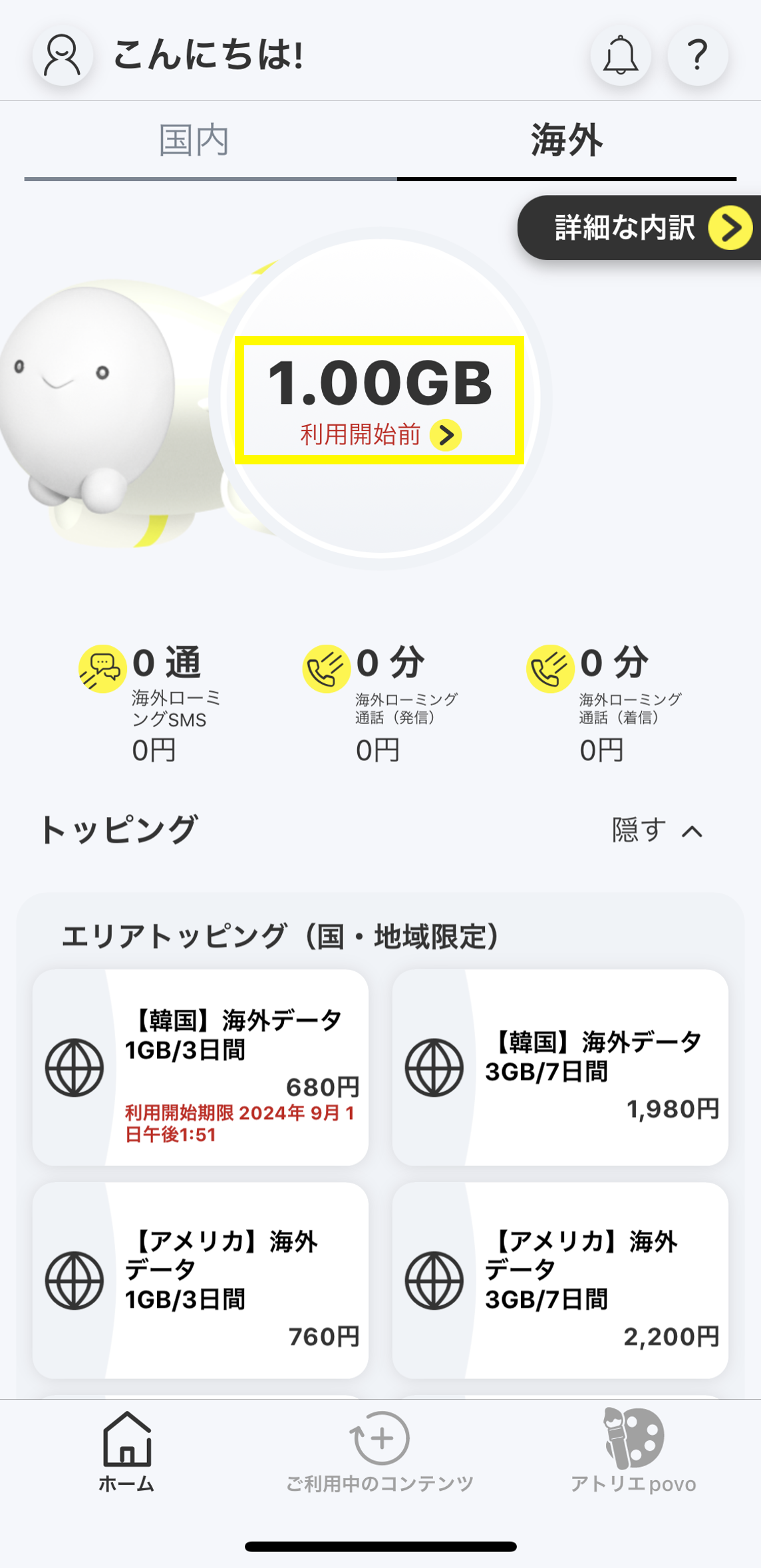
    The remaining data capacity will be displayed before use, and you will be on standby for 30 days until you can connect to data communication in an area where it is available. We recommend purchasing the plan before you travel.

    *It may take up to one minute for the changes to be applied, so please wait until they are reflected.
  • STEP 6

    Your data validity will begin with your data connection in the area where it is available.

    *Roaming settings on your device must be turned on (see here for instructions).

Friend Introduction Guide

  • STEP 1

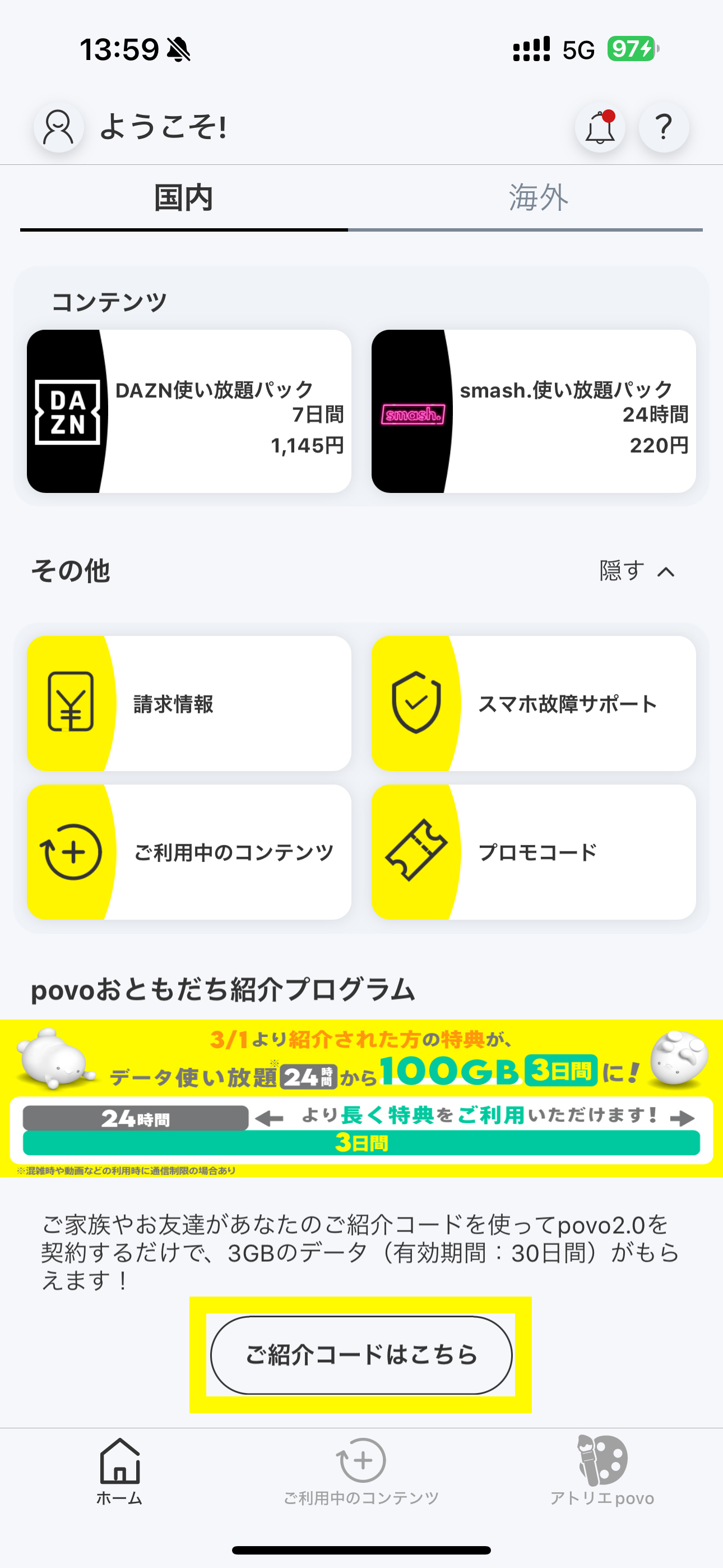
    Tap "Learn more" at the bottom of povo2.0 app home screen

  • STEP 2

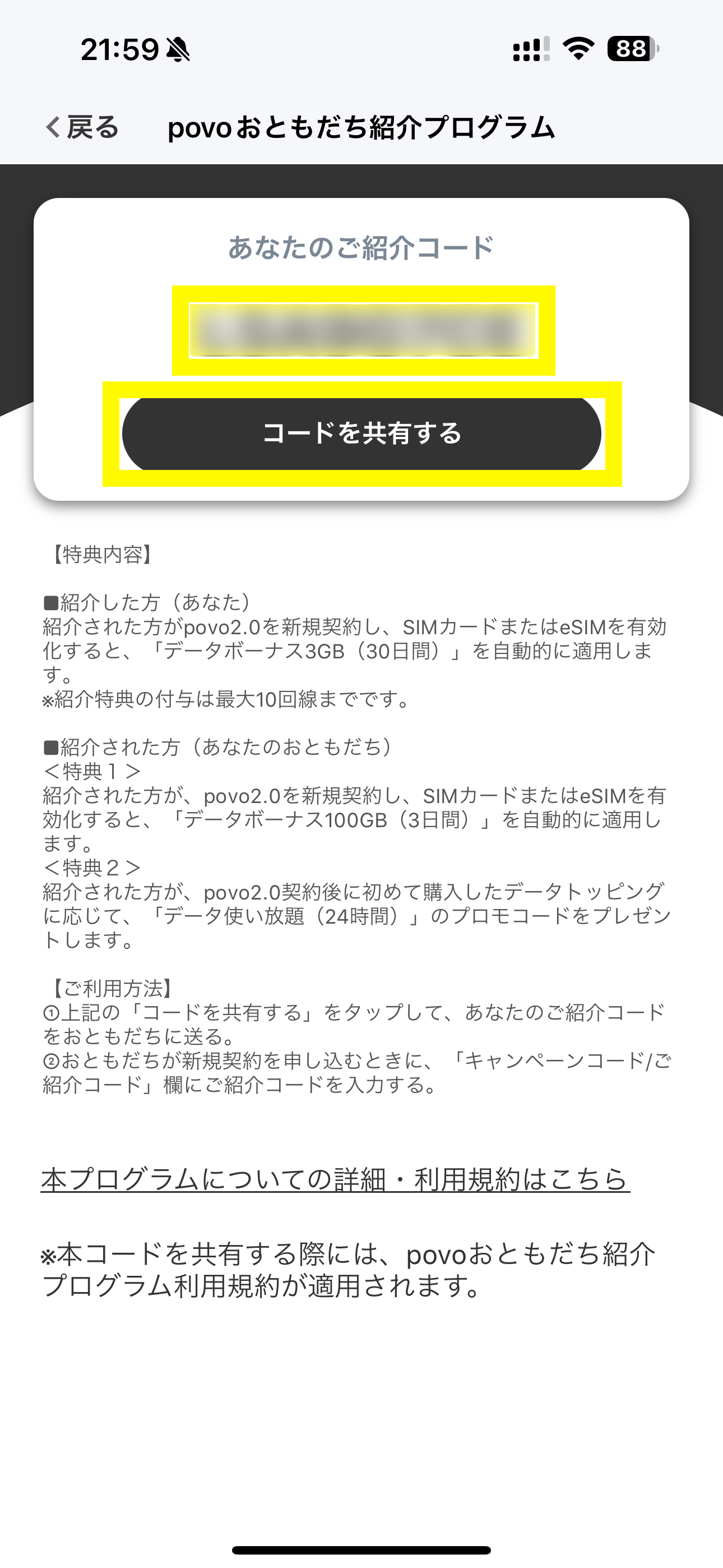
    Share the 8-digit referral code displayed with your family and friends, or tap "Share code."

  • STEP 3

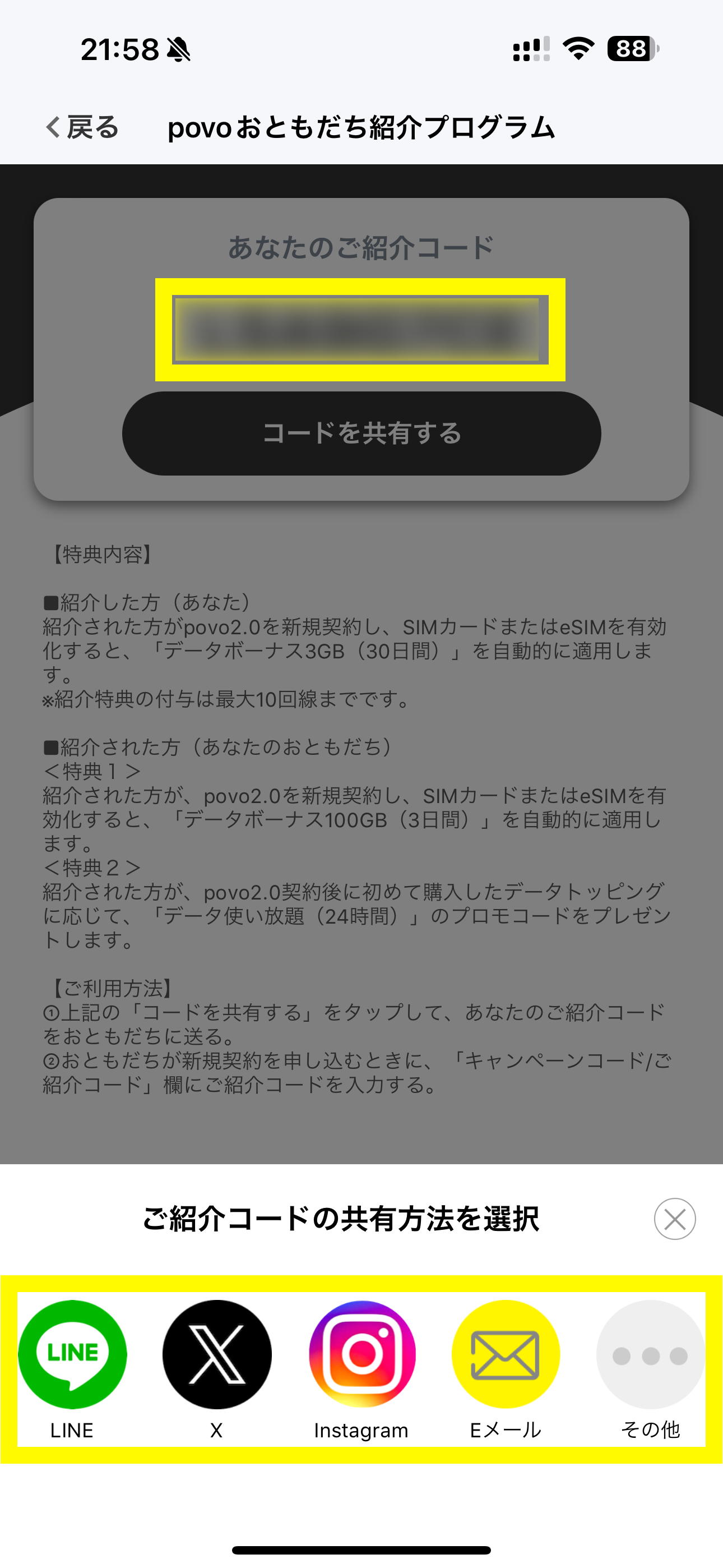
    Choose your preferred sharing method and share your referral code with your family and friends.

    * Up to 10 people can receive the referral bonus.

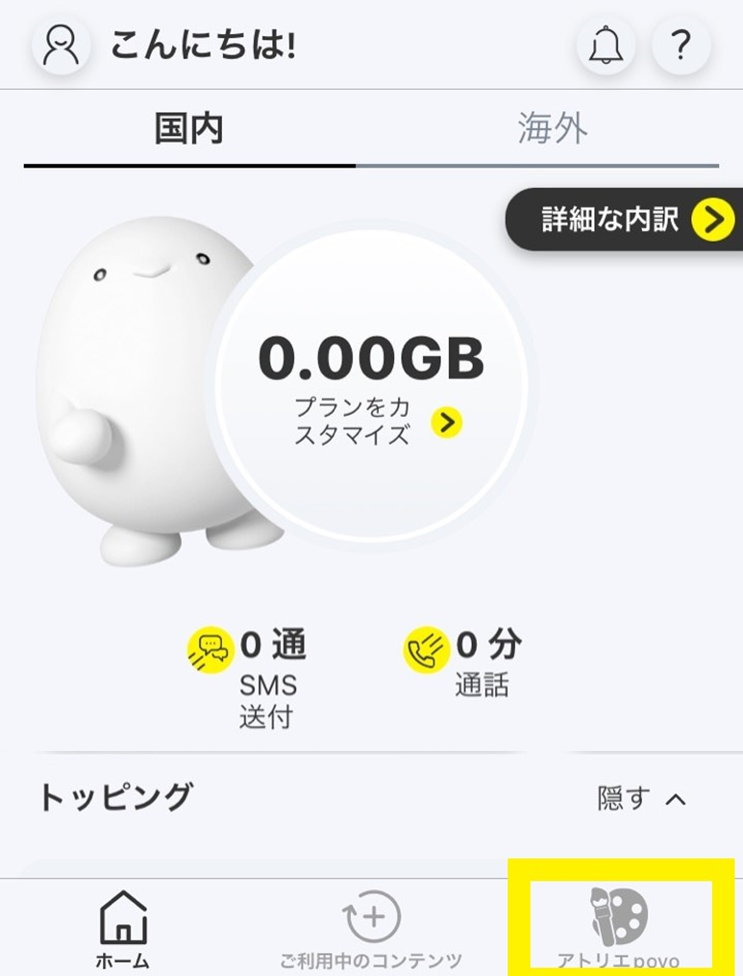
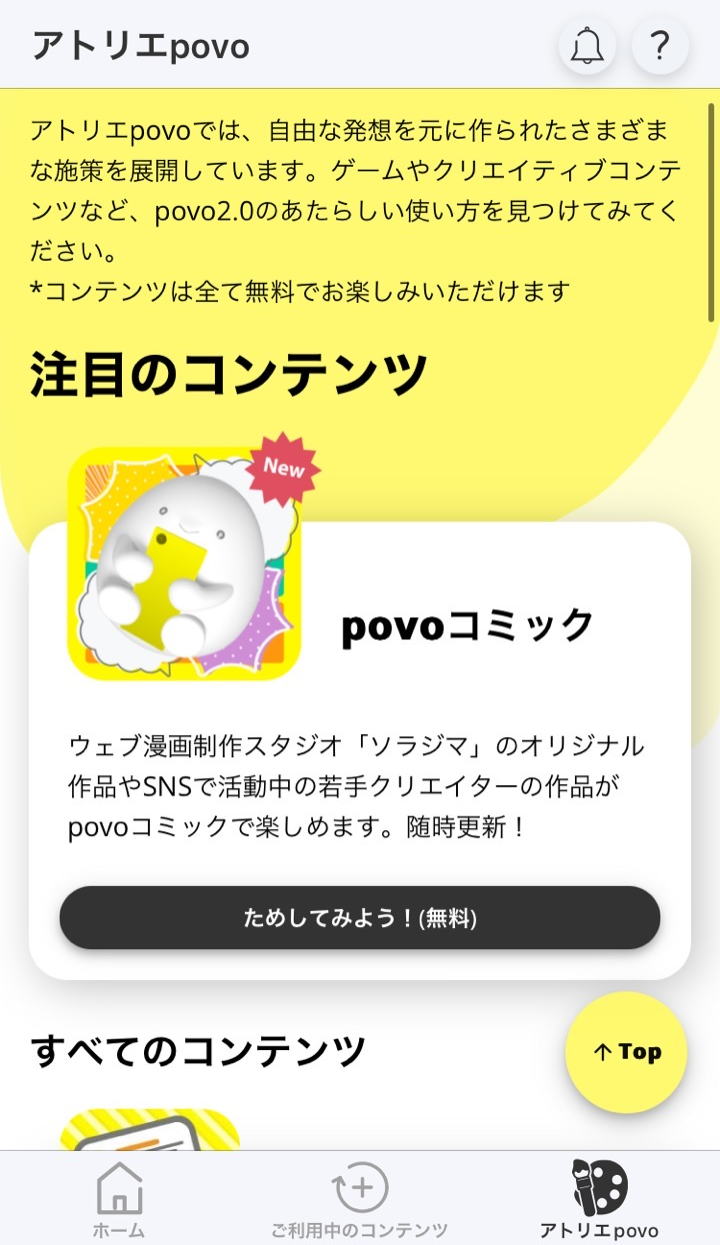
Atelier povo

  • STEP 1

    Atelier povo develops games and creative content. Discover new ways to use povo2.0!

    *All content is free to enjoy.

  • STEP 2

    The content is changed regularly, so please try playing with the content you like!