*Customers considering a new sub-line or second SIM card should apply for a new contract. *Procedures vary depending on the contract type. Please note that we have received inquiries due to incorrect selection.
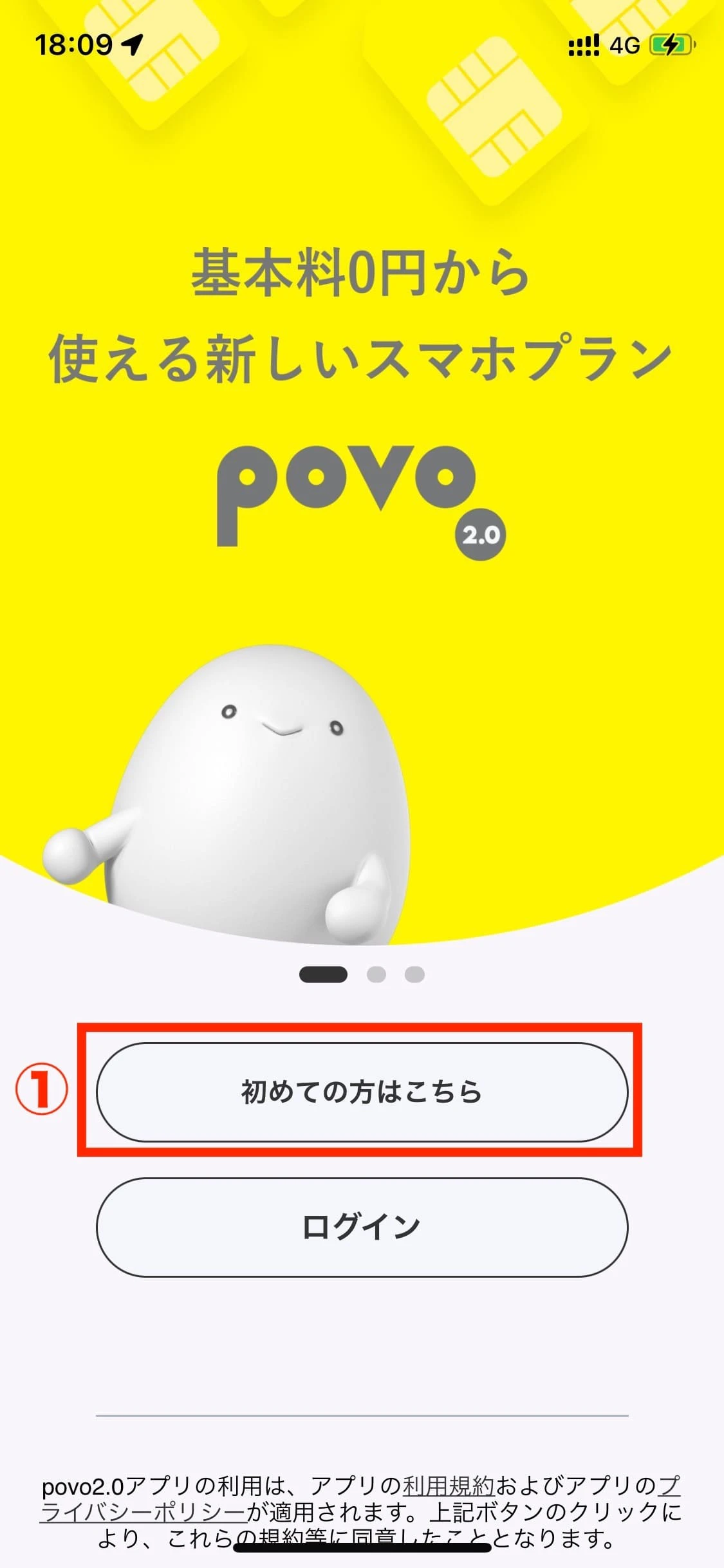
After downloading the povo2.0 app, click "First-time users, click here."
STEP 2
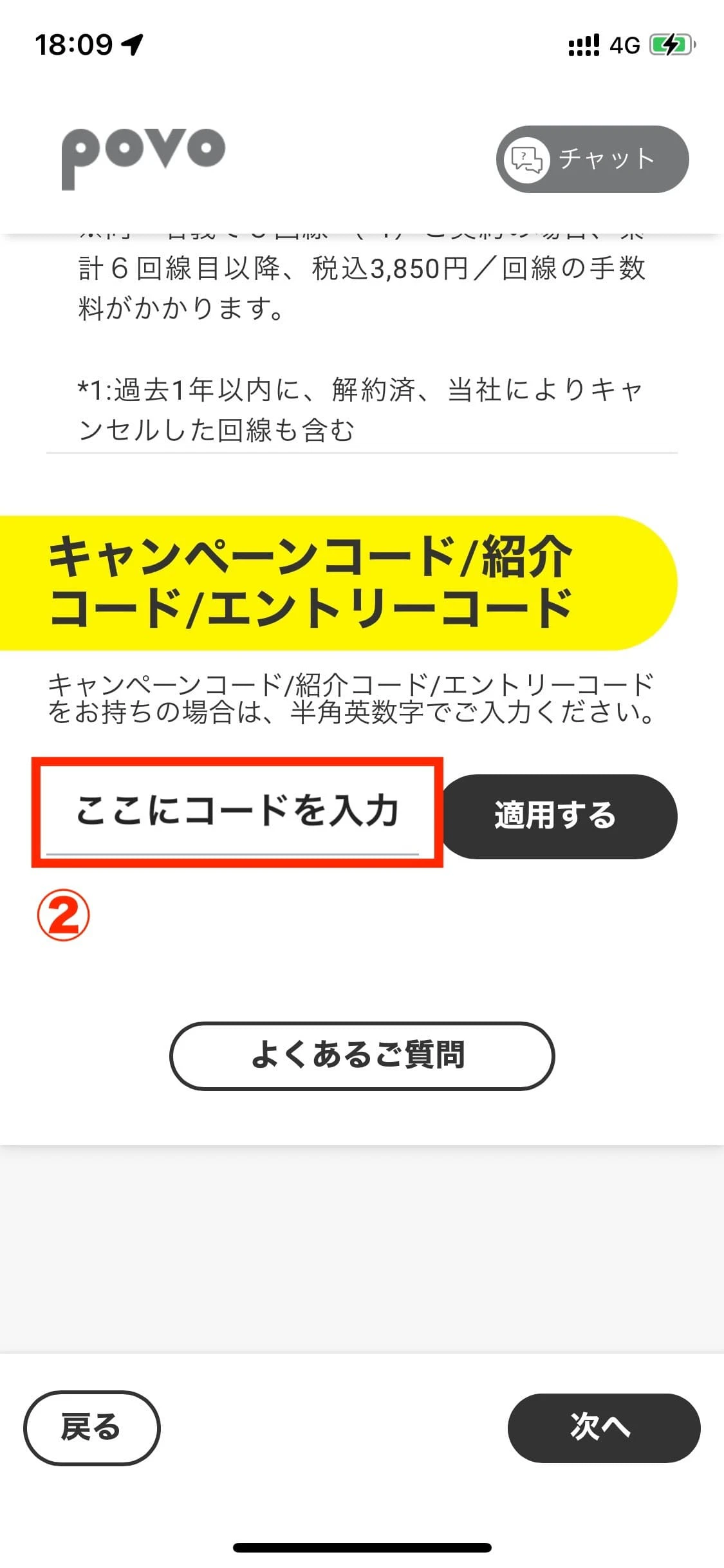
Proceed with registration, enter the code in the campaign code input field, and press the "Apply" button.
STEP 3
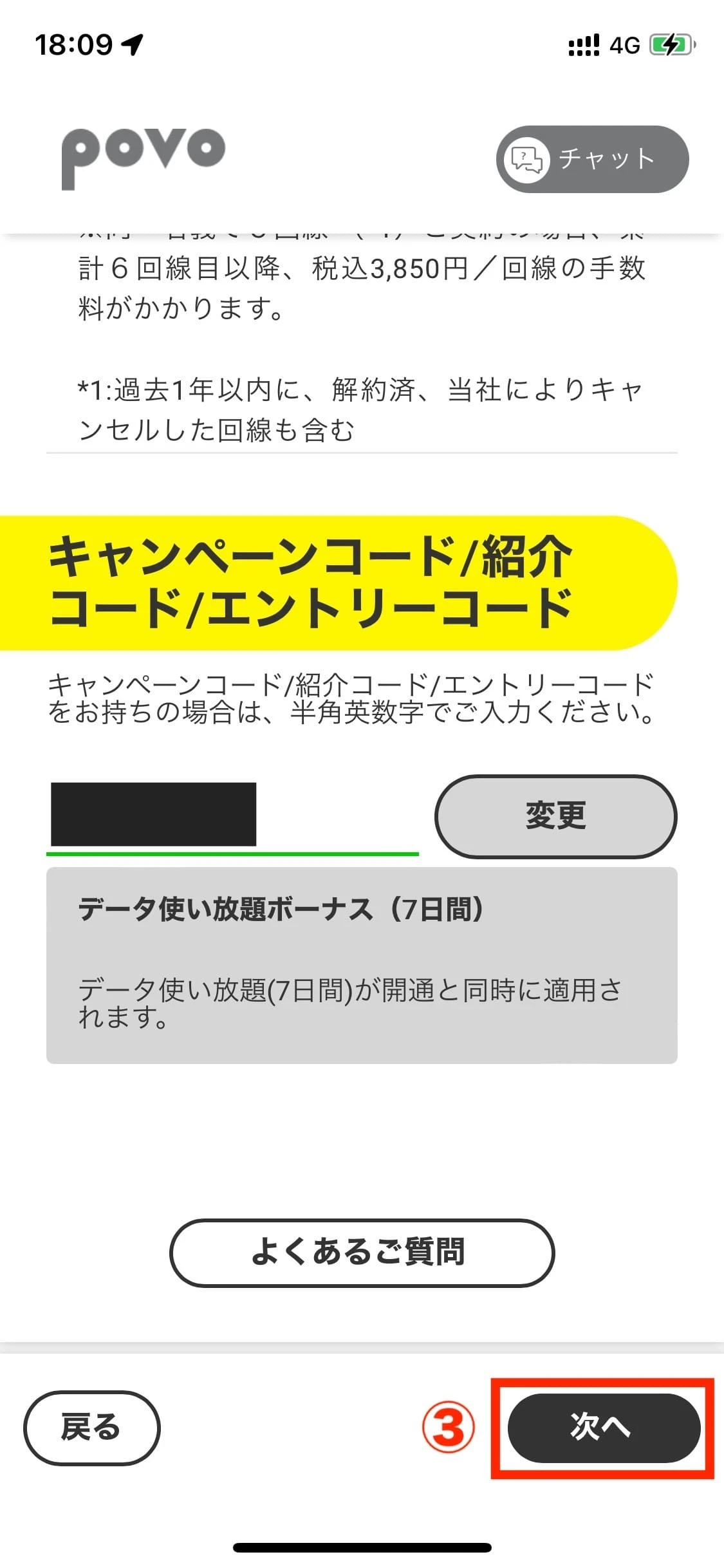
The applicable data will be displayed below the input field. After reviewing it, press "Submit with this information."
*If the input field for "campaign code/referral code/entry code" does not appear on the povo2.0 application start screen, please proceed with the procedure as is and enter your code in the input field displayed under "Confirm application details."
How to use the promo code
STEP 1
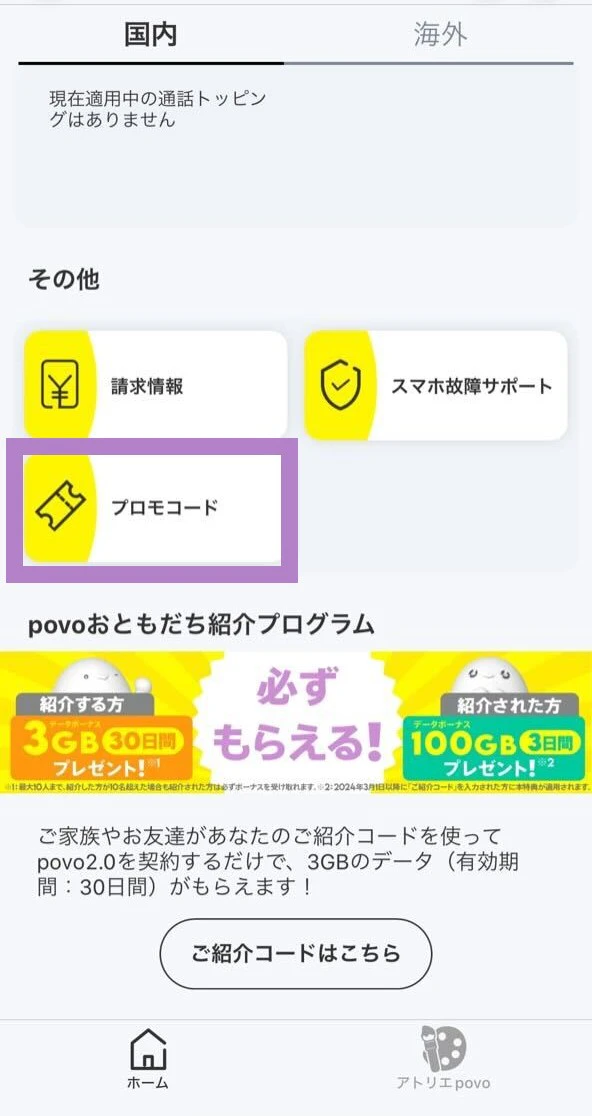
Open the povo2.0 app, scroll to the bottom of the "Home" tab, and select "Promo Code."
STEP 2
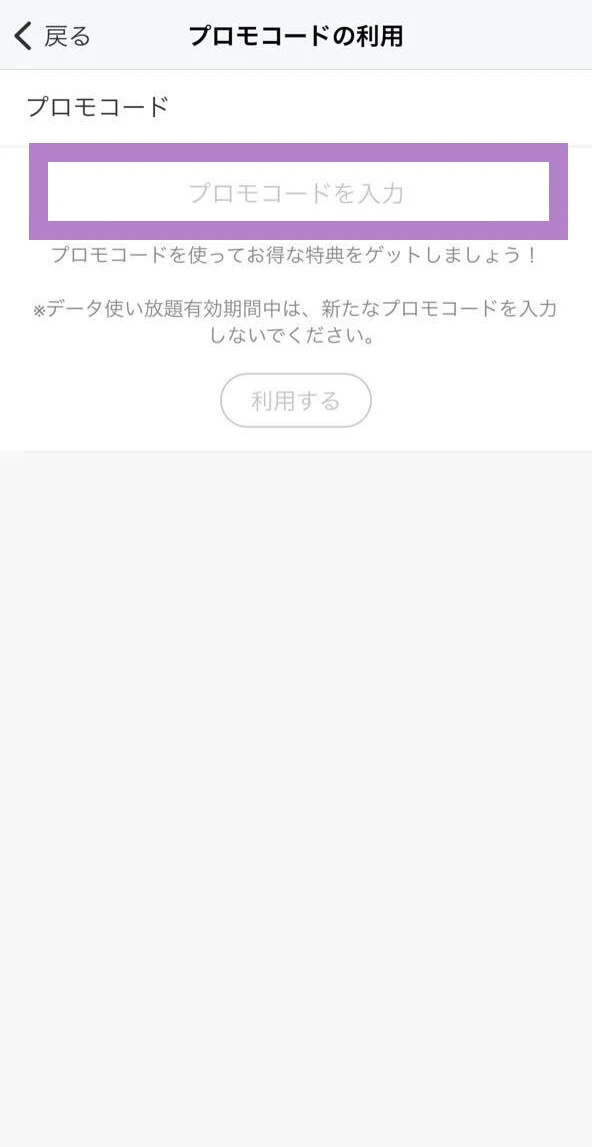
Enter the promo code in the "Enter promo code" field and press "Use" to apply the promo code.