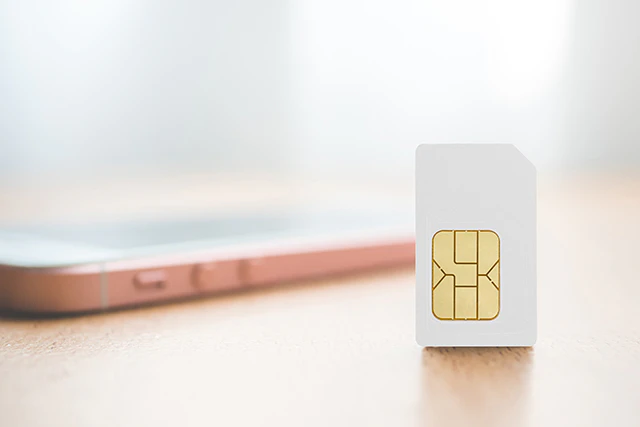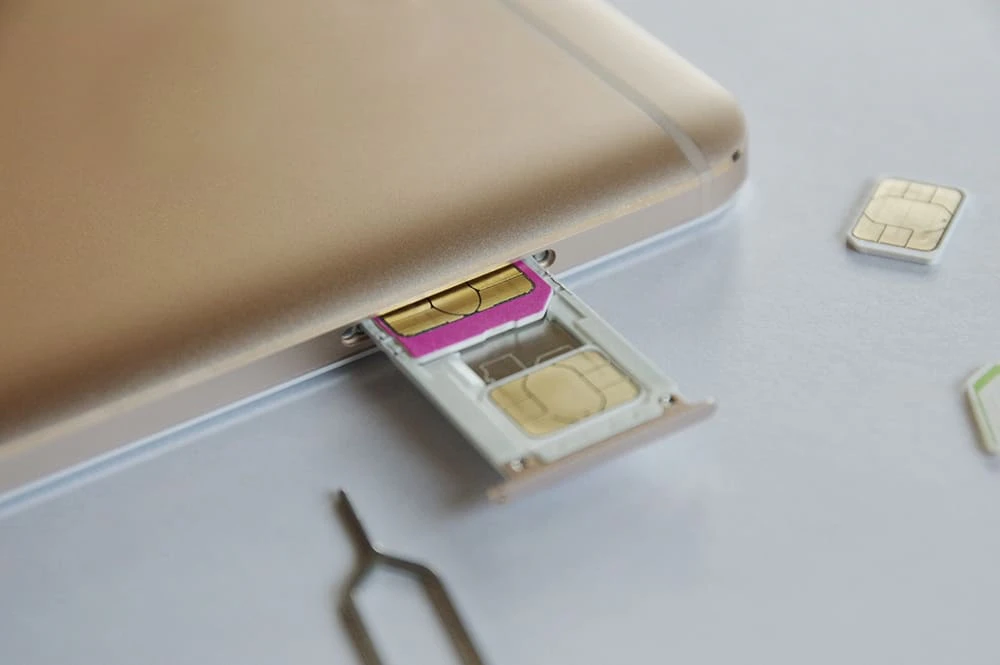
Dual is a word that means "double" or "two ways."
In other words, dual SIM is a feature that allows you to insert two SIM cards into one smartphone and use two different carriers (plans) at the same time.
Since SIM cards from different carriers can be used simultaneously, you can choose between different plans, such as one specialized for calls and the other specialized for data communication.
Depending on how you use it, you may be able to save more on your smartphone fees than if you were to sign up for a "Calls+Data" plan.
In this article, we will introduce in detail the overview of dual SIM, its advantages and disadvantages, and points to keep in mind when using dual SIM.
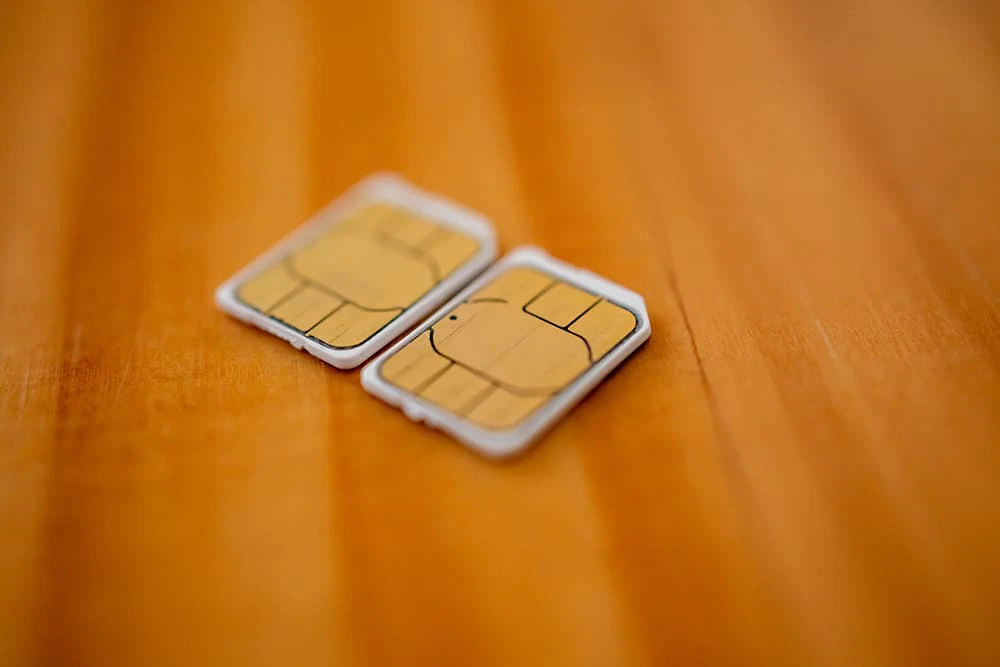
Simply put, dual SIM is a feature that allows you to insert two SIM cards into one smartphone and use two lines or phone numbers.
Until now, you could only insert one SIM card into a smartphone, so if you wanted to use two lines or phone numbers, you had to have two devices.
However, if you have a dual SIM compatible device, you can use one smartphone in the same way as if you had two devices.
In addition, users can combine SIM cards from different carriers, giving them greater flexibility to use the phone in a way that suits their preferences.
eSIM is an abbreviation for "Embedded SIM" and refers to a built-in SIM that is embedded in a device, rather than a physical card-type SIM.
Conventional SIM cards were mainly card-type and could only be used by inserting them into a slot on the device itself.
However, since eSIM is built-in, there is no need to swap cards between devices when changing carriers.
In addition, the activation procedure for eSIM, which does not require a card, can be done entirely online, so there is no need to go to a store and it can be activated as soon as the same day.
In fact, there are some smartphones that support both dual SIM and eSIM.
In this case, you can operate dual SIMs with one carrier using a card-type SIM and the other using an eSIM.
For example, if you have an iPhone XS, iPhone XS Max, iPhone XR, or later device running iOS 12.1 or later, you can use eSIM and dual SIM at the same time.
(You'll also need to choose a plan from a carrier that supports eSIM.)
Reference: Using Dual SIM with eSIM | Apple
Using eSIM reduces the hassle of having to swap cards, and you can use one smartphone as two devices, making it even more convenient.
In addition, au 's online-only brand "povo2.0" (*1) also supports eSIM, and can of course be used with dual SIM-compatible models that allow you to use two lines on a single smartphone.
Click here for the procedure for activating povo2.0 eSIM.
*1: As this is an online-only plan, all procedures and support will be handled online. Please contact us via the povo2.0 app or official website.
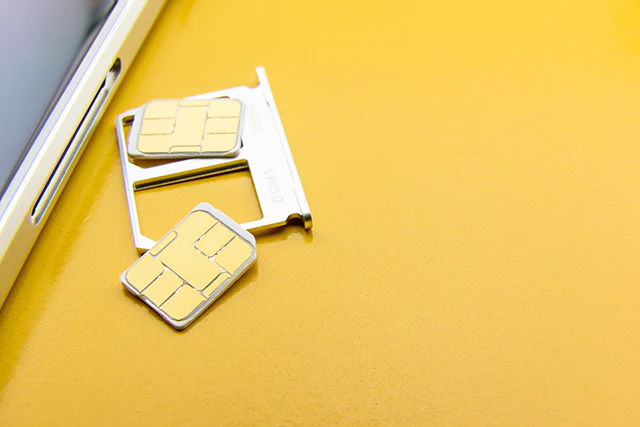
For those considering dual SIM, here are four benefits of using it.
By inserting two "voice call SIM" cards that support both voice and data calls, you can have two phone numbers on one smartphone.
For example, this is useful when you want to use different phone numbers for personal and work use.
Additionally, LINE and other social networking services, which allow you to create an account linked to your phone number, are easy to manage because they allow you to separate your personal and work accounts.
You can also use two SIM cards, one for calls and one for data communication.
For example, some low-cost SIM cards have plans that are specialized for both voice calls and data communication.
In other words, signing up with separate carriers for voice and data communications can sometimes be more cost-effective than signing up for a "Calls+Data" package.
With dual SIM, users can flexibly choose their carrier and fees plan to suit their needs.
There may be times when communication problems occur due to disasters, slow communication speeds, or other factors.
If you insert two SIM cards that use different lines, you can switch to one if it malfunctions.
For example, having two carriers, such as "docomo and au," is called "dual carrier."
By using dual carriers, you can switch between lines that are easier to connect to at will, allowing you to enjoy data communication more comfortably.
Also, in case of an emergency, using two carriers provides more security than using just one line.
With dual SIM, you can keep the SIM card you use in Japan inserted and insert a local SIM card at your destination, allowing you to use it for both domestic and international use.
If you have a single SIM phone that can only accommodate one SIM card, you will need to replace the SIM card with a locally compatible one in order to use data communications abroad in order to use the mobile network of your destination country.
However, with dual SIM, you only need to insert a new SIM card for overseas use, which is less hassle.
Also, if you change your destination, you can keep the domestic SIM card inserted and just replace the international SIM card, making management easy.
As such, dual SIM cards are useful for people who travel abroad frequently.
In addition, povo2.0 offers international roaming, allowing you to purchase data by deciding in advance the amount of data and number of days you need.
Overseas roaming is a method of transmitting data using the mobile network of your destination country from your current carrier in Japan.
One of its features is that it is easy to use, as there is no need to swap or insert SIM cards.
For example, you can purchase Topping by selecting your destination and data capacity (number of days), such as "Korea for 7 days, 3GB: 1,980 yen," which prevents the risk of "using too much data and receiving a large bill."
This article explains dual SIM, but if you are interested, please also check out the overseas roaming of povo2.0 on the following page.
Go to povo2.0 international roaming page
Reference: What is an overseas SIM card? A detailed explanation from how to purchase to how to use it
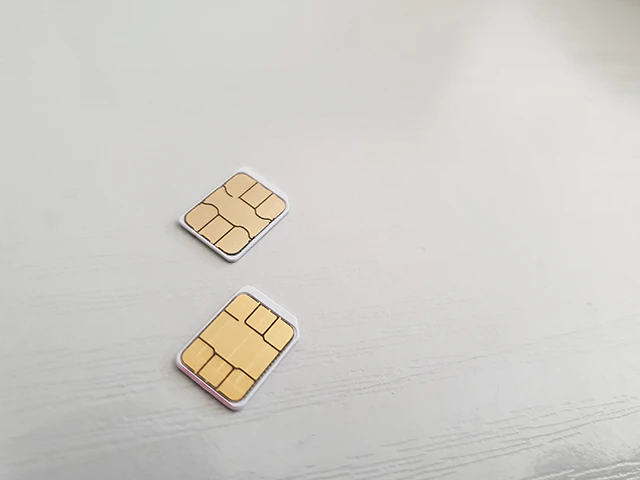
Dual SIM has many benefits, such as being able to use two phone numbers on one smartphone and being able to switch communication lines.
On the other hand, there are some drawbacks that you should be aware of, so be sure to check them out beforehand.
Compared to using only one SIM card, using dual SIMs may drain the battery faster because the power required to send and receive radio waves is consumed by two lines.
If you are concerned about battery consumption, carry a mobile battery or charger with you as needed.
Some dual SIM smartphones share a slot for both the SIM card and the SD card, meaning you can only insert one of them.
If you also want to use an SD card, it's a good idea to choose a model with separate slots for the SIM card and SD card, or a model that allows you to use another line via eSIM even if you put the SIM card and SD card in the same slot.
Dual SIM is very convenient, but depending on the model, there may be restrictions on which carriers can be used.
Specifically, wireless communications such as carrier telephone lines and Wi-Fi work by receiving radio waves emitted by each carrier from its base station, enabling phone calls and communications. Radio waves are divided into frequency bands, and the frequencies available to each carrier are different.
Therefore, it is important to be aware that the device you are considering may not be compatible with the carrier's frequency.
When considering dual SIM, be sure to check not only the device but also the frequency compatibility of the SIM card.
There are four main types of dual SIM cards. Here we will look at the features of each type.
| Type | How to read | Automatic Switching | Simultaneous use during a call | Communication |
|---|---|---|---|---|
| DSSS | Dual SIM Single Standby | × | × | 4G |
| DSDS | Dual SIM Dual Standby | ○ | × | 4G + 3G |
| DSDV | Dual SIM Dual VoLTE | ○ | ○ | 4G + 4G |
| DSDA | Dual SIM Dual Active | ○ | ○ | 4G + 4G |
DSSS is a type of SIM card that allows calls and data communication using only one of the two SIM cards inserted in the device.
You cannot use two lines at the same time, and you cannot make calls or use data with an unactivated SIM.
Another disadvantage is that you have to manually switch which SIM you want to activate.
DSDS allows you to insert two SIM cards into one smartphone, eliminating the need to switch SIMs and allowing you to receive calls to the phone number linked to either SIM.
Additionally, while using one SIM for data communication, you can receive calls on the other SIM, making it more convenient than DSSS.
However, simultaneous calls are not possible, so if you are on a call with one SIM, you will need to turn off the other.
Additionally, you should be aware that while you are on a call, data communication will be disabled on the other SIM.
Also, keep in mind that while one SIM is in use, the communication speed of the other will be slowed down.
DSDV is an evolved version of DSDS, allowing you to receive calls on one SIM while communicating on the other.
Of course, there is no need to manually switch SIMs, and you can receive calls regardless of which SIM is receiving the call.
Additionally, you can answer calls from another line while you are on a call.
When connected to the line, both SIM cards allow simultaneous 4G connection.
However, like DSDS, data communication cannot be used during a call and calls cannot be made on two lines at the same time.
DSDA is an evolved version of DSDV, and allows data communication even during a call.
For example, you can make a call using one SIM card while using the other SIM card for data communications such as social media and the internet.
Also, like DSDV, there is no need to manually switch SIMs and you can receive calls on either line.
Another feature is that you can receive calls on a separate line while using data communication. However, please note that you cannot make calls on two lines at the same time.
It has the best performance among current dual SIMs, but there are still few smartphones that support it.

From here, we will explain how to set up dual SIM on an iPhone to help you better understand it.
Once you have inserted the SIM card into the SIM slot, all that's left is to set up your smartphone.
The basic settings are explained in six steps below, so please refer to them.
Please note that the setting method may vary depending on the OS version and model, such as Android.
Please check the website or instruction manual for the model you are using.
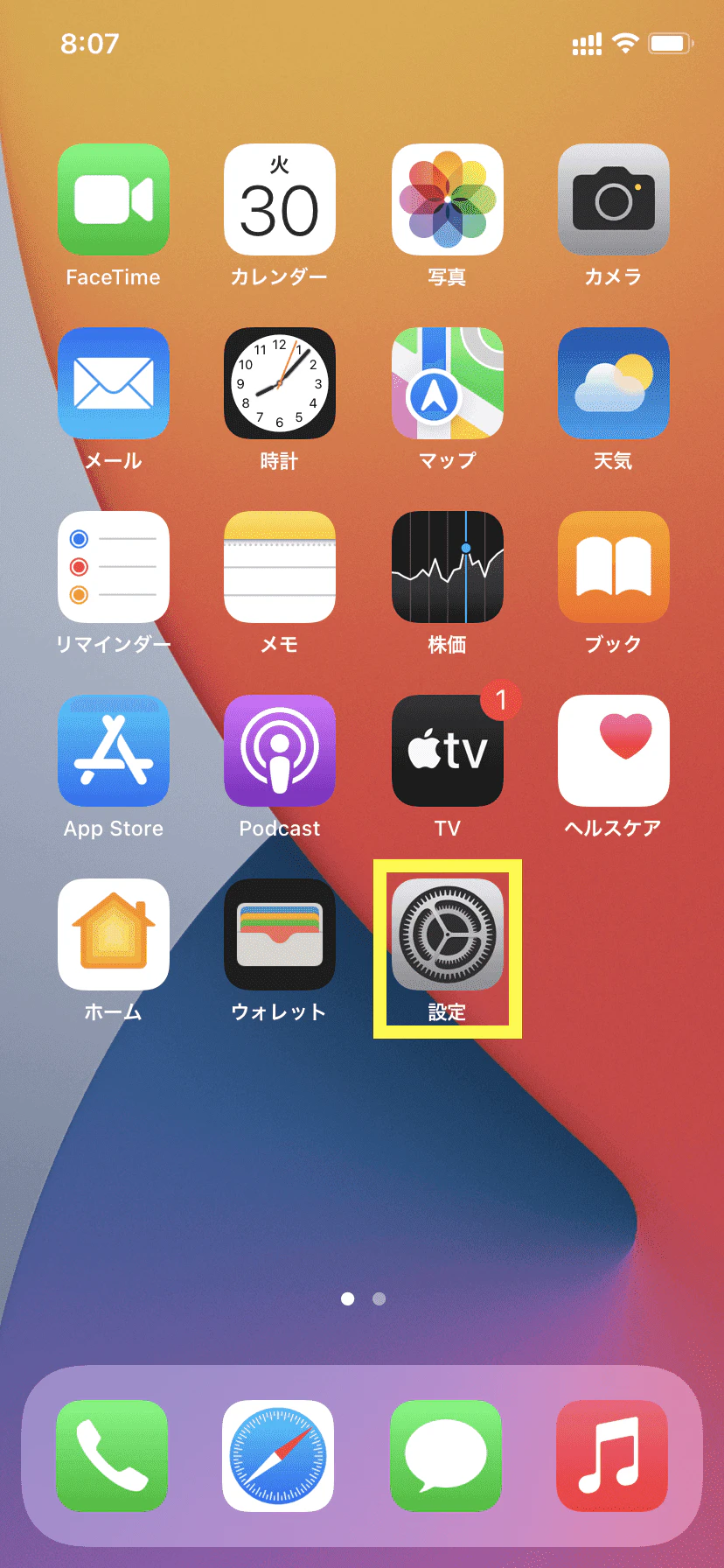
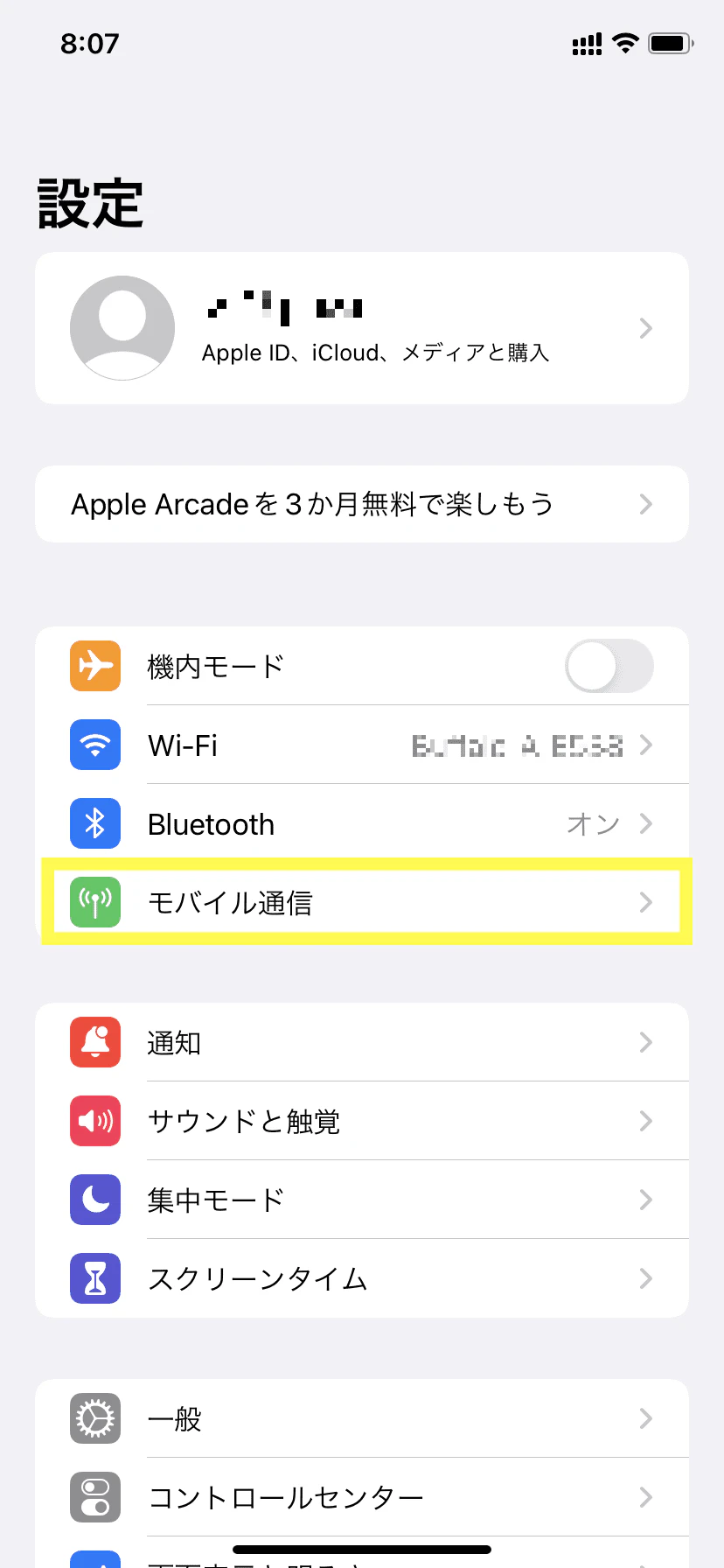
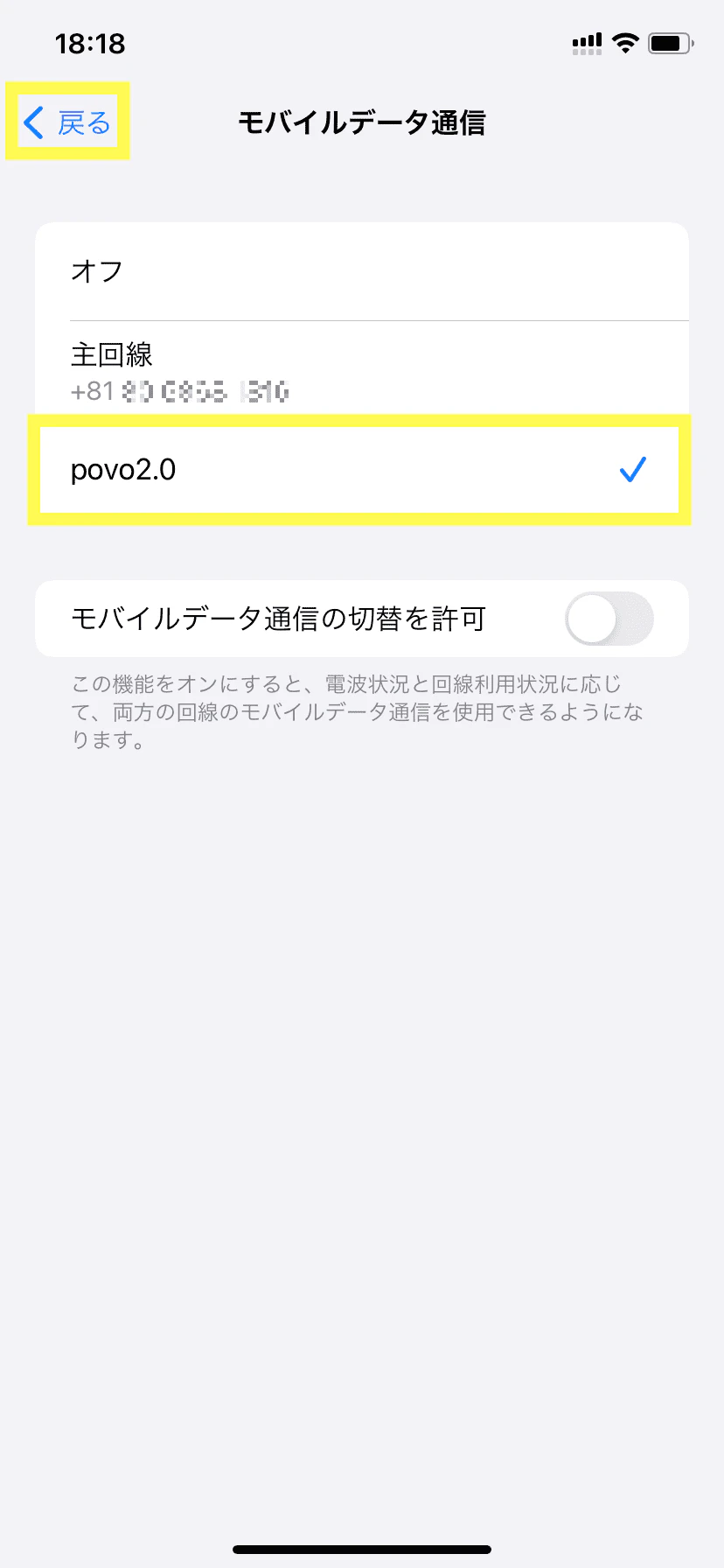
(2) After selecting "Mobile Communications," make sure there are two or more lines under "SIM."
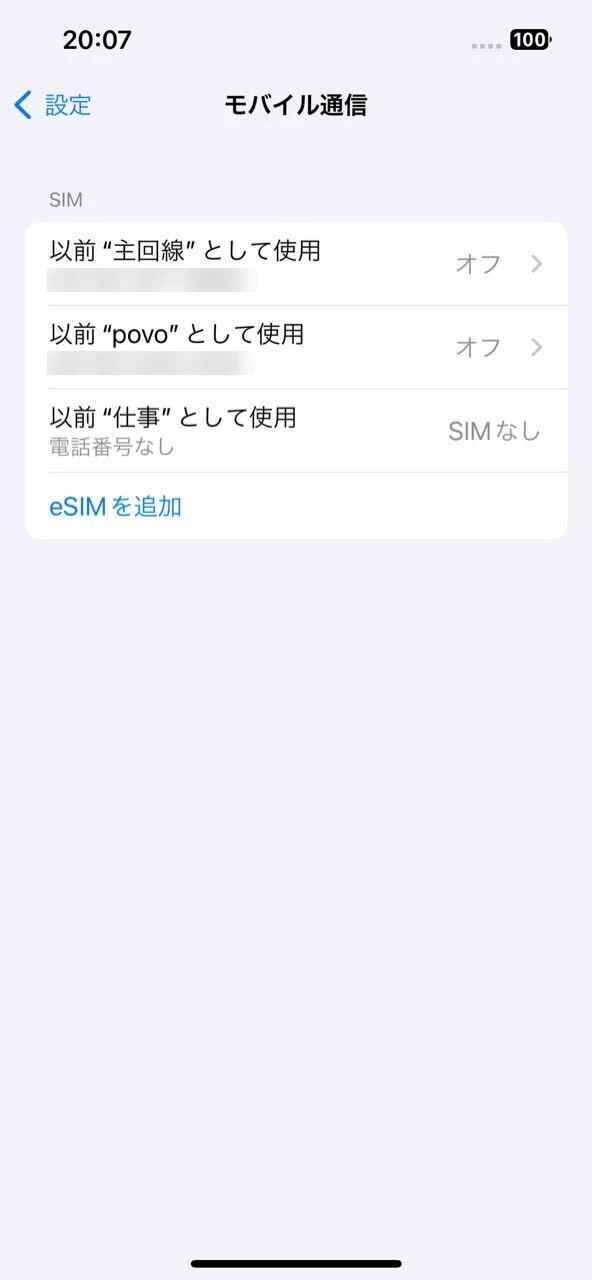
To add a line, see Set up cellular service on iPhone.
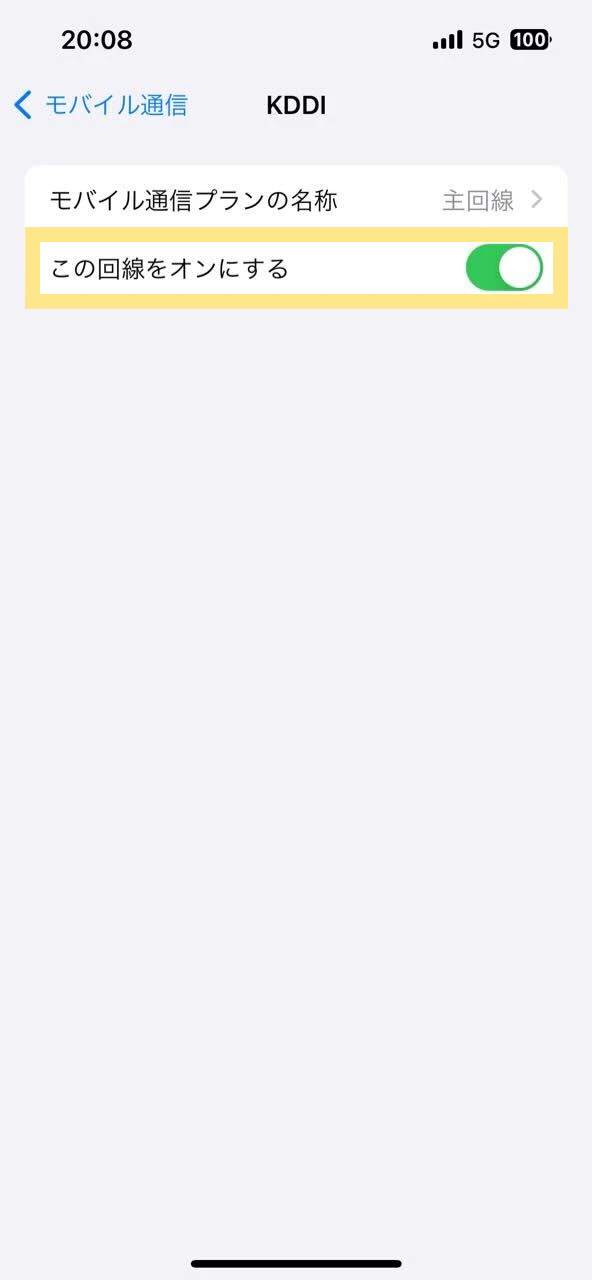
Then turn on both lines: tap the line, then tap "Turn this line on."
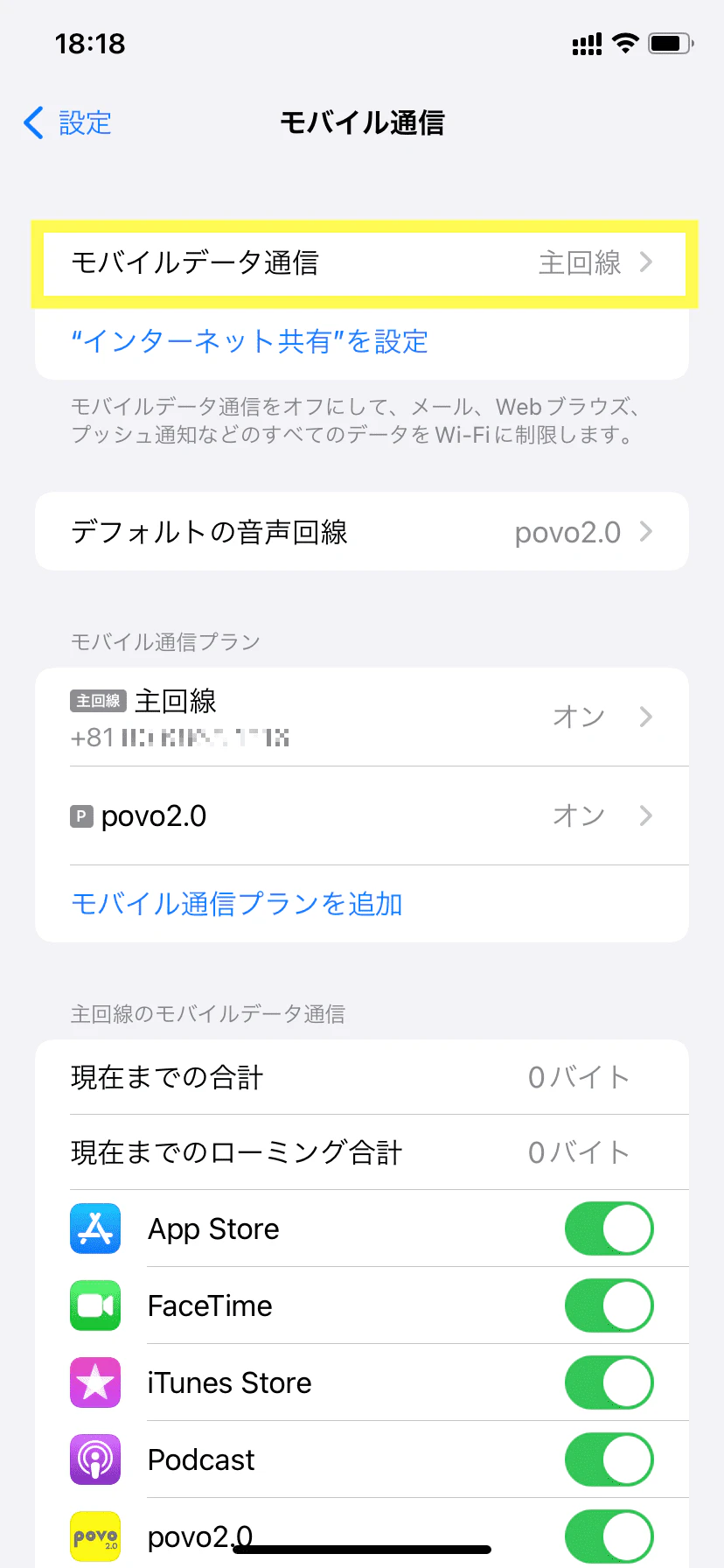
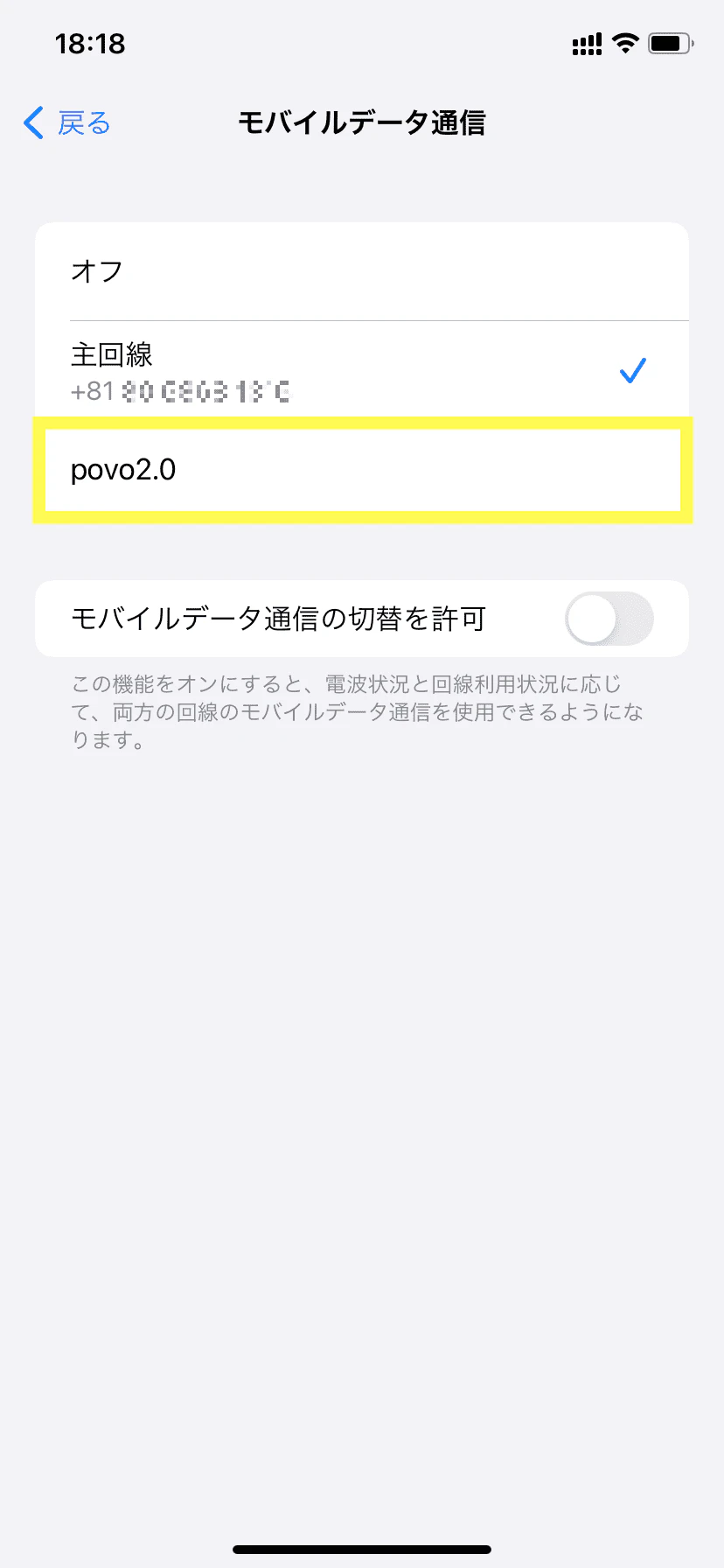
Dual SIM is very convenient, but there are some things you should be aware of beforehand.
Not all devices support dual SIM.
・Supported dual SIM types and frequencies vary depending on the model
・The shape of the SIM card that is compatible with each model is different.
Let's check them one by one.
Naturally, when considering dual SIM, you must choose a model that supports it.
Not all models support dual SIM, so be sure to check the model's website in advance.
Here, we will introduce the iPhone and Android "Xperia" as examples of dual SIM compatible models.
*Note that iPhone 13, iPhone SE (3rd generation) and later models can use two eSIMs. eSIMs are not available in certain countries and regions.
Reference: Using Dual SIM on iPhone | Apple
| Model | specification |
|---|---|
| Xperia 1 VI | nanoSIM/eSIM (dual SIM specification: DSDS/DSDV) |
| Xperia 10 VI | |
| Xperia 1 V | |
| Xperia 5V | |
| Xperia 10 V |
Reference: Xperia SIM-free model SIM specifications/communication bands | SONY
When considering dual SIM, you should also check the type and frequency of dual SIM.
For more information on the different types, please see our article "Explaining the different types of dual SIM cards."
Among these, "DSDA (Dual SIM Dual Active)" is the highest performance under the current standards, so it is characterized by the fact that there are still few smartphones that can support it.
The frequency may also determine which carriers are available.
If you are unsure about this information, it is a good idea to check the model's website or the inquiries section on the website to find out about the types of dual SIM cards and frequencies that are supported.
After checking the frequency, please check whether it is supported by the carrier you are considering.
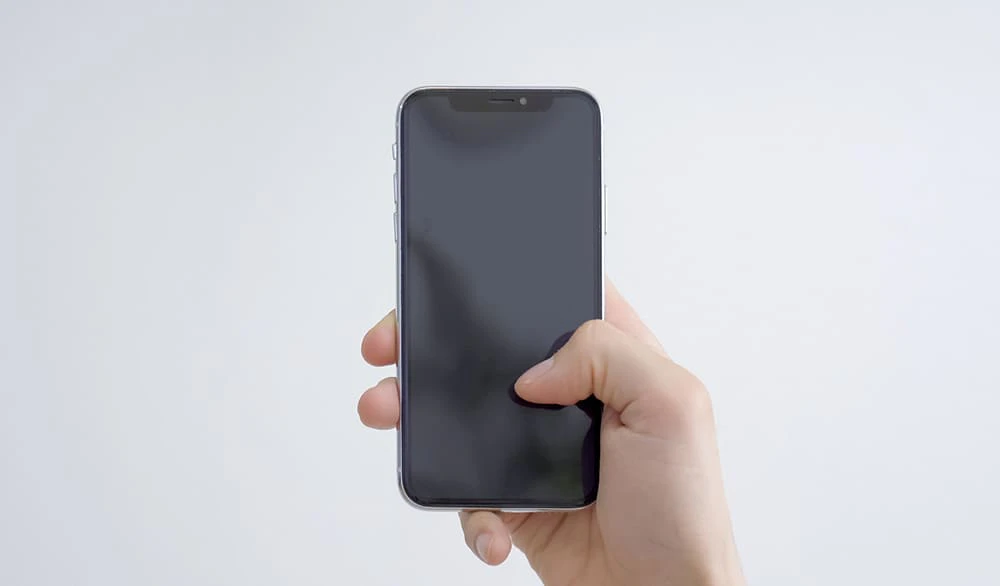
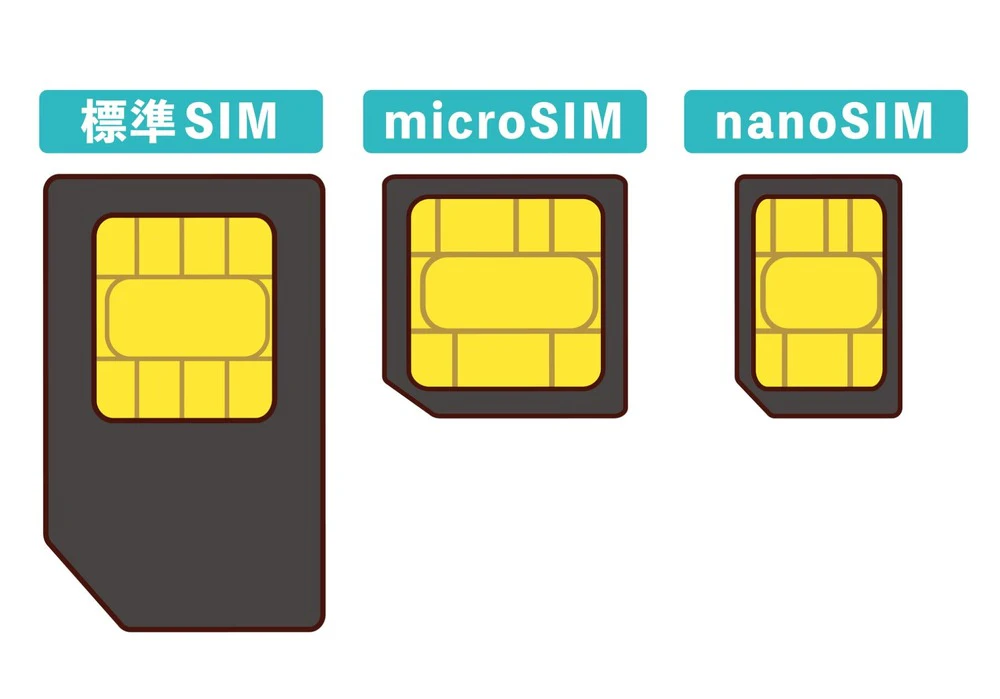
For dual SIM, the shape of the SIM card supported varies depending on the model.
There are three main types of SIM cards: standard SIM, microSIM, and nanoSIM, but the latest standard is nanoSIM.
However, if you purchase a model that was released recently, it may have a microSIM instead of a nanoSIM.
In that case, you will need to choose a SIM plan that supports microSIM.
As such, when considering dual SIM, you must also check the SIM shape that the model supports and choose your carrier and plan.
If you would like to learn more about SIM cards and their shapes, please refer to the article below.
reference: What is a SIM card? Explaining its role, types, and precautions when using it
reference: You can change your SIM card yourself! Explaining the preparations and precautions to take when changing your SIM card
Dual SIM allows you to use two lines on one smartphone, making it convenient to have a phone number for personal and work use, or to sign up with a carrier for each line to reduce data charges.
On the other hand, please make sure to check whether the model you are looking for supports dual SIM and whether the shape of the SIM card is compatible with the carrier before proceeding with your decision.
Also, if you are considering dual SIM, we recommend au 's online-only brand "povo2.0"*1.
The basic fees is 0 yen*2, and you can Topping data as you like.
For example, by adding a plan based on the amount of data you use, such as "Unlimited data *3 (24 hours) 330 tax included /time including tax" or "Data Top-up (7 days) 390 tax included /time including Topping," you can enjoy great value even when using it as a dual SIM.
If you are using dual SIM, please consider povo2.0 as well.
*1: As this is an online-only plan, all procedures and support will be handled online. Please contact us via the povo2.0 app or official website.
*2: [Common]
・If you do not purchase any paid Topping for 180 days or more, your service may be suspended or your contract may be terminated.
・When the plan is 0 yen and 0GB, the maximum sending and receiving speed is 128kbps.
[Data Only]
・You will need to purchase your first Topping when signing the contract.
[Calls+Data]
・Domestic calls: 22 yen/30 seconds (tax included included). Some call charges may differ, such as for calls to satellite phones. For details, click here. In addition, designated call charges will be incurred when calling phone numbers for which other companies have set their fees.
・Domestic SMS sending: 3.3 yen (tax included included) / message (up to 70 characters) Receiving: Free Depending on the model, you can send up to 670 full-width characters. However, up to 134 characters will incur a sending fee of two messages, and after that, one message will be charged for every 67 characters.
Reference:" povo2.0 Plan Details"
*3:ネットワークの混雑時や動画・クラウドゲームなどの利用時に通信速度を制限する場合があります。