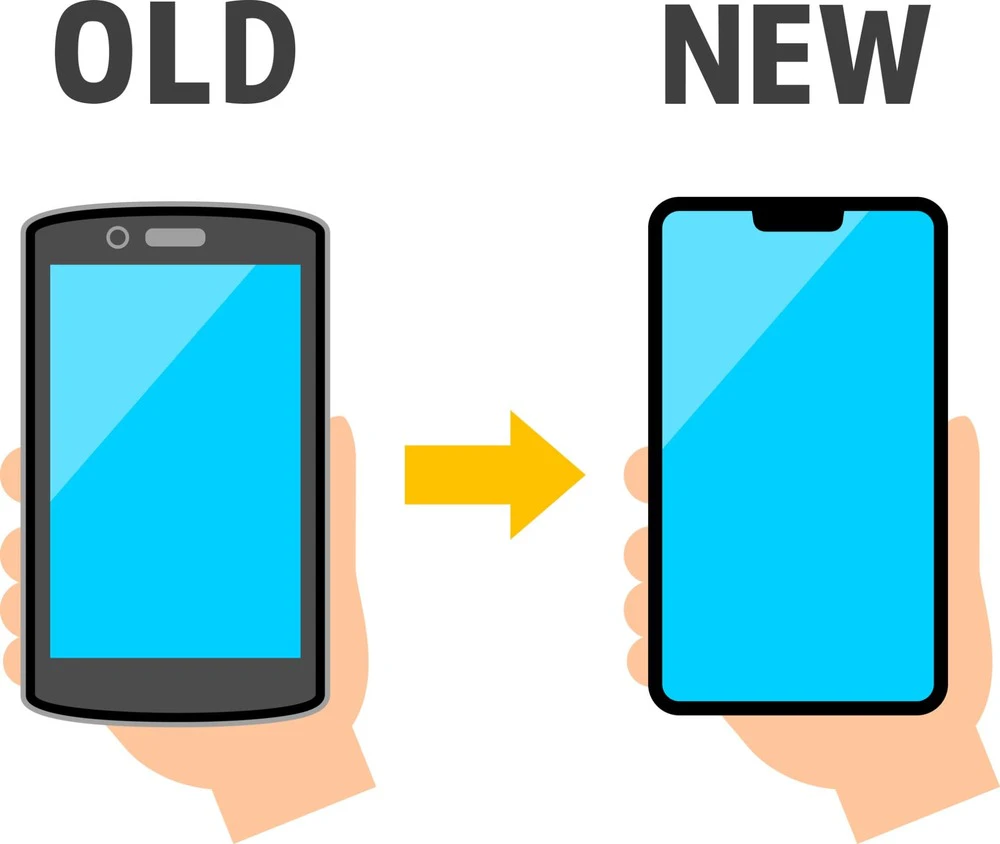
Due to the high monthly mobile phone fees, some people may be considering switching to a cheaper smartphone. It is recommended to switch smartphones online.
Depending on the carrier you are switching to, they may be running online-only campaigns, which can be more cost-effective than switching in-store.
Some people may think that it is complicated and troublesome to do the procedures yourself, such as unlocking the SIM and transferring your phone number, but once you actually try it, you will find that it is easier than you think.
In this article, we will explain the benefits of switching smartphones online, the steps to switching, and how to transfer data.

It is recommended to switch smartphones online rather than in-store. Let's take a look at the benefits of switching smartphones online.
In recent years, more and more people are considering switching to low-cost SIM cards, and mobile phone companies are running a variety of campaigns to attract this trend. Mobile phone shops, electronics retailers, and other stores often run their own unique campaigns, and there are also plenty of online-only campaigns for those switching online.
The content of the campaigns varies depending on the telecommunications company, but they typically include free initial fees and monthly fees for a certain validity, as well as high-value point rewards.
In addition, if you switch to a qualifying model, the price of the device itself will be significantly cheaper than the in-store price, and there are many other great benefits available only by switching online.
Another benefit of switching smartphones online is that you can save on options and service fees. When signing up for a smartphone contract at a mobile phone shop or mass retailer, there are cases where signing up for an option is a condition for applying for a campaign.
Many smartphone options require payment, so the cost of each fees you sign up for is added to your monthly fee. If you think your mobile phone fees is high, it's often because of multiple option fees.
If you apply online, the discount conditions may not include optional contracts, so you may be able to fees more than if you switch in-store.
Online transfers are convenient because you can complete the process from the comfort of your own home, without having to go to a store. Unlike in-store transfers, there's no need to make a reservation.
The procedure can be completed 24 hours a day, so even busy people can complete it at a time that suits them, without having to worry about store opening hours. Also, with eSIM, the SIM is built into the device, so you can use smartphone functions such as data communication and calls immediately after the procedure, without having to wait for the SIM card to arrive (*1).
*1: To use eSIM, you need a compatible device.
When switching smartphones, you will need to apply for MNP and go through the activation process after purchasing the device. Let's take a look at how to switch smartphones online.
If you want to keep the same phone number even after switching smartphones, apply for MNP with your current carrier and obtain an "MNP reservation number." You can obtain an MNP reservation number by applying in-store or over the phone, or from the carrier's website.
You will need the MNP reservation number when switching carriers, so be sure to obtain it before you begin the switching process. Also, the MNP reservation number validity 15 days after the date of acquisition, so if it expires, you will need to obtain a new one.
Once you have obtained your MNP reservation number, begin the application process on the website of the service you are switching to. If you are purchasing a new device, you should also complete the device purchase process at this time.
The method for applying for the service will vary slightly depending on the carrier you are switching to, but the information below is the same for all carriers and will need to be entered.
In addition, when applying, you will need to provide identification documents such as a driver's license or My Number card. The identification procedure can also be completed online by taking a photo with your smartphone camera.
Once your order is complete, your item will usually arrive in about a week. Depending on the stock situation, it may take longer to receive your item, so it's a good idea to check in advance.
Shipping will be by courier. Once shipping preparation and shipping are complete, you will receive an email informing you of the estimated shipping date and shipping completion.
It is common for packages to be handed over in person, so if you are not at home when the package is delivered, it will be taken back and you will have to request redelivery, so be careful if you are in a hurry to change carriers.
Once you receive your product, you will need to complete the MNP activation procedure. The activation procedure will differ depending on whether the SIM type is a regular SIM card or an eSIM. If you have a regular SIM card, insert the new SIM card into the device you want to use and complete the activation procedure via the service company's website or over the phone.
For eSIM, you will need to download the eSIM profile and complete the activation procedure. The download link for the eSIM profile is usually displayed as a QR code in a contact email from the service provider or on the delivery note when the device arrives.
If you received a QR code via email, open the email on another smartphone or computer and scan the QR code on the device you want to use. Scanning the QR code will start the profile download. Once the profile download is complete, follow the on-screen instructions to complete the process.
Even if you don't have another smartphone or computer, you can still set it up by entering the code.
If you continue to use your previous device, you may need to set the APN (Access Point Name). The APN is a setting required to use mobile communications. Once MNP activation is complete, you should also set the APN from the device's settings screen.

There are a few things to keep in mind when switching smartphones online. Be sure to check these points in advance to ensure a smooth switching process.
If you plan to continue using your current device, you need to check whether the device is SIM-locked. SIM lock refers to a feature that prevents you from using lines other than that of a major telecommunications company when you purchase a smartphone and sign a line contract with that company. Recently, the number of smartphones that are not SIM-locked has been gradually increasing, but there is still a good chance that some models are SIM-locked.
If the SIM is locked, you will not be able to read the SIM card after switching carriers, so you will need to unlock the SIM. You can check whether the SIM is unlocked from the settings screen of your smartphone.
If you have a SIM-locked device, unlocking the SIM before switching will make the switching process go more smoothly.
If you want to continue using the email address of your previous carrier, you can apply for an email portability service. Until now, it was common that you could no longer use your carrier's email address if you switched to another carrier.
However, nowadays, all major telecommunications carriers allow you to transfer your email address to your new carrier by paying a monthly fee.
To use the mobile service, you must apply within 31 days of canceling your contract with your original carrier. However, please note that some MVNOs (companies that rent wireless communication equipment (infrastructure) from other companies to provide services) do not offer mobile service.
Previously, smartphone contracts had a set contract period, and cancellation fees and penalties were generally incurred if the contract was terminated midway. However, from April 2022, major telecommunications carriers and low-cost SIMs abolished cancellation fees and contract length restrictions.
Therefore, while in the past there were cancellation fees depending on the timing of switching, there is no longer any need to worry about this. However, some low-cost SIMs may incur cancellation fees if you cancel within one year, so we recommend that you check whether cancellation fees will be incurred before switching.
Even if you don't have to pay a cancellation fee from the company you're switching from, you will generally be charged a contract administration fee of 3,300 yen (tax included) at the company you're switching to.
However, some low-cost SIMs and telecommunications carriers may waive the contract administration fee depending on the application method or campaign. In the case of sub-brands of telecommunications carriers, there are many cases where switching from the original telecommunications carrier does not incur a fee.
Also, if you are switching carriers at a physical store, you may be required to make a "down payment" for the purchase of a device in addition to the administrative fee, so we recommend checking in advance.
When you purchase a new device and switch to a new one, you will need to transfer the data on your old smartphone. The method for transferring data differs between iOS and Android devices. Let's take a look at each method.
When you switch from one iPhone to another, you can transfer your data using the Quick Start feature. Quick Start allows you to easily transfer data by simply bringing the two smartphones close together.
In order to use the Quick Start feature, both the old and new devices must have iOS version 12.4 or later, so be sure to update if your version is lower.
Android devices are usually used with a Google account, so there are some apps that can be easily transferred by syncing your account.
However, please note that some apps, such as mobile wallets and point services, may become unusable if you do not transfer your data before changing your device. Also, to transfer data stored on your device, we recommend using a data transfer service provided by your carrier or a Google service.
The procedure for using data transfer services varies depending on the carrier, so please check the carrier's website. It is a good idea to back up your data using a dedicated app before transferring it.
KDDI's online-only brand "povo2.0" (*2) does not charge any administrative fees when switching smartphones. There is no basic fee (*3)(*4)(*5), and you can customize it to suit your needs by combining the necessary "paid Topping" such as data capacity, unlimited calls (*8), and support.
For example, you can choose the amount of data you can use and validity of use as you like, such as Unlimited data for 24 hours for 330 yen (tax included included) per use (*6) or 20GB for 30 days for 2,700 yen (tax included included) (*7).
There are a wide variety of eligible models, including iPhones and Android devices, and if you're switching from au, you can easily switch without the hassle of unlocking your SIM. They also run special campaigns from time to time, so be sure to check their website.
If you are thinking of switching to a low-cost SIM, please consider povo2.0.
*2: As this is an online-only plan, all procedures and support will be handled online. Please contact us via the povo2.0 app or official website.
*3: If you sign up for 5 lines (*) under the same name, a contract administration fee of 3,850 yen (tax included included) per line will be charged for the 6th line and beyond.
*This includes lines that have been cancelled or canceled by our company within the past year. If you have not purchased any paid Topping validity of 180 days or more, your service may be suspended or your contract may be terminated. Please be aware of this in advance.
Reference:" povo2.0 Plan Details" (povo)
*4:Domestic calls are charged separately at tax included 22 yen/30 seconds, and SMS sending is charged separately at tax included 3.3 yen/text (up to 70 characters). Depending on the model, up to 670 two-byte characters can be sent; up to 134 characters are counted as two SMS messages, and thereafter one SMS message is charged for every 67 characters. Call charges may differ for some calls, such as calls to satellite phones. For more details Click here
Reference:" povo2.0 Plan Details" (povo)
*5: If you do not purchase a data Topping, the maximum sending and receiving speed will be 128kbps.
*6:ネットワークの混雑時や動画・クラウドゲームなどの利用時に通信速度を制限する場合があります。
*7: Reference:" Data Top-up (30 days)" (povo)
*8: Calls to phone numbers set by other companies starting with 0570 (Navidial, etc.) to fees, number guide (104) (number guide fee is not free, calls to fees are free), administrative 1XY service (188), # dial (Quick Dial), SMS transmission, calls to satellite phones, and calls to phone numbers specified separately by the Company The Topping service is not available for free calls to international calls and calls made overseas. International calls and incoming/outgoing calls overseas are also not covered. Calling charges are based on the service.