Tablets have large screens and are convenient for both children and adults. Many people use them for a wide range of purposes, from reading e-books and watching videos to taking notes and drawing.
This time, we will explain in an easy-to-understand manner everything from how to use a tablet with povo2.0 to the benefits and precautions to take when using a tablet with povo2.0.

povo2.0 is compatible with not only smartphones but also tablets. You can use it with your smartphone via tethering, and with compatible models, you can also use it with your tablet by using a SIM card or eSIM (*1).
The biggest feature of povo2.0, KDDI's online-only (*2) brand, is that it can be signed up for with a basic fee of 0 yen (*3) and allows customers to purchase the amount of data they need when they need it.
"I have a Wi-Fi model tablet, but it would be convenient if I could use data communication on the go like a smartphone." "But I don't carry it around with me every day like a smartphone, so signing up for a plan just for my tablet seems like a waste of money." For those with these concerns, using a tablet with povo2.0 is the perfect solution.
You can check the compatible models that have been confirmed to work with povo2.0 on this page.
*1: Requires an "eSIM" compatible handset. Reference: "Compatible Models and Devices" (povo)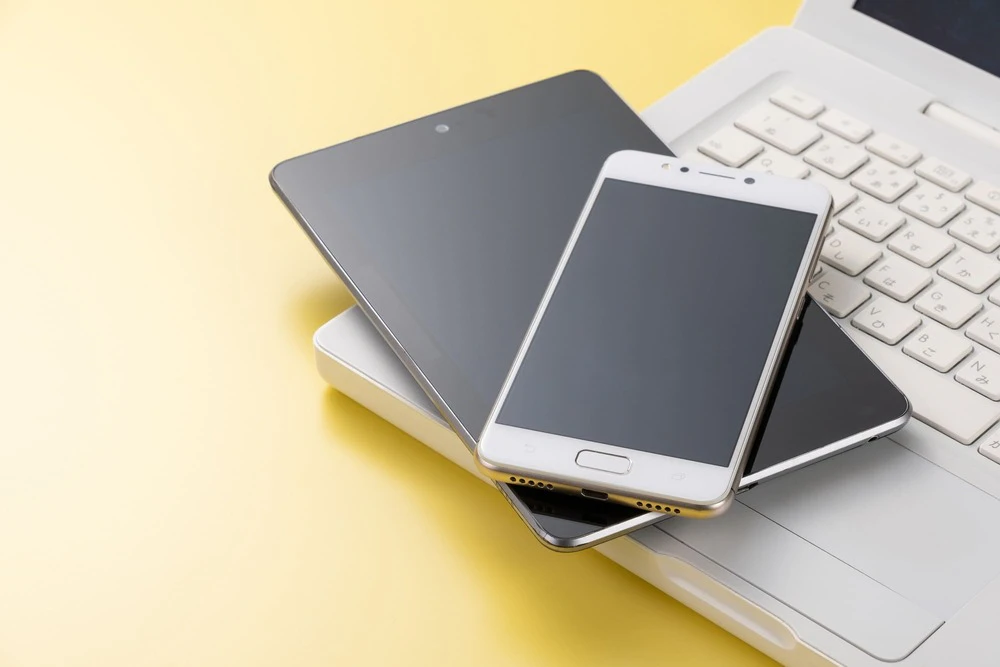
Now let's take a look at how to use a tablet with povo2.0. There are three ways to use a tablet with povo2.0:
We will introduce each method in detail.
The first method is to insert a SIM card into the tablet device.
When you switch smartphones or travel abroad, you replace the SIM card in your device, right? In the same way, you can insert the povo2.0 SIM card into your tablet device and use it.
Please note that in order to use a tablet with a SIM card, you will need to have a device that supports mobile data communication.
The second method is to use an eSIM (*1).
An eSIM is not a physical SIM card, but a type of SIM that is built into the tablet device itself. The major advantage of eSIM is that you can start using it simply by connecting the device to Wi-Fi or other networks and applying for povo2.0 online.
To use eSIM, you will need to have a device model that supports mobile data communication and eSIM.
The third method is to tether with your smartphone.
Tethering is the process of connecting a tablet to the Internet using your smartphone's data connection. By signing up for povo2.0 for your smartphone and tethering your tablet to a smartphone with a povo2.0 SIM card inserted, you can enjoy the Internet on your tablet as well. With povo2.0, you can use tethering without prior application or additional fees.
When using tethering with a tablet, it is okay if the device does not support mobile data. However, since the tablet itself does not perform data communication, keep in mind that you will not be able to connect to the Internet in places without a smartphone or Wi-Fi.

As you can see, povo2.0 allows you to use your tablet in any way you like, depending on your needs and the situation. However, there are some things you should be aware of before using a tablet with povo2.0. Let's take a closer look at the precautions you should take when using povo2.0 with a tablet.
The first thing is that when using a tablet with povo2.0, you need to check the compatible model.
This is especially important if you plan to use a SIM card or eSIM. Make sure your tablet is tested for compatibility with povo2.0. Also, if you plan to use a SIM card or eSIM (*1), make sure it supports mobile data and not Wi-Fi.
Please check here for tablet devices that have been confirmed to work with povo2.0.
Please note that even among devices that have been confirmed to work with povo2.0, there are some that are eSIM compatible and some that are not. When selecting a SIM, there has been an increasing number of people making the mistake of applying for an eSIM even though their device is not eSIM compatible, so be sure to check whether your tablet device is eSIM compatible before applying.
The second thing to do is to check the OS update status of your device. This is especially important when using an eSIM (*1).
povo2.0 eSIM is compatible with Apple's iOS 13 or later. Even if your device is compatible with povo2.0, if it is not running iOS 13 or later, you will need to update iOS before downloading the eSIM profile.
Please note that both the SIM card type and eSIM type have been tested on iPadOS 15 or later.
The third thing is to unlock the SIM lock on your device. This is something you need to check when using a SIM card or eSIM (*1).
SIM lock is a setting that prevents you from using any other carrier's line when you purchase a smartphone and sign a line contract with a major carrier. Due to a legal change, SIM locks are prohibited for smartphones sold after October 1, 2021, but some devices purchased before that date may still be SIM locked.
In particular, with povo2.0, you may need to unlock the SIM on devices purchased from other au. Please refer to this article for information on how to unlock the SIM.
The fourth point is that povo2.0 does not have a plan specifically for tablets.
Carriers such as au sell plans specifically for tablets, as well as plans that share your smartphone's data capacity with your tablet. However, povo2.0 does not offer such plans. Just like when using povo2.0 with a smartphone, you will need to purchase "data Topping," which are data capacities that allow for high-speed communication, for your tablet as needed.
Therefore, even if you switch from au to povo2.0, data sharing between smartphones and tablets will be discontinued. If you are using such a plan, be sure to cancel it before switching.

So far, we have introduced some points to note when using povo2.0 with a tablet. Finally, let's look at the benefits of using povo2.0 with a tablet.
The first benefit is that povo2.0 can be subscribed to with a basic fee of 0 yen (*3), making it easy to use and keeping costs down.
A major feature of povo2.0 is that it does not have a fixed plan like "You can use △GB for XX yen per month," but rather allows you to purchase the "Topping" you need when you need them. There are a variety of Topping available, such as "data Topping," which provide data capacity for high-speed communication, and "content Topping," which are packs that allow unlimited data use for selected video streaming services.
Unlike smartphones, many people don't carry their tablets with them every day, but would like to use data only when traveling or visiting their hometown. While it's certainly convenient to be able to use data on a tablet, it's a waste to have to pay a monthly fees even validity you're not using the device.
However, with povo2.0, you can, for example, "use Wi-Fi at home on a regular basis and purchase Unlimited data (24 hours) (*4) Topping for ¥330 per tax included only when you return home once every six months.
In this way, if you have a tablet that you don't use often but are still paying a monthly fees for, you can significantly reduce costs by switching to povo2.0. (*5)
The second benefit is that you can use tethering without prior application or additional fees.
Many people who use Wi-Fi model tablets think, "It would be convenient if I could use my tablet even when I'm out and about in an environment without Wi-Fi." In such cases, the tethering function, which uses your smartphone as a Wi-Fi router, is convenient.
With povo2.0, there is no need to apply or pay any additional fees to use tethering. Therefore, if you normally use povo2.0 on your smartphone, you can immediately use tethering on your tablet whenever you need to. If you want to watch videos on the large screen of your tablet, you can purchase the "Unlimited data (24 Hours) (*4) Topping" or "Content Topping" for 330 yen (tax included included) per use, and you won't have to worry about your remaining data capacity.
By using povo2.0 's tethering function, you can easily connect your tablet to the Internet while on the go, without having to search for a tablet contract plan or buy a new tablet model that supports data communication.
So far, we have explained how to use a tablet with povo2.0, as well as the benefits and points to note. povo2.0 allows you to use a tablet with tethering, as well as with a SIM card or eSIM (*1). Using this article as a reference, we hope you will take advantage of povo2.0 's Topping to enjoy the convenience and value of using your tablet.
*The names of products and services mentioned in this article are trademarks or registered trademarks of the respective companies.

%20rotate(-90)'%20fill='%23fffa00'/%3e%3c/svg%3e)
%20rotate(-90)'%20fill='%23333'/%3e%3c/svg%3e)