PIN

Summary

The PIN is a four-digit number.
- After signing up for povo2.0, you can set it up as you like.
- The PIN number is used to verify your identity when using the answering machine service/call forwarding service "remotely from another phone."

*When purchasing/using the voicemail service/call forwarding service for the first time, you will need to set a PIN number in advance.
For more information about the answering machine service, Here
For more information about call forwarding services, Here

How to set it up

* App version 1.36.0 or later is required to use this feature. * Can be set between 9:30 AM and 8:00 PM.

  • STEP 1
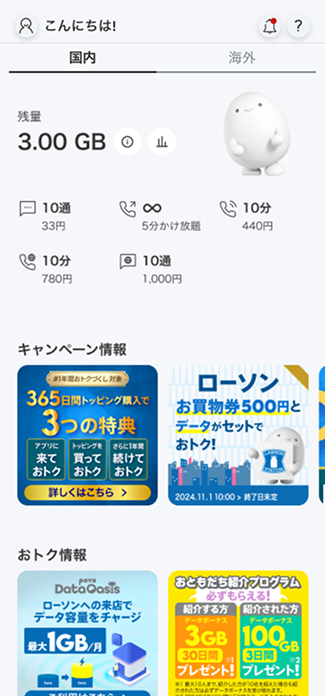
    Open the povo2.0 app

    Open the povo2.0 app

  • STEP 2
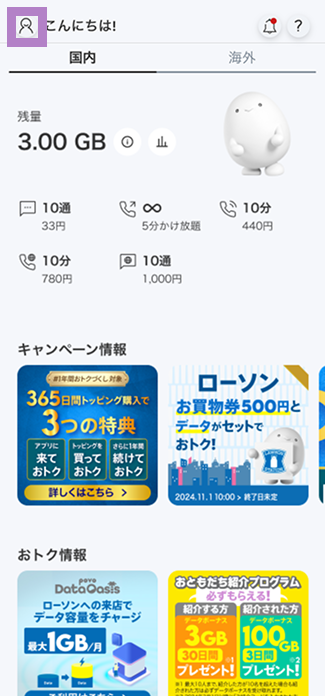
    Open your profile page

    Open your profile page

  • STEP 3
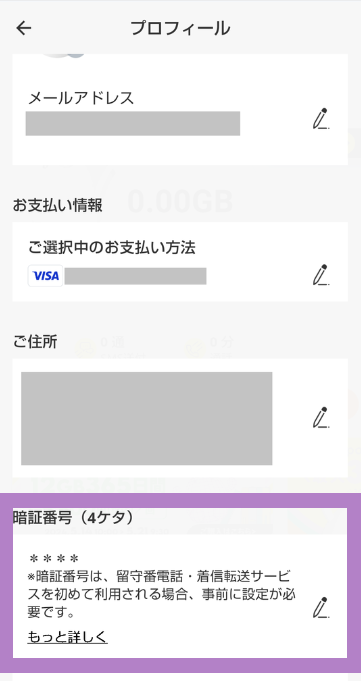
    Open PIN

    Open PIN

  • STEP 4
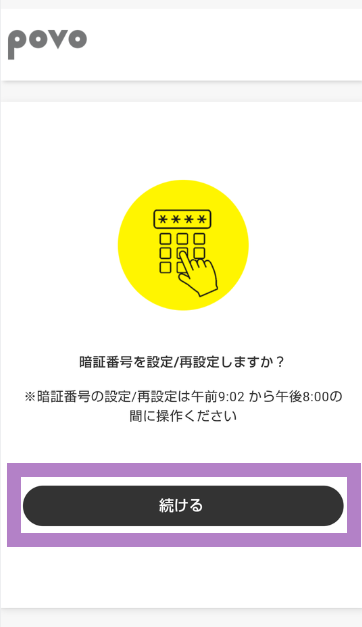
    Tap "Continue"

    Tap "Continue"

  • STEP 5
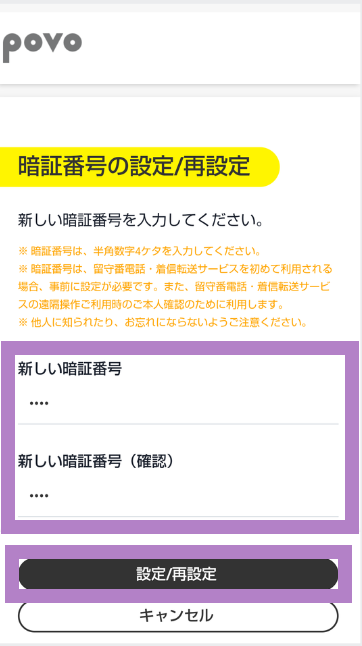
    Enter the PIN you want to set and tap "Set/Reset"

    Enter the PIN you want to set and tap "Set/Reset"

  • STEP 6
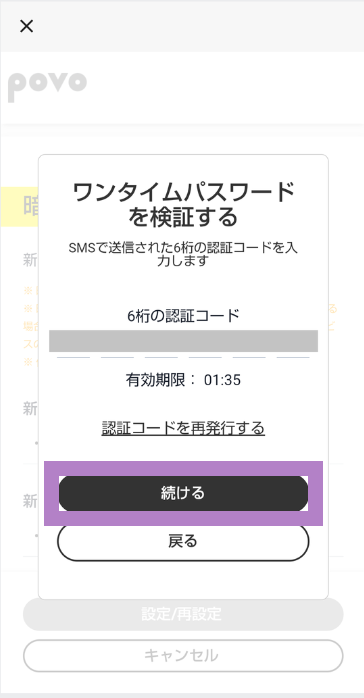
    Enter the 6-digit authentication code sent via SMS and tap "Continue"

    Enter the 6-digit authentication code sent via SMS and tap "Continue"

  • STEP 7
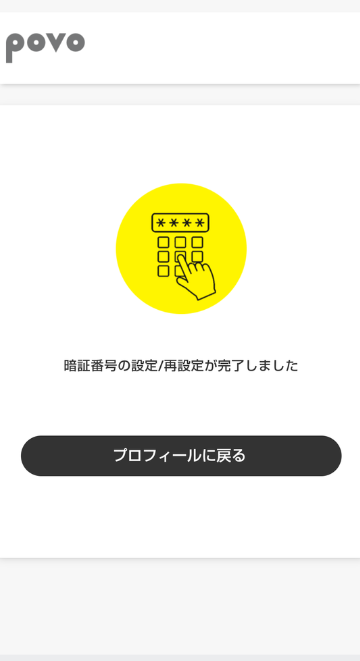
    PIN setting/resetting completed

    PIN setting/resetting completed

Precautions

  • Please be careful not to let others know or forget it.
  • It can be set between 0:05 AM and 11:50 PM.
  • If you are currently undergoing the following procedures or have a contract, we will not be able to accept your PIN number setting.
    • MNP reservation number being issued
    • SIM reissue in progress
    • Service suspended
    • Once you have completed the above procedure or started using the service, please complete the procedure again using povo2.0 app.