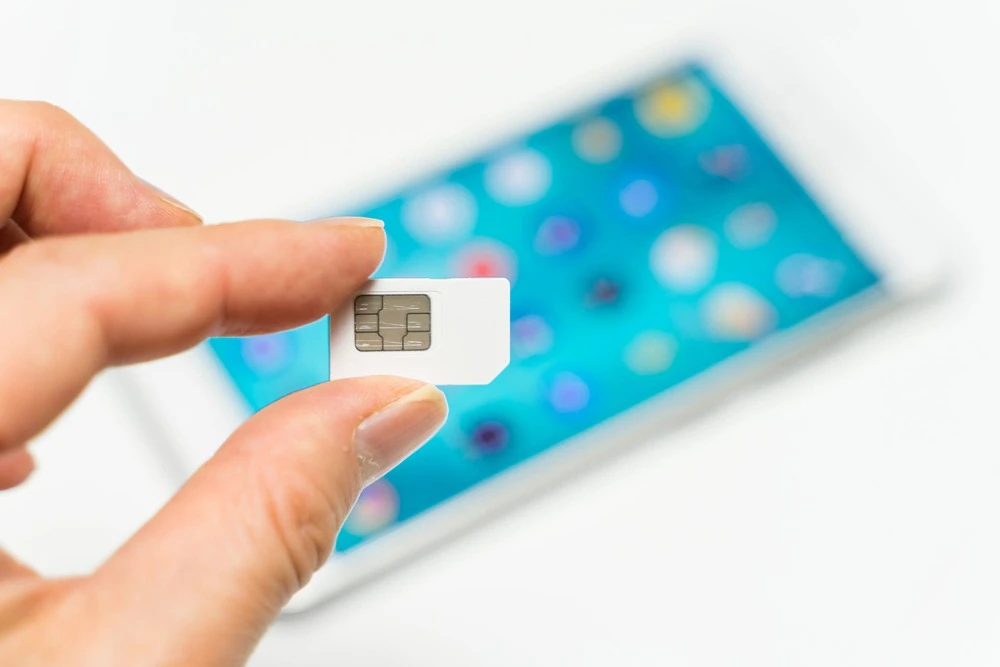
When changing your phone model or carrier, you need to check the size of your SIM card. However, some people may be unsure of their SIM card size and worried about whether the process will go smoothly.
In this article, we will explain how to check the type and size of your SIM card, and what to be careful of when changing the size.
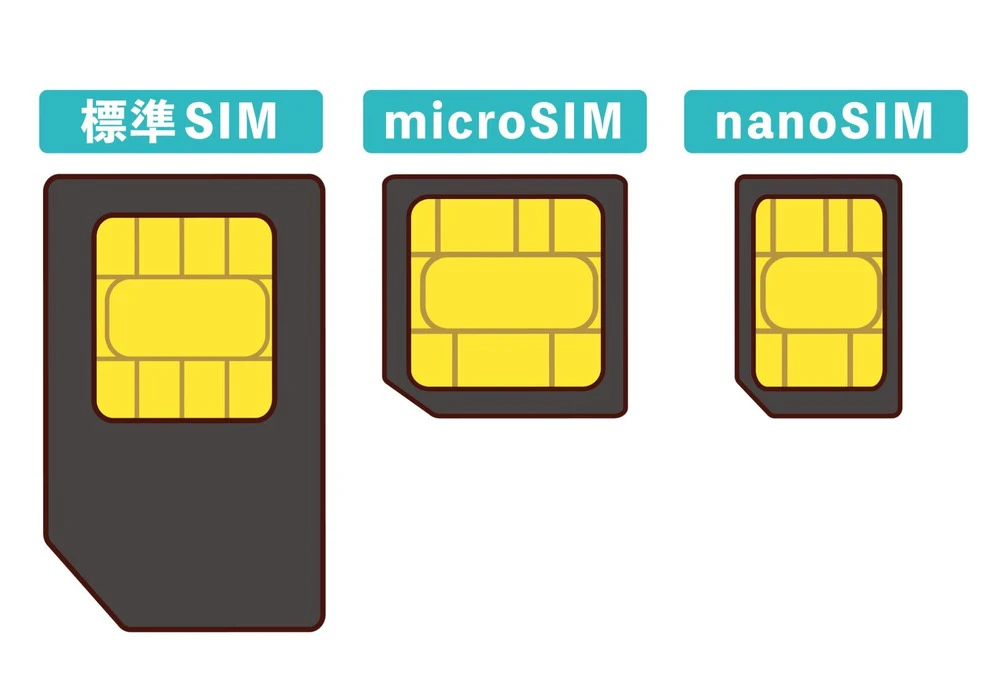
There are three types of SIM cards: standard SIM cards (miniSIM), microSIM cards, and nanoSIM cards. Let's take a look at the features of each.
A standard SIM card is a SIM card that is 25mm x 15mm and 0.76mm thick. It is compatible with 3G generation devices, which were the early days when smartphones first appeared in Japan. Now that 4G is widespread, no new models equipped with standard SIM cards are being released.
SIM cards tend to become smaller over time, and the standard SIM card is the largest of the three types.
The standard SIM cards used in Japan are called "mini SIM cards" under the international standard, while "standard SIM cards" under the international standard refer to cards the size of a credit card.
In Japan, miniSIM cards are called standard SIM cards because they were the first to become popular.
Micro-SIM cards are the next generation of standard SIM cards, measuring 15mm x 12mm and 0.76mm thick. They began to become popular around 2010, with representative models including the iPhone 4/4S and the Android ZenFone 3.
Even now, more than 10 years later, there are still models that are compatible with it, and many used smartphones and cell phones still use it.
It is the smallest and thinnest of the three, measuring 12.3mm x 8.8mm and 0.67mm thick. It is used in iPhone 5 and later models and Android smartphones released after winter 2014, and is currently the most popular type.
Although there were several successor standards to the microSIM card, the spread of nanoSIM cards accelerated when the European Telecommunications Standards Institute established a new standard.
Most newly released models use nano SIM cards, which have almost no plastic parts and are roughly the same size as an IC chip.
We'll explain three ways to check the size of your SIM card, as well as things to keep in mind when removing the SIM card from your device.
The easiest and most reliable way to check the SIM card size is to check the specifications of the device on its official website. The specifications page will be available on the website of the device manufacturer or carrier, so be sure to check it.
It is usually written under the heading "SIM card slot" or "compatible SIM."
However, information on websites run by individuals may be incorrect, so for reliable information, please refer to the official websites of manufacturers and carriers.
If you have the instruction manual that came with your smartphone, check the specifications page. If you have lost the instruction manual, you can download it from your carrier's website.
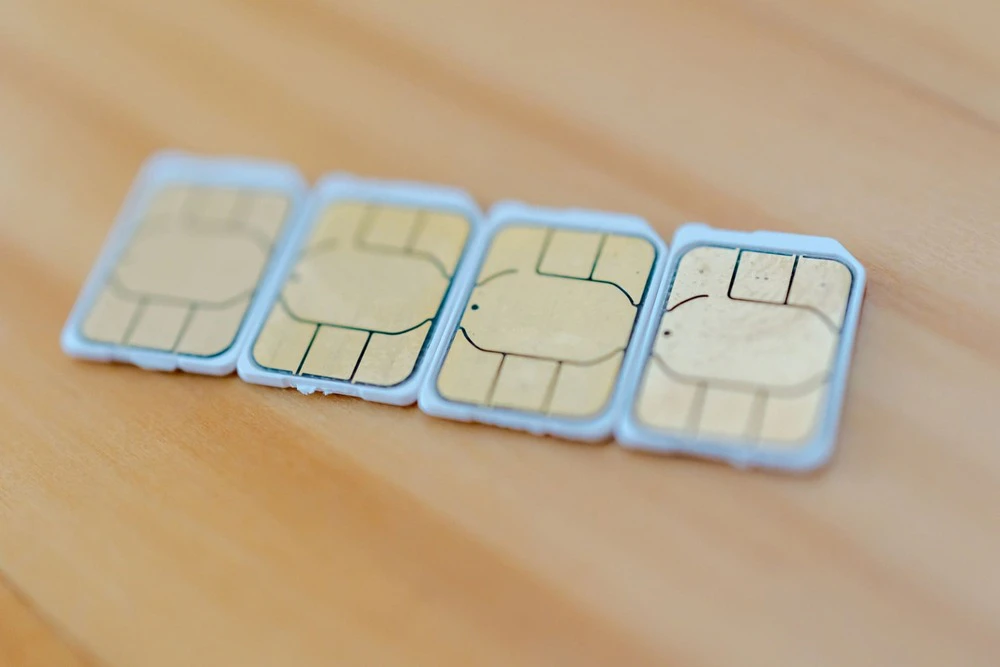
You can also remove the SIM card from your device and check it directly. SIM cards vary in size, so you can easily tell the difference by looking at it. If you're unsure, you can also measure it with a ruler.
There are three ways to remove the SIM card depending on the model.
The most common method is to insert a SIM pin into a small hole about 1mm in diameter on the side of the device. A SIM pin is a needle-like tool that is included with the device when you purchase it, and is used to open the SIM tray. When you insert the SIM pin, the SIM tray will pop out, so pull it to remove the SIM card.
Other methods include hooking your fingernail into the slot to remove it, or removing the back cover of the device to see the SIM card secured in the device.
When removing the SIM card from the device, please note the following:
Removing the SIM card while the phone is still on may cause malfunctions. Some phones automatically turn off when the SIM card slot is removed, but it's safer to leave the phone turned off.
Also, the SIM card and slot are delicate parts. If the SIM card is damaged or the slot is deformed, your smartphone may become unusable. When putting the SIM card back in, make sure the SIM card does not pop up and insert it in the correct direction.
When removing the SIM card, you should use a SIM pin. However, SIM pins are not used often, so some people may have lost one. If you lose one, you can use a pointed object instead. Specifically, you can use a safety pin, paper clip, thumb tack, or any other tool that can fit into the hole in the SIM slot.
Generally, smartphones are designed to accept a specific type of SIM card. However, there are also SIM cards that can be adjusted to fit the device, and SIM cards that are pre-installed in smartphones. Let's take a closer look at each of these.
A multi-cut SIM is a SIM card that can be cut to the size of a standard SIM card, microSIM card, or nanoSIM card to fit your device. It is also called a multi-SIM.
The SIM card is fixed to a plastic backing with notches around it to fit each size, so you can press the back of the IC chip with your finger to separate it and use it according to the size your device supports.
Multi-cut SIM cards are convenient because you don't have to worry about the size of the SIM card your device supports.
An eSIM is a SIM card that is pre-installed in a device. The "e" stands for "embedded."
Since eSIMs are built into devices, they generally do not need to be removed or inserted. With eSIMs, there is no need to change SIM cards when switching carriers, and the process can be completed online.
Another benefit is that the SIM card does not need to be removed, eliminating the risk of damaging it.
There are a few things to keep in mind when changing the size of your SIM card.
When switching carriers, you will need to specify the size of the SIM card for your device.
If you specify the wrong size, it will not fit properly in your device and you will need to reissue the card. This process takes time, so be sure to check the size of your SIM card using the method described above.
Some carriers offer multi-cut SIM cards to prevent such mistakes. In addition to multi-cut SIM cards, eSIM cards also eliminate the need to worry about getting the size wrong.
When cutting a multi-cut SIM card, be careful not to cut it into pieces smaller than necessary.
After you have separated it into a larger SIM card like a standard SIM card, you can separate it into a micro or nano SIM card size again, but once you have separated it into a smaller SIM card like a nano SIM card, you cannot return it to the micro or standard SIM card size.
If you accidentally cut it into smaller pieces, you will need to reissue the SIM card. Please be aware that this process can take time and may incur a fee.
SIM cards are loaned to you by your carrier. Therefore, any modifications to them are prohibited. Damaging or scratching them is also prohibited, so please handle them with care.
Since SIM cards are loaned to you, you may be asked to return them if you no longer need them due to switching carriers or canceling your contract. However, some carriers allow you to dispose of them yourself.
If the SIM card size does not fit your device, it is best to contact your carrier rather than trying to fix it yourself.
One way to change the size of a SIM card is to use a SIM cutter to adjust it yourself. Like a hole punch, you set the SIM card and cut it out, but if you get it in the wrong position, the SIM card will become unusable.
You can also use an adapter to make a smaller SIM card compatible with a larger one, but these adapters are simple and may not always fit properly into your device.
It is best to avoid adjusting the size yourself, as you may end up not being able to remove the tray.
Many people are probably worried about whether they will be able to change the size of their SIM card correctly, and if they make a mistake, the reissue fee will be charged.
povo2.0 Then you need to pay tax included 3,850 yen for SIM card (including when changing from eSIM) and tax included 440 yen for eSIM (including when changing from SIM card) for reissue fee, which is free for the time being. In the unlikely event that the settings do not work with the eSIM, check for errors in the settings and communication usage settings without reissuing the eSIM.
*Starting with applications made on or after September 13, 2023, we will begin charging a reissue fee for SIM cards (including when changing from an eSIM).
In addition, povo2.0 offers multi-cut SIM cards, which can be cut to fit the size your device supports, so you don't have to worry about getting the wrong size when applying.
All you need to activate povo2.0 is your identity verification document, a credit card for payment, and a device. Simply enter the necessary information, including your identity verification information, into the dedicated app to complete the contract procedure.
After completing the procedure, insert the SIM card you received by mail, activate the eSIM, and set it up to complete the activation procedure and start using it. If you're looking to switch to a low-cost SIM, we highly recommend considering povo2.0.