"What exactly is an eSIM?"
"I want to know the benefits of using an eSIM instead of a SIM card."
Although many people have heard of eSIMs, they may not yet fully understand how they differ from SIM cards and their unique features.
In this article, we will introduce in detail the features, advantages and disadvantages of eSIMs, and how they differ from SIM cards.
In the latter half of the article, we also touch on the eSIM activation procedure and who we recommend using eSIMs for, so please take a look.
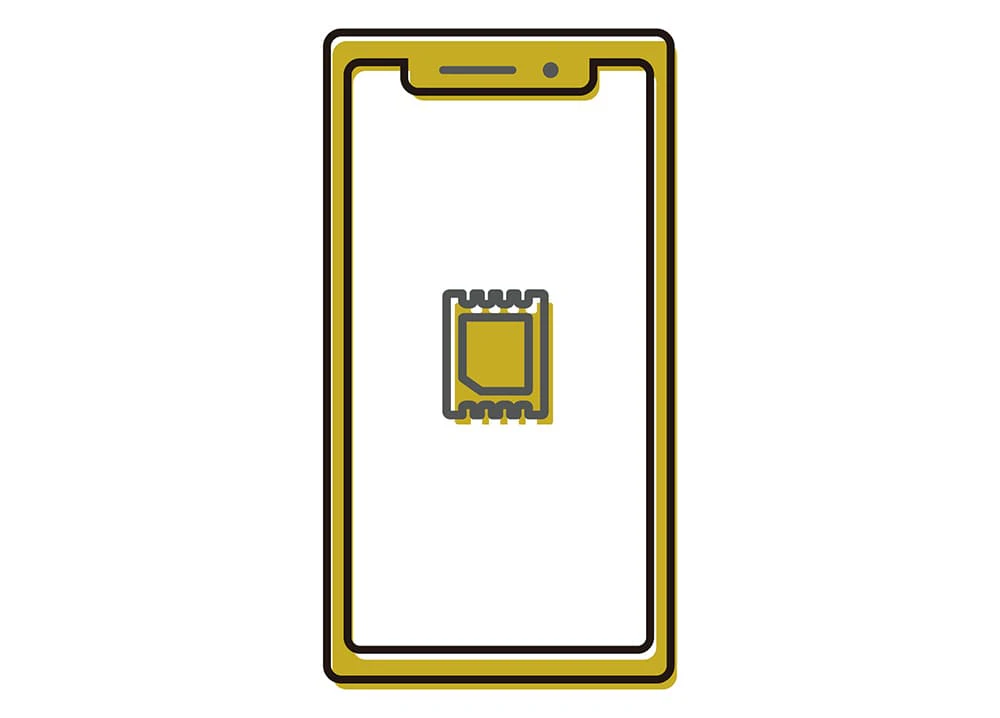
eSIM refers to an electronic chip built into smartphones and tablets, unlike traditional physical SIM cards.
Instead of a physical SIM card that you insert into your device, it's pre-installed in your smartphone or tablet, eliminating the need to physically swap SIM cards.
A major feature of eSIMs is that you can enter into a mobile carrier contract by electronically downloading the carrier's profile.
For example, when switching to a new carrier, you don't need to go to a store to pick up a SIM card; you can complete the contract online from your smartphone and start using it immediately.
Since the introduction of eSIMs, the number of eSIM-compatible devices has been gradually increasing due to their convenience.
Furthermore, in August 2021, the Ministry of Internal Affairs and Communications also published guidelines for the dissemination and promotion of eSIMs, stating that they "contribute to facilitating changes in service providers and improving convenience for users."
Here we will introduce the difference between SIM cards and eSIMs.
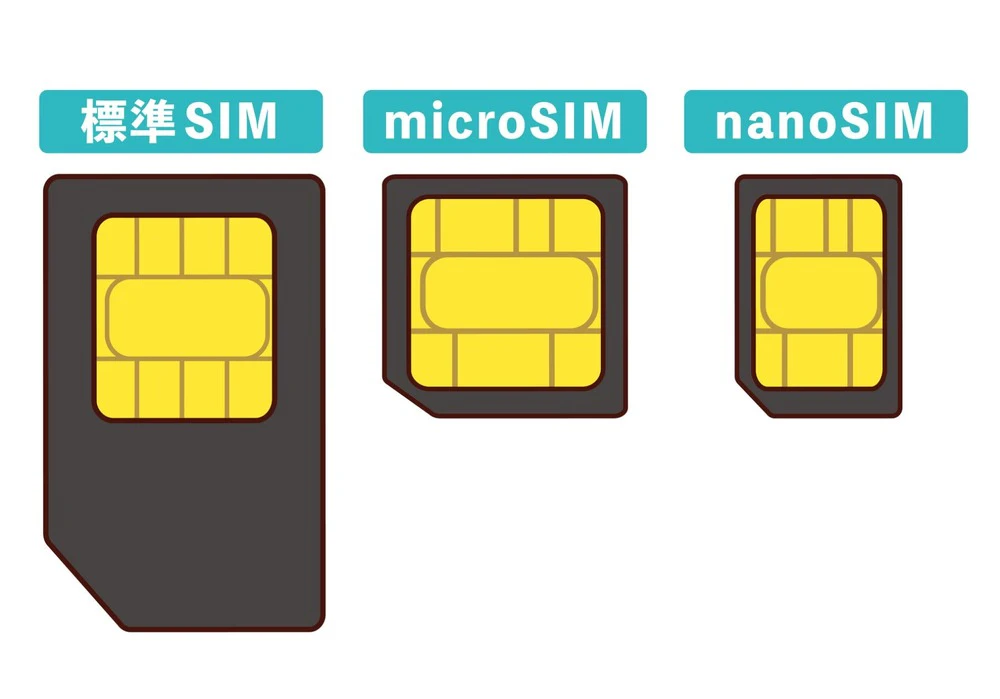
SIM is an abbreviation for "Subscriber Identity Module," which literally means "subscriber identification module."
To put it simply, a SIM card is a card that stores smartphone subscriber information (identification number, phone number, and email address).
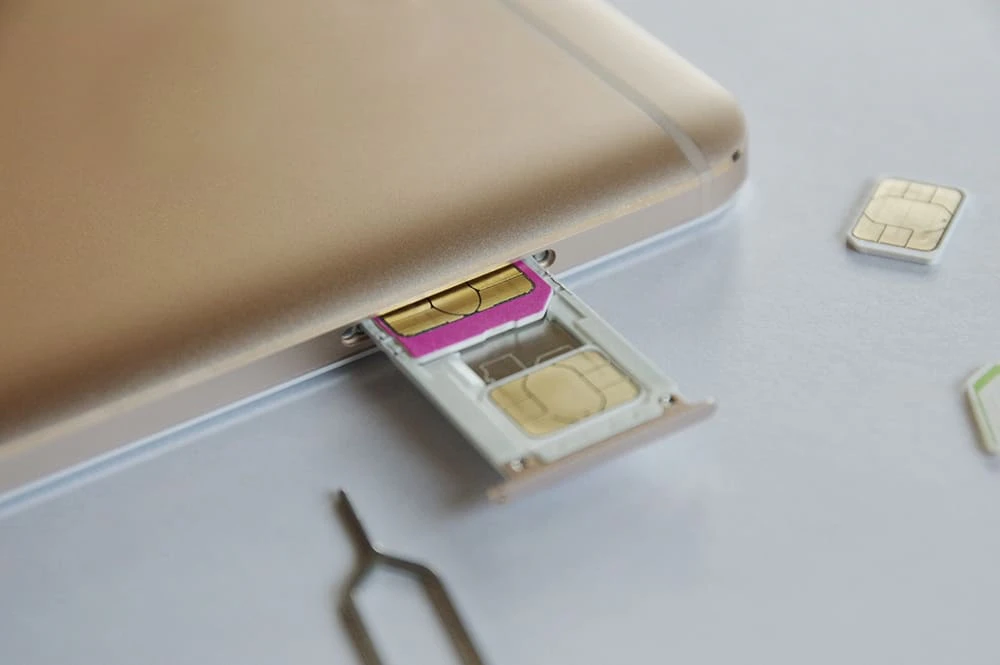
By inserting a SIM card into a device such as a smartphone or tablet, you can make phone calls and use data communications.
There are also different sizes available, and if you do not choose the right size for your smartphone, you will not be able to use the smartphone itself.
| SIM card types | size |
|---|---|
| Standard SIM | 25×15mm |
| microSIM | 15×12mm |
| nanoSIM | 12.3×8.8mm |
Please also keep in mind that nanoSIM is the mainstream of smartphones currently on the market.
For more information about SIM cards, please refer to the following article:
Reference: What is a SIM card? Explaining its role, types, and precautions when using it
The SIM card was the card that recorded the subscriber's information.
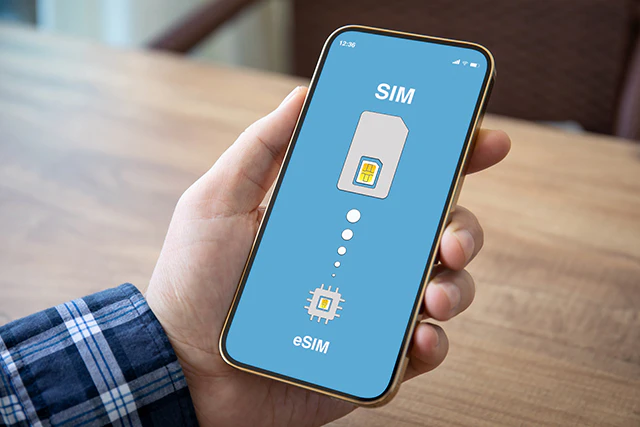
On the other hand, eSIM is a type of SIM in which subscriber information is recorded on a chip embedded in the device rather than on a card.
We will introduce the specific benefits later, but because it is built into the device, you can make voice calls and use data communications by downloading a profile (subscriber information) using a dedicated app or QR code.
Unlike SIM cards, there is no need to swap cards between devices when switching carriers.
From here, we will introduce the benefits of eSIM from five perspectives, such as the convenience of being able to complete the procedure online and the hassle of not having to replace it.
Even when activating a SIM card with a carrier, online procedures have become common, but there is still a waiting period while the SIM card is mailed to you.
On the other hand, eSIM does not require a card, so you can activate it using just one smartphone via the carrier's application page as long as you are in a Wi-Fi network environment.
There's no need to go to the store, and you can get your card activated as soon as the same day.
An eSIM is a SIM built into the device, so no physical card is required.
If you are switching carriers using a SIM card, you will need to insert the new card sent to you by your contracted carrier into your smartphone.
On the other hand, with eSIM, the process can be completed online, eliminating the need to go through the hassle of replacing cards.
When switching smartphone carriers, you will need to replace the physical card with a new SIM card.
If moisture, dust, or dirt gets on the surface of the card when you replace it, there is a risk of it breaking.
On the other hand, eSIMs are built-in, so unless you take the trouble to disassemble them, they will not be exposed to moisture, dust, or dirt.
As such, the advantage of using eSIM is that there is less risk of loss or malfunction.
If you want to use a SIM card overseas, you will need to purchase the card in advance or purchase one locally and insert it into your smartphone.
With eSIM, you can complete the process online even with an overseas carrier, so there is no need to replace the SIM card, making it easy to use overseas.
If you are considering using a SIM card overseas, we recommend the following article, which summarizes how to purchase, choose, and use a SIM card.
In addition to SIM cards, we also explain povo2.0 (*2) international roaming (*3), which allows you to use the mobile network of your destination carrier from the carrier you currently have a contract with in Japan.
Reference: What is an overseas SIM card? A detailed explanation from how to purchase to how to use it
*2: As this is an online-only plan, all procedures and support will be handled online. Please contact us via the povo2.0 app or official website. *3: Not available with "povo2.0 Data Only."
Dual SIM is a system that allows you to set two SIM cards in one smartphone and use two phone numbers and communication lines.
Some dual SIM-compatible smartphones can use both eSIM and SIM cards, and with these smartphones you can use them for each line as follows:
Of course, some dual SIM models allow you to insert two SIM cards.
However, if you have a model that can combine an eSIM and a SIM card, it is less of a hassle to swap SIM cards than models that require two SIM cards.
Reference: The benefits of using multiple lines on one smartphone are here
eSIM has advantages such as "no need to replace physical cards" and "less likely to be lost or broken."
Although eSIM has many advantages, it also has some disadvantages that you should be aware of in advance.
Here are four disadvantages:
Major carriers started using eSIM in 2021, but not all carriers and models support eSIM.
You should check the official website of the carrier you are considering to see how well it supports eSIM.
When signing up for an eSIM, device and user information is not initially written into the contract.
Therefore, you will need to download the eSIM profile (subscriber information) yourself and perform the initial settings.
In this case, you may not be able to download the profile and may have to use a different device to set it up using a QR code.
In that case, you will need to prepare a separate device, so be careful.
The eSIM activation procedure is set up online, so one disadvantage is that it cannot be completed unless the network environment is in place.
If you have Wi-Fi at home, there's no problem, but if not, you'll need to make preparations such as setting up or finding a Wi-Fi environment.
As explained above, the activation process for an eSIM can be completed entirely online, which means that, for better or worse, you will essentially have to complete the activation process yourself.
This may be fine for those who don't mind it, but for those who are unfamiliar with using smartphones or the Internet in general, the process may be a hurdle.

So far we have looked at the advantages and disadvantages of using eSIMs, but from here on we will take a closer look at the types of people for whom eSIMs are recommended from the perspective of convenience.
The activation process for eSIM can be completed online, so it is especially recommended for those who want to apply and start using it immediately.
For example, in the case of povo2.0, if you are in a Wi-Fi environment after applying, activation can be achieved on the same day (*4).
We can accommodate a variety of needs, such as "I absolutely need to have it activated by tomorrow for fees reasons" or "I need to switch to a different plan at the end of the month, so I need it activated smoothly."
*4: If you complete the procedure after 8:00 PM, the service will be activated after 9:30 AM the following day.
If you want to use multiple SIM cards simultaneously, for example, to have separate carriers for personal and work use, or to have a stable internet connection in case of communication outages, we recommend a dual SIM-compatible model with an eSIM.
Additionally, if you are considering owning two smartphones, you can reduce the burden of owning two devices by using a dual-SIM compatible eSIM, which means you only need one smartphone.
If you use multiple SIM cards at the same time, you can increase your chances of getting the best deal from your carrier by considering the following combinations:
| combination | Features |
|---|---|
| Major SIM + low-cost SIM | You can take advantage of the benefits of major carriers, such as generous insurance coverage and stable lines, while keeping fees down by using a low-cost SIM card on a regular basis. |
| Low-cost SIM + Low-cost SIM | Plans are available to meet the specific needs of users, such as plans that offer great deals on data communication and plans that reduce call fees. |
If you regularly sign up for online services, such as shopping on e-commerce sites or subscribing to services, you will likely have little trouble with the eSIM process.
On the other hand, those who are uneasy about not receiving face-to-face support may find eSIM, which can be completed online, to be a hurdle.
If you have any concerns, it may be a good idea to choose a carrier that will assist you with the activation process in-store, although there may be an additional fee.
With eSIM, there is no need to replace the SIM card, and the procedure can be completed online, so even if you need a SIM card locally, you can activate it smoothly.
Another factor that allows for smooth activation is that there is no risk of SIM cards running out of stock or the hassle of procuring them, which are common with SIM cards.
\If you're making your eSIM debut, choose povo!/
So far, we have introduced the advantages and disadvantages of eSIM, as well as the characteristics of people for whom eSIM is recommended.
Here we will look at the preparations you need to make before opening.
The initial setup requires communication via Wi-Fi, so proceed with the setup in a location where Wi-Fi is available.
When activating an eSIM on your smartphone, you can activate the SIM by displaying a QR code® (activation code) on another device such as a computer or tablet.
In this case, you will need to prepare a device that can display QR codes.
However, depending on the carrier, you may be able to proceed with the activation procedure with just one smartphone, so please check with the carrier you plan to switch to for details.
povo2.0 also offers a "code entry method" that allows you to set up the eSIM on one device without needing a separate device if you are unable to download a profile during the eSIM activation procedure.
Please check the link below for the procedure for activating povo2.0 eSIM.
Reference: "eSIM activation procedure" (povo2.0)
Before activating an eSIM, you need to check whether you have a model that supports eSIMs. (The same applies when purchasing a new model.)
You can check which devices have been confirmed to work with eSIM in povo2.0 via the following link.
Reference: "Compatible Devices (Devices Tested for Operation)" (povo2.0)
If you are using a device that does not support eSIM, or if you are considering switching to a dual-SIM compatible device, please also consider the certified pre-owned smartphones available at povo.
SIM lock is a system that restricts a smartphone so that only a specific SIM card can be used.
There was a time when carriers would lock SIM cards to prevent non-payment of device fees.
However, according to the "Guidelines for Ensuring the Smooth Distribution and Use of Mobile Terminal Equipment" revised in August 2021, models released after October 1, 2021 are, in principle, SIM-unlocked.
If you are using a smartphone purchased before September 2021, you will not be able to use SIM cards from other companies unless you unlock the SIM.
Please contact your carrier to find out how to unlock the SIM lock and whether the device needs to be unlocked.
There is fees for unlocking the SIM, but if you do it online, there is no fee. (*6)
*6: If you unlock your phone or in-store, you may be charged a fee. Reference: What is SIM unlocking? A detailed introduction to the advantages and disadvantages, and how to unlock your phone.
Now that we have confirmed the necessary preparations for activating an eSIM, we will introduce the activation procedure in five steps.
Please proceed with the application process from the application page of your preferred carrier. At this stage, please prepare an eSIM-compatible smartphone.
Also, make sure to check whether there is a SIM lock or not, and if you are transferring your phone number from your previous carrier, whether you need an MNP reservation number.
For details on MNP reservation numbers, please see the article below.
In addition, you can make the process go more smoothly if you prepare the necessary identification documents and credit card to pay fees when you apply.
If you are not only switching carriers but also changing your phone model at the same time, be sure to transfer your data before setting up your eSIM.
"Quick Start" is a convenient feature that allows you to easily transfer data between iPhones without the need for backups or cable connections.
For Android, you can restore a backup from your Google account or use a data transfer app provided by your carrier.
Please refer to the following article for information on upgrading your iPhone model.
What to do before changing your iPhone model, data transfer, and timing for changing your SIM card
Once you have completed your eSIM application, follow your carrier's instructions to download and activate your eSIM profile (subscriber information).
As mentioned above, depending on your carrier, you may need a separate device to display the QR code when downloading the profile, so we recommend checking in advance.
Follow the instructions from your carrier to configure the network settings on your smartphone.
Once you have completed the steps up to step 4, you can start using the service.
Please note that the procedure for activating povo2.0 eSIM differs between iPhone and Android.
Also, there are differences depending on the OS version and model, so please check below for details.
SIM/eSIM activation procedure
Many of you who have read this article may have become interested in eSIMs.
Therefore, I would like to recommend au 's online-only brand, "povo2.0" (*2).
povo2.0 also supports eSIM, and of course, it can be used with dual-SIM compatible smartphones that allow you to use two lines on one device.
Furthermore, povo2.0 uses au 's own network, which boasts a population coverage rate of 99.9% (*7), ensuring stable communication quality.
Therefore, it is recommended for those who want to subscribe to different fees plans for work and personal use, or for those who want to use multiple lines to ensure stable internet connectivity.
Furthermore, with povo2.0, if you are in a Wi-Fi environment after applying, activation can be completed on the same day (*4), allowing you to quickly switch carriers.
The basic fees is 0 yen (*8), and you can choose and Topping data capacity (gigabytes) from the app whenever you need it, so it's great that you can keep your usage costs to a minimum according to your data usage.
For example, there are plans (Topping) such as "Unlimited data (*9) (24 hours) 330 yen tax included included)/time" and "Data Top-up 1GB (7 days) 390 yen (tax included included)/time".
If you want to replace your device with one that supports eSIM, you can also purchase one from "povo certified used smartphones" or "au Online Shop".
If you're looking for an affordable carrier that supports eSIM, be sure to consider povo2.0.
*2: As this is an online-only plan, all procedures and support will be handled online. Please contact us via the povo2.0 app or official website.
*4: If you complete the procedure after 8:00 PM, the service will be activated after 9:30 AM the following day.
*7: "Population coverage rate" is calculated based on areas where communication is possible in 50% or more of the approximately 500m blocks used in the census.
This information is current as of the end of December 2020. Content is subject to change. Compatible devices are 4G LTE (800MHz) compatible.