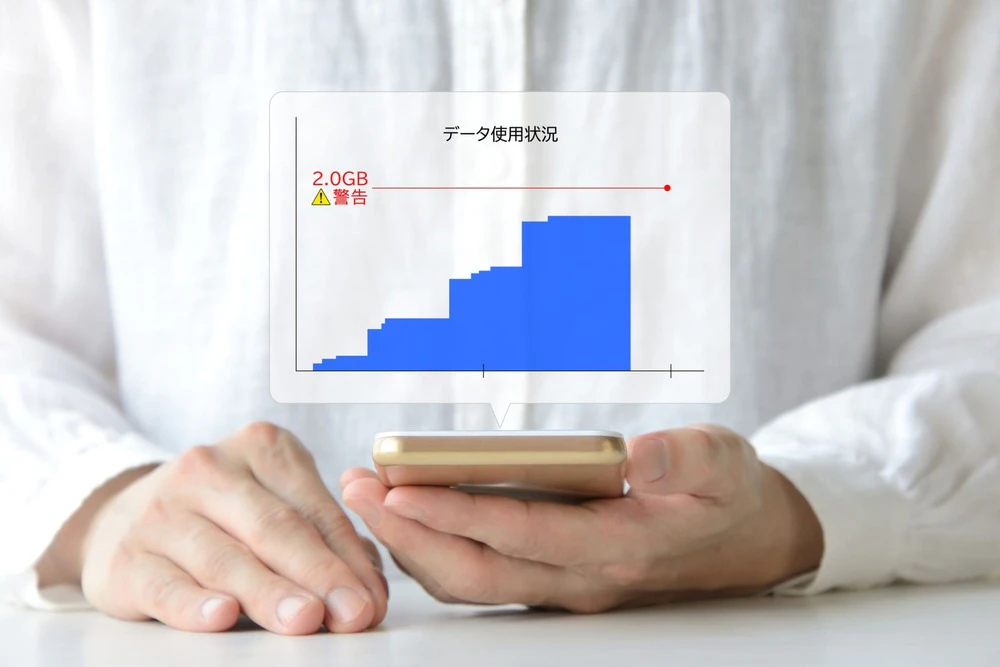
When signing up for a smartphone contract, you need to choose fees plan based on your data usage. However, many people may not know what data usage is or how much data is appropriate for them.
This time, we will explain the meaning of data capacity, how to check your smartphone's data capacity, and how to choose a fees plan that suits you.
When signing up for a smartphone contract, it's important to choose a fees plan that suits your lifestyle. If you don't want to lose out on your smartphone contract, be sure to check this out.
Generally, when we say "data capacity," it has two meanings: the data capacity for saving images, etc., and the data capacity for communication. In this article, we will explain the data capacity for communication.
Data capacity refers to the amount of data that can be transmitted over the network of your contracted carrier. For example, if your monthly fees plan has a 5GB limit, you can send and receive 5GB of data per month.
If your monthly data usage exceeds your data limit, you will be restricted until the next month. This slows down your data speed, which can be frustrating for many people. To use the internet comfortably, you need to choose a data plan that suits your smartphone usage.
Many people have probably heard of "giga (G)" as a unit of measurement for data capacity. Just as there are meters and kilometers as units of distance, there are also many other units of measurement for data capacity, such as the following:
The units are rounded up every 1,024. Also, the amount of data consumed varies depending on the type of communication.
For example, text-based communications such as emails are measured in KB, games and images in MB, and high-quality videos and large amounts of data are measured in GB. Keep in mind that when it comes to videos in particular, the better the quality as well as the length, the larger the data volume.
TB is not often seen on smartphones, but it is the mainstream unit for hard disks used in computers and televisions.

How much data can you communicate with 1GB of data? Below is a rough guide to the data communication you can do with 1GB.
You can browse web pages and communicate text-based without worrying about data usage.
However, you need to be careful when watching videos. In recent years, many high-definition videos have been distributed, but viewing them requires a correspondingly large amount of data communication. It is possible that you may suddenly reach your data limit, so it is a good idea to check your remaining data frequently.
Some people may not know how much data they have on their smartphone. There are two ways to check your smartphone's data capacity: by opening the device's settings screen, or by checking the member app of each carrier.
Below, we will explain how to check your data capacity from the device's settings screen, divided into the cases of iPhone and Android.
For iPhone, you can check your data usage by following the steps below.
Please note that the amount displayed here is the total amount of data used since you started using the iPhone. To check the remaining data for the current month or daily data usage, please check the membership app of your carrier or another app.
The useful thing about this method is that you can see the data usage for each app. This will help you to find out which apps are using a lot of data, which will help you save data.
You can also reset your data usage statistics. Tap "Reset Statistics" at the bottom of the "Mobile Data" screen to start tallying data from scratch. For example, you can reset your statistics every month to understand your monthly data usage.
Here's how to check on Android:
For Android, you can check the data limit, current data usage, and data usage for each app. However, since the data usage displayed above is an estimate based on the smartphone, if you want to know the exact figures, please check the membership app of your carrier.
Also, the procedure may vary slightly depending on the model.

To use your smartphone comfortably, it is important to choose a fees that suits your data capacity. If the data capacity is too low, you will quickly reach communication limits, and conversely, if it is too high, fees will be high for the amount of data you use.
We will divide smartphone usage into three cases and explain how to choose a fees plan for each.
If you're a light user who mainly browses web pages and plays games, a minimum amount of data will be fine. This also applies to people who are often at home working remotely and use Wi-Fi primarily.
In this case, your monthly data usage will likely be less than 5GB. Some low-cost carriers offer 1GB or 3GB fees, so it's best to choose one that suits your data usage. By choosing the minimum plan necessary, you can save money on your smartphone fees.
However, downloading apps or watching videos can quickly exceed the limit. Also, games with a lot of 3D or animations will likely use a lot of data. Therefore, it's important to use Wi-Fi appropriately and wisely to save on data charges.
If you use a smartphone for work, it's a good idea to have at least 10GB of storage space. When using a smartphone for work, you'll likely be sending and receiving emails with attachments.
There are many cases where Office files, spreadsheets, etc. are viewed. Even if each file is only a few hundred KB to 1 MB, if you send and receive them frequently, they can become large in size.
If communication restrictions are imposed at crucial times, it can disrupt your work, so we recommend a plan with ample data capacity.
Also, those who participate in video conferencing or use a computer via tethering should be careful. Video conferencing involves sending and receiving video, which consumes the same amount of data as watching a video on YouTube. Tethering can also use up a large amount of data without you realizing it, so be careful.
If you watch videos every day outdoors, such as on your commute to work or school, or if you don't have Wi-Fi at home, you'll need around 50GB of storage. Watching videos consumes a lot of data, especially when it comes to online communication.
If you want to watch high-quality videos outdoors, we recommend signing up for an unlimited data plan or pocket Wi-Fi. However, large-capacity plans tend to be fees, so you should consider this carefully.
If you want to reduce your data usage but still want to watch videos, try the following:
You may also want to change your plan later depending on your actual usage.
If you want to choose the data capacity that best suits your lifestyle, we recommend povo2.0 (*1). With povo2.0, you can also purchase "data Topping" based on the amount of data you want to use.
There are approximately 20 data Topping to choose from, ranging from 0.5GB to 1.32TB, as well as Unlimited data (*3) (24 hours), each with a set usage validity.
For example, with the "Data Top-up (30 Days)" (*2), you can get 30GB of high-speed data for 30 days for 2,780 yen (tax included). After validity ends, you can purchase a new data Topping to get high-speed data again.
In addition to approximately 20 types of data Topping, we also offer a wide variety of paid Topping including collaboration Topping, call Topping, and Overseas data Topping. If you're unsure which paid Topping to choose from the many options available, please consult our dedicated Topping service to find the best plan for you.
With povo, you can customize your fees Topping to suit your changing lifestyle, so you can always use the plan that's best for you. If you're considering signing up for a low-cost SIM, why not give povo a try?



![[For parents] I want my junior high school student to have a smartphone! Explaining the benefits and things to be aware of](/cms/povo/img/service/library/article-064/article-064_1.webp)


