Have you ever been frustrated by your smartphone suddenly slowing down? If the problem occurs even though you don't remember doing anything special, you may be wondering what to do.
This time, we will introduce the causes of slow smartphone communication speeds and how to deal with them.
There are several possible reasons why your smartphone's communication speed may suddenly slow down. To improve the situation, you need to take measures depending on the cause.
Therefore, first, please refer to the information below to find out the reason why your smartphone's internet speed is slow.
Some smartphone contract plans have data limits, such as "up to 30GB per month" or "up to 3GB in the last three days." If you exceed the limit, your data speed will be restricted, which can cause images to load slowly and make it difficult to watch videos.
If many users access the same internet line, it may become congested and cause smartphones to slow down.
For example, if an office or apartment building shares a single line, the communication speed is likely to be slower because there are more people sharing the line.
Even if there are no issues with your contract or internet environment, if your smartphone's specs are low, it may run slowly. This is because the data processing capacity itself is low, so it takes a long time to fully display web pages and launch apps.
The slowness of your smartphone may be due to insufficient storage space or excessive cache.
By the way, storage refers to "a place to store data such as photos and music," and cache refers to "technology for quickly displaying previously viewed web pages and launched apps."
If you notice that your smartphone's internet speed has suddenly slowed down, try these six things.
Sometimes simply restarting your phone by holding down the power key can improve performance, as it closes all apps and resets the memory.
Restarting your smartphone is also an effective method when other problems occur. It also reduces the load on the memory, which helps prevent overheating.
If you are working on something, be sure to save it before restarting, as your data may be lost.
If you're using your smartphone in a location where the signal is likely to be weak (such as between buildings or underground), try moving to a location with a better signal environment. Signal interference or obstacles may be slowing down the communication speed. If outdoors, a location with few obstacles and a good view is ideal, and if indoors, near a window is ideal.
If you are using Wi-Fi at home, it is best to place the router as close to the center of the room as possible, about 1-2m above the floor.
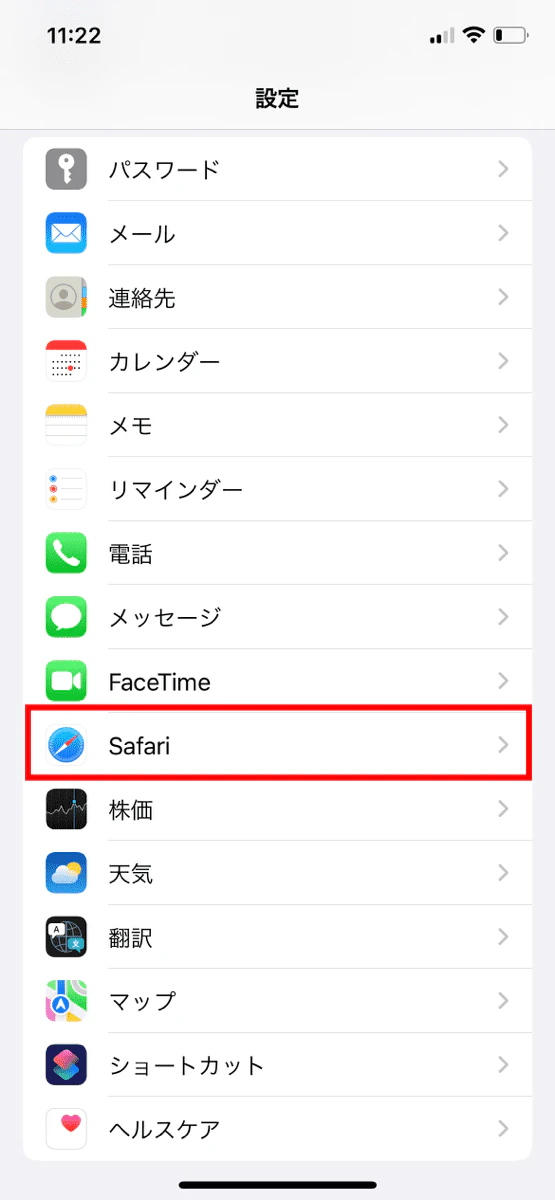
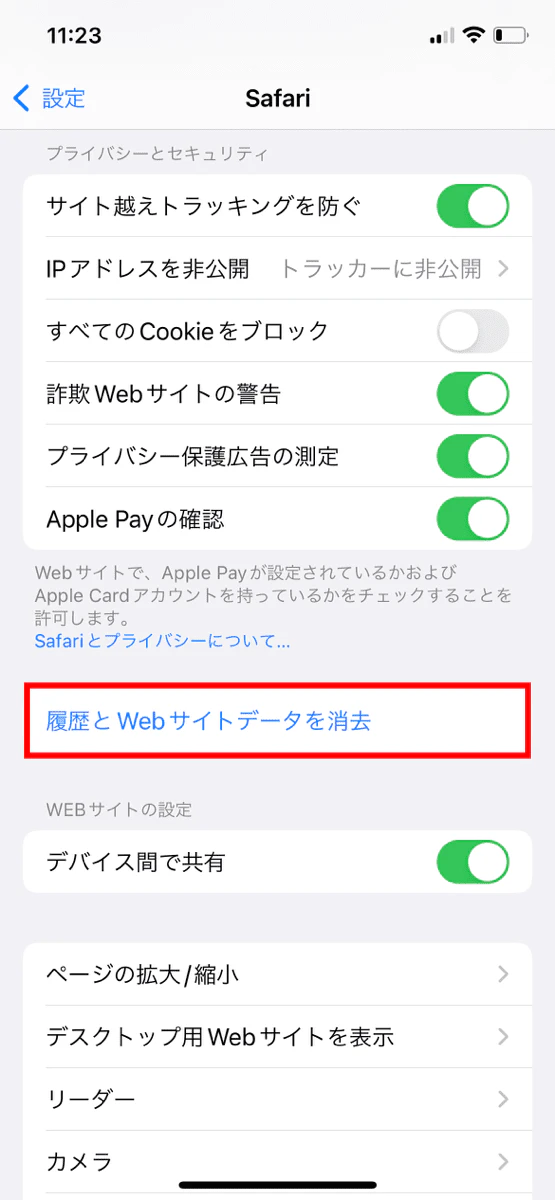
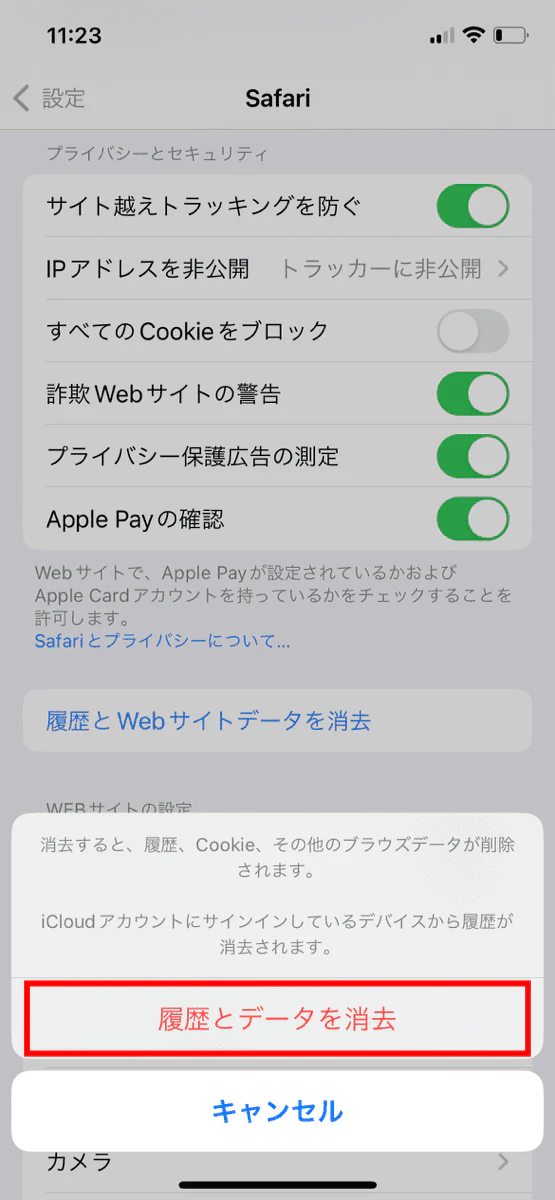
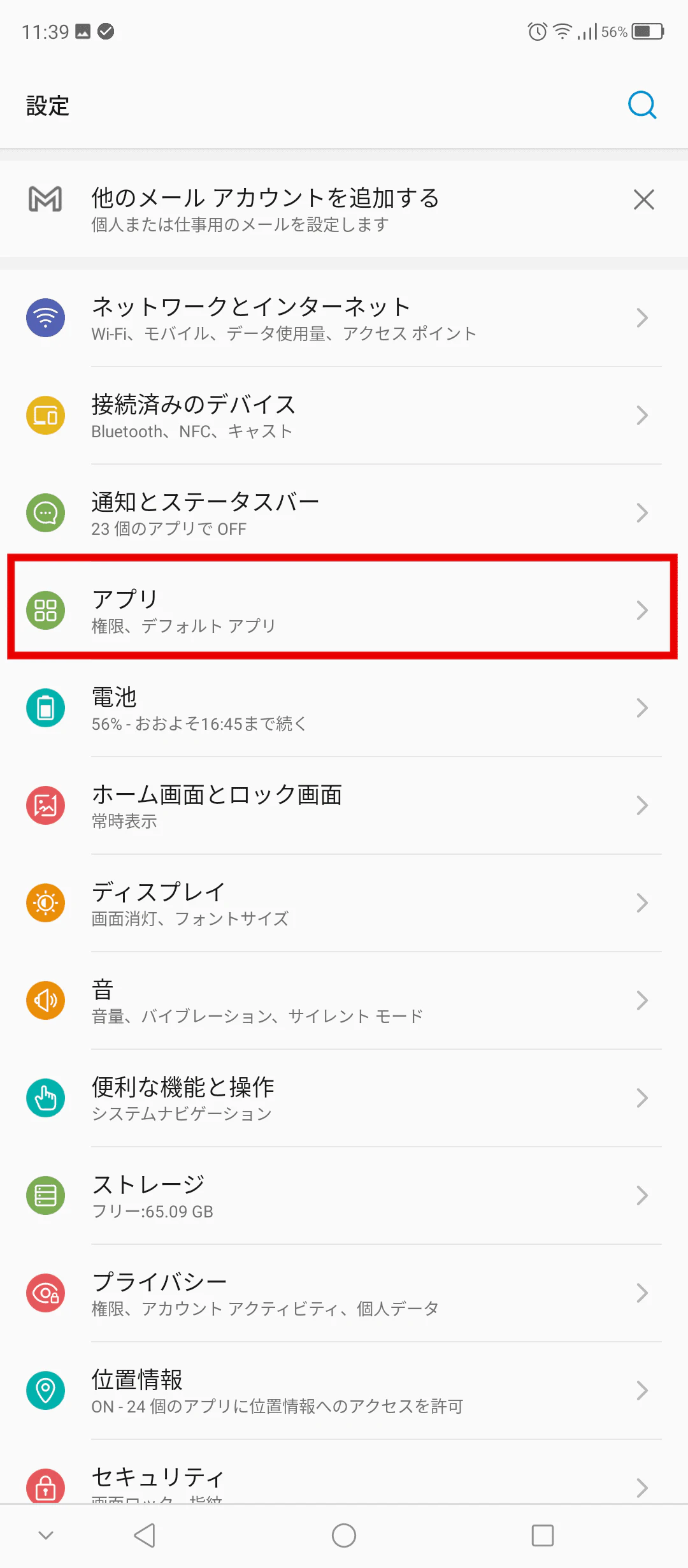
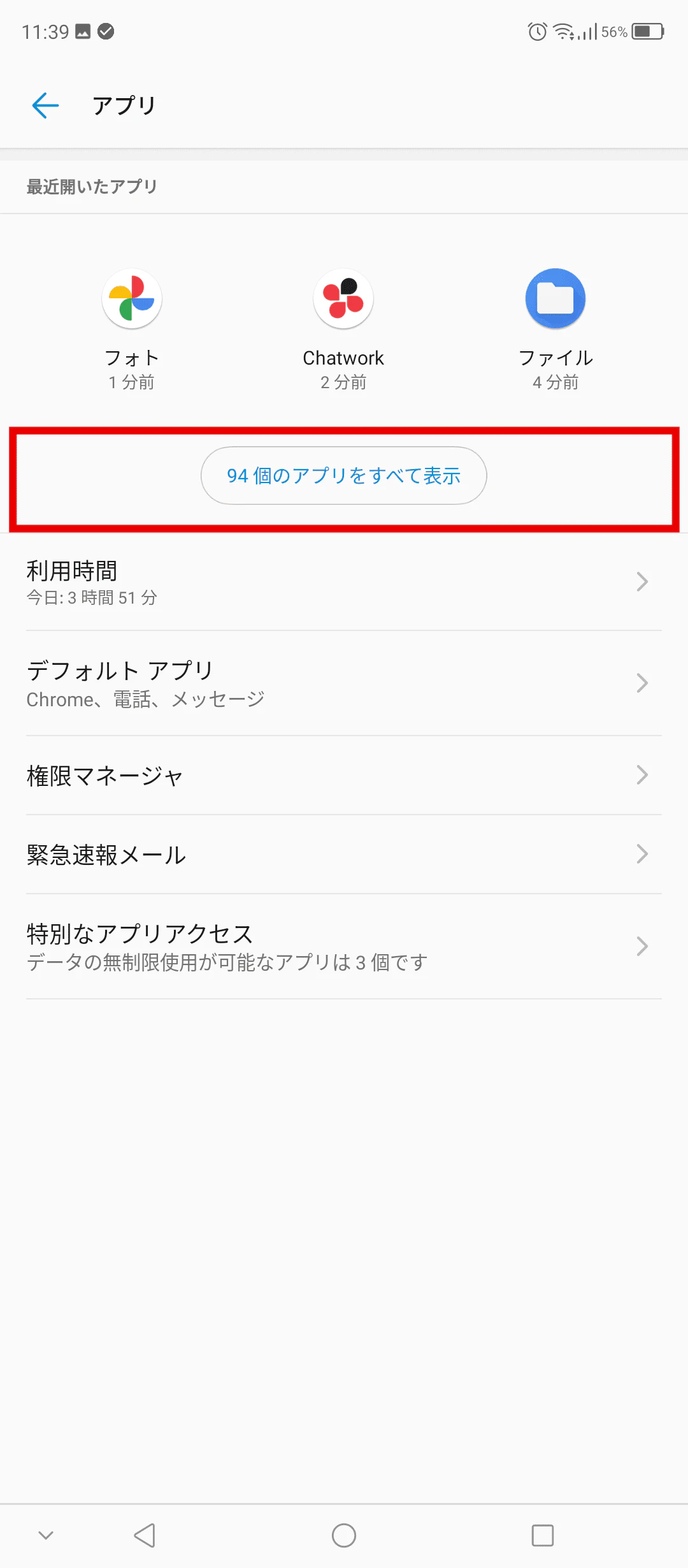
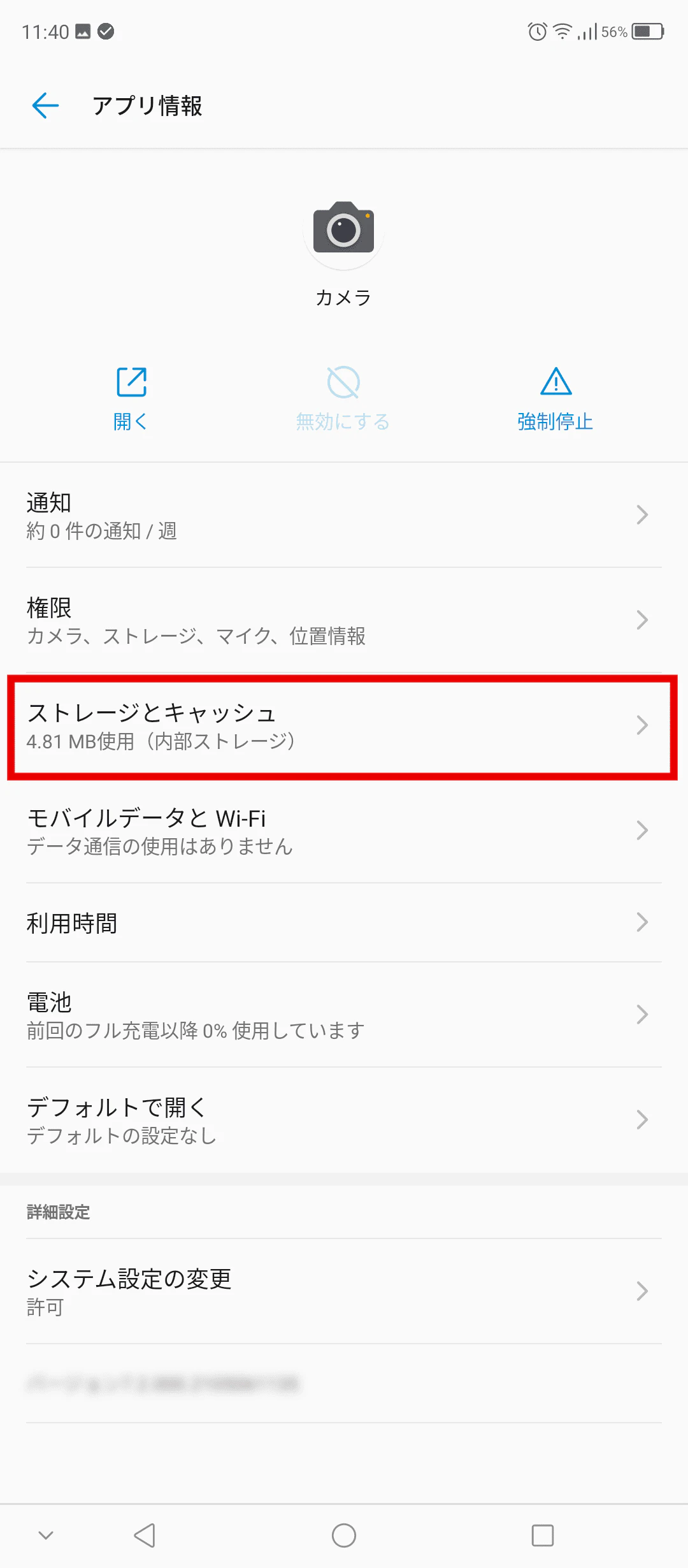
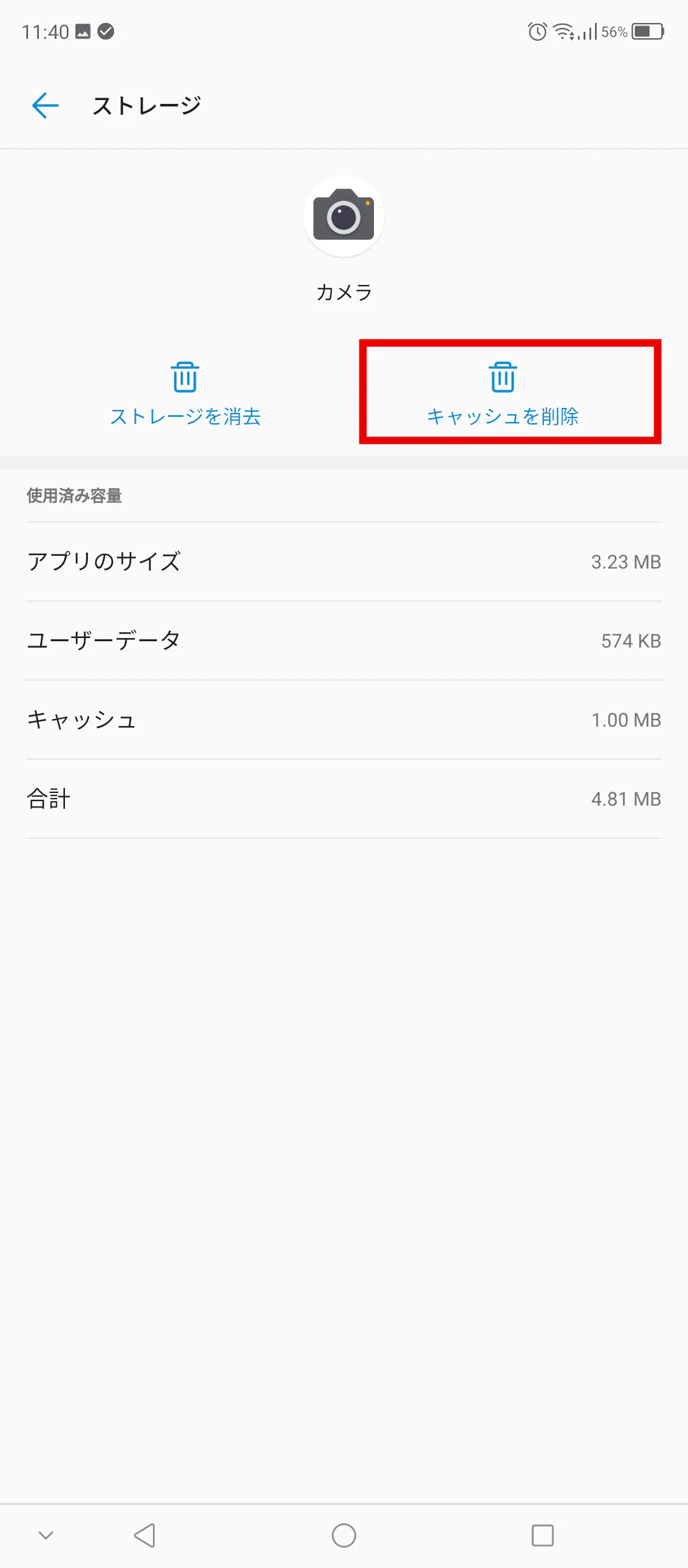
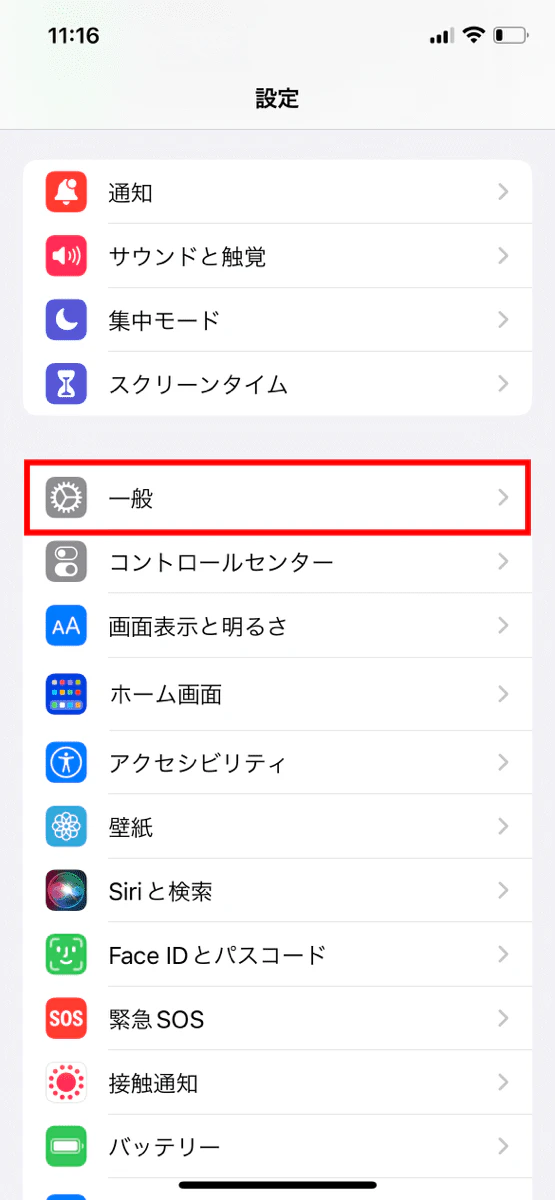
If the cache has accumulated, deleting it will free up memory and may improve communication speed. If a large amount of cache accumulates, it can slow down the device, so be sure to delete it regularly.
Here's how to clear the cache:
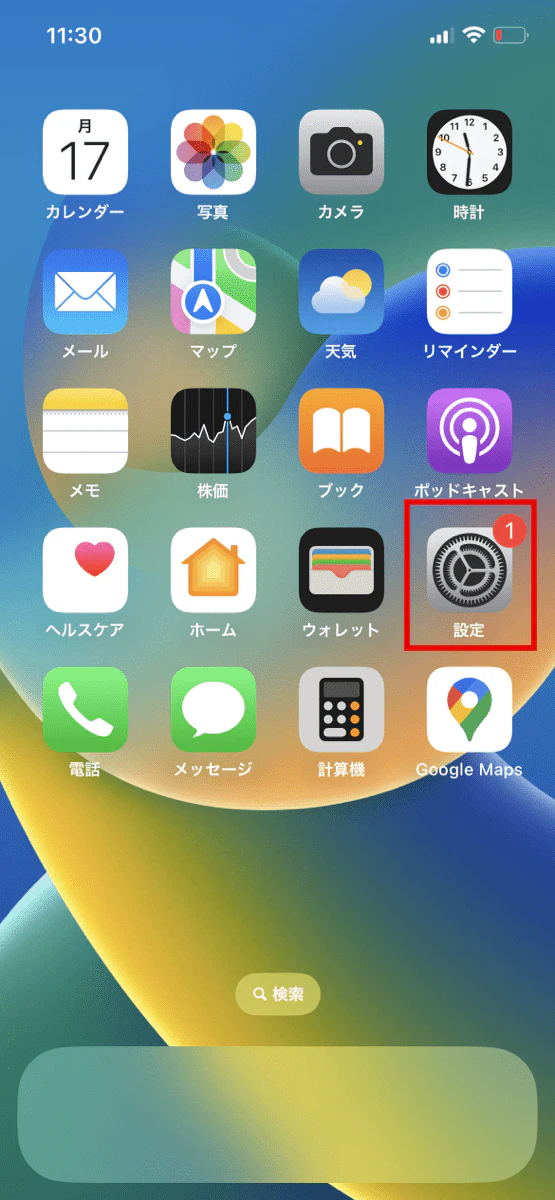
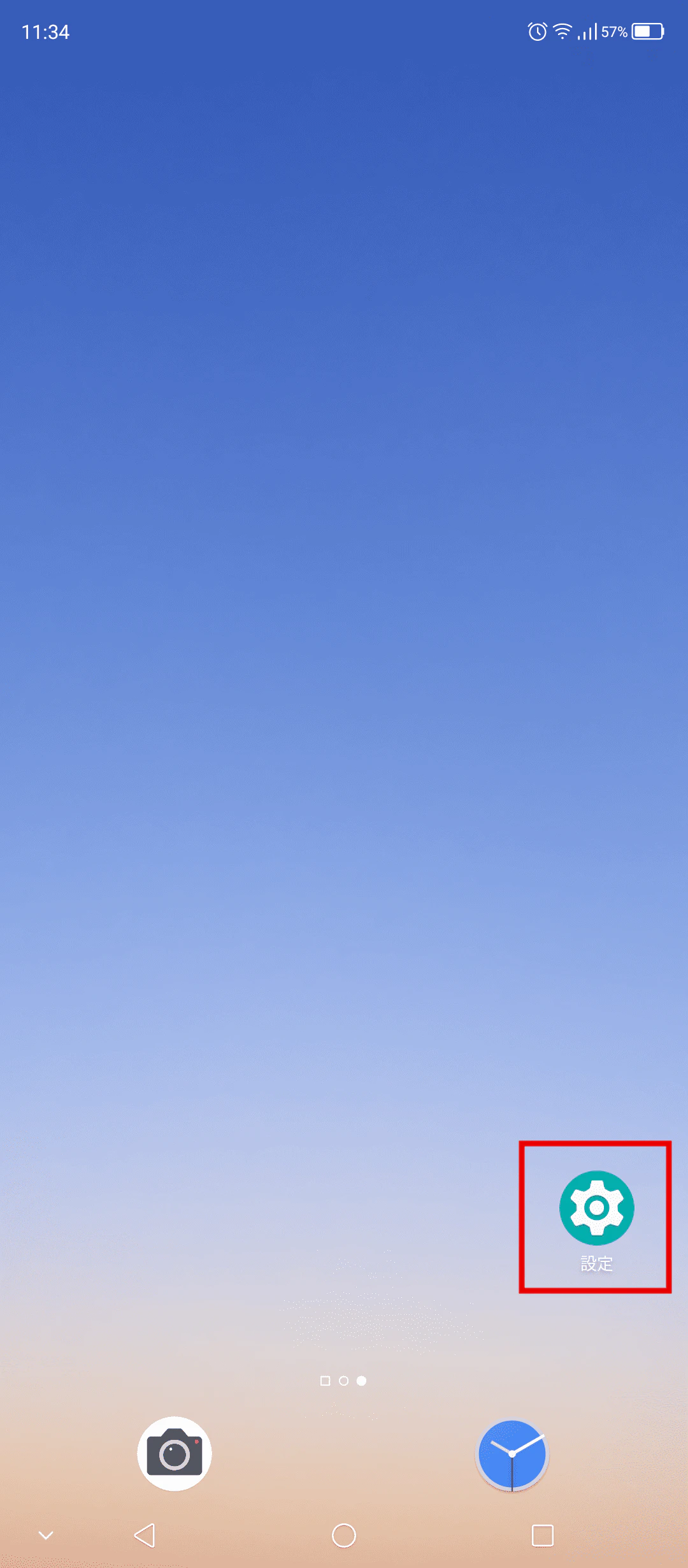
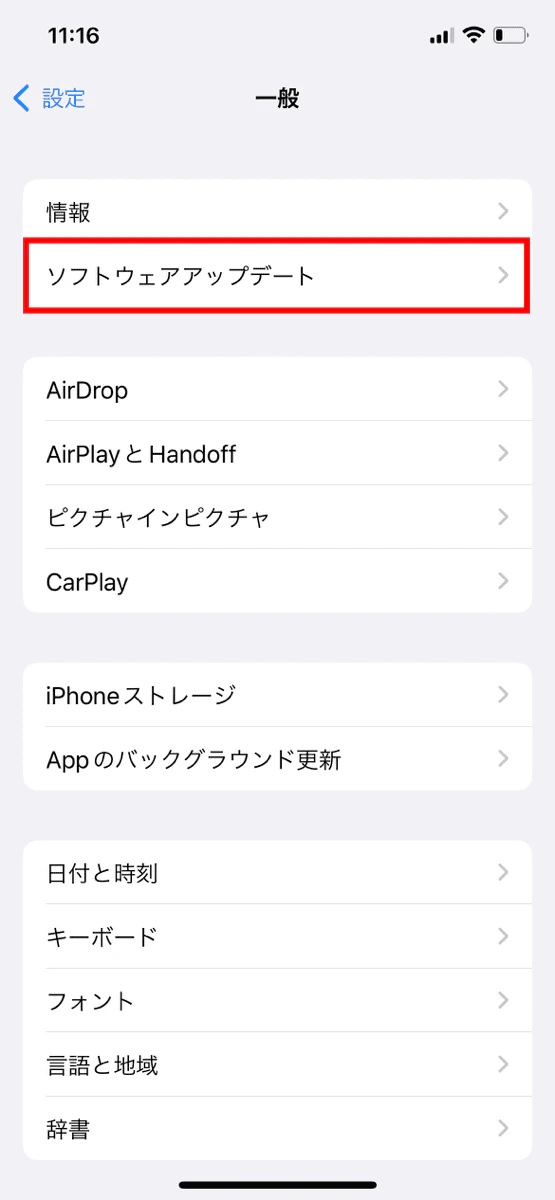
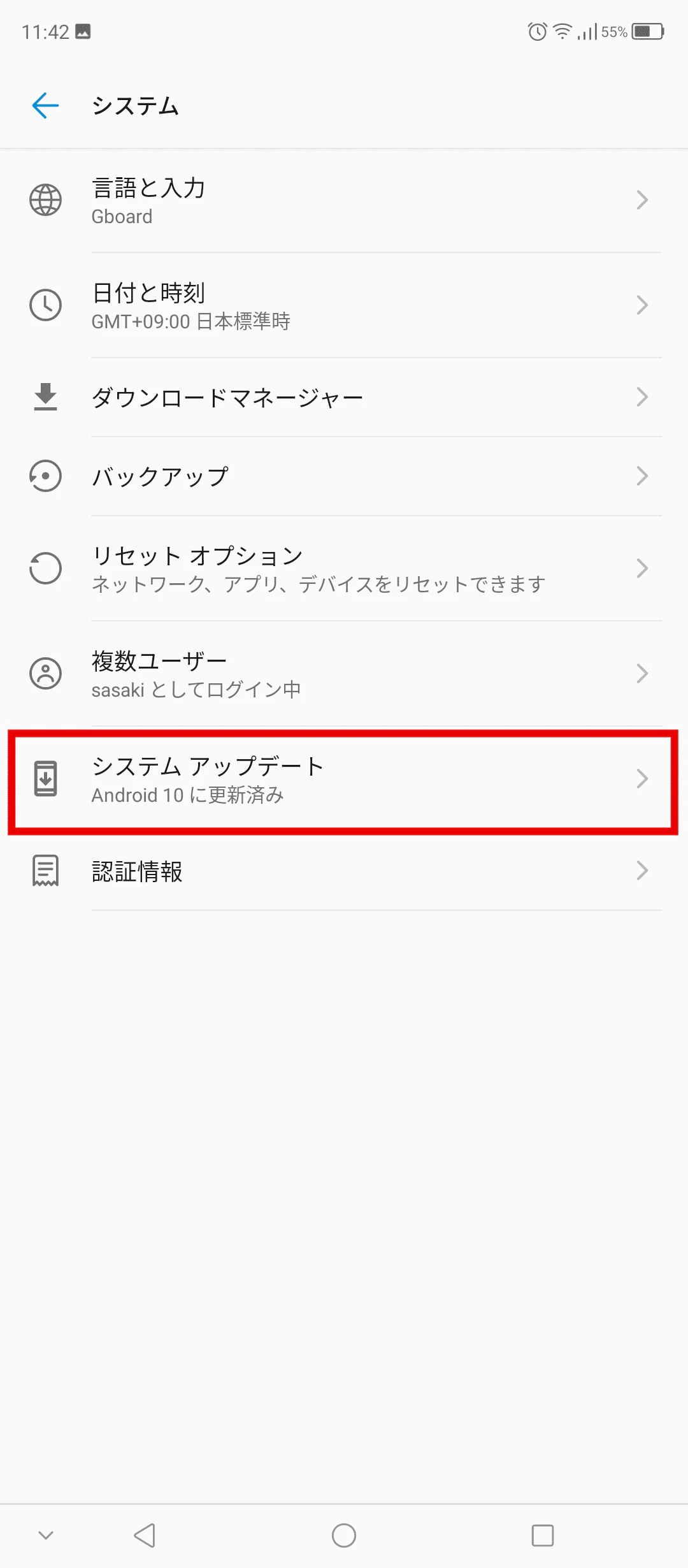
It's possible that your connection speed is slow because your OS is outdated. In that case, updating to the latest version will likely make things run more smoothly.
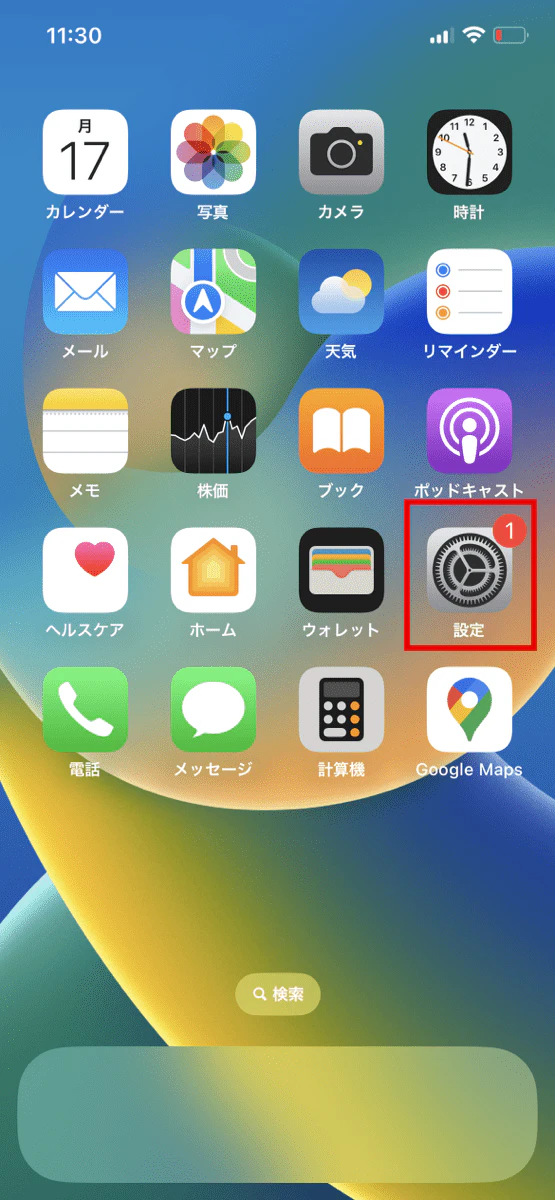
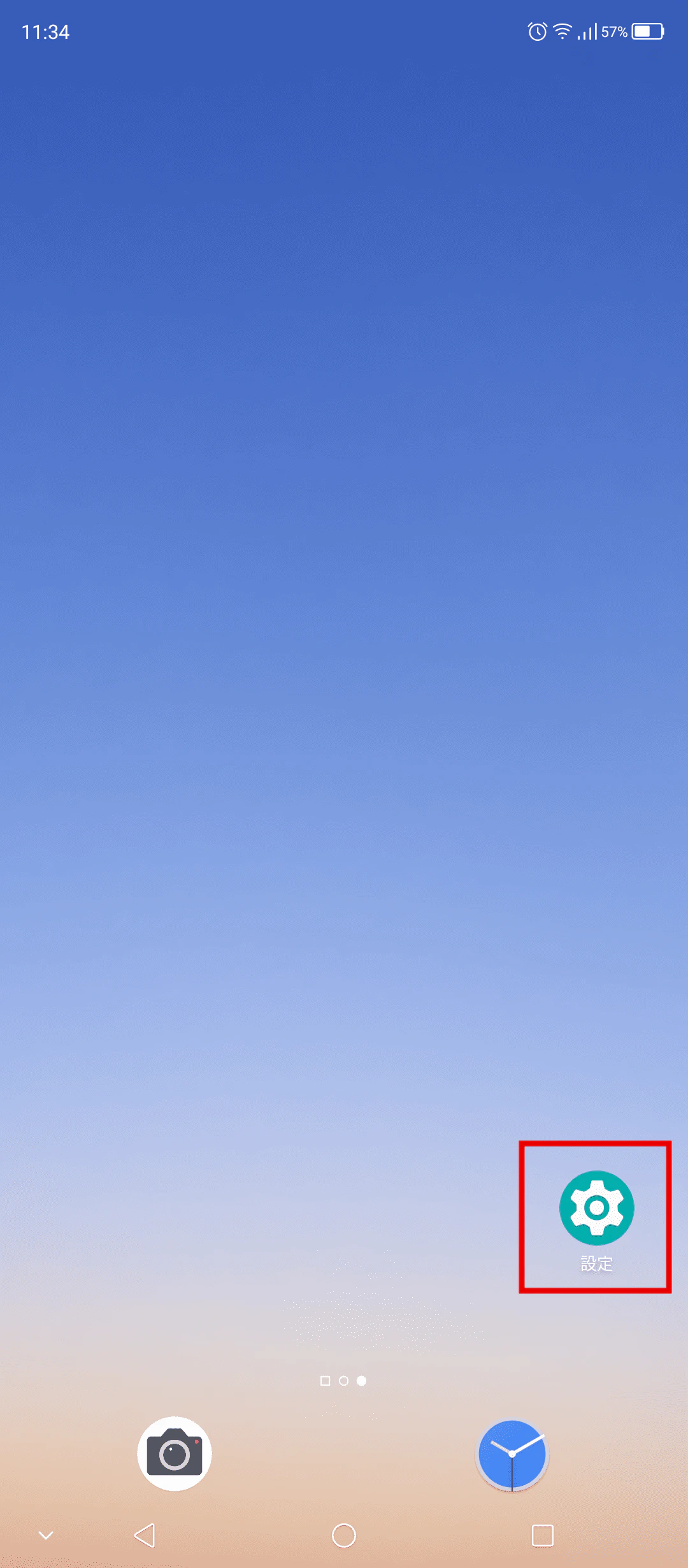
If your storage capacity is too full, your smartphone may slow down, so delete any apps and data you don't need.
In that case, you may be able to reduce the number of times you need to delete by starting with the largest files. Some apps and data can exceed 1GB in size.
You can move images and videos you want to keep to an SD card or save them in the cloud so you can view them anytime.
If your smartphone is running slowly because you've exceeded your data limit, you can remove the limit by purchasing additional data. Although it costs money, it's effective in situations where you want the data speed limit to be lifted.
Once you've used up all the data you purchased, your speed will return to its slow state. If you don't mind a little slower speed, or if you want to save as much as possible, it's best to wait until the limit is lifted.
In addition, povo2.0 (*1) allows you to purchase only the amount of data you need, when you need it. The appeal is that you can use it according to your situation without waste, such as "purchasing just 1GB at the end of the month" or "purchasing Unlimited data (*2) because you want to use it to your heart's content when you're out and about."
*1: As this is an online-only plan, all procedures and support are handled online only. There is no in-store or telephone support. *2: Communication speeds may be limited during network congestion or when using video or cloud games.
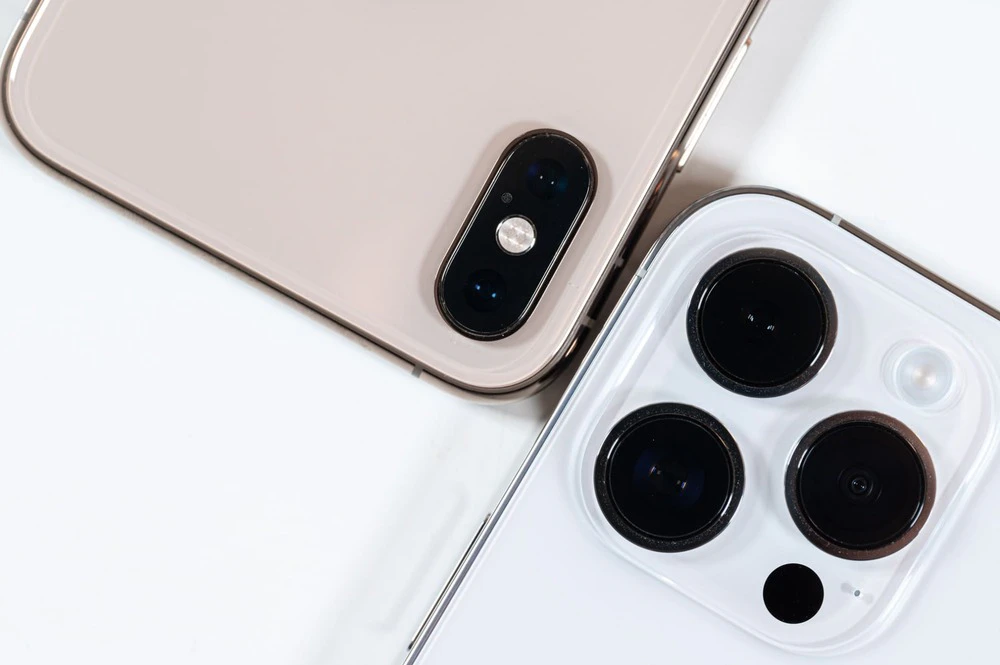
If your internet speed does not improve even after trying the methods above, the problem may be related to your smartphone or carrier. Therefore, we recommend choosing one of the following methods.
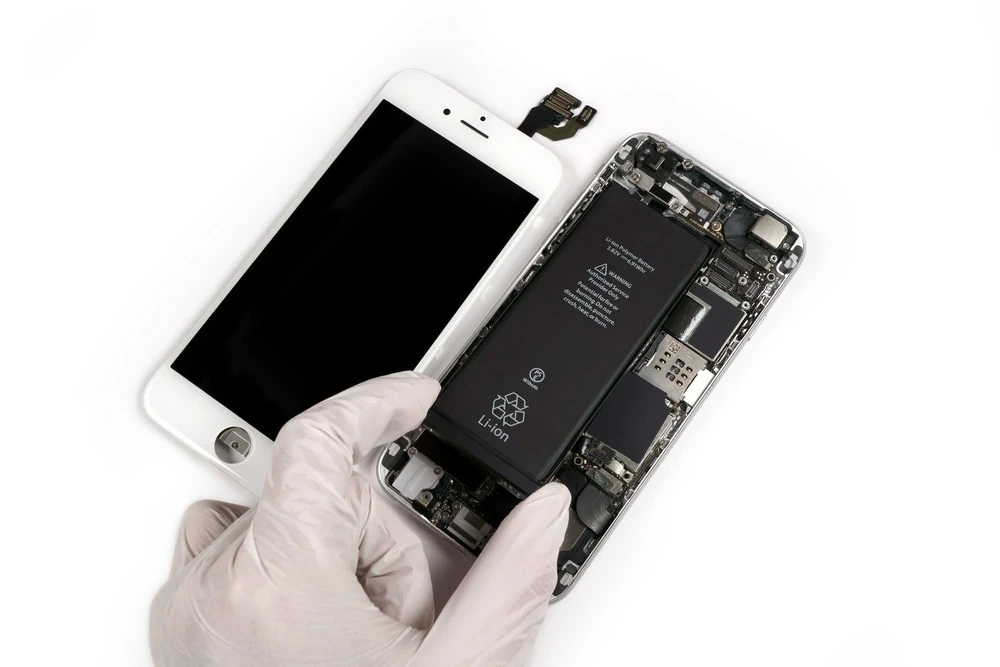
If your smartphone's specs are not suitable for the operating environment of apps and games, consider replacing your device.
Generally speaking, the latest devices have higher processing power than older devices. Some apps use more memory when they are upgraded, so if you want to use your smartphone comfortably, it is wise to buy a new device.
Memory refers to the temporary storage of data to be processed, but as more memory is used, the processing speed of apps and games will slow down, and you will feel that your communication speed has slowed down.
If the communication speed of your current carrier is slow, restarting your smartphone or clearing the cache may not improve the situation. In this case, it is best to switch to a carrier with a faster communication speed.
In particular, if you spend a lot of time using your smartphone, switching carriers will allow you to use your smartphone without stress.
For those who want to use their smartphones comfortably, we recommend povo2.0 (*1). Because it uses the au network, it can be used in a variety of situations, including indoors, hiking, and camping. This will reduce the frustration of slow browser and app performance due to slow internet speeds.
Another popular option is a new type of fees plan that has a basic fee of 0 yen (*2) (*3) (*4) and allows you to choose the features you need from a selection of paid Topping. There are six types of paid Topping to choose from: data, two types of content, two types of voice calls, and one type of support.
Furthermore, since it can be used in a wide area across the country, it boasts a population coverage rate of 99.9%. There are no contract validity, so if you're interested, why not give it a try?
*1: All procedures and support are online only. No in-store or telephone support is available. *2: If you have not purchased validity or paid Topping for more than 180 days, your usage may be suspended or your contract may be terminated. Please understand this in advance.
5 lines under the same name (*) For the cumulative 6th line and thereafter, a contract administration fee of tax included 3,850 yen/line will be charged.
*Includes lines that have been terminated or cancelled by the Company within the past year.
Reference. povo2.0 Plan Details" (povo) *3: Domestic calls are charged separately at tax included 22 yen/30 seconds, and SMS sending is charged separately at tax included 3.3 yen/text (up to 70 characters). Depending on the model, up to 670 two-byte characters can be sent; up to 134 characters are counted as two SMS messages, and thereafter one SMS message is charged for every 67 characters. Calling rates may differ for some calls, such as calls to satellite phones. For more information, please contact this way (direction close to the speaker or towards the speaker) Please check with your local telephone company. Calls to numbers that other companies have set up at fees will incur the specified call charges.
Reference. povo2.0 Plan Details" (povo)
Reference. For some destinations with different calling rates" *4: If data Topping is not purchased, the maximum sending/receiving rate is 128 kbps. The names of products and services mentioned in this article are trademarks or registered trademarks of the respective companies. iPhone and Safari are trademarks of Apple Inc. registered in the U.S. and other countries. iPhone trademark is used under license from Aiphone Co.
TM and (C) 2022 Apple Inc. Android is a trademark of Google LLC. au is a registered trademark of KDDI Corporation. Wi-Fi is a registered trademark of the Wi-Fi Alliance.