If you connect to the Internet using IPv6, you can expect stable communication speeds even during times of line congestion. However, many people may not know exactly what IPv6 is.
So, in this article, we will explain IPv6 in an easy-to-understand way. We will also introduce how to check your IPv6 connection status and how to switch from the previous standard to IPv6, so please use this as a reference.

IPv6 is an abbreviation for "Internet Protocol Version 6" and is a type of Internet Protocol (IP) that follows IPv4. Here we will explain IP, the features of IPv6, and how it differs from the similarly named IPv4.
IP is like a set of rules for communicating over the Internet, and one of the IP rules is the management of IP addresses (which are like addresses on the Internet) required for Internet connection.
When sending and receiving data over the Internet, it is necessary to identify where the data is being sent from and where it is being sent to, and the IP address is used for this identification.
In this way, IP addresses are used to specify the communication partner when sending and receiving data on a network.
Each device (terminal) that connects to the Internet is assigned an IP address to use for sending and receiving data. The biggest difference between IPv6 and IPv4 is the number of IP addresses that can be created.
IPv4 represents IP addresses in 32 bits, allowing for approximately 4.3 billion different IP addresses, while IPv6 represents IP addresses in 128 bits, allowing for approximately 4.3 billion to the power of four different IP addresses, meaning that an almost infinite number of IP addresses can be created.
| IP Address Standards | example | Quantity |
|---|---|---|
| IPv4 | 255.255.1.1 | Approximately 4.3 billion combinations |
| IPv6 | 1232:0ab8:0000:0001:02AB:0001:0000:0001 | Approximately 4.3 billion to the fourth power |
Previously, IPv4 was the mainstream IP address. However, with the global spread of the Internet, there was a risk that the IP addresses allocated by IPv4 would run out, so IPv6 was introduced.
There are two main methods used to connect to the Internet:
・PPPoE method (Point-to-Point Protocol over Ethernet)
Pronounced: PPPOE method
・IPoE method (IP over Ethernet)
Pronunciation: IPOE method
The "oE" at the end of the two connection methods is an abbreviation for "over Ethernet," meaning that communication is via Ethernet.
Ethernet is a wired communication standard used in computer networks. Examples of Ethernet standards include LAN cables and fiber optic cables.
If IPv6 and IPv4 are ways of representing data, then the PPPoE and IPoE methods are ways of exchanging that represented data.
From here, we will explain the PPPoE and IPoE methods, as well as how IPv4 over IPv6 works.
The PPPoE method is a communication method that uses Ethernet to transmit a protocol (data communication agreement) called PPP (Point-to-Point Protocol).
When connecting to the Internet using the PPPoE method, authentication is required using an ID and password provided by your provider. You must also connect via a communications device called a network termination device (a device that converts optical signals into digital signals) provided by your provider. In the evenings and at night, when many people use the Internet, the network termination device can become congested, causing slower communication speeds.
Please note that the PPPoE method can only connect to IPv4 websites.
IPoE is an abbreviation for "IP over Ethernet." The IPoE method is a communication method that uses Ethernet to transmit IP packets, which are like boxes containing data.
The IPoE method is a system that directly connects to networks provided by operators, such as NTT East and West's NGN (next generation network), and does not require an ID or password to connect to the Internet.
In addition, since the IPoE method does not go through a network termination device, it is less likely to experience congestion like PPPoE, and has the advantage of being less prone to speed degradation than the PPPoE method.
The IPoE method is called the "native connection method" because it was developed specifically for Ethernet from the beginning, while the PPPoE method is called the "tunnel connection method" because it passes through a network termination device.
Basically, the IPoE method only allows you to browse IPv6 websites.
As mentioned above, the IPoE method basically only allows you to browse IPv6 websites. For this reason, a communication technology called IPv4 over IPv6 was developed.
IPv4 over IPv6 supports browsing IPv4 websites in addition to IPv6 over an IPoE internet connection.
By using IPv4 over IPv6, you can view IPv4 websites, which are relatively prone to traffic congestion, in a stable IPv6 environment.

There are two ways to check whether you can connect to the Internet via IPv6 on the line you are currently using: by running a speed test or by checking your device settings.
This method uses a website that allows you to perform a speed test of your IPv6 connection. This speed test allows you to check not only your IPv6 address, but also your IPv4 address and estimated provider information.
・Fast.com
This is a free service provided by Netflix, a major video streaming service, and when you access the page, it automatically displays your current internet connection speed.
・USEN GATE 02
It's provided by USEN ICT Solutions, Inc., and can be accessed by visiting the "Internet Line Speed Test" page. It can measure "upload" and "download" speeds, ping values, and jitter values, which indicate fluctuations in ping values. It also shows results for different uses, such as watching videos or playing games.
・Broadband Speed Test
This service is provided by Ookla, a company headquartered in the United States. By accessing the page and clicking the "GO" button, your "upload" speed, "download" speed, and ping value will be measured.
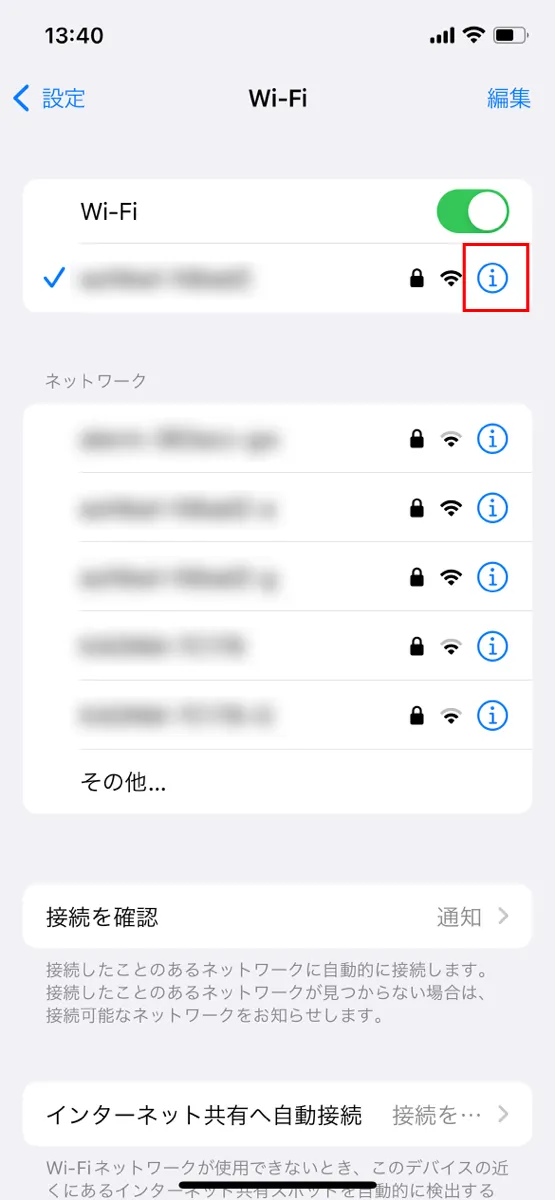
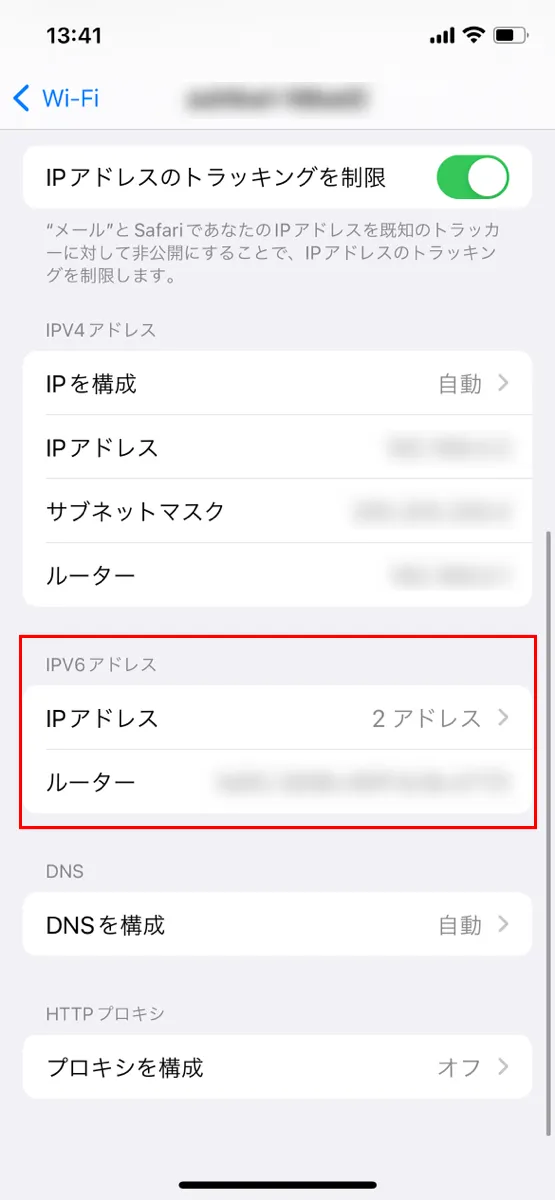
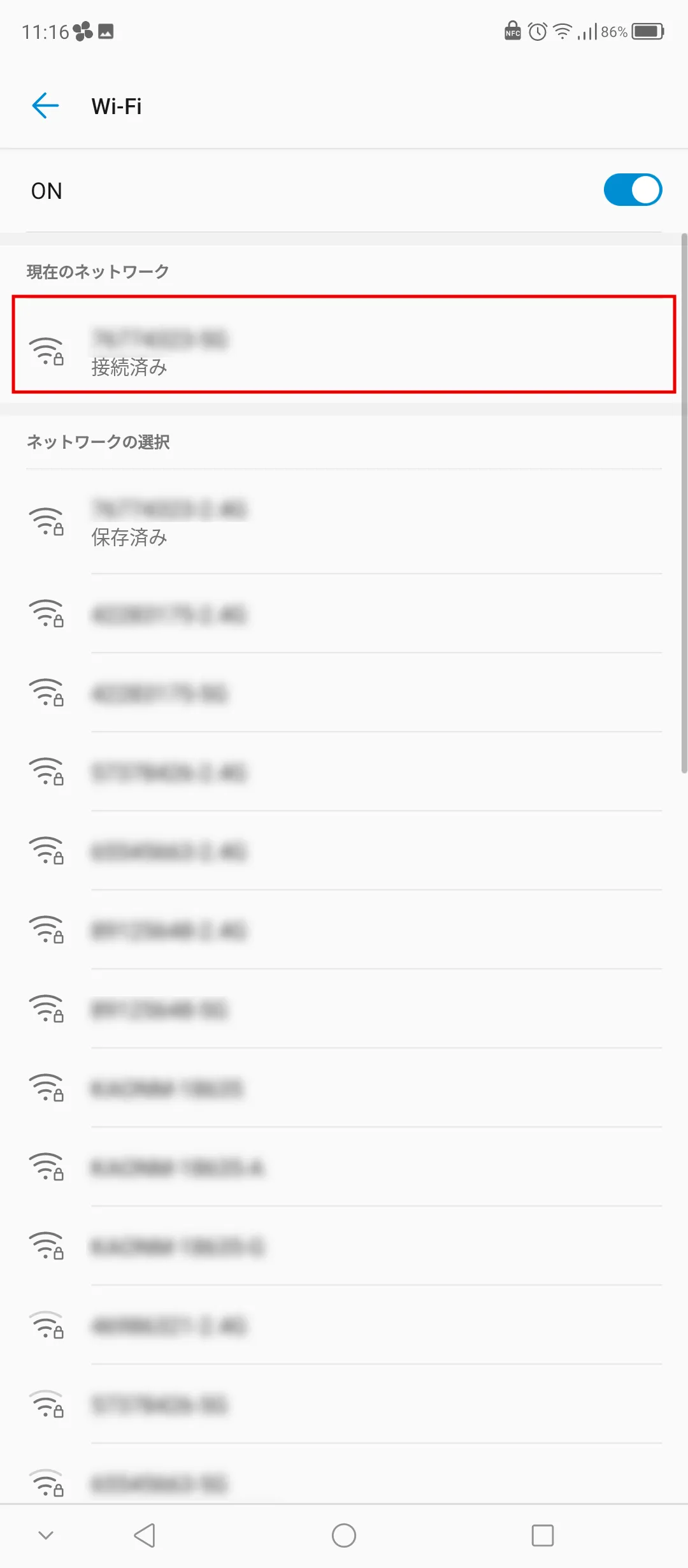
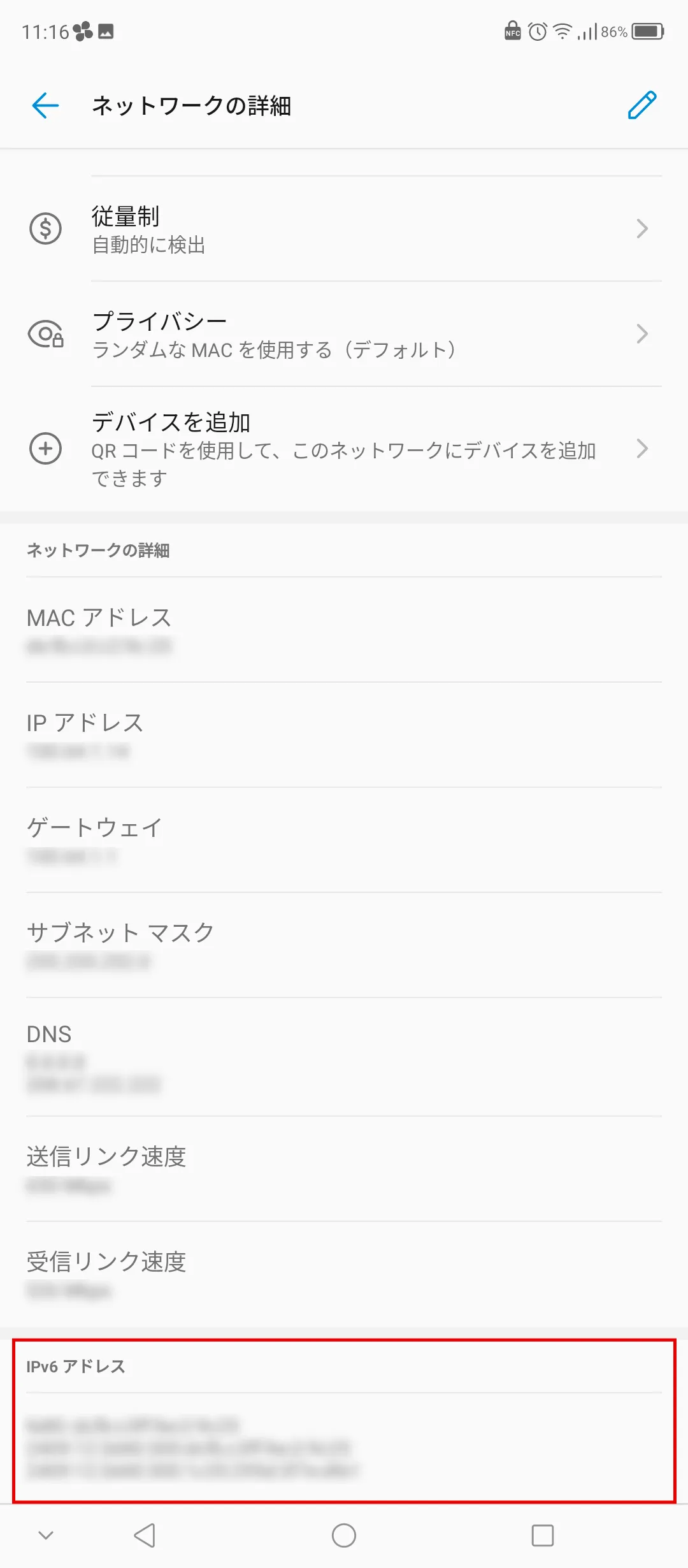
You can also check whether you are connected via IPv6 by checking whether the IPv6 address is displayed in the device settings. Here we will introduce how to check this on four types of devices.
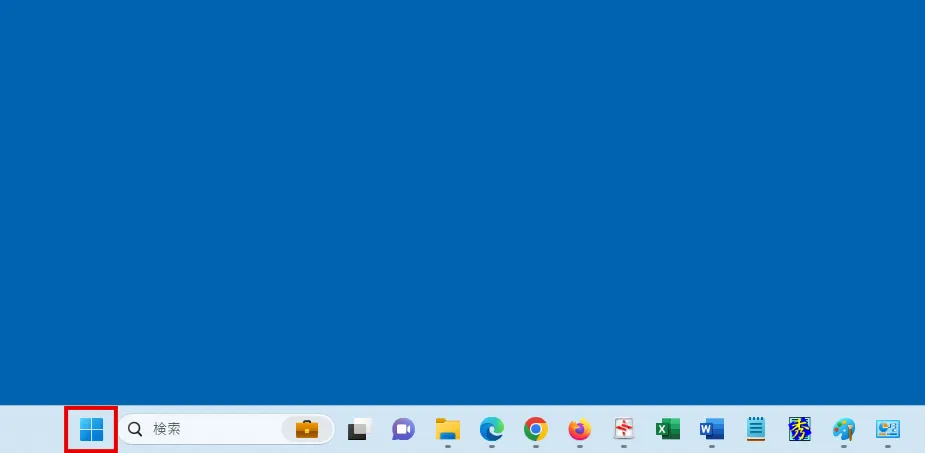
① Right-click the Windows logo and select "Settings."
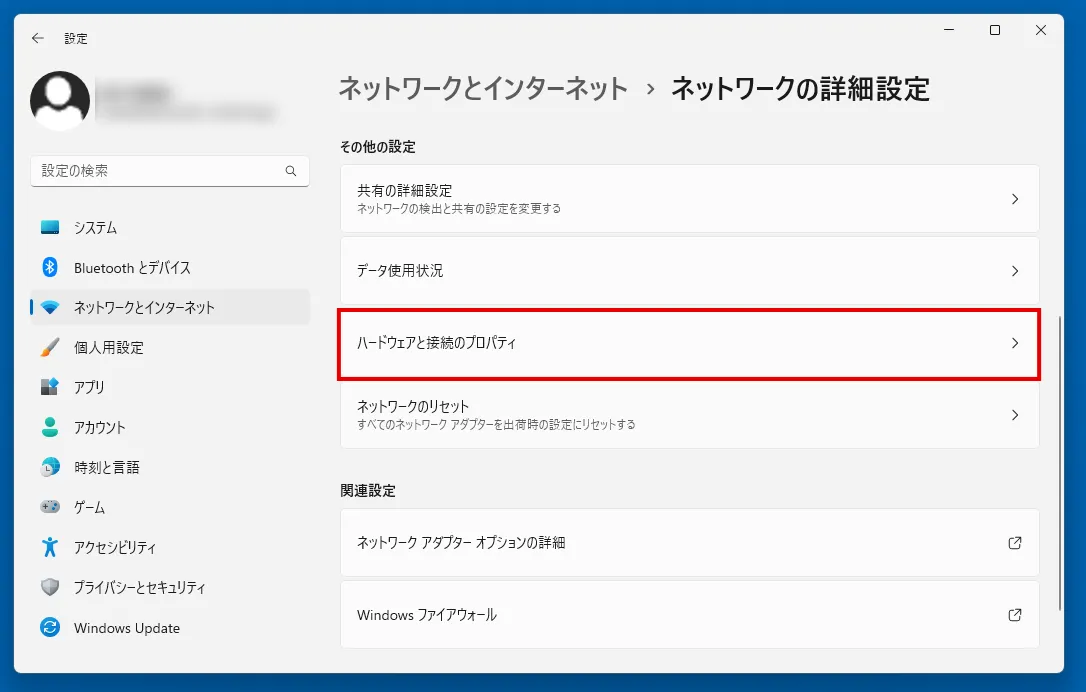
② Select "Network and Internet" → "Advanced Network Settings" → "Hardware and Connection Properties".
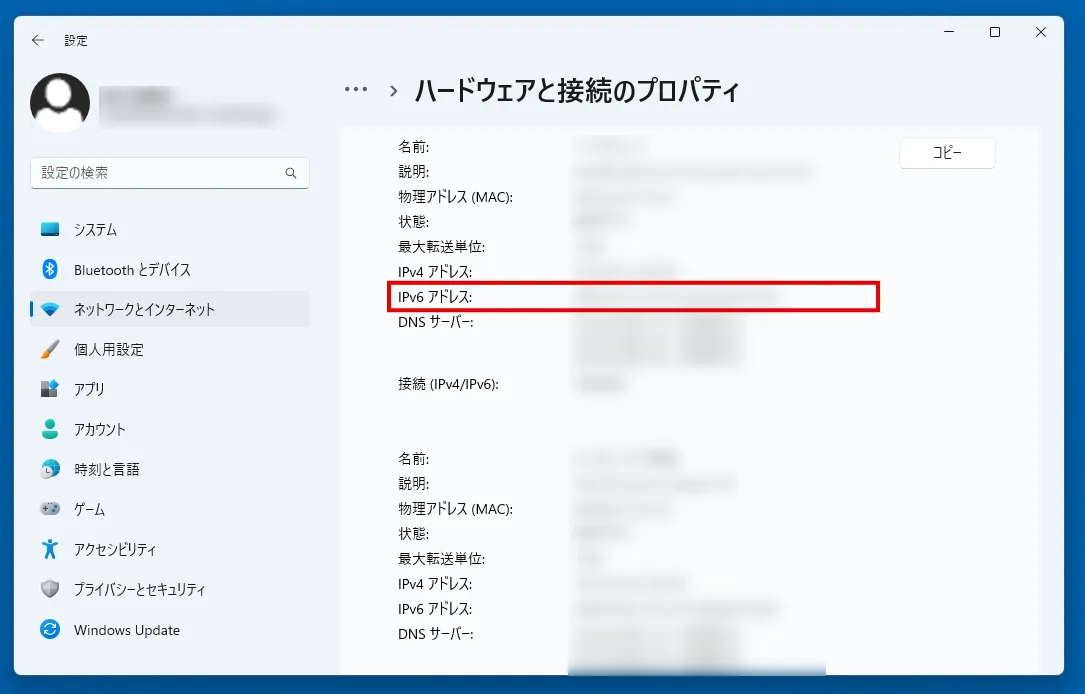
③The hardware and connection properties information will be displayed, so check if the "IPv6 Address" item is displayed. If it is displayed, you are connected to IPv6.
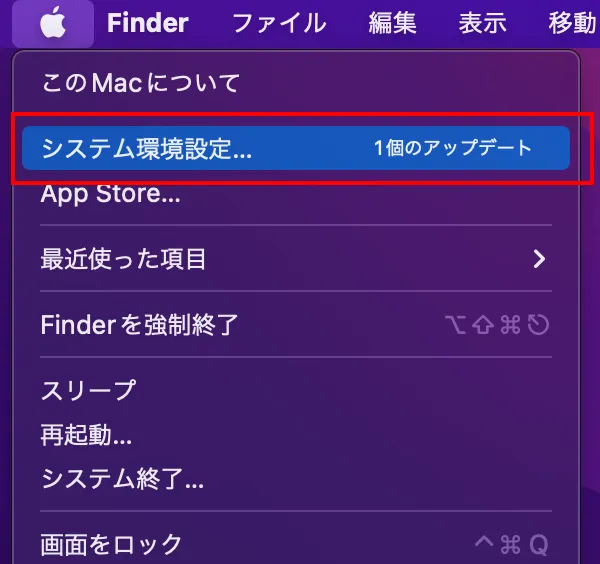
① Open the Apple menu from the menu bar and open "System Preferences."
②Select "Network" and click "Advanced".
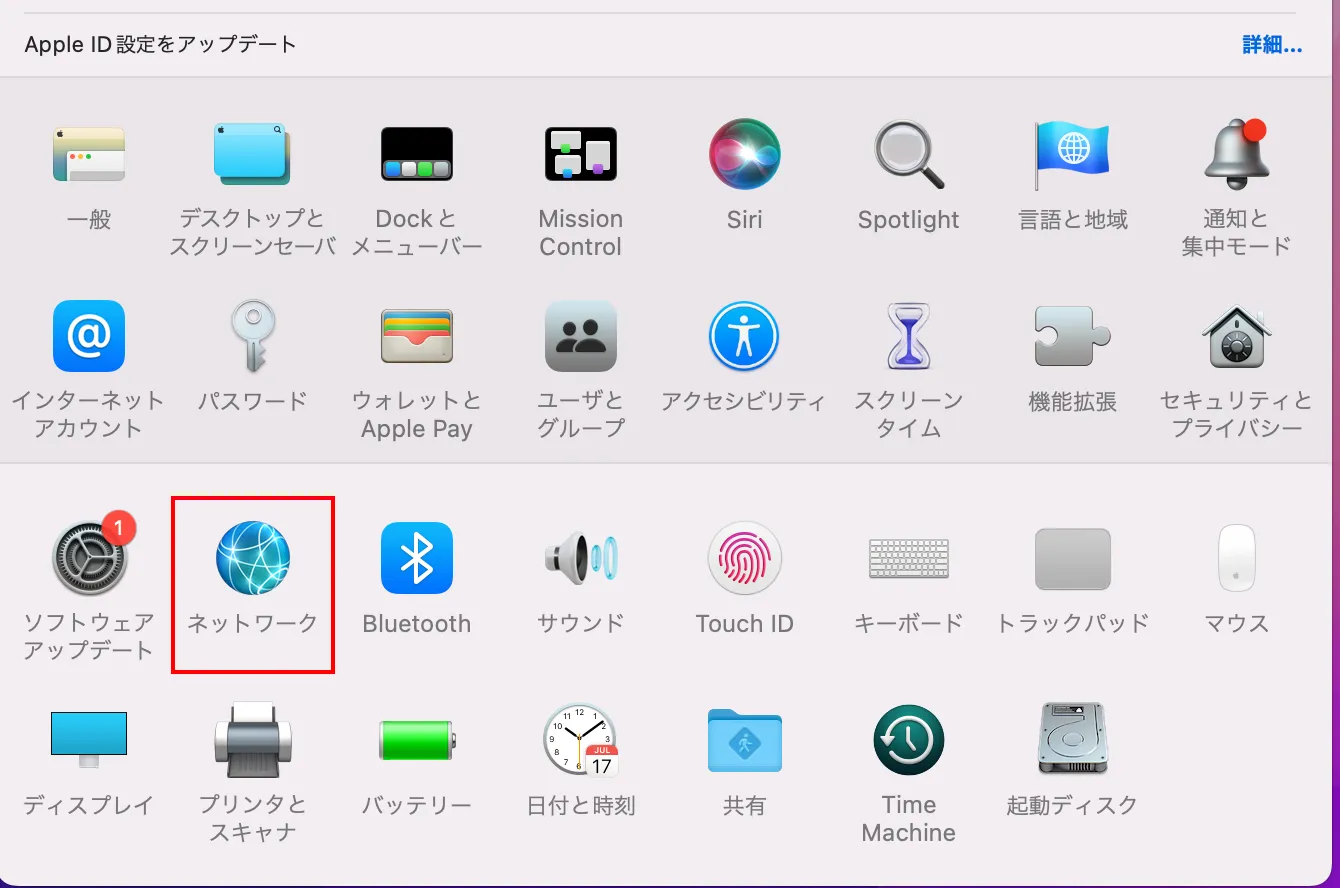
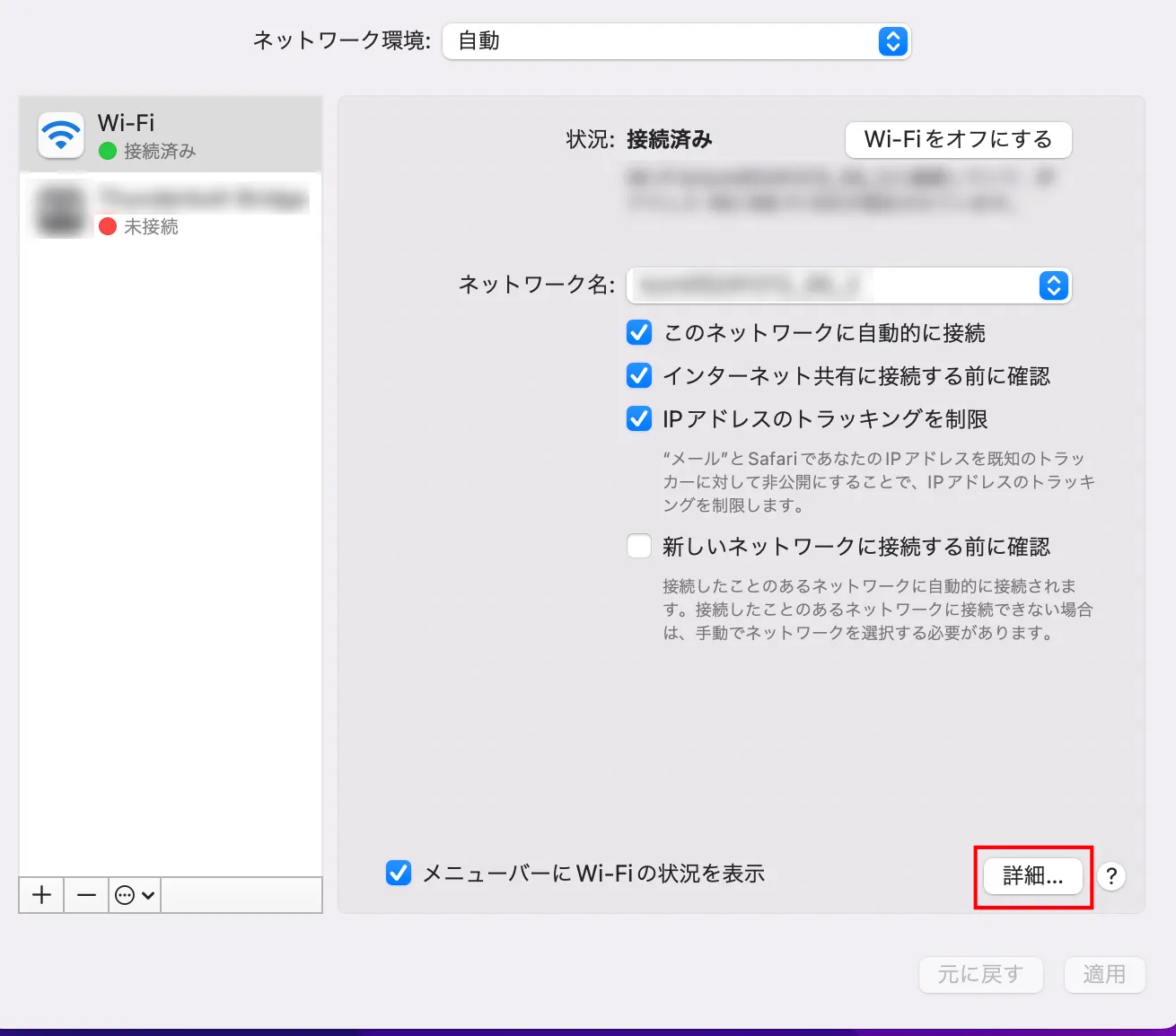
③ Open "TCP/IP" and confirm that "IPv6 Address" is displayed.
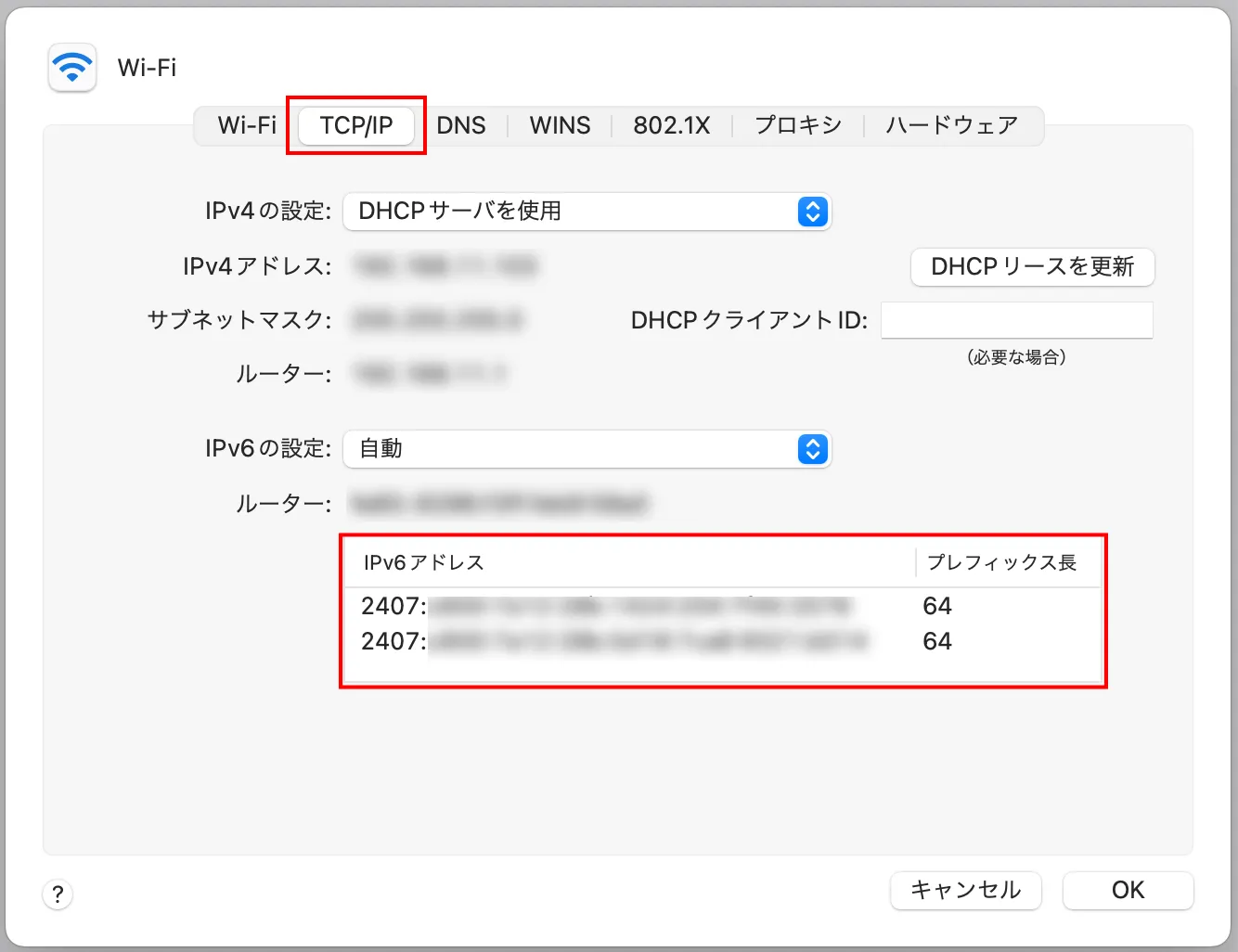
④If the IPv6 address displayed above starts with "2400:" or "2407:", you are able to connect to IPv6.
The method described above is for Mac OS 11.6.2.
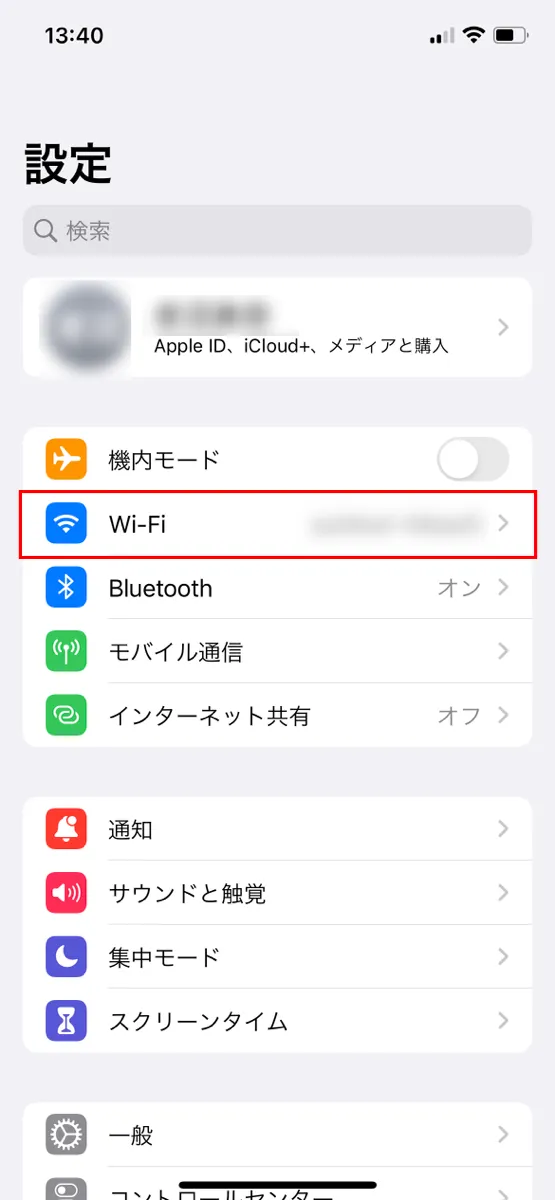
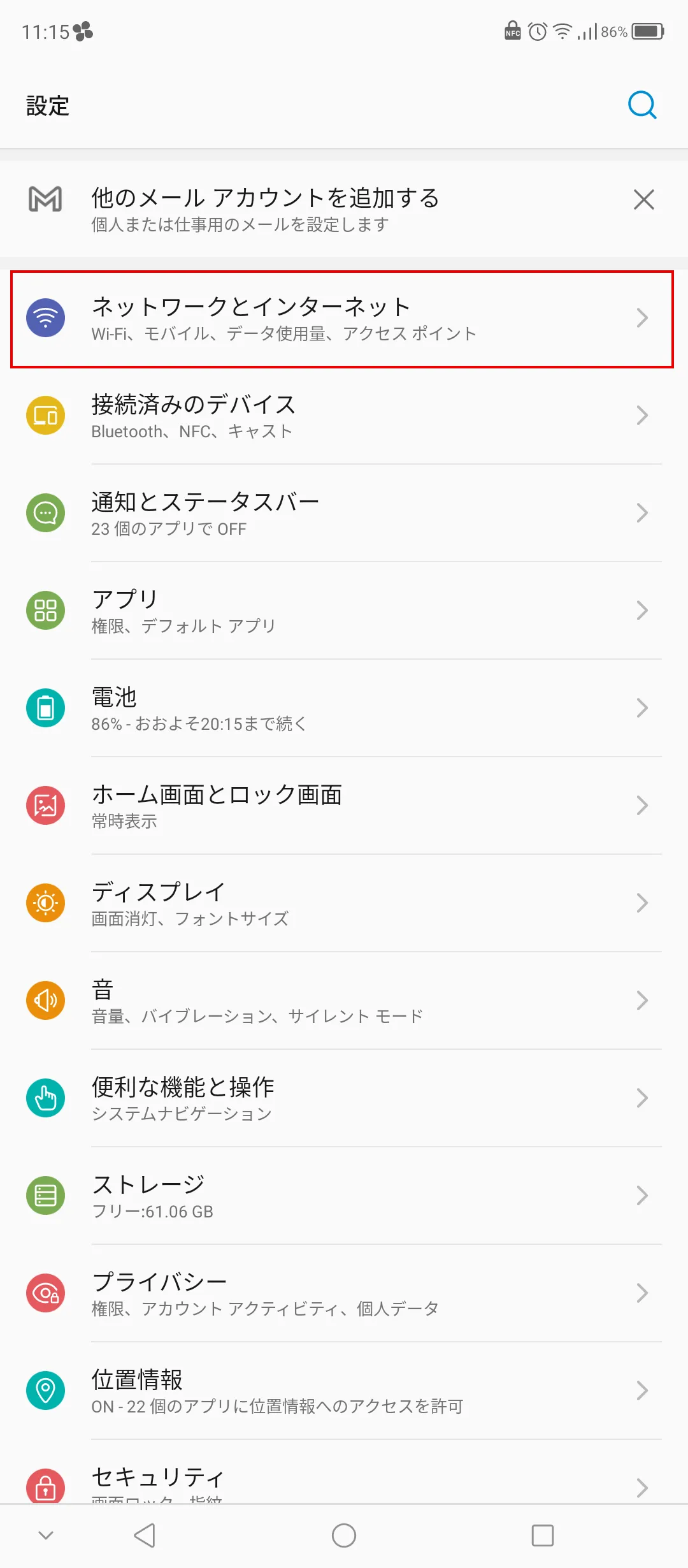
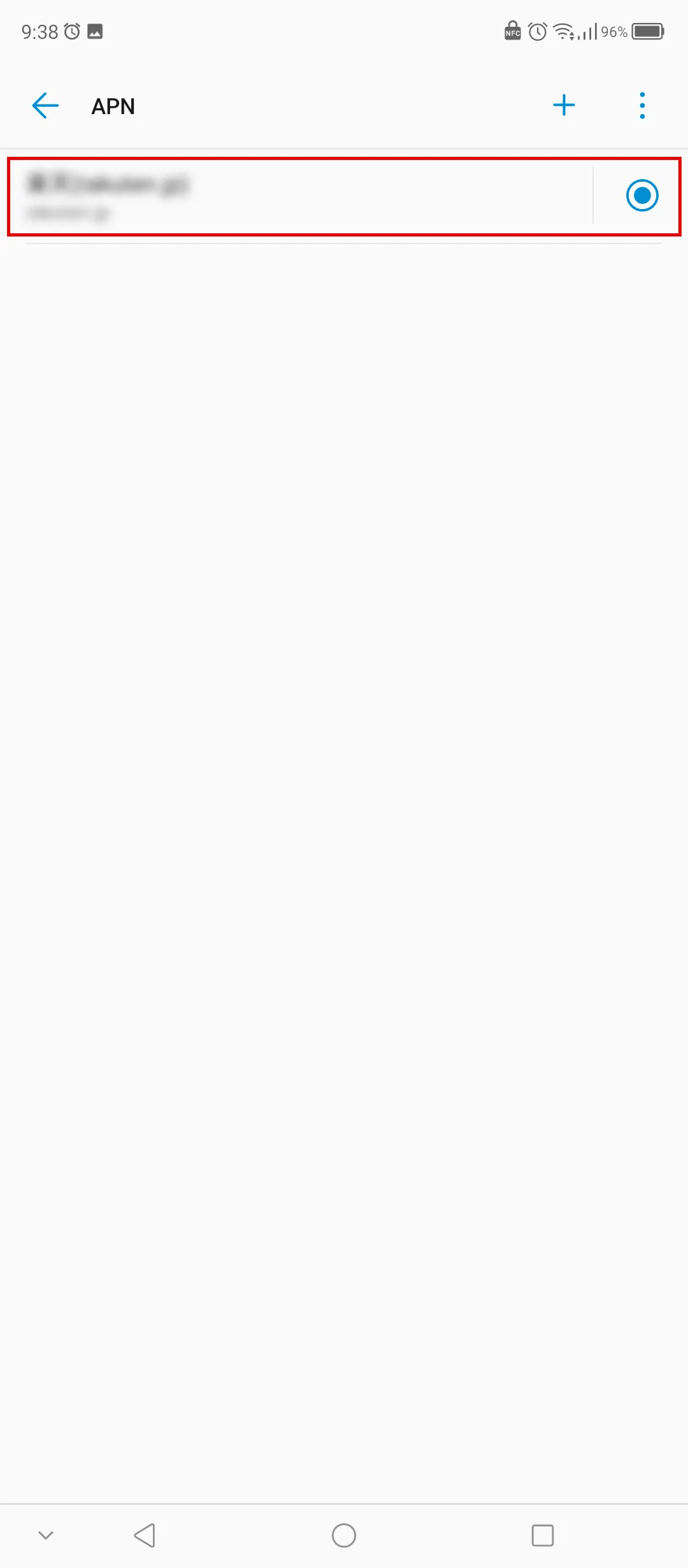
The method introduced above is for Android 12. Also, please note that the detailed checking method varies depending on the model.
We will introduce how to switch from IPv4 to IPv6 in three steps.
To switch to IPv6, you first need to check whether your line and provider support IPv6.
To connect via IPv6, your provider must either use NTT's optical fiber network or be involved with a "VNE." A VNE is a company that provides providers with the equipment and systems required for IPv6 connections.
Once you have confirmed that your line and provider are compatible with IPv6, you can apply to switch to IPv6. Note that you may not need to apply to switch.
Next, prepare an IPv6-compatible router. Depending on your provider, they may provide you with a compatible router if you apply to switch to IPv6. If not, you will need to prepare one yourself.
If your provider has instructed you to manually configure IPv6, change the settings on your device.
Here's how to set up IPv6 in Windows 11.
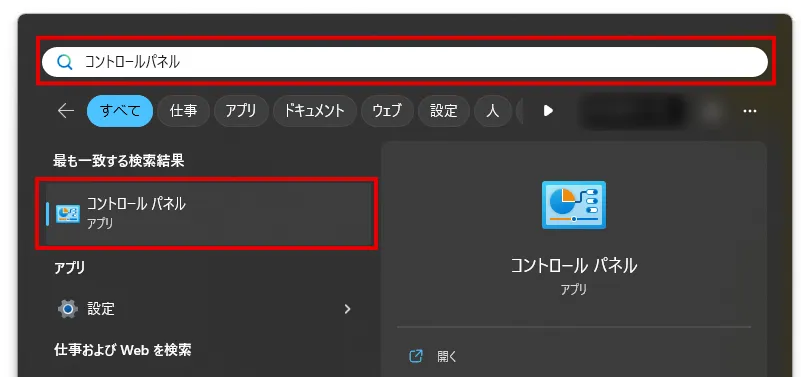
① Click the magnifying glass icon on the taskbar, type "Control Panel," and search for the app.
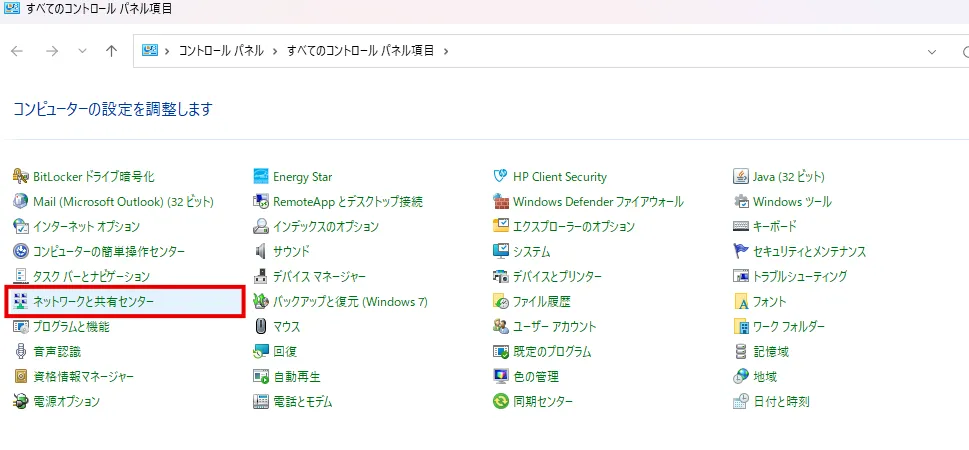
② Open "Network and Sharing Center" in "Control Panel".
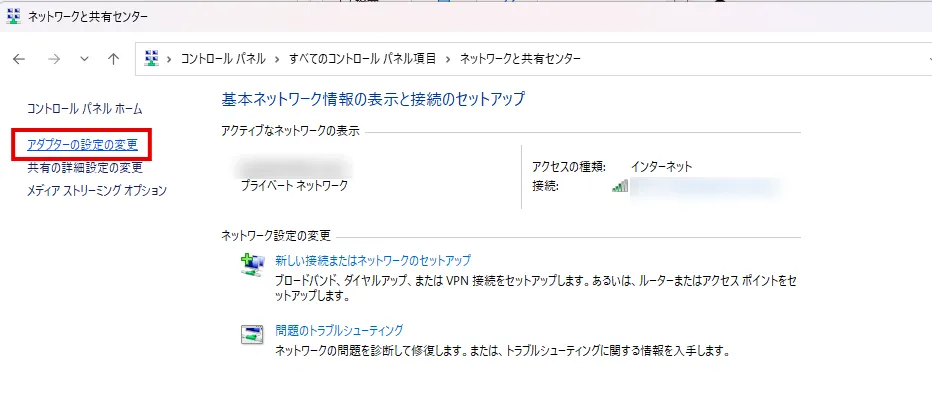
③Select "Change adapter settings" from the tasks on the left side of the screen.
④ Right-click the "Ethernet" icon and select "Properties (R)" to open "Ethernet Properties."
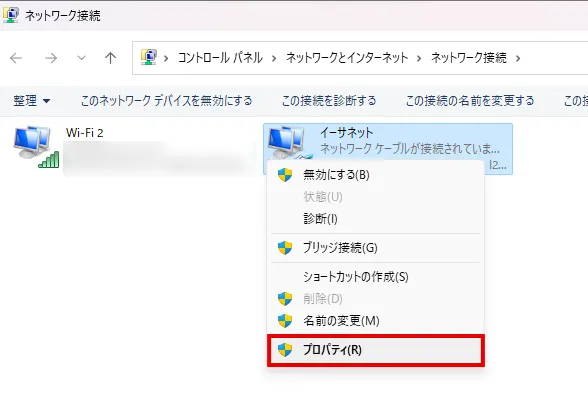
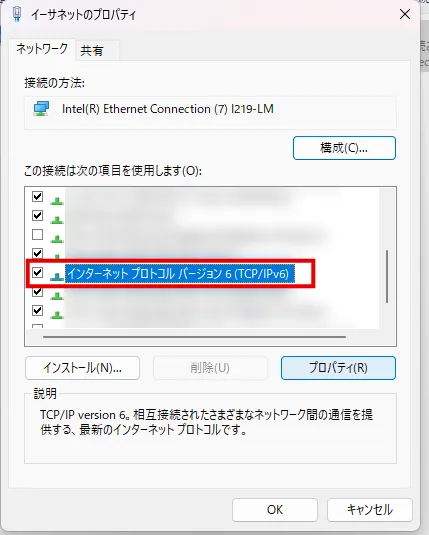
⑤ On the "Network" tab, check "Internet Protocol Version 6 (TCP/IPv6)" in the "This connection uses the following items (O):" box. Then, with "Internet Protocol Version 6 (TCP/IPv6)" selected, click "Properties (R)."
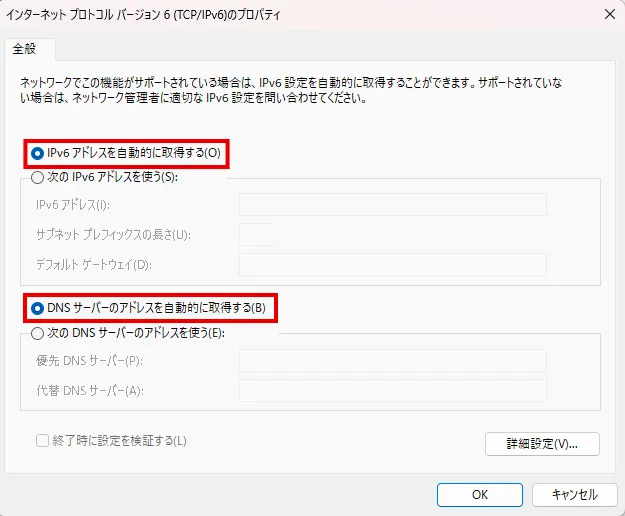
⑥ On the "Internet Protocol Version 6 (TCP/IPv6) Properties" screen, check "Obtain an IPv6 address automatically (O)" and "Obtain DNS server address automatically (B)."
⑦Select "OK" to return to the "Ethernet Properties" screen and click "Close".
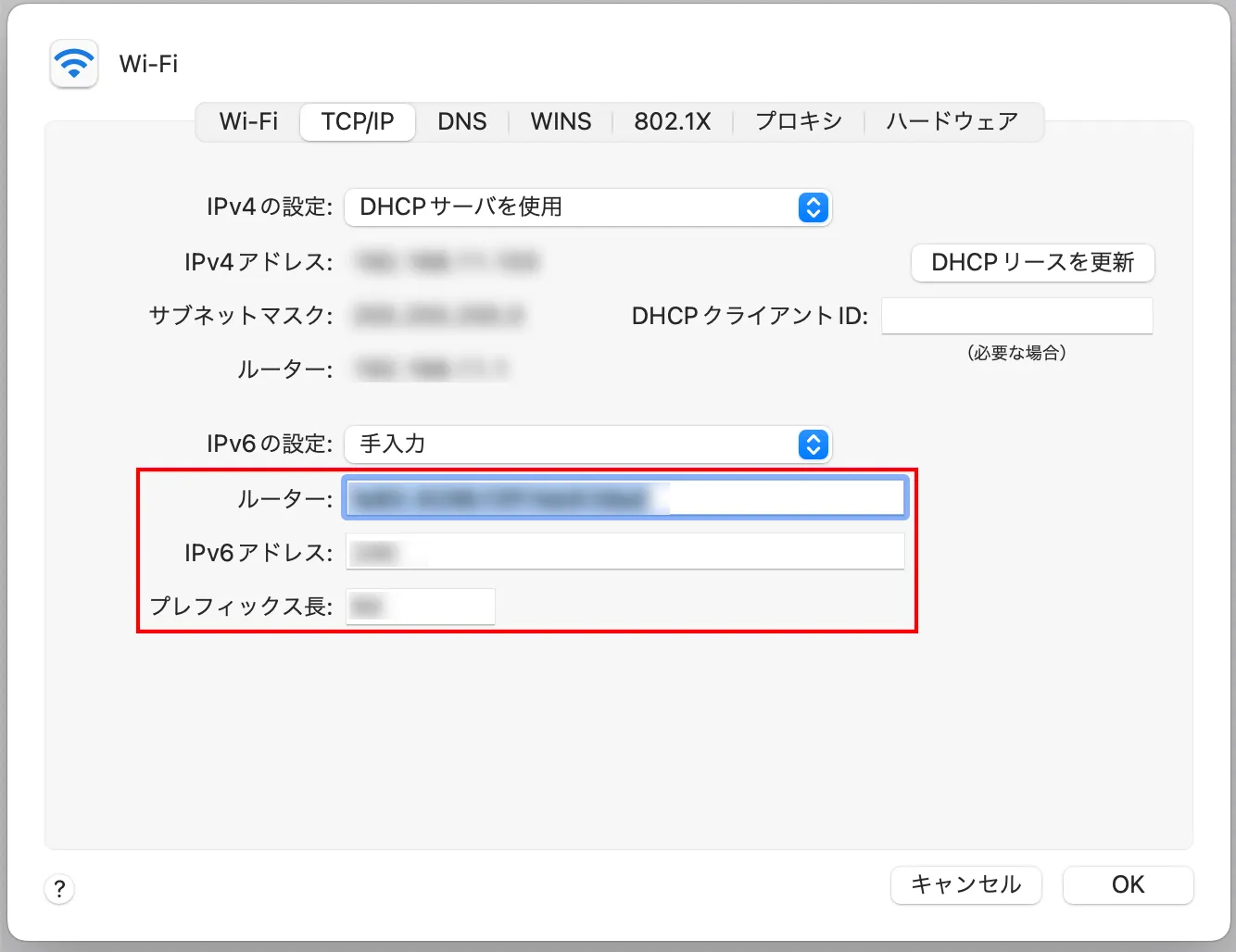
Also, here's how to set up IPv6 on Mac OS:
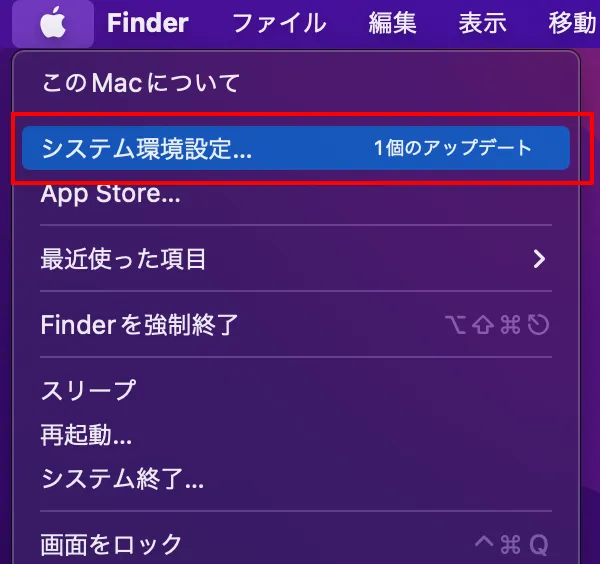
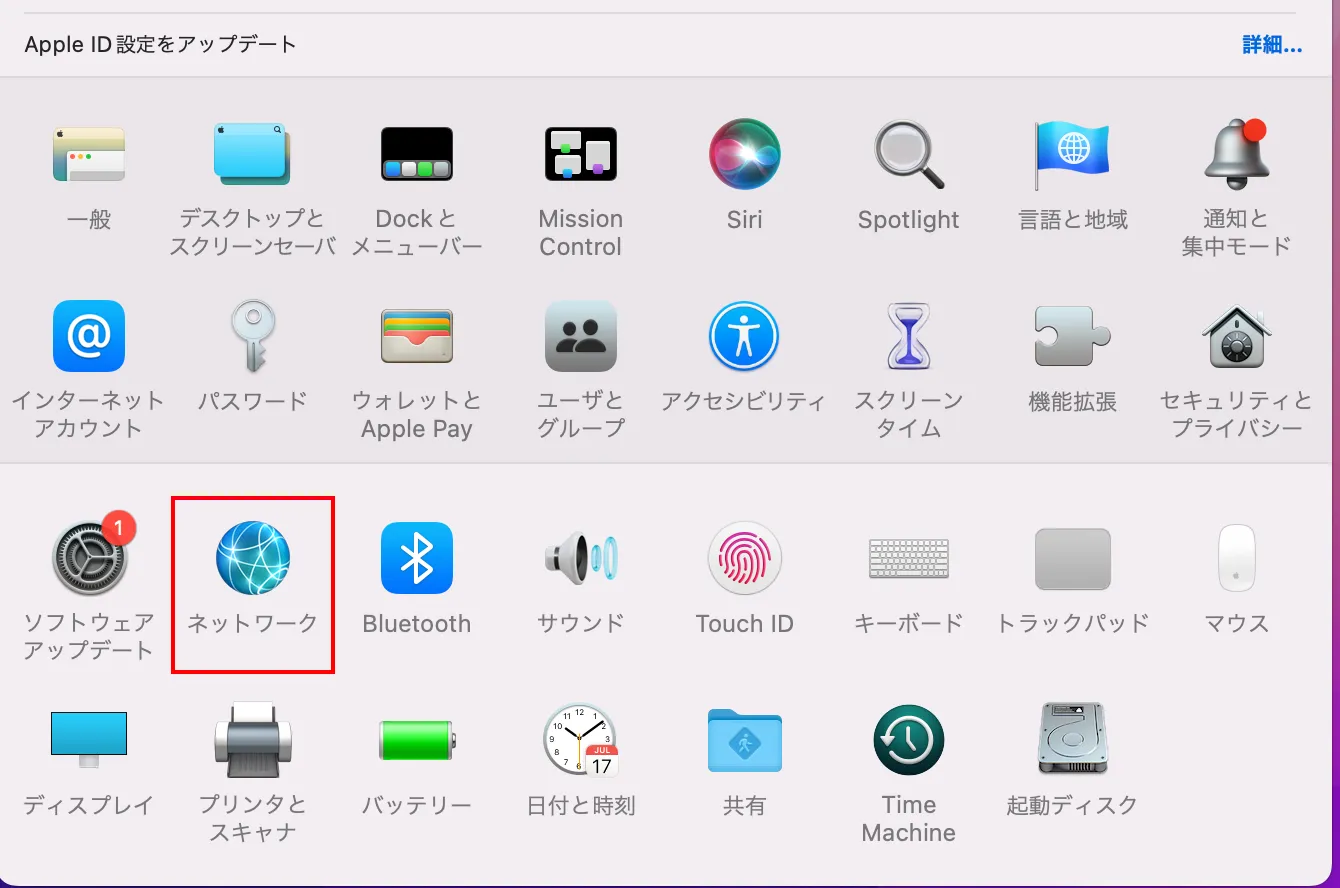
① Select "Apple menu" → "System Preferences".
②Select "Network".
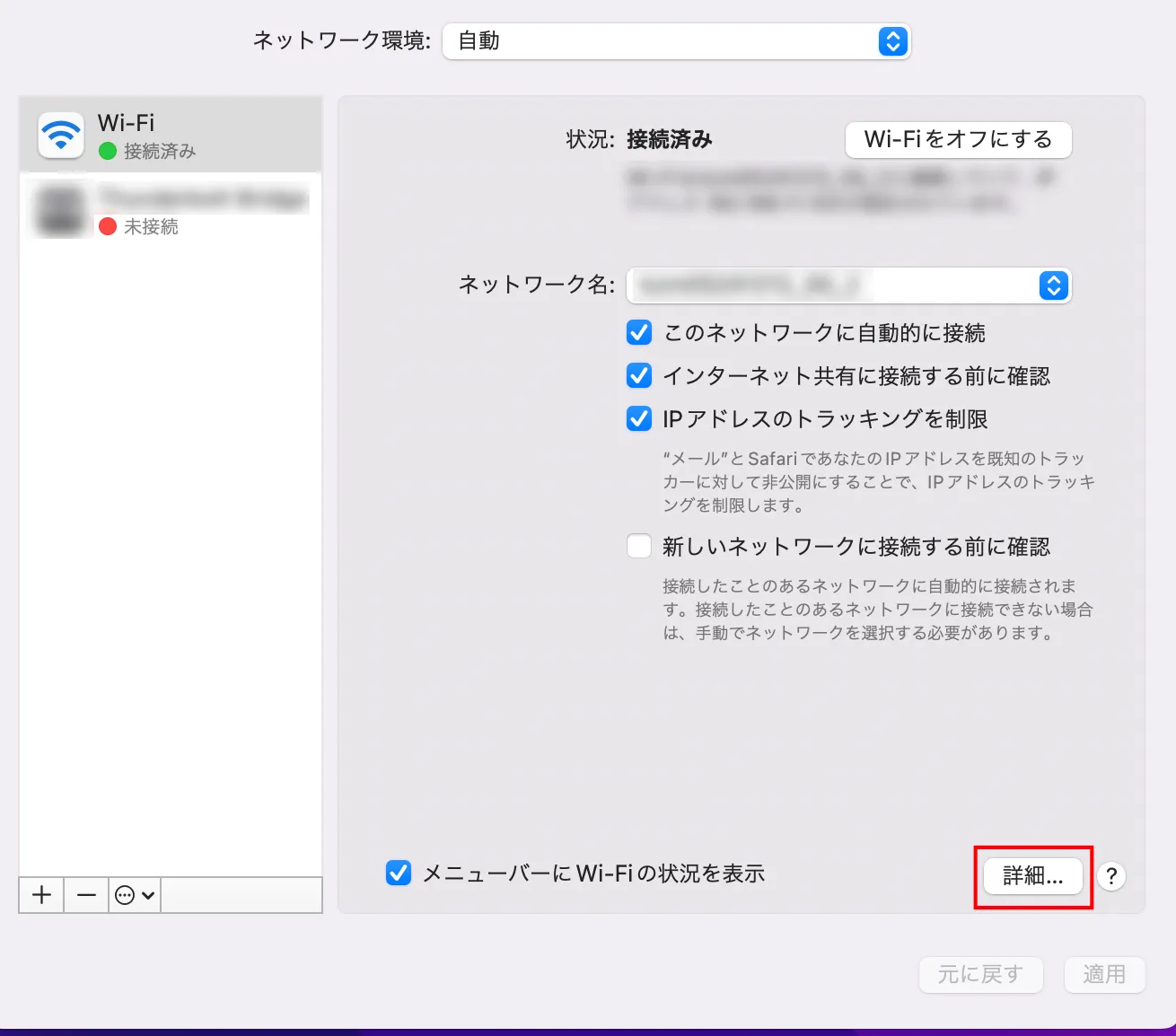
③Click the network service you want to use with IPv6 on the right and select "Details".
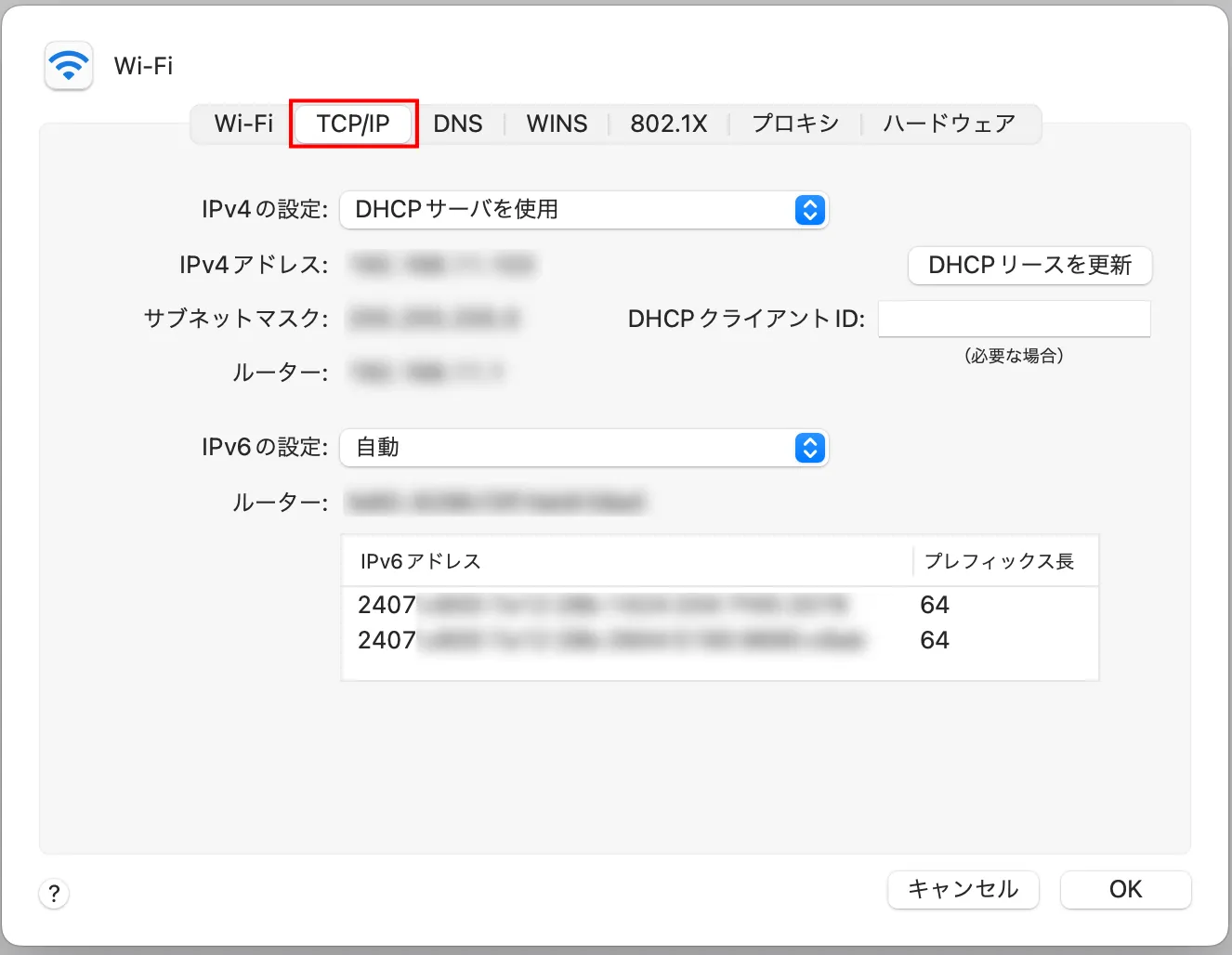
④Select “TCP/IP”.
⑤ Select the "Configure IPv6" pop-up menu and select "Manually".
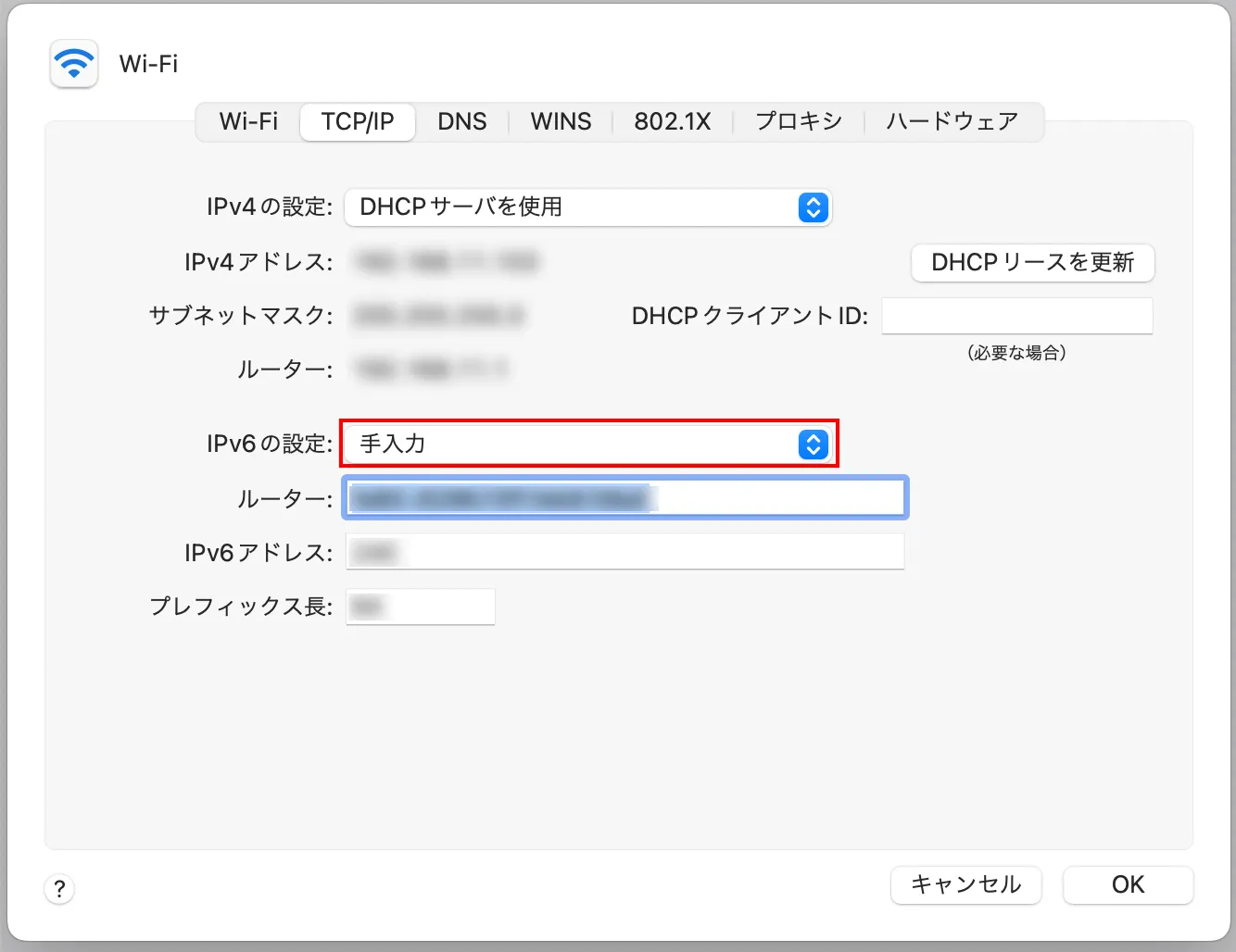
⑥Enter the IPv6 address, router address, and prefix length specified by your provider or network administrator, and click "OK."
iPhone 6 and later models support IPv6, so all current models are compatible with IPv6 on iOS.
iOS has a system that prioritizes IPv6, and the switch from IPv4 to IPv6 is automatic.
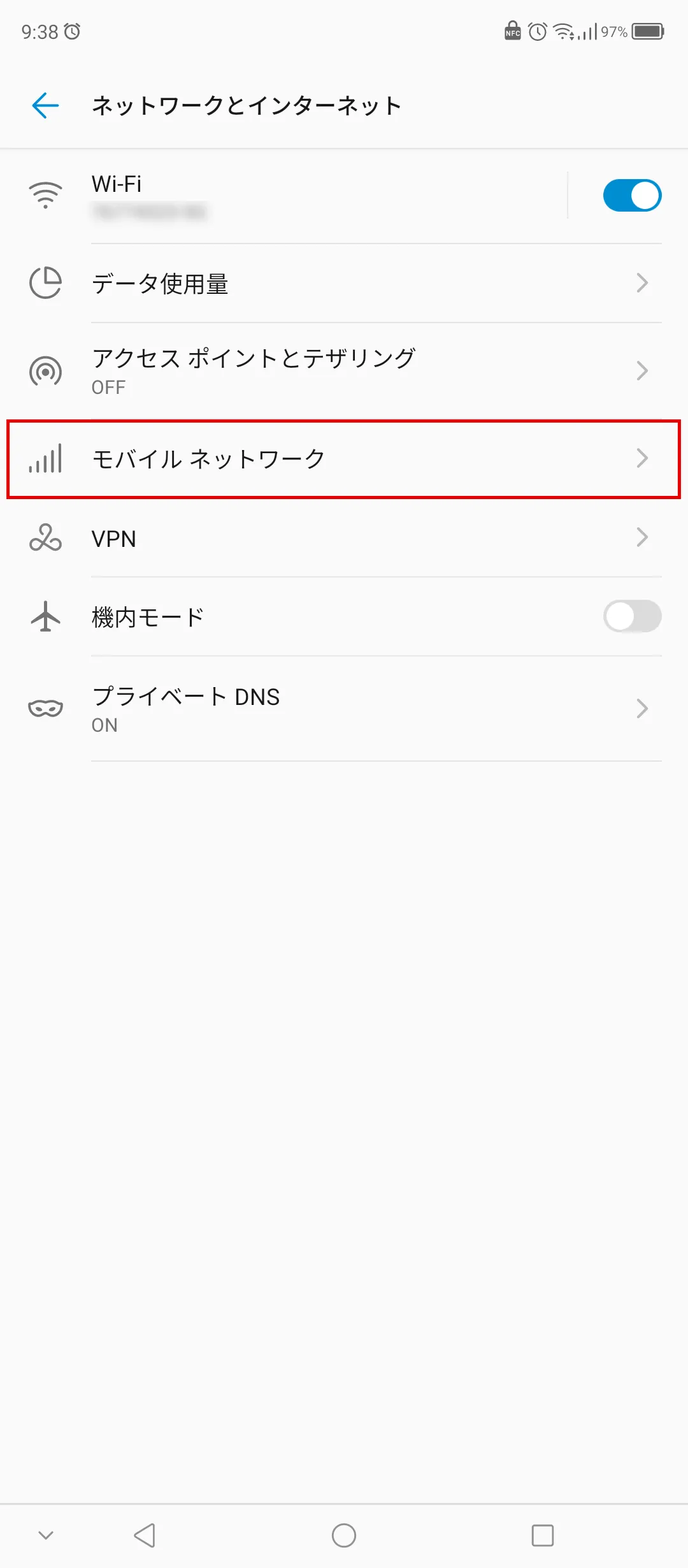
Like iOS, Android has a system that prioritizes IPv6 connections, but depending on the initial settings, you may not be able to use IPv6 services. Check and set it up using the following method.
IPv6 is one of the standards for internet communication, and is characterized by its ability to reduce communication speeds less than IPv4.
You can check whether you are connected to IPv6 by running a speed test on the web or by checking your device settings. If you are not connected, try switching to IPv6 using the method introduced here.
Also, if you are concerned about communication speeds on a daily basis, consider povo2.0.
povo2.0, au 's online-only brand (*1), allows you to comfortably use the internet on the au network. What's more, with a basic fees of 0 yen (*2) (*3) (*4), you can create your own smartphone plan and add Topping (for a fee) to use as much as you want, when you want.
In particular, if Topping the "Unlimited data (24 hours) 330 yen/time (tax included included)" (※5), you can use the Internet comfortably without having to worry about data speed restrictions.
If you are concerned about the speed of your internet connection, please consider povo2.0.
*1: This is an online-only plan, so all procedures and support are online. povo2.0 Please contact us through the application or the official website. 2: Additional fees such as handling charges may apply. validity for 180 days or more, or if you have never purchased Topping for a fee, your usage may be suspended or your contract may be terminated. Please understand this in advance.
5 lines under the same name (*) For the cumulative 6th line and thereafter, a contract administration fee of tax included 3,850 yen/line will be charged.
*Includes lines that have been terminated or cancelled by the Company within the past year. *3: Domestic calls are charged separately at tax included 22 yen/30 seconds, and SMS sending is charged separately at tax included 3.3 yen/text (up to 70 characters). Depending on the model, up to 670 two-byte characters can be sent; up to 134 characters are counted as two SMS messages, and thereafter one SMS message is charged for every 67 characters. Calling rates may differ for some calls, such as calls to satellite phones. For more information, please contact this way (direction close to the speaker or towards the speaker) The following is a list of the most common problems with the
Reference: povo2.0 Plan Details" (povo)
*4: If data Topping is not purchased, the maximum sending/receiving rate is 128 kbps. *5: Communication speed may be limited during network congestion or when using videos, cloud games, etc. The names of products and services mentioned in this article are trademarks or registered trademarks of the respective companies. Apple, iPhone and Mac OS are trademarks of Apple Inc. registered in the U.S. and other countries. iPhone trademark is used under license from Aiphone Co.
TM and (C) 2023 Apple Inc. Android and Google are trademarks of Google LLC. au is a registered trademark of KDDI Corporation. Wi-Fi is a registered trademark of the Wi-Fi Alliance. Windows" and "Windows (R)" are trademarks or registered trademarks of Microsoft Corporation. The iOS trademark is used under license from Cisco in the United States.