"My phone suddenly won't charge"
Have you ever had trouble charging your smartphone like this?
When your smartphone suddenly stops charging, you may be at a loss as to what to do.
There are various reasons for smartphone charging problems, such as a damaged charging cable, water damage to the device itself, or a malfunction. In this article, we will introduce the four main reasons why your smartphone won't charge and how to solve them.
We will also explain some preventative measures you can take if your smartphone stops charging, so please take a look.
Let's start by identifying the reason why your phone won't charge.
When investigating the cause, there are two main points to consider:
There is a problem with the smartphone itself
There is a problem with the cable or adapter.
Smartphone charging problems tend to be caused by these two main reasons. Figuring out which of these is causing your smartphone to not charge will lead to a smooth solution.
The first thing to suspect is that the charging cable is faulty, not the phone itself.
Please be sure to check out the following items.
・Check that the charging cable is not bent or broken.
If there is dust or dirt on the outlet, gently wipe it off with a cotton swab. If that doesn't solve the problem, suspect a bent or broken cable.
If you suspect your phone has been submerged in water, water may get inside the phone and cause it to malfunction.
In particular, please note that the following actions are prohibited:
・Charge a submerged smartphone
・Dry your smartphone with a hair dryer
・Shake your smartphone
Charging a submerged smartphone can easily cause a short circuit in the circuit board due to the current flowing through it, and using a hair dryer increases the risk of internal damage to the smartphone due to the heat from the hot air.
Also, please be careful when handling your smartphone, as shaking it will cause any water that has gotten in to move inside, making it easier for water to seep into areas that are not wet.
If you can't think of any bent or broken charging cable or submerged it in water, suspect a problem with the smartphone itself.
Since smartphones often have applications running at the same time, smartphones running multiple apps tend to heat up, and in some cases the smartphone may not be able to charge when it is too hot.
Also, after using a smartphone for several years, deterioration over time may cause the charging cable port to have poor contact, or the battery may have reached the end of its life.
As such, the solution to a smartphone malfunction will vary depending on whether it is due to aging or how it is used.
Generally, it is said that smartphones reach the end of their lifespan in 3 to 4 years.
In particular, it is said that the lithium-ion battery built into a smartphone will deteriorate to about 80% of its maximum capacity after being charged and discharged about 500 times, depending on usage.
If the battery drains extremely quickly, it is likely that the battery is deteriorating and the smartphone itself is reaching the end of its life.
In addition, OS updates may not be available, making your smartphone unusable.
Neither Android nor iOS have officially announced validity for which OS updates are available. For example, in the case of Android, if you check the open source project, you will find that security updates will end in about four years. Based on this, it is thought that the OS support period will end in about four years, after which you will no longer be able to update to the latest version.
If you cannot update your OS, your device will be more vulnerable in terms of security, so we recommend changing your model.
Considering battery life and OS update validity, it's a good idea to change your phone every 3 to 4 years.
Reference: Public information about Android security | Android Open Source Project
We've looked at four reasons why your smartphone won't charge. Have you been able to pinpoint the general reason why your smartphone won't charge?
From here, we will introduce recommended solutions according to the cause, so please check the items that apply to you.
If you suspect your charging cable is bent or broken, we recommend replacing it with a new one. If you are using an iPhone, we recommend purchasing a genuine Apple product or a cable that is "MFi certified" (*1).
It is also possible that the AC adapter or portable battery is faulty. If you have a spare AC adapter or portable battery, replacing them should help identify the exact cause.
If your smartphone still won't charge even after replacing the charging cable or AC adapter, there may be a problem with the smartphone itself.
Please check from Solution 2.
(※1): MFi certification refers to a product that meets the performance standards set by Apple, and certified products are labeled "Made For iPhone/iPad/iPod (MFi)."
Here we will explain how to solve the problem if you are having trouble with your smartphone itself.
First, make sure your smartphone's OS is up to date. If you are using an older OS, some kind of problem may occur and the device may not charge properly.
As an aside, iPhones running iOS 13 or later have an "Optimized Battery Charging" feature that, when turned on, slows down the charging speed above 80% to prevent battery deterioration.
This function is designed to prevent battery deterioration and is not a malfunction, but if you are unable to fully charge your device as usual even after updating your OS, it is a good idea to be suspicious.
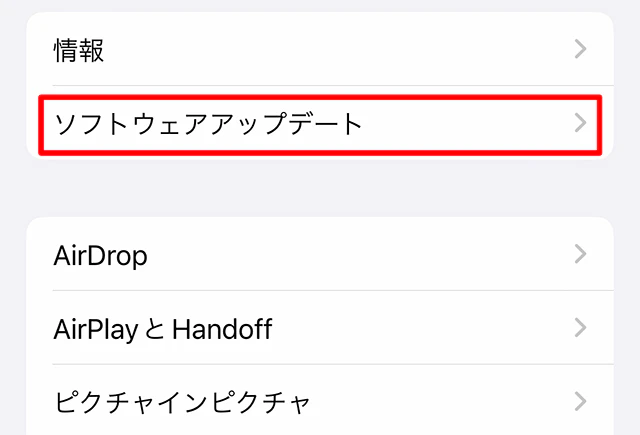
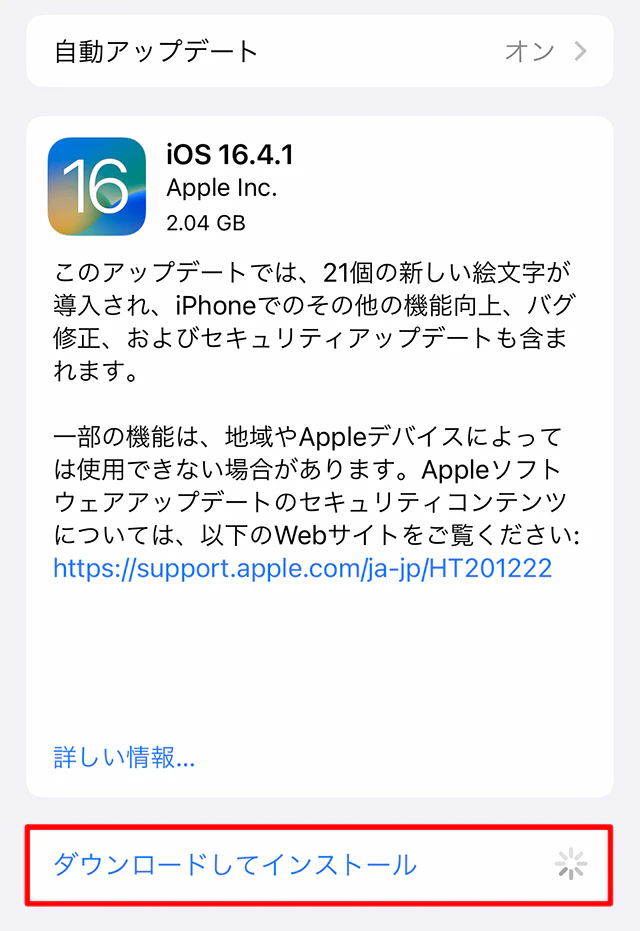
We will introduce the OS update procedures for both iPhone and Android, so please refer to them.
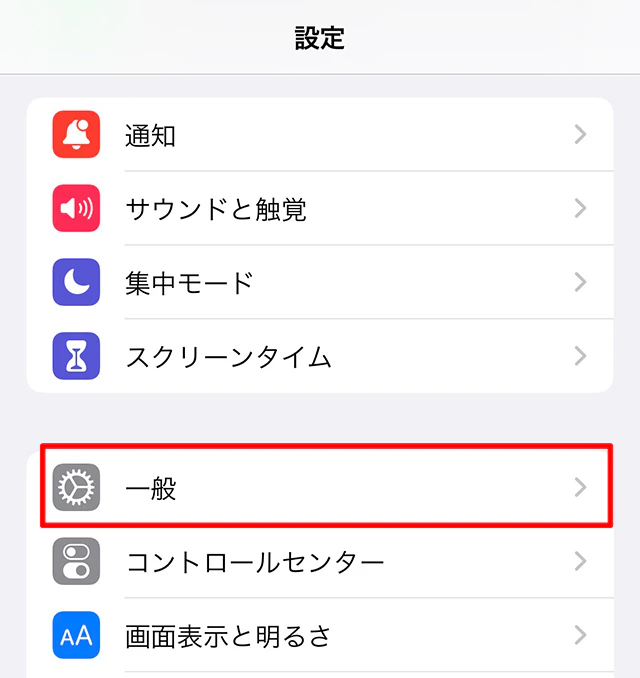
Reference: Updating iOS on iPhone | iPhone User Guide
Here's how to manually update your Android OS:
1. Tap the Settings app
2. Tap "System" > "System Updates" at the bottom of the screen
3. The update status will be displayed, so follow the instructions on the screen.
Reference: Check and update your Android version | Android Help
If the solutions we've introduced, such as changing the charging cable or updating the OS, still don't get your phone to charge, you may need to have your phone repaired.
First, please check the following points before sending it in for repair.
- Are you enrolled in warranty service?
Have you backed up your data and apps?
・Have you written down your Apple ID or Google account ID and password?
Next, if you're unsure whether you should send it in for repair, check the following:
Repairs will be charged at actual cost, so be sure to get an estimate beforehand.
When getting a quote, be sure to check the repair cost and validity. Depending on the repair, it may take up to a week, so make sure you can borrow a substitute machine.
If you have been using your smartphone for more than 3-4 years, it is often more cost-effective to purchase a new smartphone, taking into account the cost of repairs and deterioration over time.
However, if your device cannot charge your smartphone, you may not be eligible for the trade-in program when purchasing a new model. Check with your carrier for details.
Also, even if you have remaining installment payments, you can change your model, but please check at the time of purchase whether you can purchase a new smartphone in installments. However, please note that you will be charged for both the smartphone you are currently paying for and the new smartphone you are purchasing.
Smartphones can be purchased not only from telecommunications companies, but also from second-hand smartphone stores and electronics retailers.
Finally, we will introduce two preventative measures to avoid panicking in the event of a sudden charging problem.
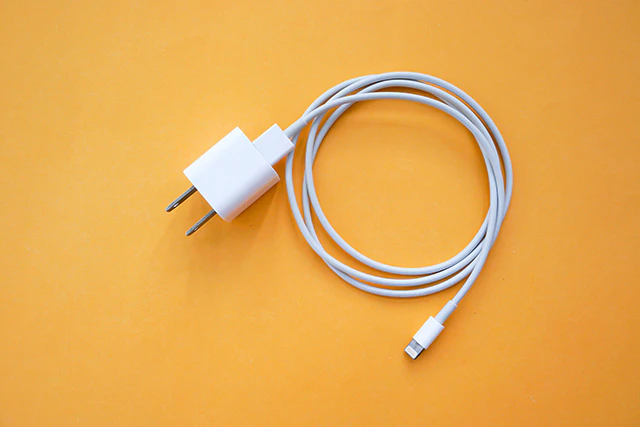
Charging cables are prone to deterioration due to daily use, so be sure to have spare cables, AC adapters, and portable batteries on hand to deal with sudden disconnections or poor contact.
However, please note that peripheral devices cannot be used to repair water damage or other malfunctions of the smartphone itself.
If your smartphone suddenly stops charging, it can be inconvenient to contact your family or work. If you have a second (sub) smartphone, you can avoid the inconvenience of not being able to contact your family or work or search the internet.

In this article, we introduced four reasons why your smartphone may not charge and how to solve the problem. Were you able to find a solution that suits your smartphone's condition?
If you have tried the solutions and still cannot charge the device, consider repairing it or purchasing a new model, taking into account whether you have a warranty, the remaining installment payments, and the age of the device.
Also, if you are considering purchasing a new model, you can purchase a smartphone from au Online Shop and choose povo2.0 as your communication contract partner.
povo2.0, au 's online-only brand (※1), has a basic fees of 0 yen (※2) (※3) (※4) and is characterized by the ability to create a smartphone plan that suits you.
There is also a large-capacity Topping of "Data Top-up (180 days) for 12,980 yen tax included) per use," which costs approximately 87 yen per GB, so you can use it with peace of mind even if your monthly data usage varies.
Furthermore, even if your first smartphone can no longer be charged, povo2.0 offers Unlimited data (24 hours) (※5) for 330 yen per use, including tax included, so if you suddenly need a second smartphone, you can purchase as many Topping (for a fee) as you need.
If you want to get the most out of your new smartphone or are considering a second smartphone, why not try povo2.0?
*1: This is an online-only plan, so all procedures and support are online. povo2.0 Please contact us through the application or the official website. 2: Additional fees such as handling charges may apply. validity for 180 days or more, or if you have never purchased Topping for a fee, your usage may be suspended or your contract may be terminated. Please understand this in advance.
5 lines under the same name (*) For the cumulative sixth line and thereafter, a contract administration fee of tax included 3,850 yen/line will be charged.
*Includes lines that have been terminated or cancelled by the Company within the past year. *3: Domestic calls are charged separately at tax included 22 yen/30 seconds, and SMS sending is charged separately at tax included 3.3 yen/text (up to 70 characters). Depending on the model, up to 670 two-byte characters can be sent; up to 134 characters are counted as two SMS messages, and thereafter two SMS messages are charged for each 67 characters. Calling rates may differ for some calls, such as calls to satellite phones. For more information, please contact this way (direction close to the speaker or towards the speaker) The following is a list of the most common problems with the "C" in the "C" column. *4: If data Topping is not purchased, the maximum sending/receiving speed is 128 kbps (in Japan). *5: Communication speed may be limited during network congestion or when using videos, cloud games, etc.