SMS is a service that allows you to exchange messages using a phone number, and is sometimes used for two-factor authentication in social media apps, banking apps, etc. However, many people may not be familiar with the detailed specifications of SMS.
This article explains the features of SMS, as well as the causes and solutions for when you can't use it. If you have questions about SMS, such as "I want to know more about SMS" or "I don't know how it differs from MMS," please refer to this article.
We will explain what kind of service SMS is, its features, and how it differs from other messaging services.
SMS (Short Message Service) is a service that allows you to exchange messages using your mobile phone number. You can send messages not only to your own carrier, but also to mobile phones under contract with other carriers. As long as you know the other person's mobile phone number, you can basically send messages to anyone.
SMS generally only allows you to input text, and does not allow you to exchange photos or videos. It is suitable for exchanging simple text messages, and is a convenient service for quick communication such as when you are meeting up.
In recent years, some web services use SMS to verify identity, not only as a means of communication but also to prevent account impersonation and hijacking.
Receiving SMS is free, but sending it will fees around 3 to 33 yen per message depending on the number of characters.
In addition to SMS, there are other services for exchanging messages with others, such as "MMS" and "free email." MMS (Multimedia Messaging Service) is an email service provided by telecommunications carriers, and you are issued an email address such as "@au.com." Unlike SMS, it is possible to exchange long messages, photos, and videos.
MMS is also called "carrier email" because it is a service provided by telecommunications carriers. If the sender and recipient use the same telecommunications carrier, MMS can be exchanged using phone numbers, just like SMS.
Free email services, such as Gmail and Yahoo! Mail, are email services that anyone can register for and obtain a free email address. Just like MMS, you can use email addresses to exchange messages and data.
"+Message" is a messaging app jointly developed by three telecommunications carriers: au, docomo, and SoftBank. Like SMS, you can exchange messages using only a phone number, but with +Message you can also exchange images, videos, and stamps.
Currently, it is available not only from au, docomo, and SoftBank, but also from each carrier's sub-brands and MVNOs. In addition, +Message is compatible with both iPhone and Android, and can also be used on tablets.
iMessage is a messaging feature unique to iOS used on Apple devices. It allows messages to be exchanged between Apple devices, and its functionality is similar to the MMS (Multimedia Messaging Service) mentioned above. Specific features include the ability to exchange long messages, photos, and videos, as well as the ability to send emojis and stickers. Note that since iMessage can only be used between iOS devices, messages to Android devices are automatically converted to SMS or MMS before being sent.
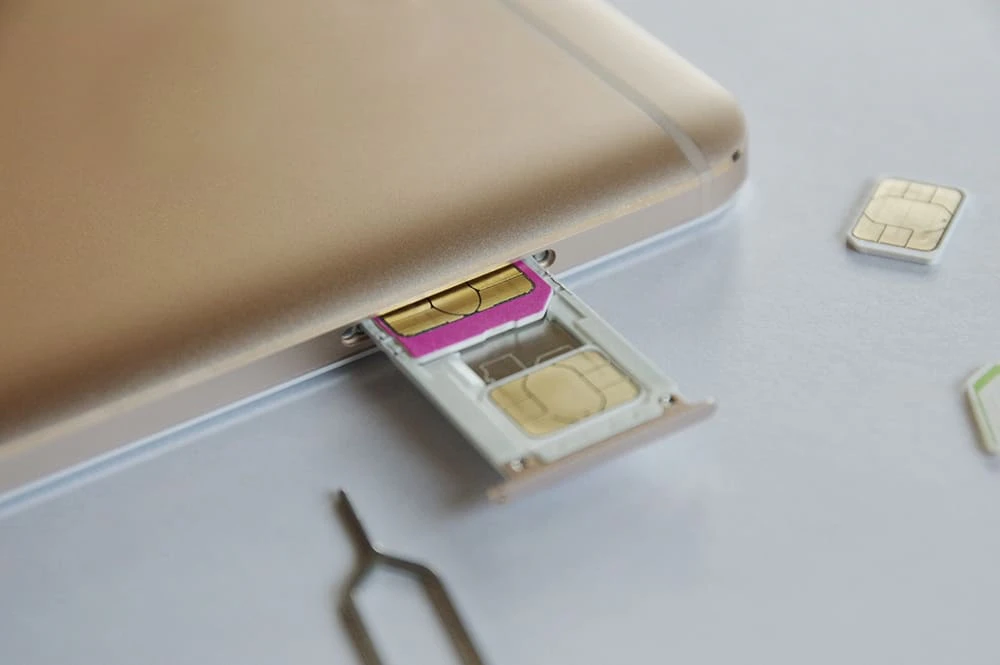
To send and receive SMS messages on your smartphone, you need to choose the appropriate SIM card. However, SMS is a standard feature on feature phones, and you can send and receive SMS messages from the email menu, so a SIM card is not required.
There are three types of SIM cards:
・Voice communication SIM card
・SIM card with SMS function
・ Data Only SIM card
To send or receive SMS, you will need either a voice call SIM card or a SIM card with SMS functionality.
A voice call SIM card is a SIM card that supports both data communication and voice calls, and since a phone number is issued when you sign a contract, you can use SMS. If you sign a contract with a major telecommunications carrier, a voice call SIM card is generally provided.
A SIM card with SMS functionality is a data SIM card that issues a phone number but does not have voice calling functionality. Because it has a phone number, you can use SMS, but you cannot make voice calls. This SIM card is recommended for those who want to use SMS on devices that do not originally have calling functionality, such as tablets.
A Data Only SIM card is a SIM card that keeps prices down by omitting voice call functionality and limiting it to data communication only. Data Only SIM cards do not issue phone numbers and generally cannot be used for SMS. Therefore, if you are already using Data Only SIM card and would like to use SMS, you will need to change to a voice call SIM card or a SIM card with SMS functionality.
You can also use SMS by obtaining a phone number via an app that enables you to send and receive SMS, or by installing an SMS-compatible app. However, there is no guarantee that phone numbers obtained in this way will last, and the service may be terminated suddenly.
To use SMS, it would be safer to switch to a SIM card that supports SMS.
Now, let's take a look at how to actually send SMS, divided into iOS and Android.
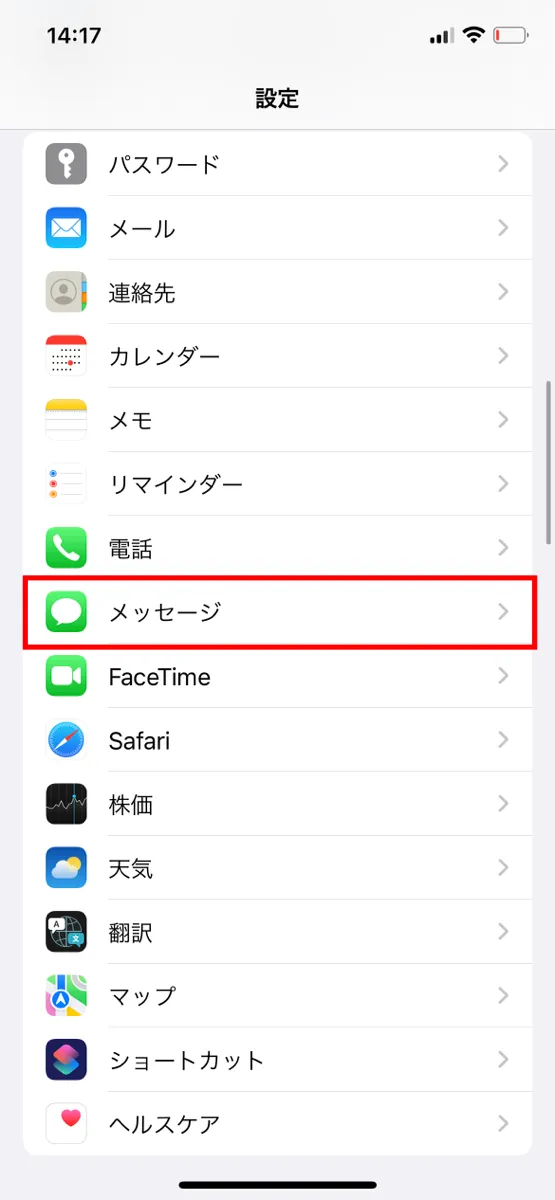
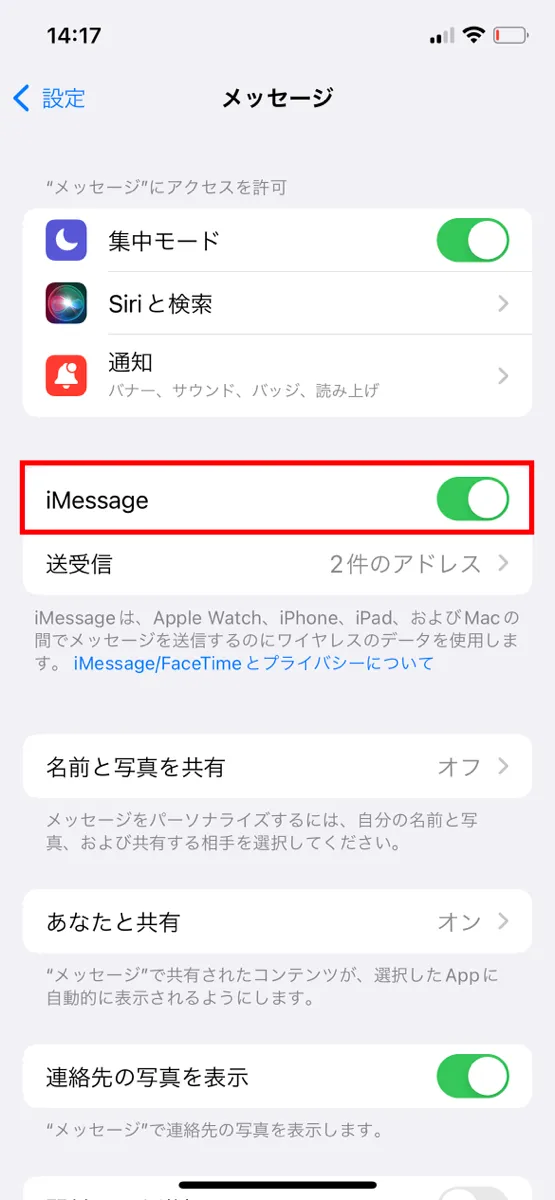
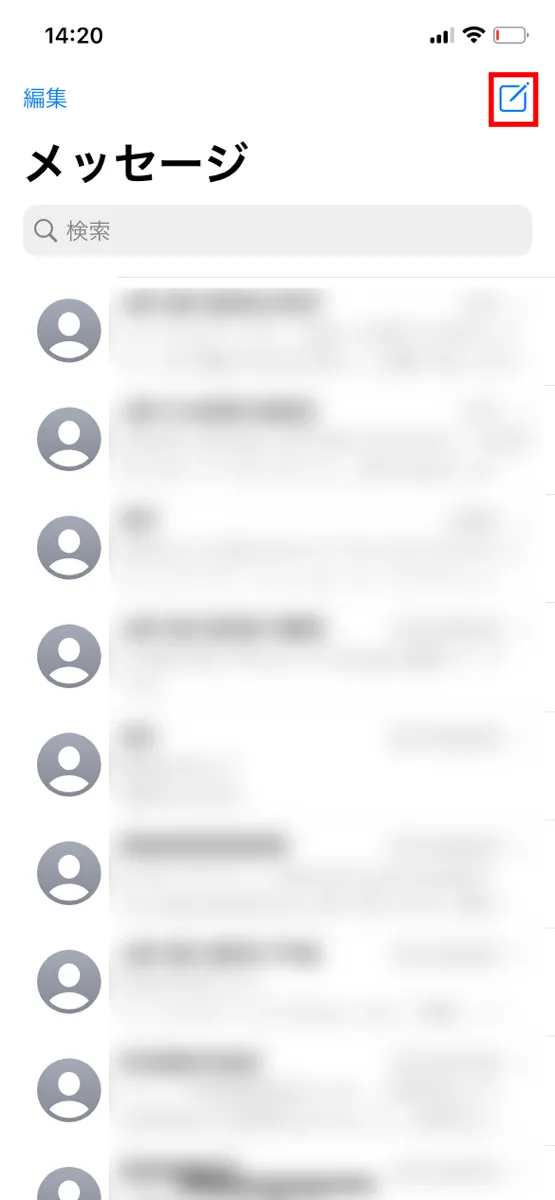
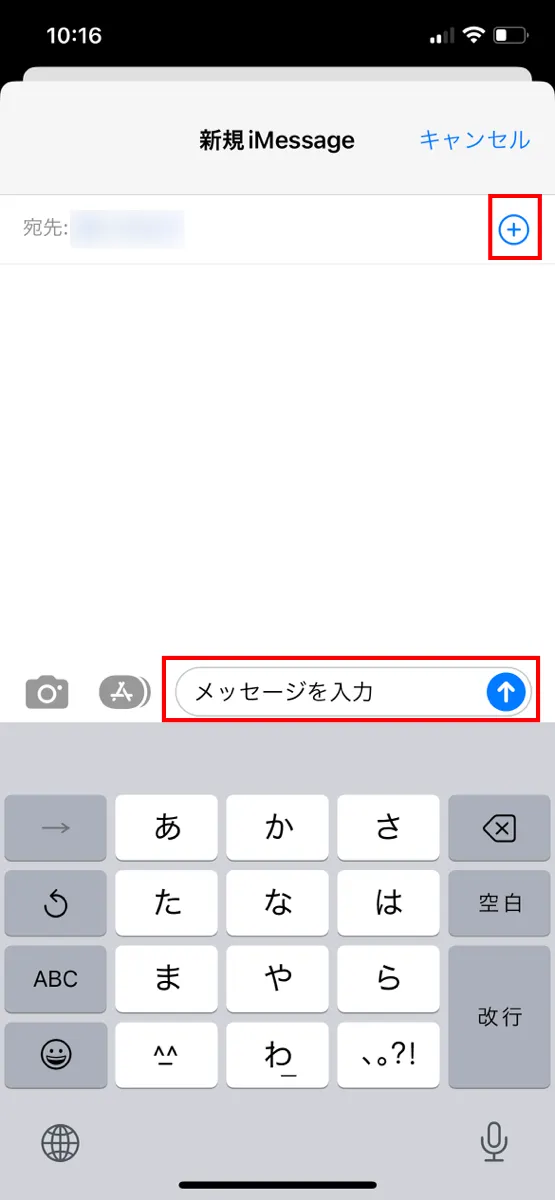
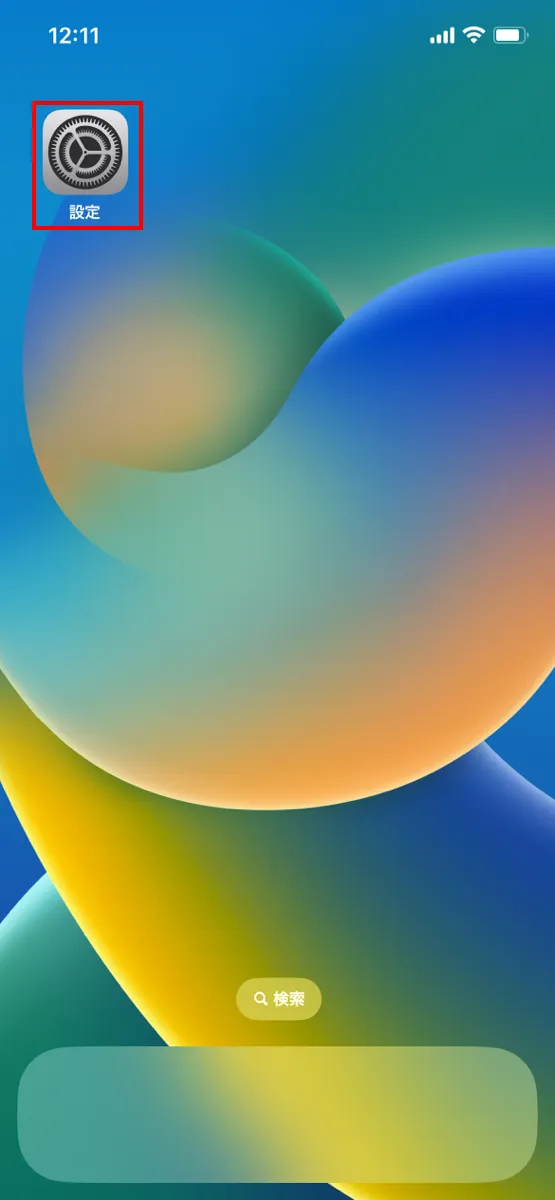
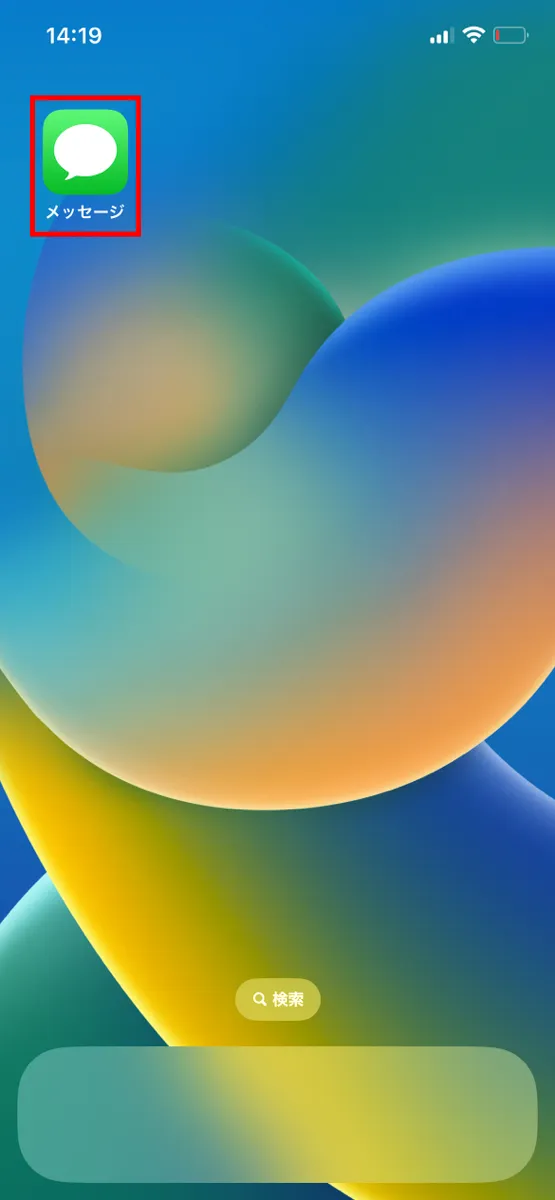
To send an SMS message on an iPhone (iOS), follow the steps below.
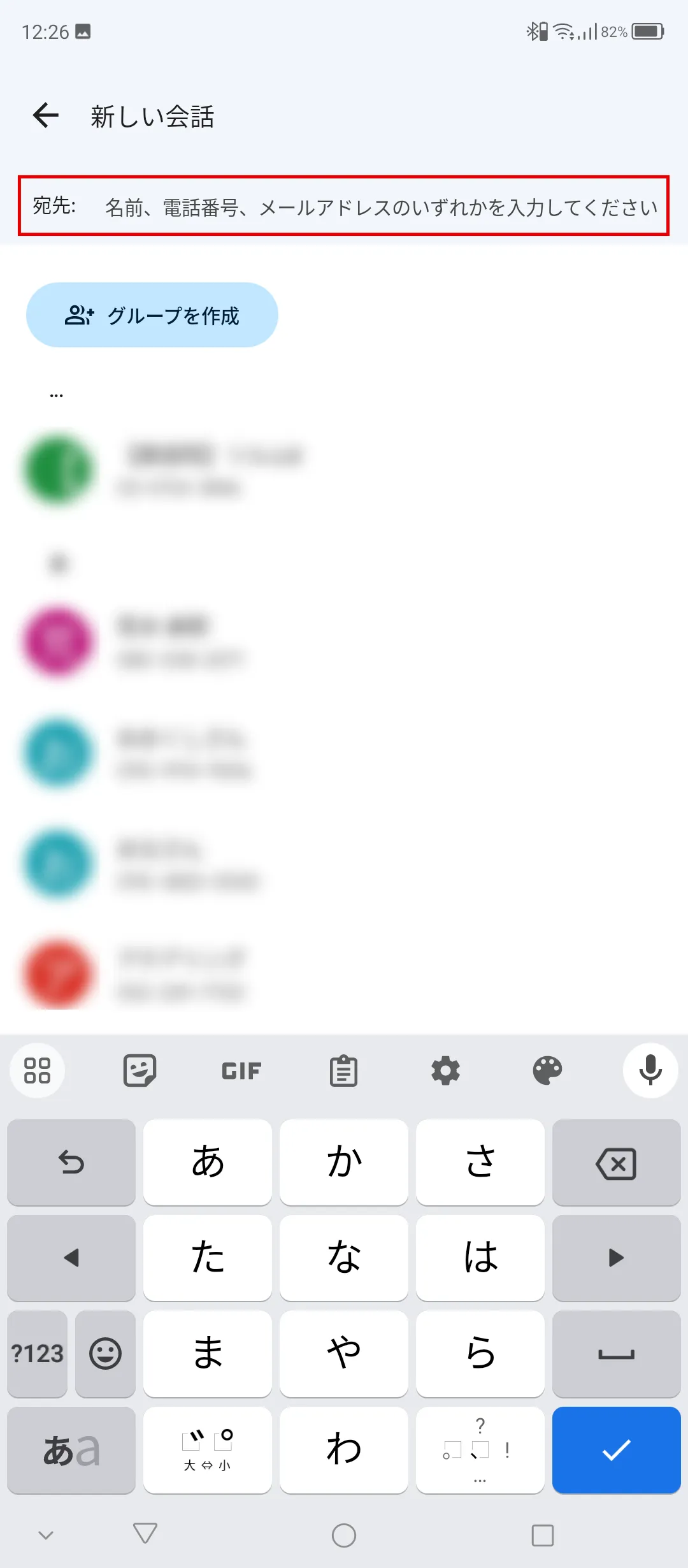
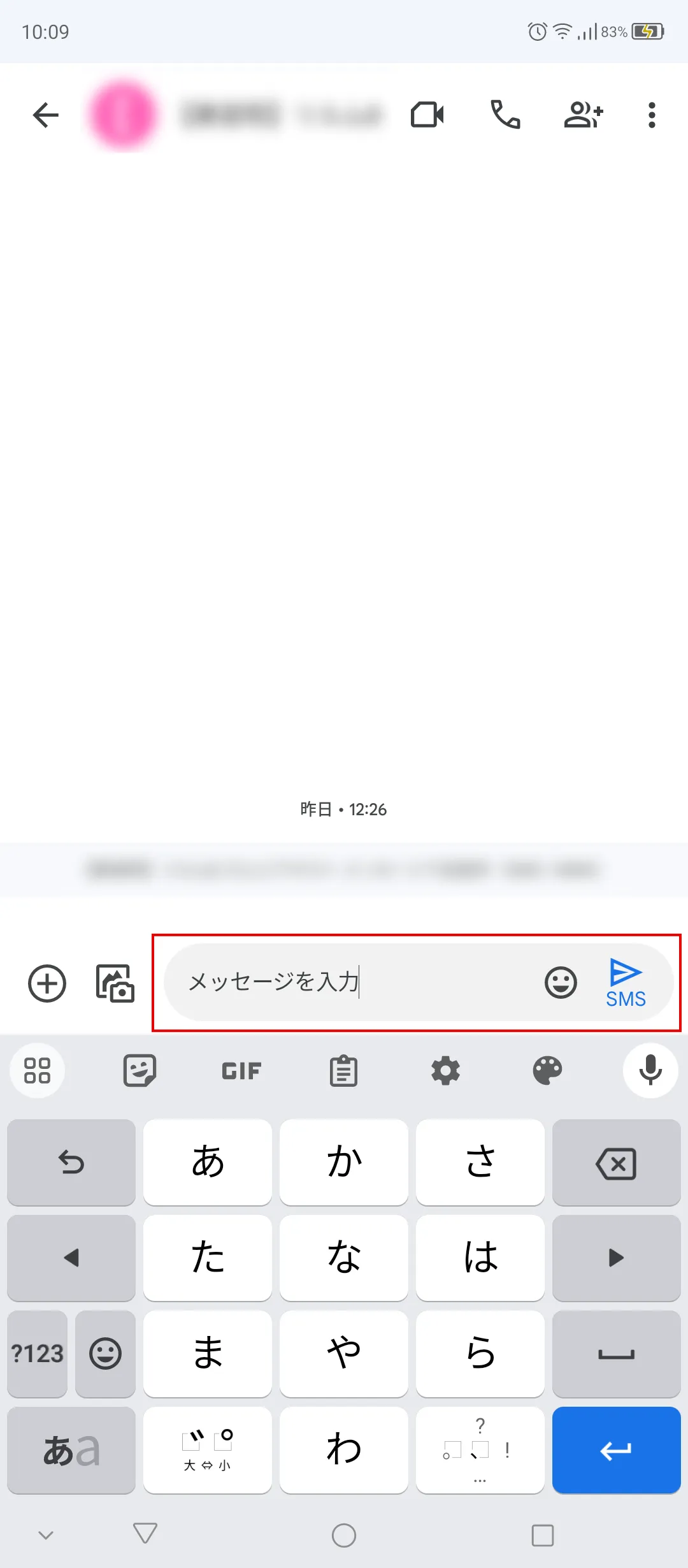
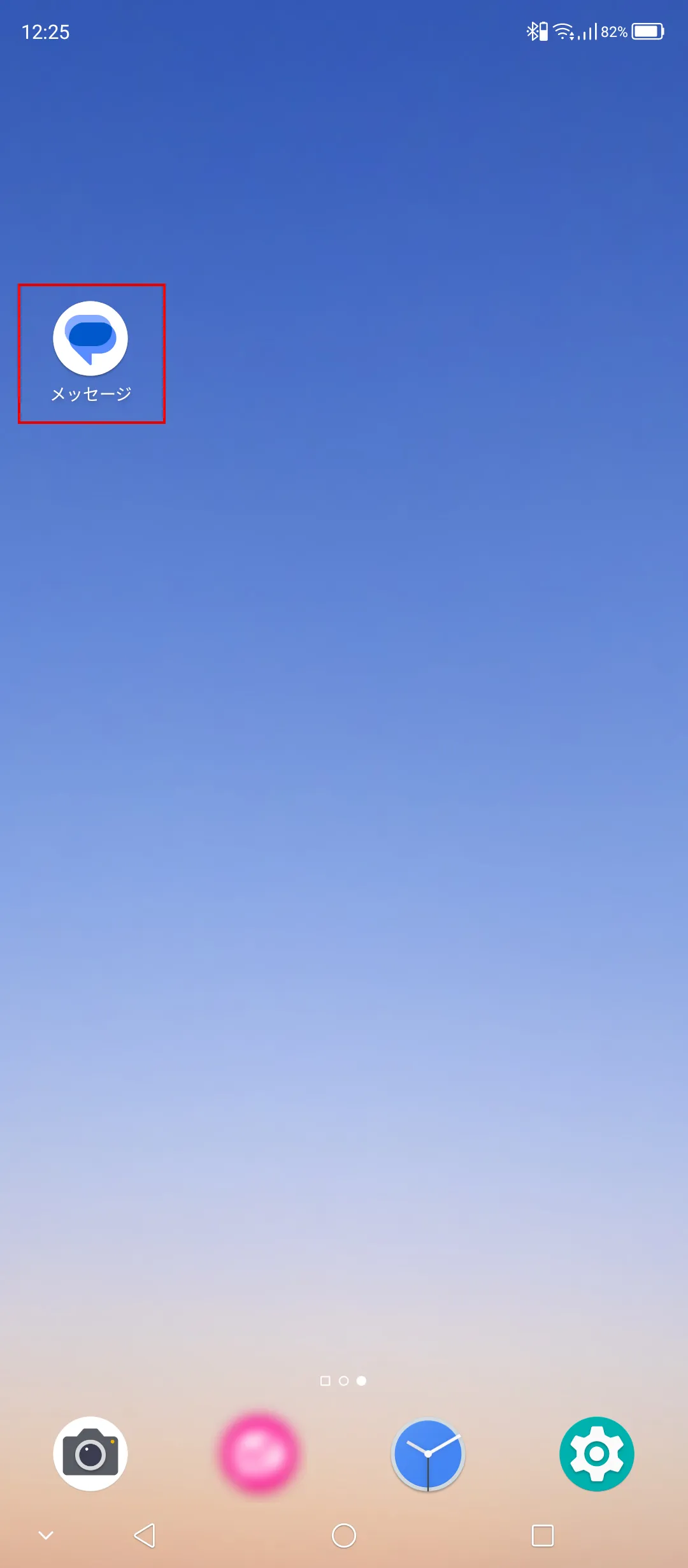
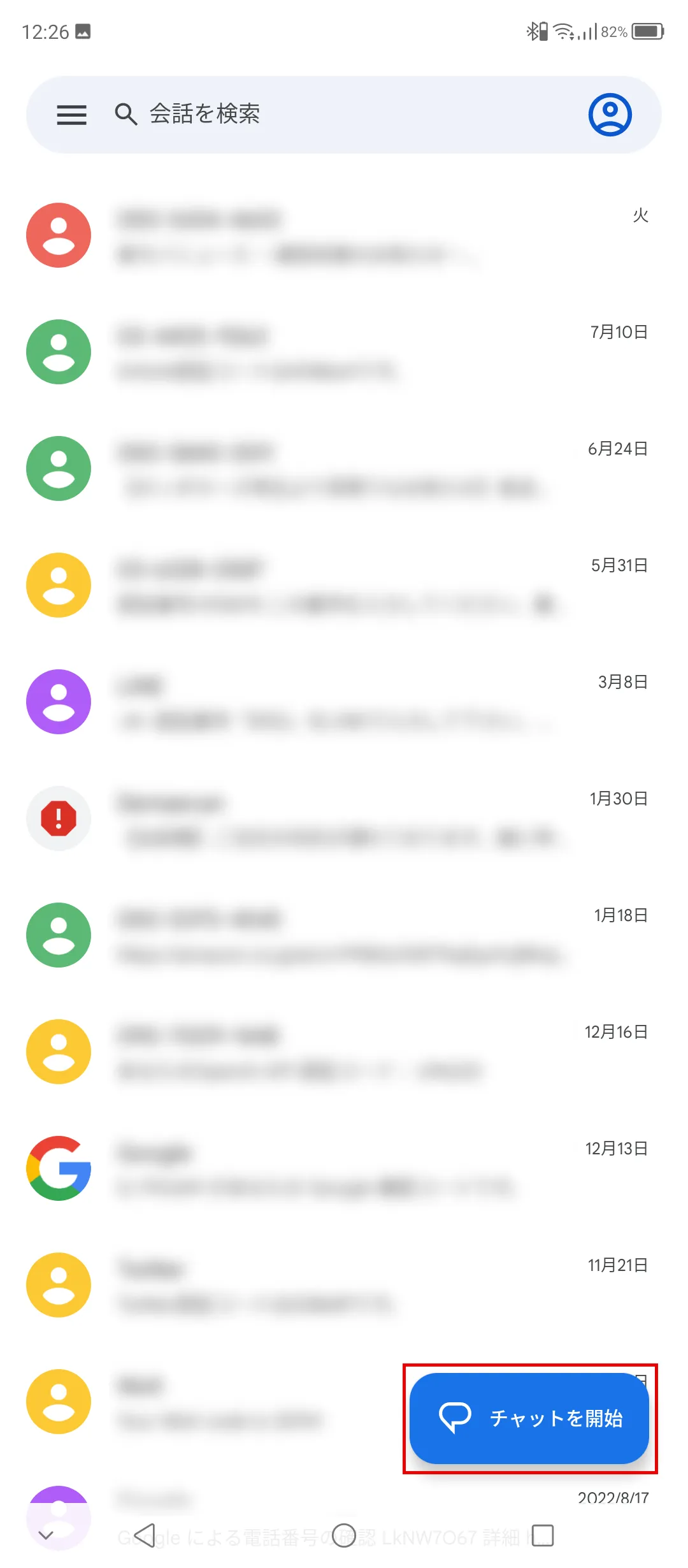
To send an SMS on Android, follow the steps below. Here we will show you how to do it using Google Messages.
Here we will explain the causes and solutions for when SMS messages are not received or cannot be sent properly. If you are unable to send or receive SMS messages even though you are using an SIM card that supports SMS, please check the contents one by one and take the appropriate action.
If you are unable to send an SMS to the recipient, it may simply be that the phone number you entered is incorrect. Please double-check the recipient's phone number.
Since SMS uses a phone number to exchange messages, it cannot be used with Data Only plans that do not issue phone numbers. If you have a Data Only plan, switch to a plan that includes voice calls and SMS functions.
SMS uses the same mobile data as phone calls to exchange messages, so if the signal strength is poor you may not be able to send or receive SMS.
Also, if an airplane icon is displayed on your device or if no antennas are erected, "Airplane Mode" may be turned on. When Airplane Mode is turned on, your internet connection and mobile data communication will be cut off, making it impossible to send or receive SMS. If Airplane Mode is on, turning it off from the settings screen should improve the situation.
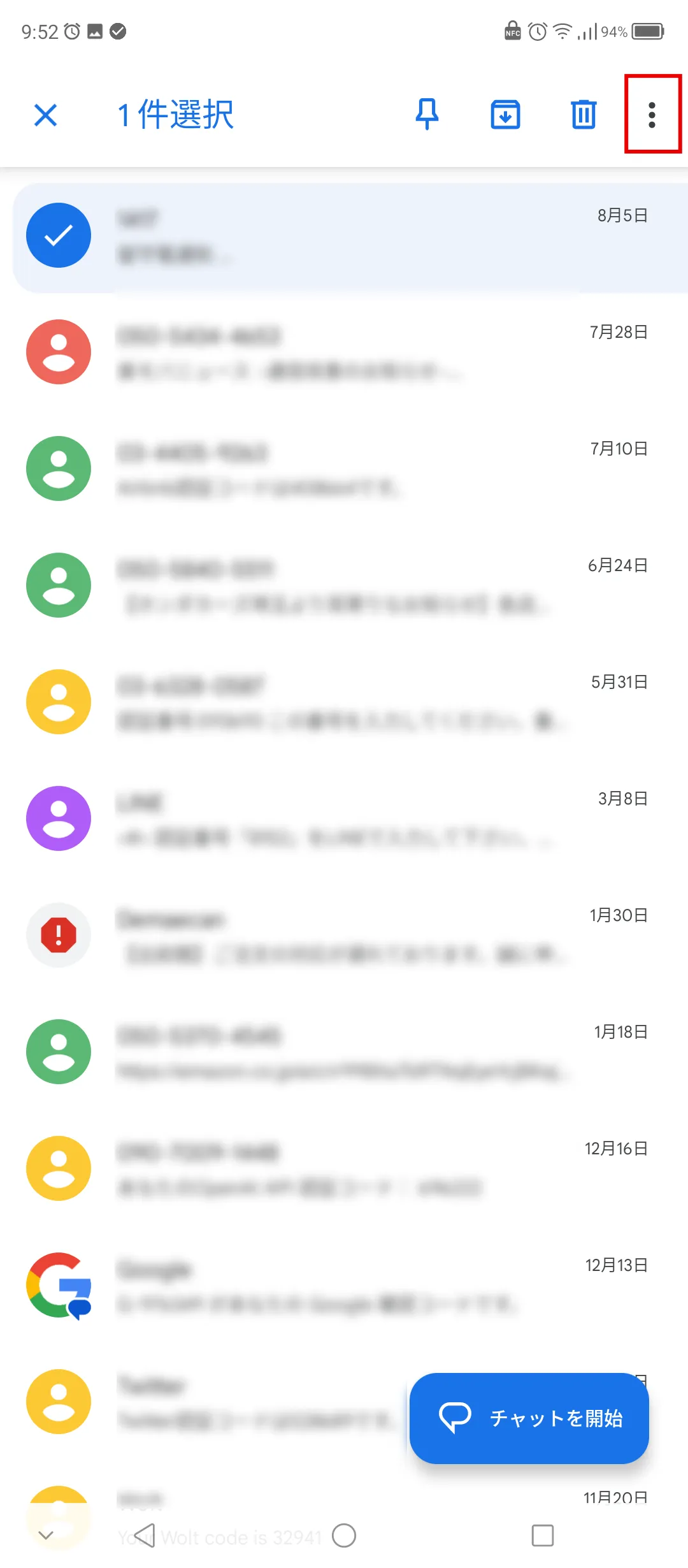
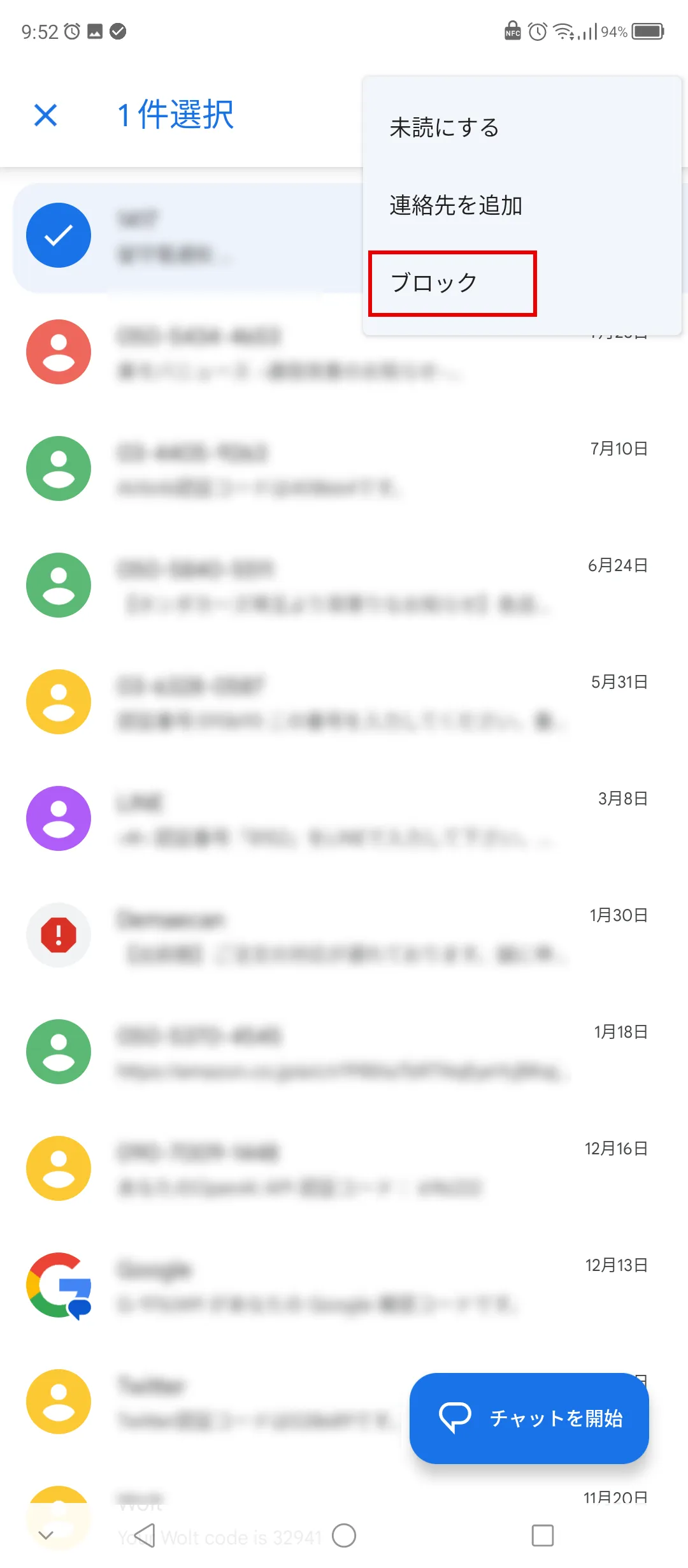
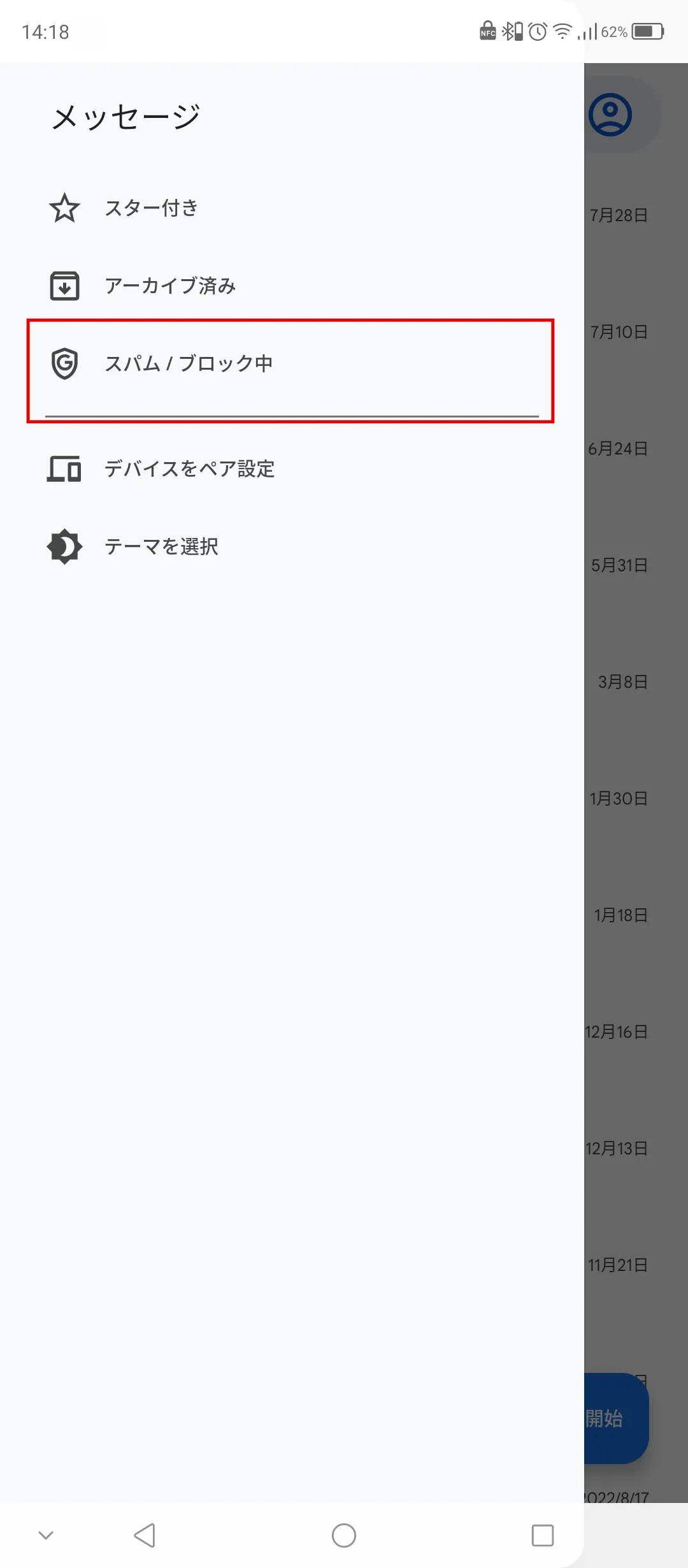
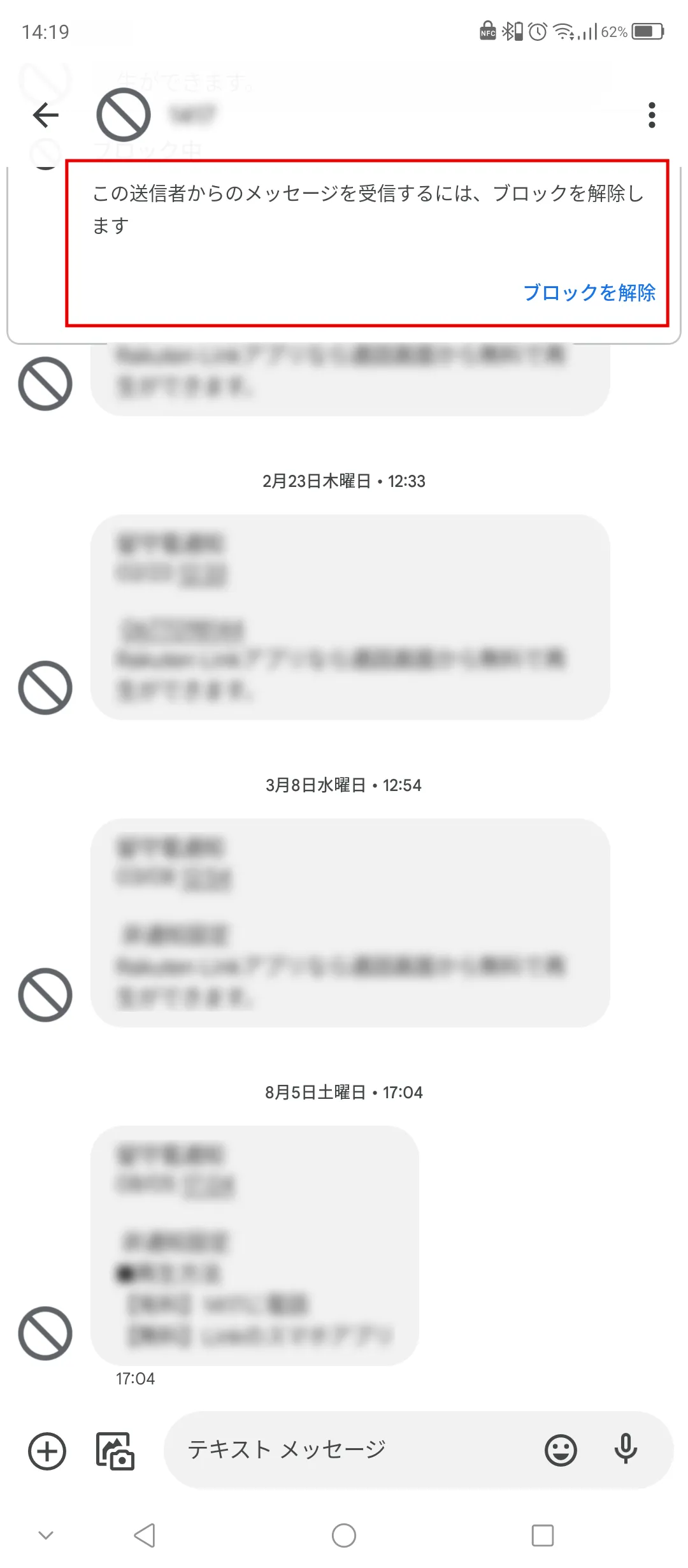
You can block SMS messages in the same way as you block spam. You can block individual recipients, or you can block all messages. Therefore, if you are not receiving an SMS, check whether you have the settings set to block SMS messages.
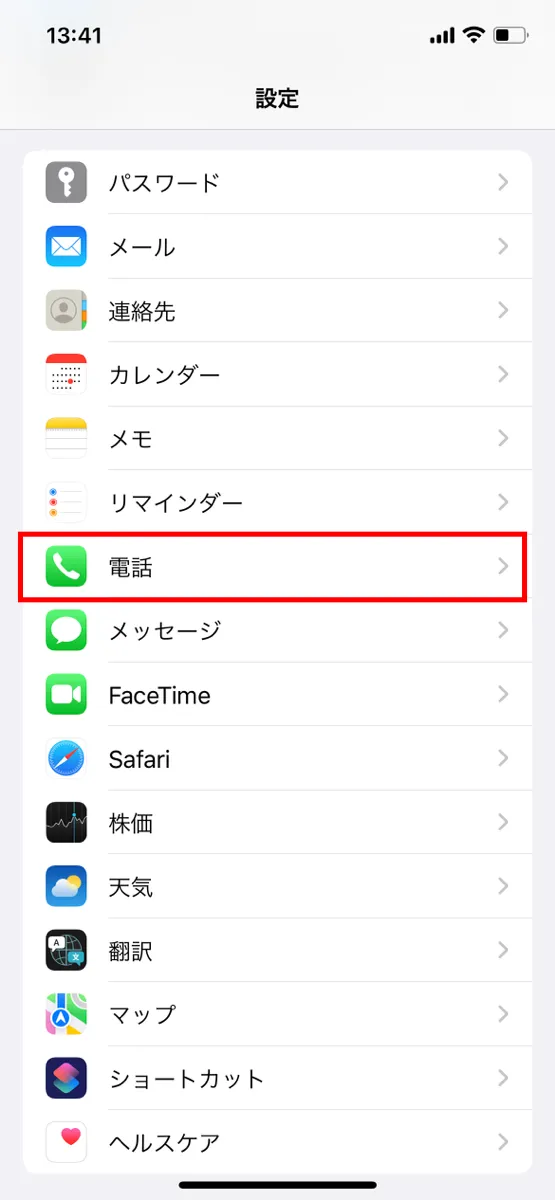
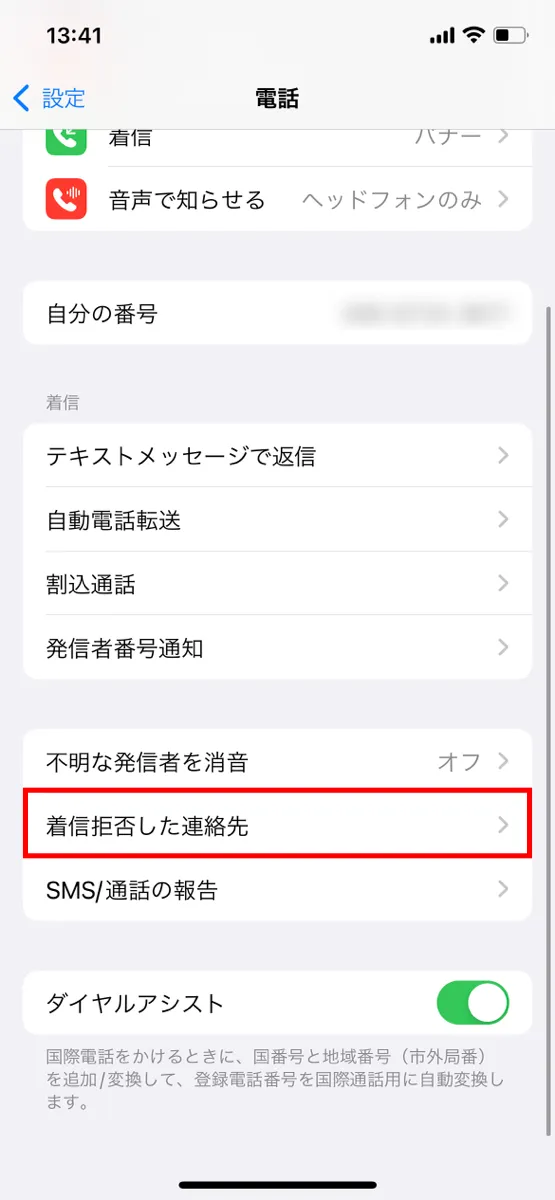
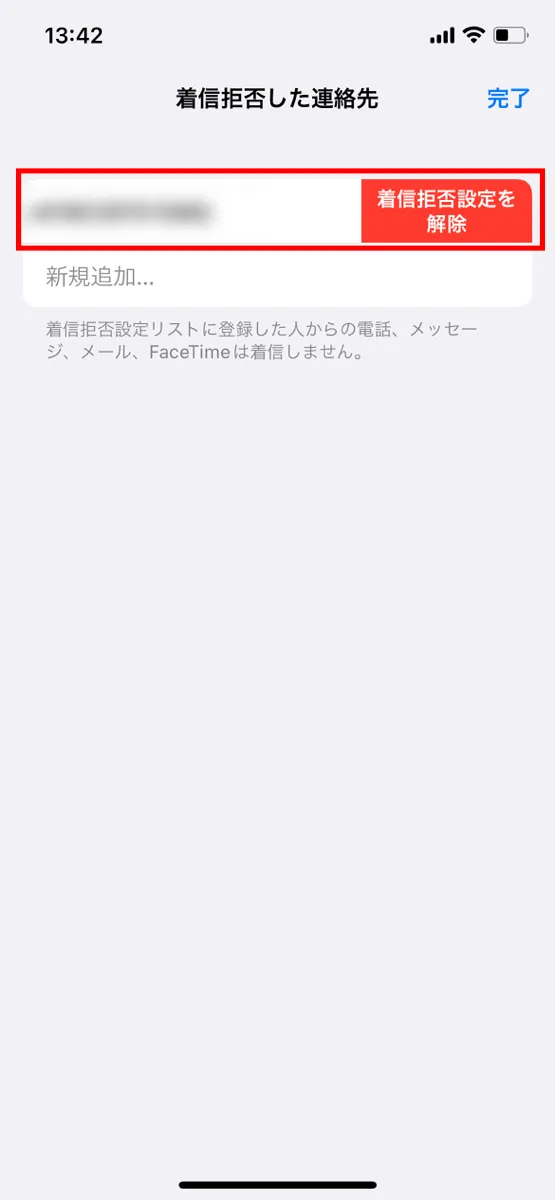
Also, since SMS messages are exchanged using phone numbers, if you have call rejection settings, you will not receive SMS. If you have blocked calls from phone numbers other than those registered on your device, you will not be able to receive SMS, so you will need to review your phone number reception settings as well.
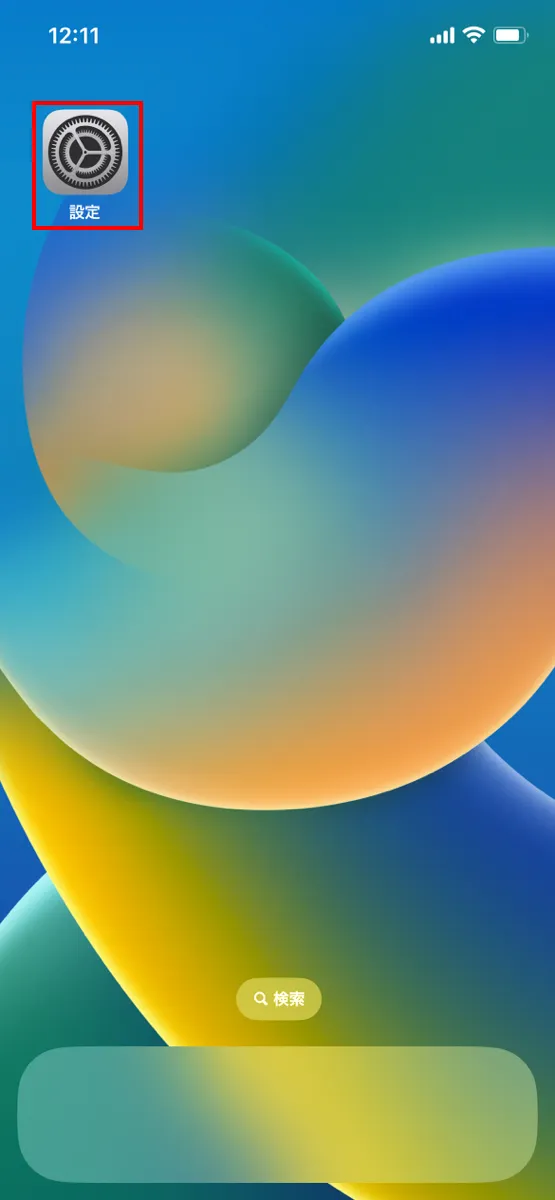
To review the device settings on your iPhone, follow the steps below.
For Android devices, the operation may vary depending on the device, but this time we will introduce the steps when using Google Messages.
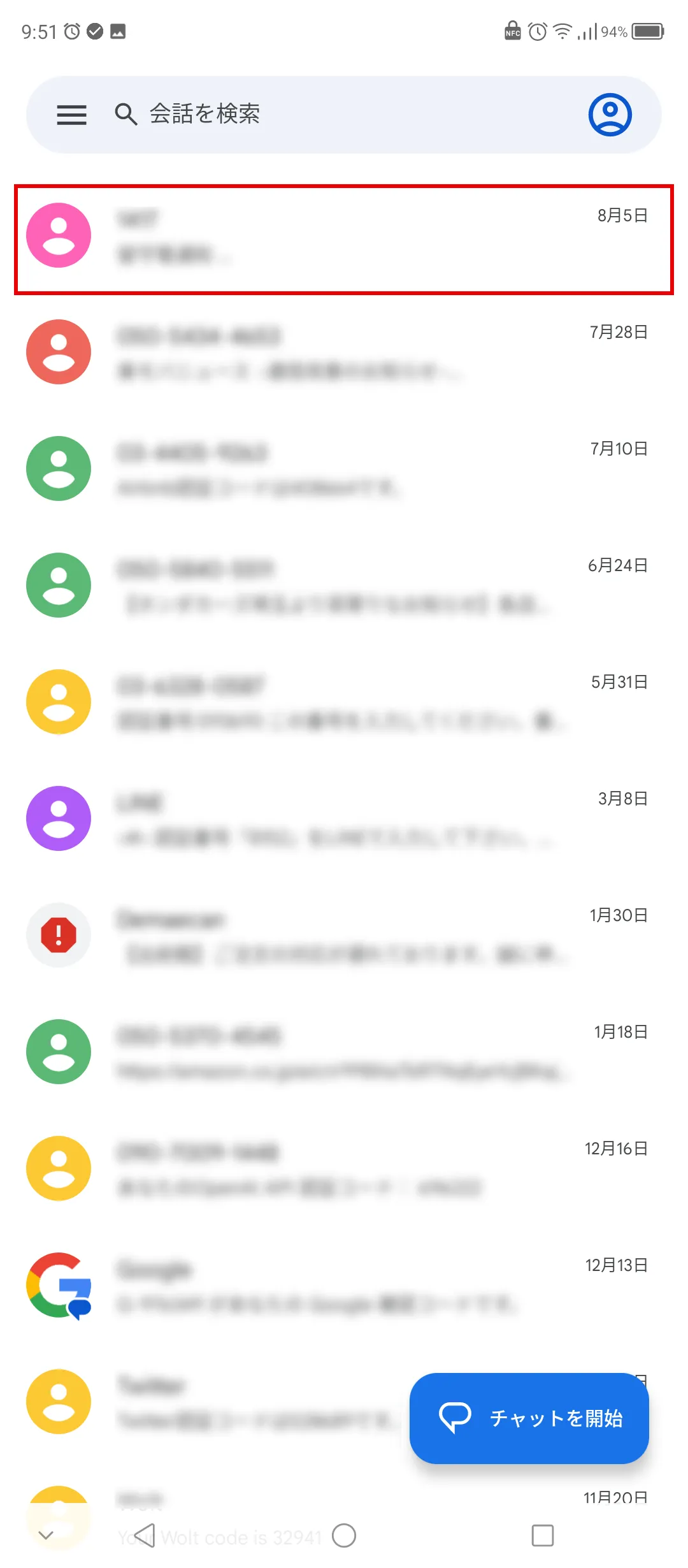
Rejection of SMS messages can be caused not only by device settings, but also by blocking features provided by your carrier. Here we will explain how to change the settings if your carrier is au, docomo, or SoftBank.
・How to change settings for au
1. Access "My au (Web)" and log in
2. Select "Smartphone/Mobile Phone" → "Contract Details/Procedures" → "Contract Information"
3. Under "Optional Services," select the "Change" button for "Disable Spam SMS Blocking."
4. Select "Add" and then "Agree and proceed"
5. After completing the registration, specify the contact information to send the application details to and select "Apply with this information"
・How to change settings for docomo
1. Select "My docomo" → "Settings" → "SMS Rejection Settings"
2. Enter your network PIN and select "Authenticate"
3. Select "Reject by specifying conditions" or "Receive by specifying phone number"
4. Select the conditions that suit your needs from the displayed conditions, then select "Confirm" → "Confirm Settings."
・How to change settings for SoftBank
1. Log in to "My SoftBank"
2. Select "SMS" and check "Reject spoofed SMS," "Reject/allow phone number emails," "Reject SMS with URL links," and "Spam SMS filter."
3. If there are any problems with the current settings, select "Change" and change them to your desired settings.
To use SMS on your smartphone, you need to have the SMS app running. Therefore, if the app freezes or won't start, you may not be able to send, receive, or view SMS. Restarting your device or updating the app may solve the problem, so if the app won't start, try these solutions.
Another reason why you may not be able to launch the SMS app is that your smartphone's memory is insufficient. If memory is insufficient, the app will not function properly, so delete unnecessary cache and data that are taking up memory to create an environment where the app can function properly.
MNP (Mobile Number Portability) is a system that allows you to switch to another carrier while keeping your phone number. While this system is convenient, switching carriers using MNP may mean that you will no longer be able to send or receive some international SMS messages. This is because the countries and regions that support international SMS vary depending on the carrier.
While domestic SMS can be used without any problems, some companies and local governments use SMS to send messages between Japan and overseas. Therefore, if you are no longer able to receive contact or notifications from your local government after MNP, please contact your current carrier.
If you are looking for an SMS-enabled SIM card, we recommend povo2.0 (*1), which allows you to create your own plan from scratch. povo2.0 is a fees system where the basic fees is 0 yen (*2) (*3) (*4) and you add Topping (charged) data capacity, calls, etc. Therefore, you can use your phone with no over or under fees that suits your usage.
povo2.0 Domestic SMS in Japan can be sent for 3.3 yen per SMS (tax included / up to 70 characters) and there is no charge for receiving them. In addition, a blocking service that rejects suspicious SMS related to phishing scams is available free of charge. We encourage you to make use of SMS at povo2.0, as it provides a safe environment for convenient SMS.
Reference: "Unwanted SMS Block" (povo)
Also, you can use overseas roaming service at povo2.0. You can use voice communications and international SMS in more than 200 countries and regions overseas. (*5).
Reference: "Overseas Roaming" (povo)
*1: All procedures and support are online. povo2.0 Please contact us through the application or the official website. 2: If you subscribe to 5 lines(*) under the same name, a contract administration fee of tax included 3,850 yen/line will be charged for the 6th line and thereafter. validity for 180 days or more, or if you have never purchased Topping for a fee, your subscription may be suspended or terminated.
*Includes lines that have been terminated or cancelled by the Company within the past year. *3: Domestic calls are charged separately at tax included 22 yen/30 seconds, and SMS sending is charged separately at tax included 3.3 yen/text (up to 70 characters). Depending on the model, up to 670 two-byte characters can be sent; up to 134 characters are counted as two SMS messages, and thereafter one SMS message is charged for every 67 characters. Calling rates may differ for some calls, such as calls to satellite phones. For more information, please contact this way (direction close to the speaker or towards the speaker)
Reference: povo2.0 Plan Details" (povo)
*5: If data Topping is not purchased, the maximum sending/receiving rate is 128 kbps. *5: Your use of fees will vary depending on your destination.
SMS is a service that allows you to exchange messages using only a phone number, and its appeal is that it can be used with basically any carrier or device. In recent years, it has been increasingly used not only as a communication tool, but also for identity verification when using web services.
povo2.0 offers services such as an automatic blocking function for spam SMS, allowing users to use SMS with peace of mind.
If you want to use SMS conveniently, consider povo2.0.
*The names of products and services mentioned in this article are trademarks or registered trademarks of their respective companies. ・Apple and iPhone are trademarks of Apple Inc., registered in the United States and other countries. The iPhone trademark is used under license from Aiphone Corporation.
TM and (C) 2023 Apple Inc. All rights reserved. Android, Gmail, and Google are trademarks of Google LLC. ・The iOS trademark is used under license from Cisco in the United States. ・" au" is a registered trademark of KDDI Corporation. ・"NTT docomo" and "docomo" are registered trademarks of Nippon Telegraph and Telephone Corporation. ・The names SoftBank and SoftBank are registered trademarks or trademarks of SoftBank Corporation in Japan and other countries. ・"Yahoo!" is a registered trademark or trademark of Yahoo! JAPAN Corporation in Japan.