When you visit a website, you often see a pop-up message asking, "Do you agree to the use of cookies?" Some people may be wondering whether they can or must agree to the cookies.
This article explains the overview, purpose, advantages and disadvantages of cookies. It also explains how to enable and disable cookies on your computer, iPhone, and Android device, as well as how to delete cookies, to ensure safe use of websites.
First, we will explain what cookies are, their types, and their purposes.
Cookies are a mechanism that stores information in the user's browser when accessing a website. They are small text files that record the following information:
・Access date and time
・ Number of accesses
・ Information entered when accessing the site, etc.
There are two types of cookies: first-party and third-party.
First-party cookies are cookies issued by the website you visit. They are valid on the website that issued them and are used to identify visiting users. Generally, they are not valid on websites other than the website that issued them.
Third-party cookies are cookies issued by websites other than the one you are browsing, and are mainly issued by advertisements, etc. They are used to measure and analyze the effectiveness of advertisements and marketing measures, deliver new advertisements, etc.
You will often be asked to consent to cookies on shopping-related sites.
Cookies are used to identify users, thereby improving user convenience and providing them with appropriate information. For example, if cookies store information from when you logged in once, you will not need to enter your ID or password when logging in to the same site again. Also, by storing information about products added to your cart on a shopping site, you can continue shopping when you open the same page again later.
Cache temporarily stores information about websites you have visited in your browser, such as HTML and CSS, so that the website will load faster the next time you visit.
Unlike cookies, cache does not contain user information or behavioral history. Therefore, even if you delete the cache, if your login information is saved in cookies, you will not be prompted to re-enter your information the next time you log in.

Let's take a look at the specific benefits of consenting to cookies when visiting a website.
If you agree to cookies, the password, ID, and other information required to access the website will be saved. The next time you access the same website, your previous login information will be saved, allowing you to log in easily.
If you agree to cookies, information you have entered, such as your phone number and address, will be saved, so you won't have to re-enter your personal information when using a shopping site, for example.
Please note that cookie information is stored in browsers such as Google Chrome and Safari, not on websites, so personal information is not managed by websites.
Cookies are used to store information on shopping sites, allowing you to move between pages or close the page while keeping items in your shopping cart. Even if you close your browser, the contents of your cart remain intact for a certain validity, allowing you to continue shopping smoothly. Note that validity of cookies varies depending on the website; some sites last for a few hours, while others last for a few days.
Cookies store personally identifiable information in a user's browser, which can pose risks. Be aware of the potential drawbacks of accepting cookies.
Cookies contain information about a user's behavioral history. This behavioral history, such as which pages were viewed and for how long, may be used for data analysis without the user's knowledge. From a privacy perspective, this can be considered a disadvantage.
Cookie information is stored in the browser, so if someone else uses the same device and browser, they can access websites just like you. Be careful, because if you use a shared computer or lose your device and someone else uses the same browser, there is a risk that they could impersonate you.
Cookie data can tell us what kind of websites you visit and how often. In other words, if you frequently visit the websites of multiple stores in the same area, it can be predicted that you live nearby. In this way, cookies can also reveal where you live.
If consenting to cookies carries the risk of information being used, some people may think, "Why not just not consent?" However, in fact, even if you do not consent to cookies, there is still a possibility that information may be leaked.
In fact, some websites collect cookies without displaying a pop-up asking for consent. This is due to legal issues.
Within the EU, there is a regulation called the General Data Protection Regulation (GDPR), which stipulates that the consent of an individual is required to collect and use personal information, including cookies. Due to the influence of the GDPR, many websites in the EU currently implement pop-ups to obtain consent when collecting cookies.
However, in Japan, although the Personal Information Protection Act regulates the provision of personal information to third parties, consent is not required for the acquisition of cookies. As a result, cookie consent pop-ups are often not implemented, and if cookies are enabled in the device settings, there is a risk that information may be acquired without your knowledge and leaked.

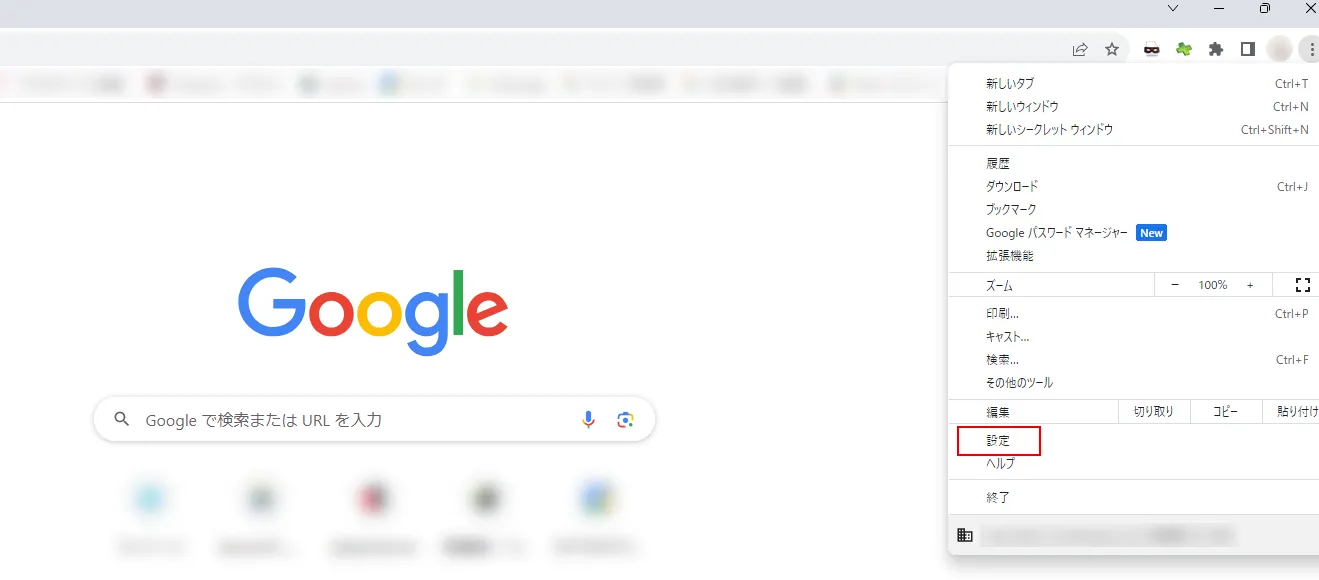
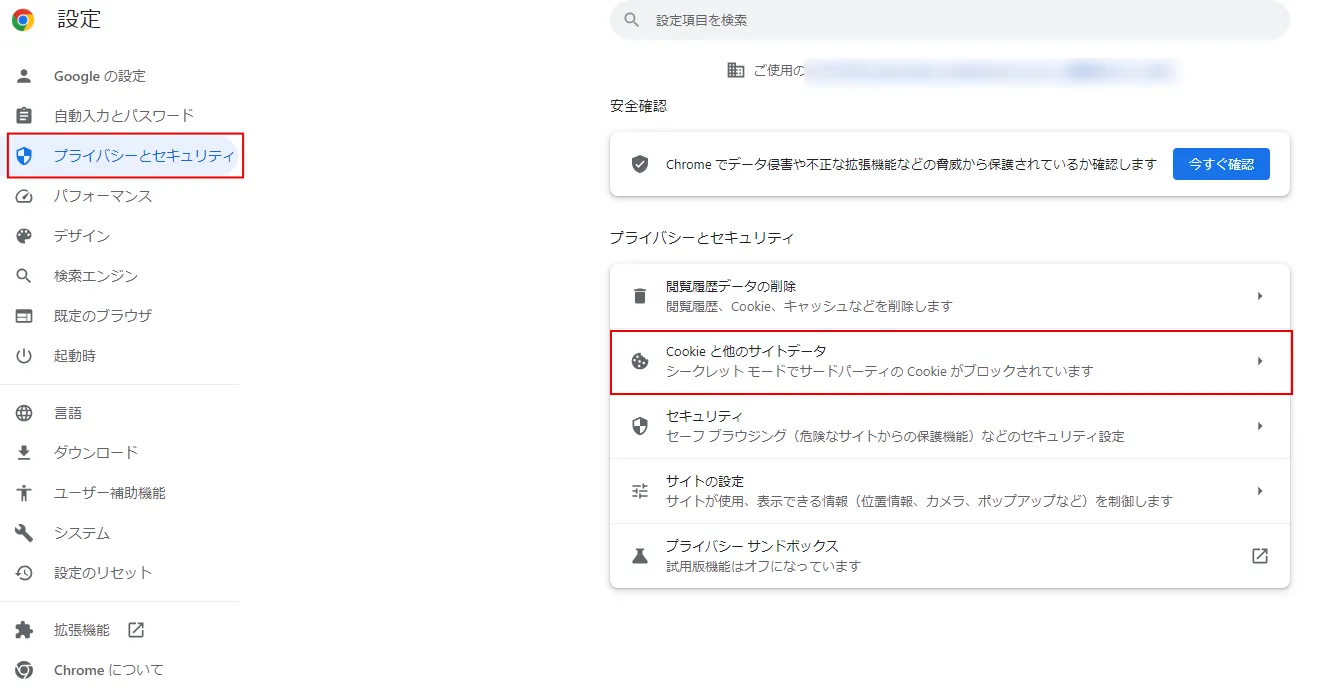
Users can enable or disable cookies themselves. Here are the steps to enable or disable cookies on your computer, iPhone, and Android.
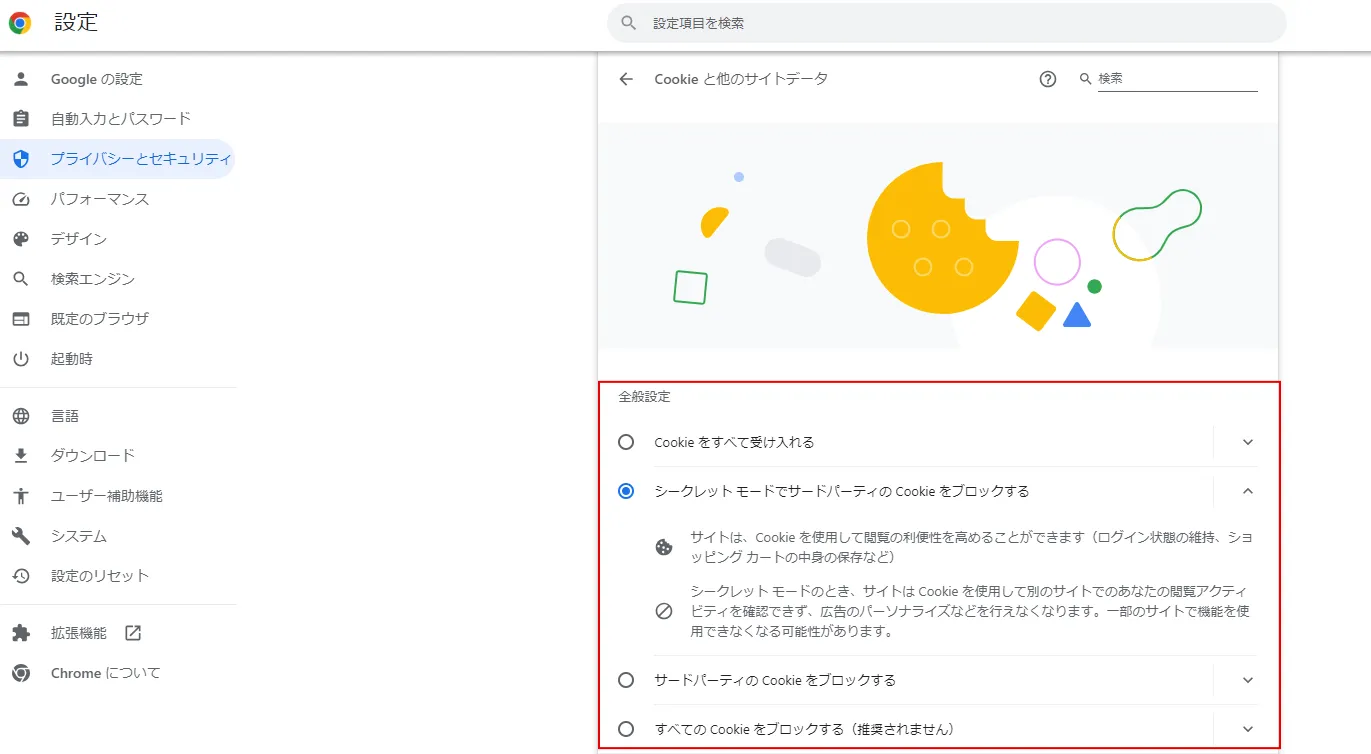
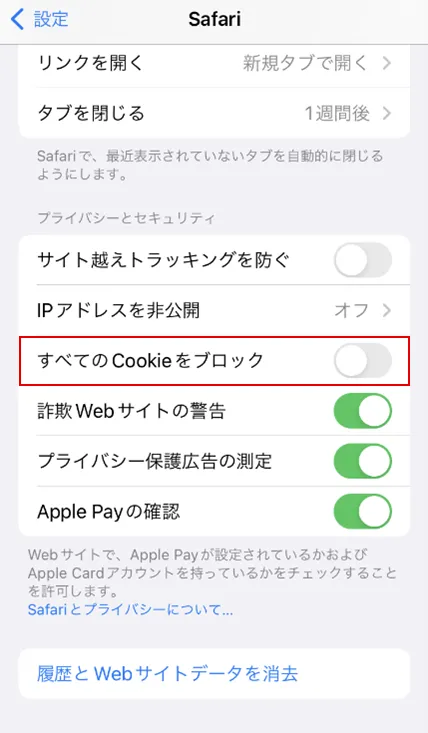
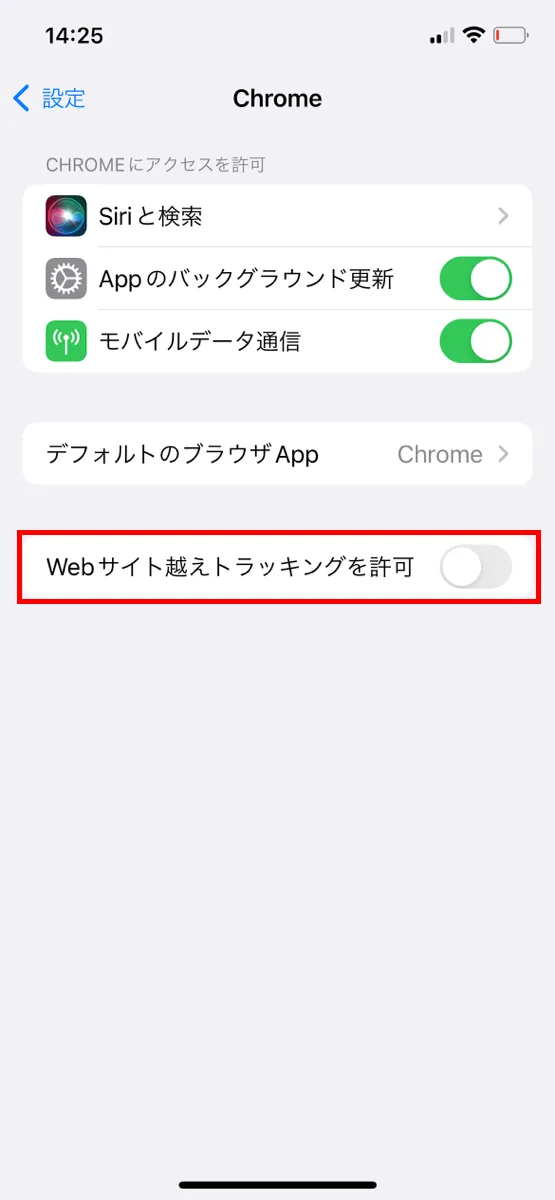
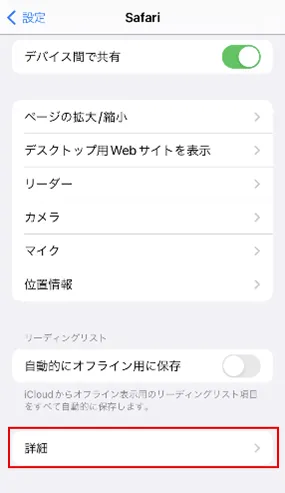
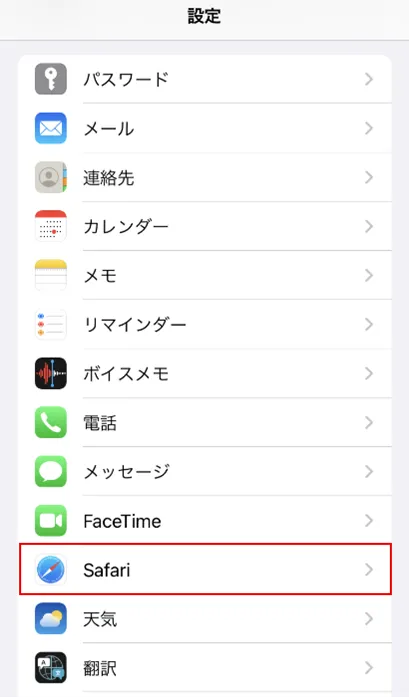
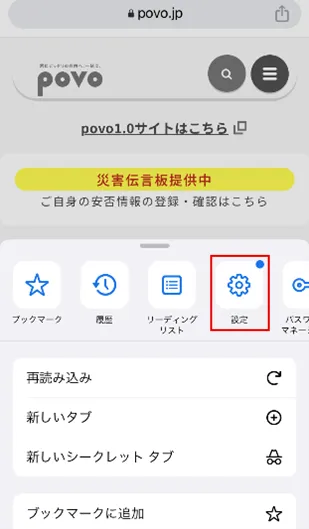
You can enable or disable cookies on your iPhone from the Settings app. We will explain how to do this for Safari and Google Chrome.
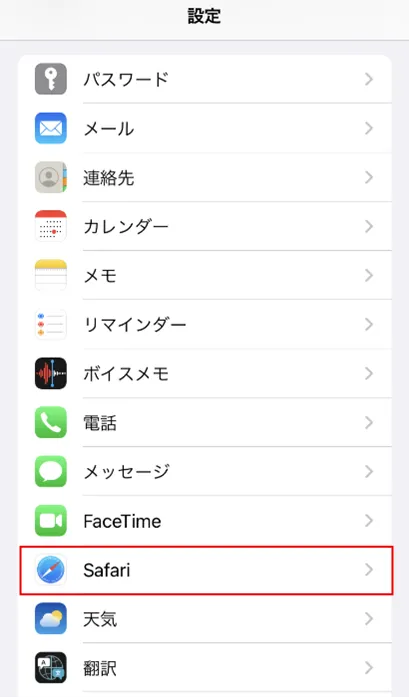
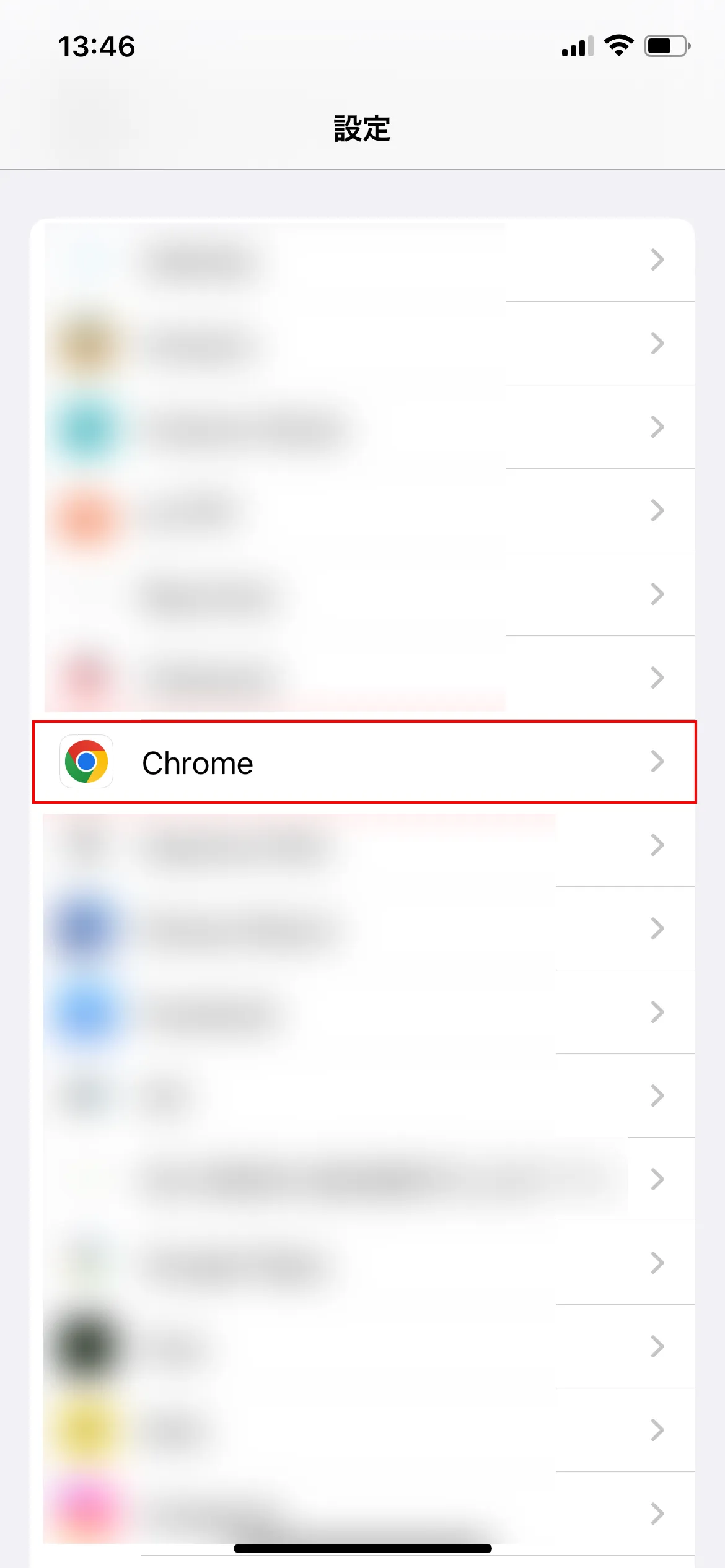
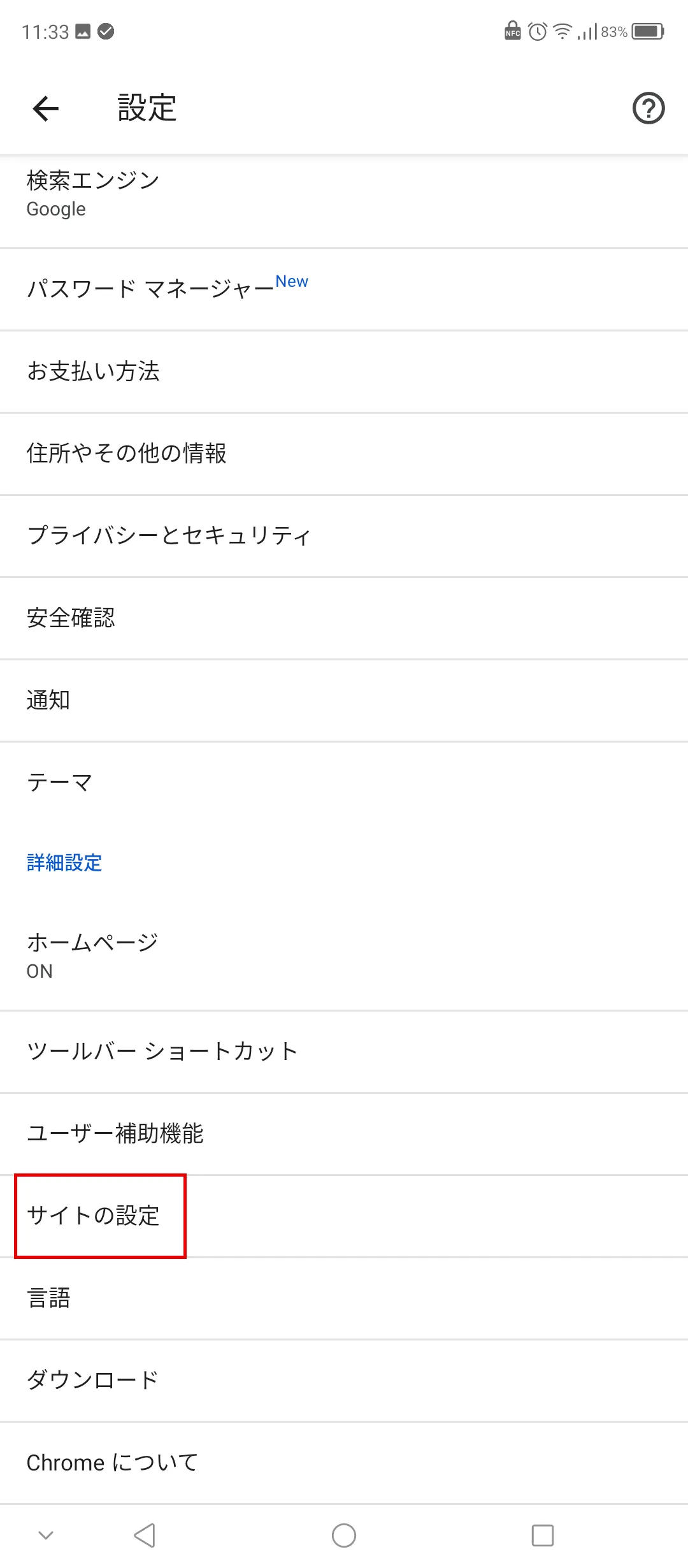
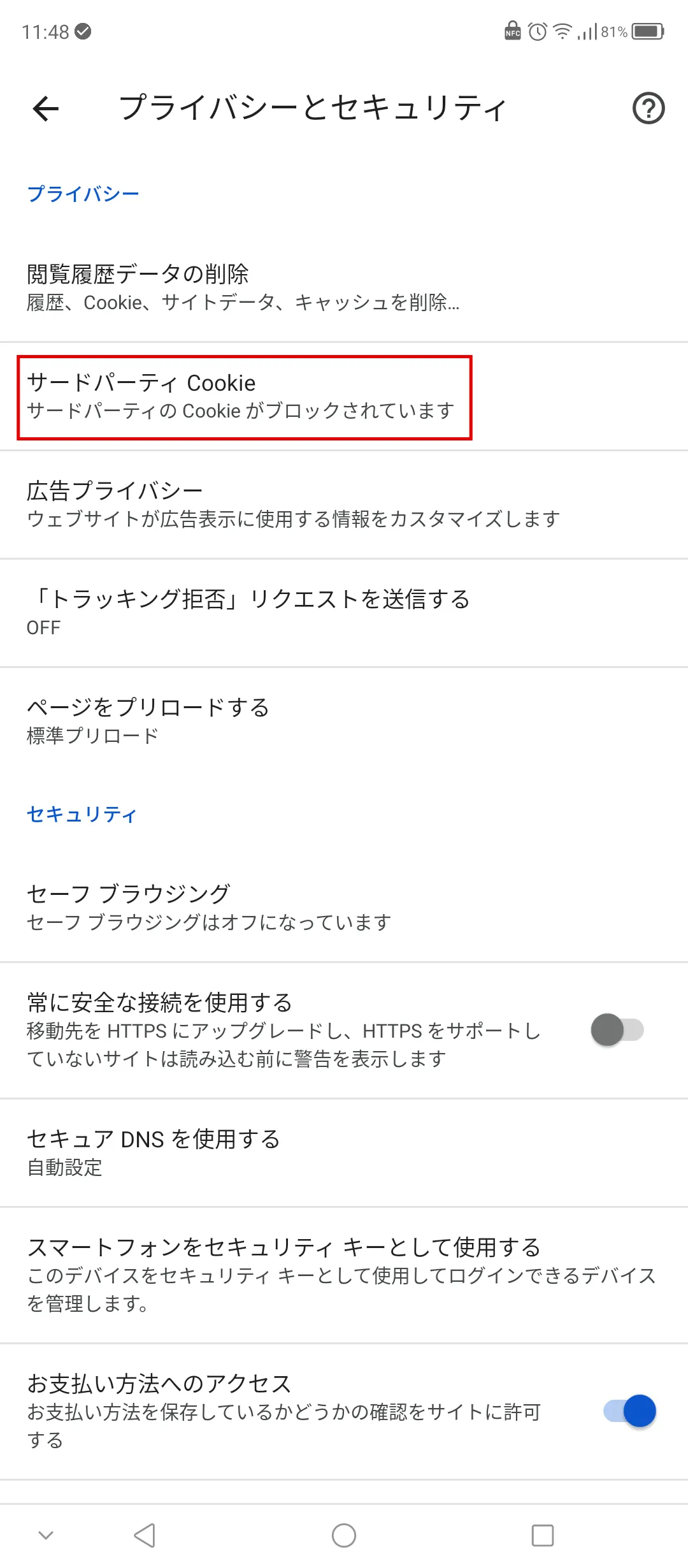
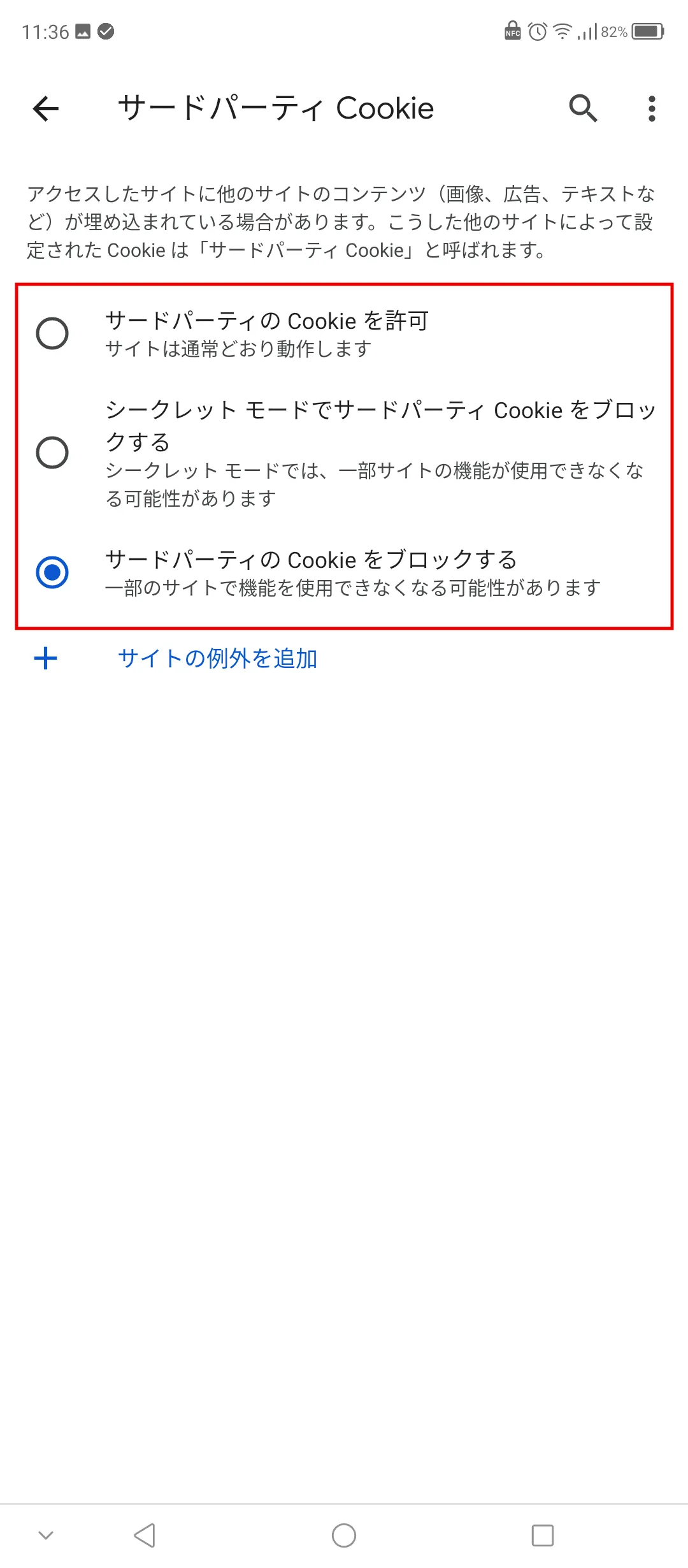
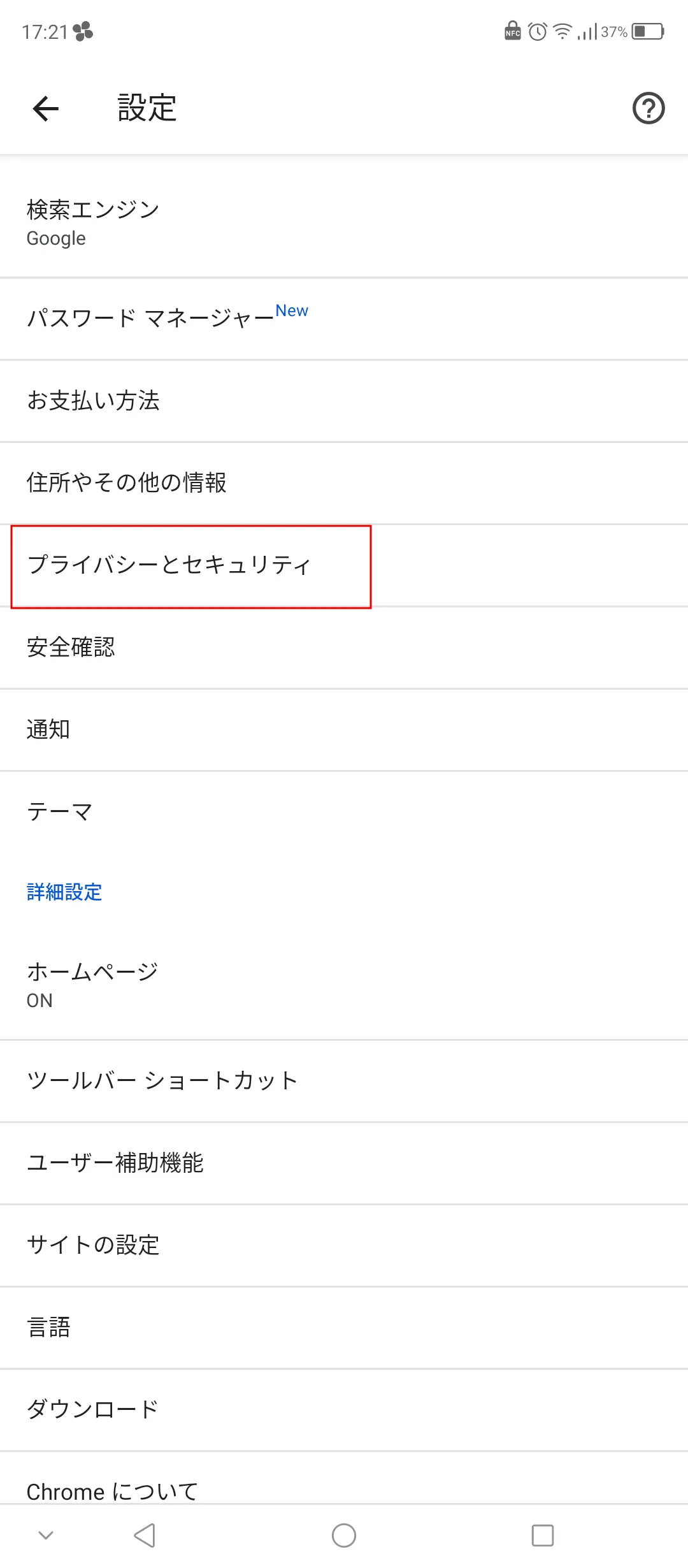
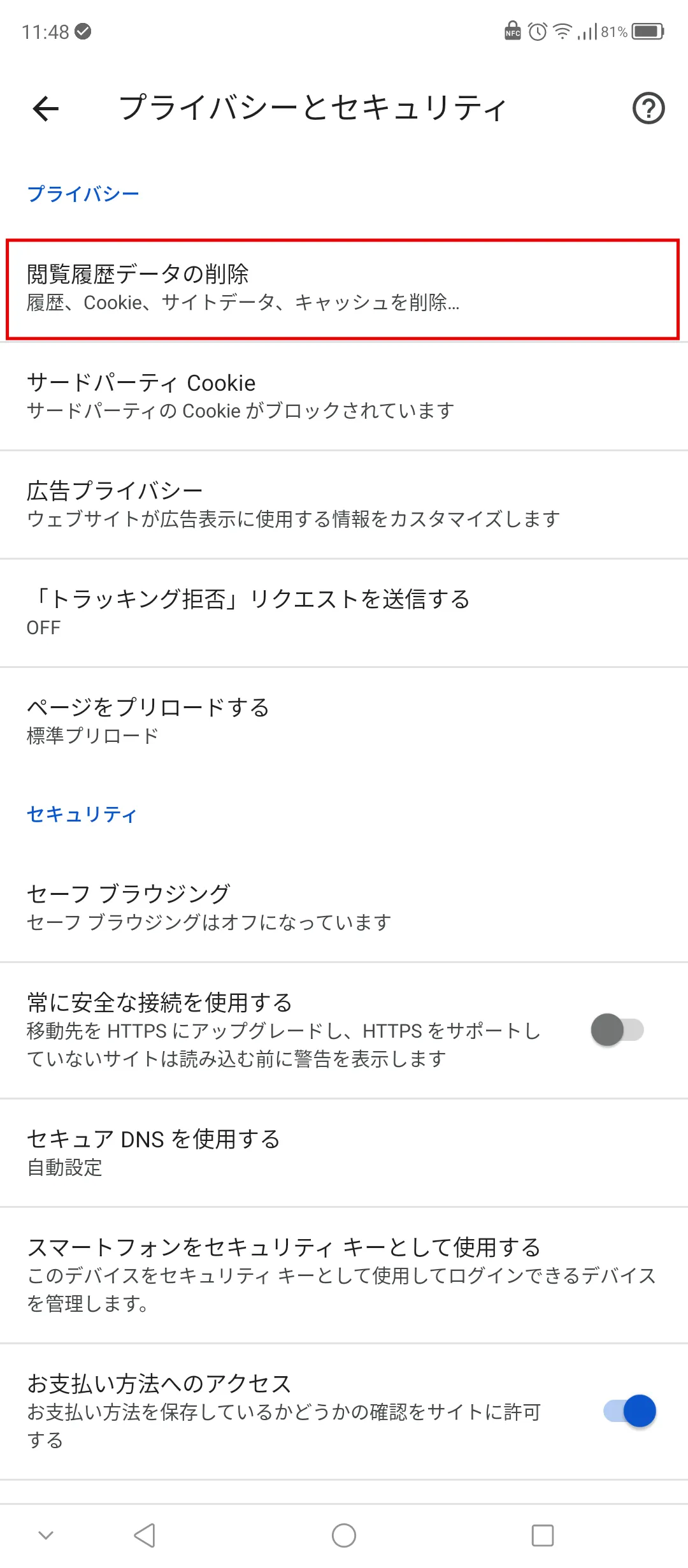
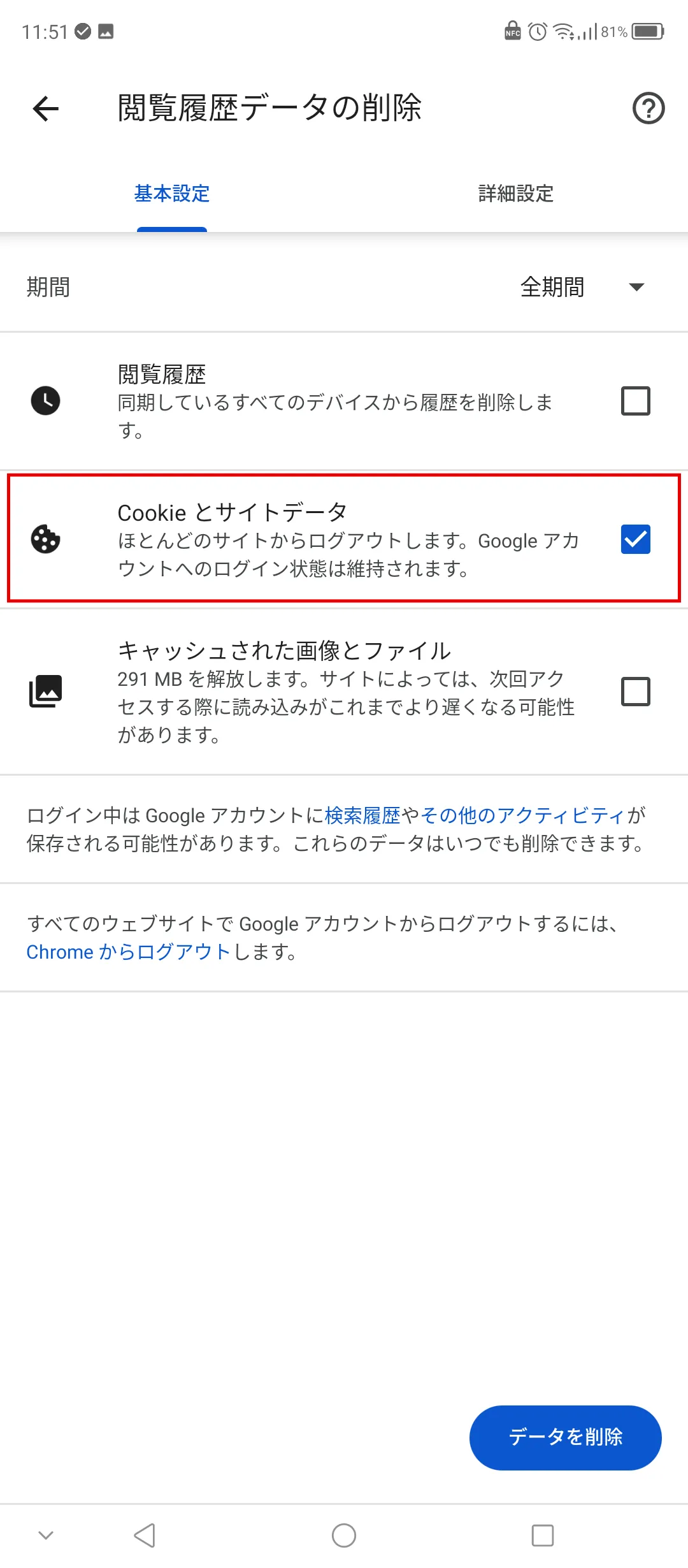
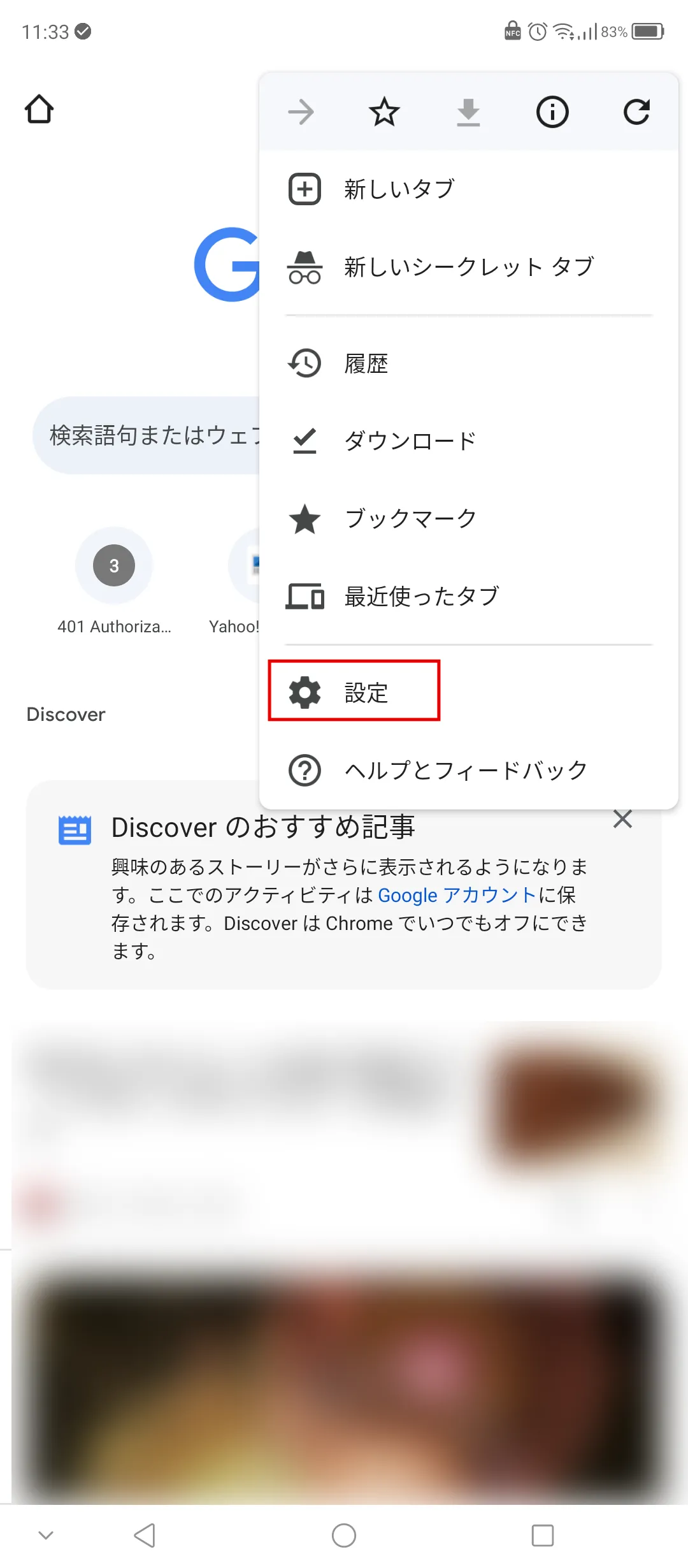
If you want to enable or disable cookies in Google Chrome on Android, you can do so from Google Chrome app.
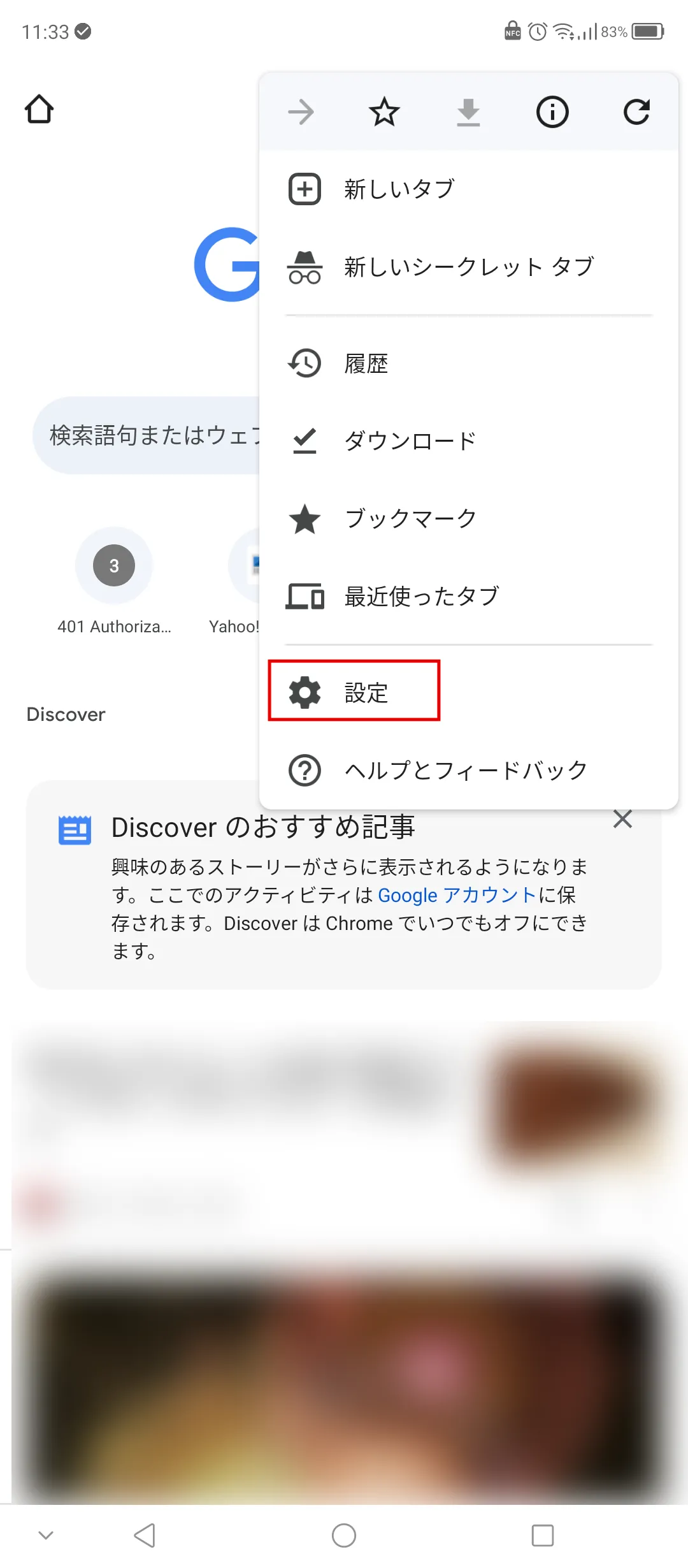
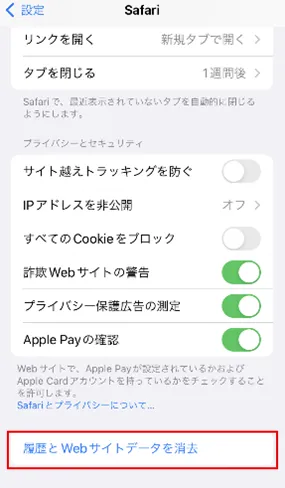
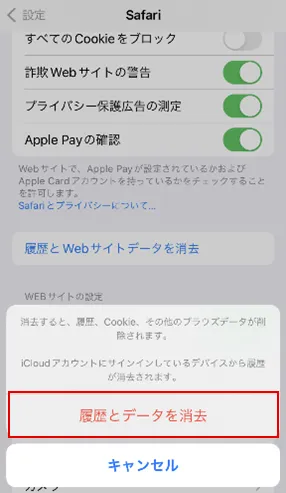
If you have enabled cookies, they will remain in your browser. Here we will show you how to delete cookies for PC, iPhone, and Android.
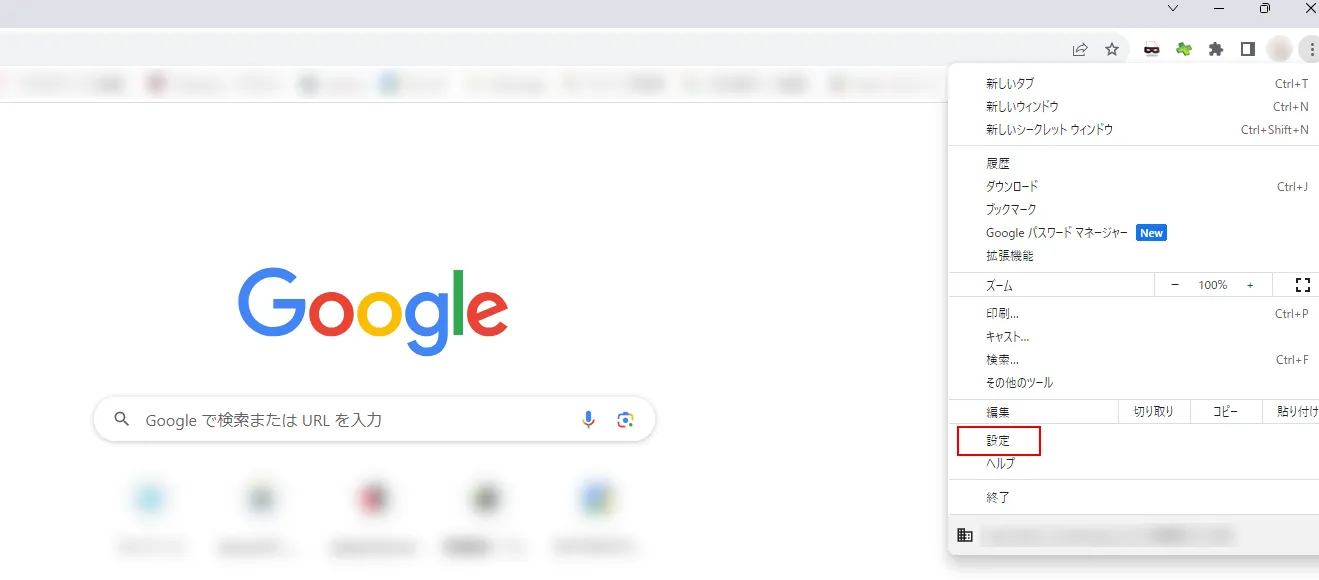
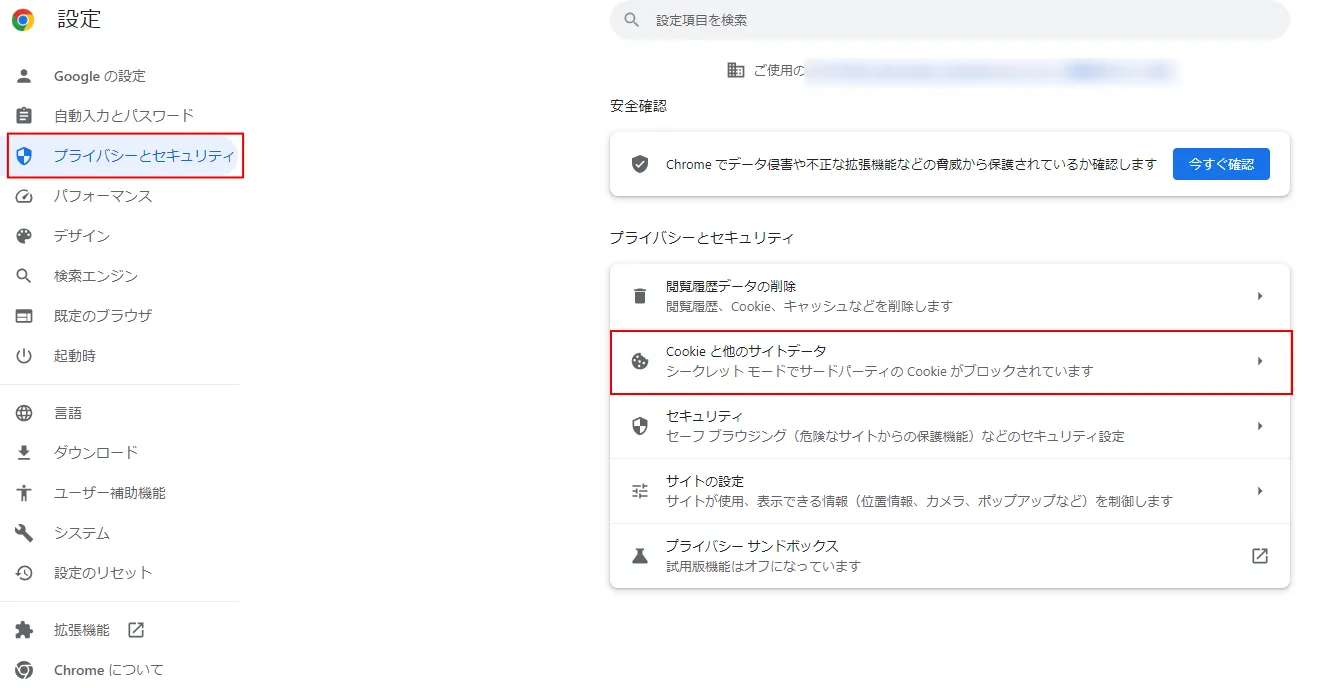
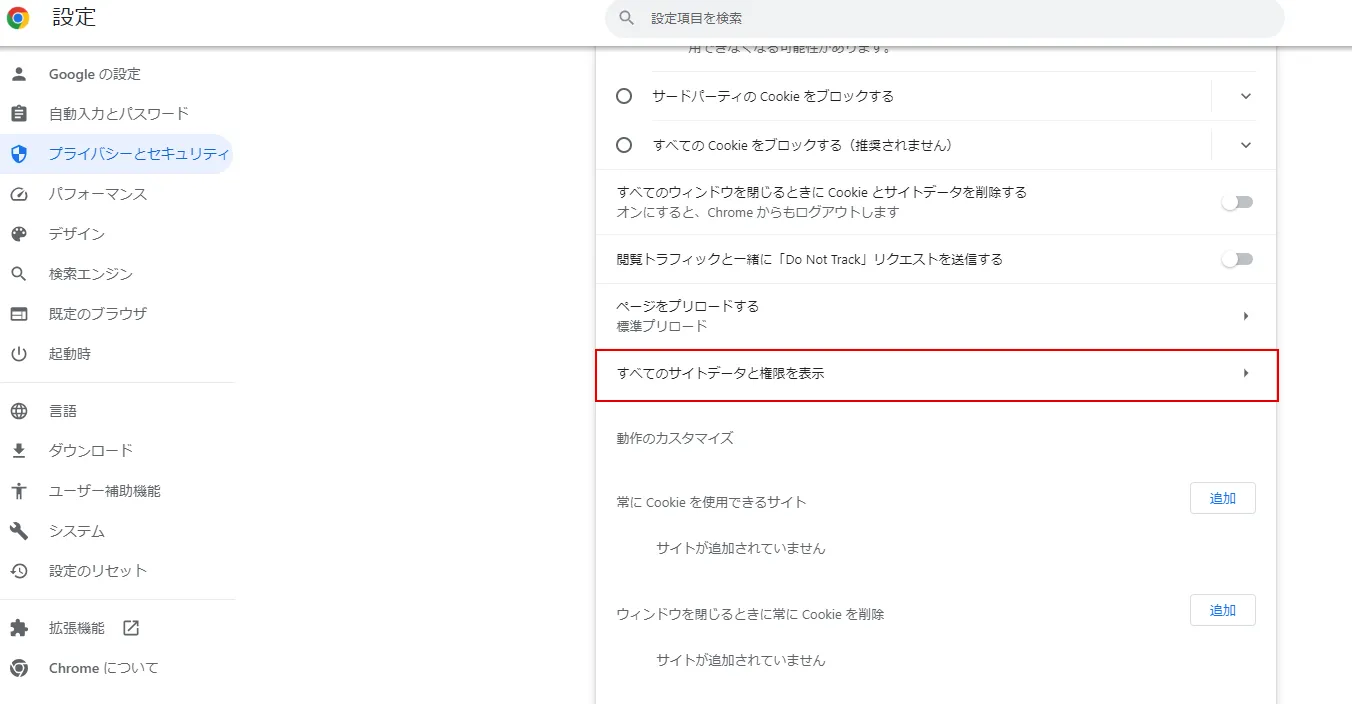
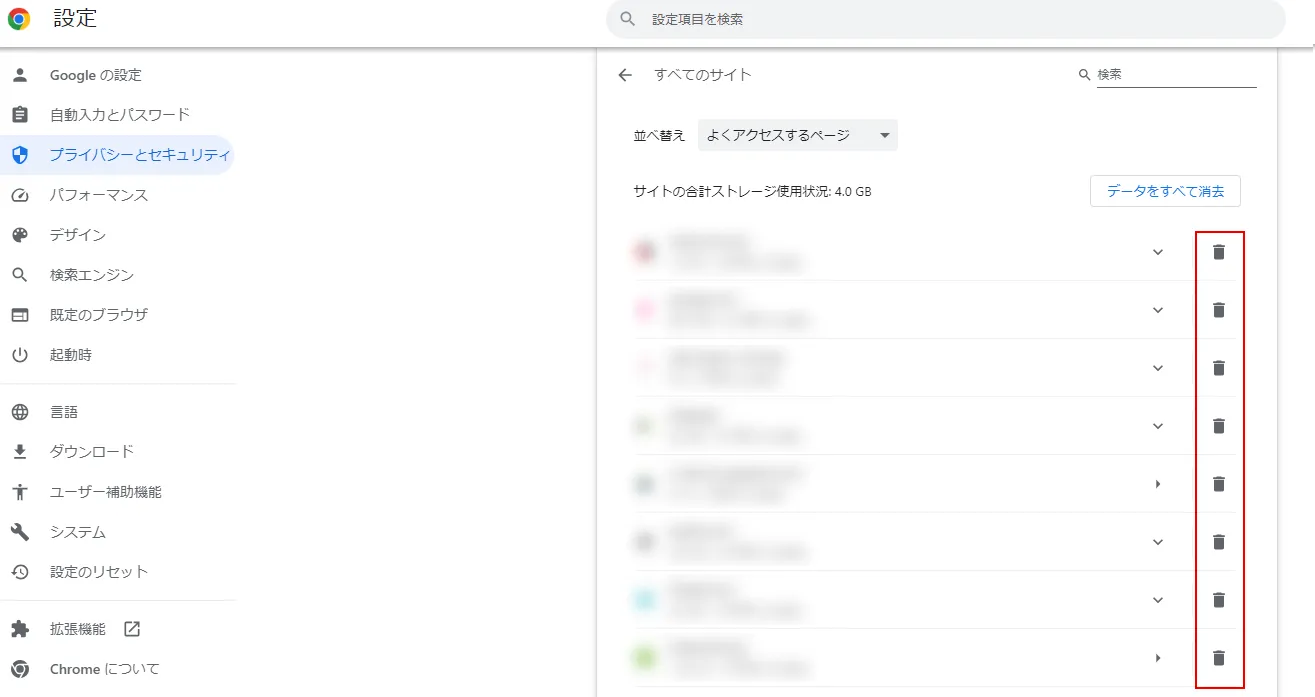
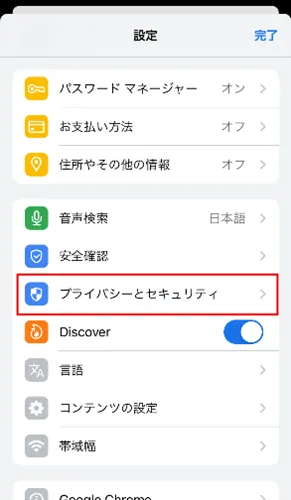
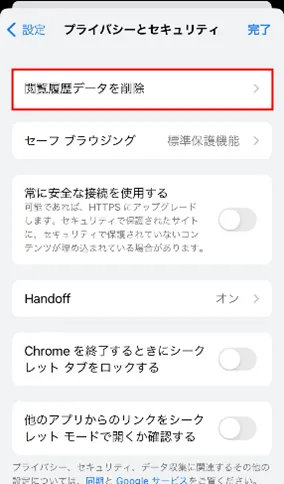
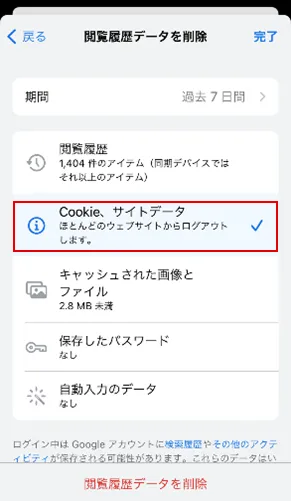
On iPhone, you can delete Safari from the settings menu, and Google Chrome from the Chrome app settings menu.
If you are thinking about security measures for your smartphone, we recommend au 's online-only brand "povo2.0 (※1)".
With povo2.0, you can use the free web filtering service provided by au, as well as the spam message and call blocking function (※2), which is available for a fee, so you can feel safe when letting your child have a smartphone.
povo2.0 has a basic fees of 0 yen (*3) (*4) (*5) and allows you to Topping data and calls (for a fee) so there is no waste. You can enjoy the smooth communication of au network at an affordable fees.
*1: All procedures and support are online. povo2.0 Please contact us through the application or the official website. *2: If you wish to use the "Unwanted message blocking function", you can subscribe to "Unwanted message and phone call blocking" with Ponta Pass (tax included 548 yen/month). 3: If you subscribe to 5 lines(*) under the same name, a contract administration fee of tax included 3,850 yen/line will be charged after the 6th line. validity for 180 days or more, or if you have never purchased Topping for a fee, your service may be suspended or your contract may be terminated.
*Includes lines that have been terminated or cancelled by the Company within the past year. 4:Domestic calls are charged separately at tax included 22 yen/30 seconds, and SMS sending is charged separately at tax included 3.3 yen/text (up to 70 characters). Depending on the model, up to 670 two-byte characters can be sent; up to 134 characters are counted as two SMS messages, and thereafter one SMS message is charged for every 67 characters. Calling rates may differ for some calls, such as calls to satellite phones. For more information, please contact this way (direction close to the speaker or towards the speaker) The following is a list of the most common problems with the "C" in the "C" column.
Reference: povo2.0 Plan Details" (povo)
*5: If data Topping is not purchased, the maximum sending/receiving rate is 128 kbps.