
According to a survey by the Ministry of Internal Affairs and Communications, the household ownership rate of smartphones exceeded 90% in 2023. Smartphones are used in a variety of situations, both for personal and professional purposes, and can now be considered a necessity for modern people.
One way to connect your smartphone to the internet is through mobile data communication. Smartphone contracts typically involve choosing a fees based on your mobile data usage, so effectively utilizing mobile data communication can help reduce your monthly fees.
This article introduces mobile data communication, explains how to turn it on and off, and provides tips on how to save money.
Reference: "Part II: Current Status and Challenges in the Information and Communication Sector" | Ministry of Internal Affairs and Communications
Mobile data communication is a method of connecting devices such as smartphones and tablets to the Internet using mobile phone lines provided by telecommunications carriers.
While using mobile data communication, 3G, 4G, LTE, 5G, etc. will be displayed at the top of your device's screen. 3G, 4G, LTE, and 5G are the names of mobile communication systems and standards, and their respective characteristics are as follows.
・3G: This refers to the third generation mobile communication system. While the signal range is wider than 4G or LTE, the communication speed is slower.
・4G: The fourth generation mobile communication system. It has faster communication speeds than 3G and is specialized for data communication, allowing for comfortable internet use.
LTE: This was introduced as a transitional phase before 4G was introduced and was also called 3.9G. It is now often included in the 4G standard.
・5G *1: The fifth generation mobile communication system. Communication speeds are expected to be more than 10 times faster than 4G and LTE, and are characterized by "ultra-high speed communication," "ultra-low latency communication," and "multiple simultaneous connections."
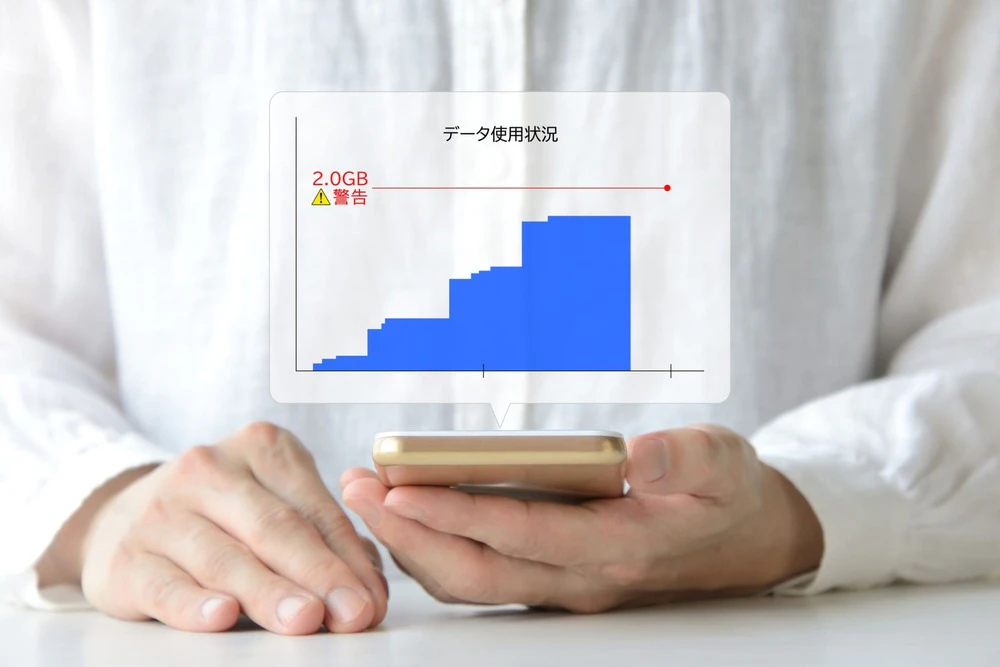
Please note that mobile data usage consumes data capacity. If you exceed the monthly data limit, your data speed will be limited until the next month.
*1: 5G is available in some areas, same as below.
The amount of mobile data consumed varies depending on the operation and usage. For reference, here is a look at what you can do with 1GB (approximately 1,024MB) of data.
| Purpose | guideline |
|---|---|
| Browsing Web Pages | Approximately 6,600 pages |
| Sending and receiving emails (including attachments) | Approximately 2,000 letters |
| Video viewing | Approximately 30 minutes in HD quality, such as YouTube |
| LINE text messages | Approximately 500,000 times |
| LINE Voice Call | Approximately 44 hours |
Reference: "What is data capacity? Explaining the approximate capacity and how to choose the appropriate fees plan!" | povo Library | [Official] povo2.0
Considering that you can view about 6,600 web pages and send and receive about 2,000 emails, 1GB may seem like a sufficient amount of storage. However, if you watch a video in HD quality, it will use up that 1GB in just 30 minutes.
Considering that video viewing has become an integral part of many people's lives today, many people may feel that 1GB is not enough.
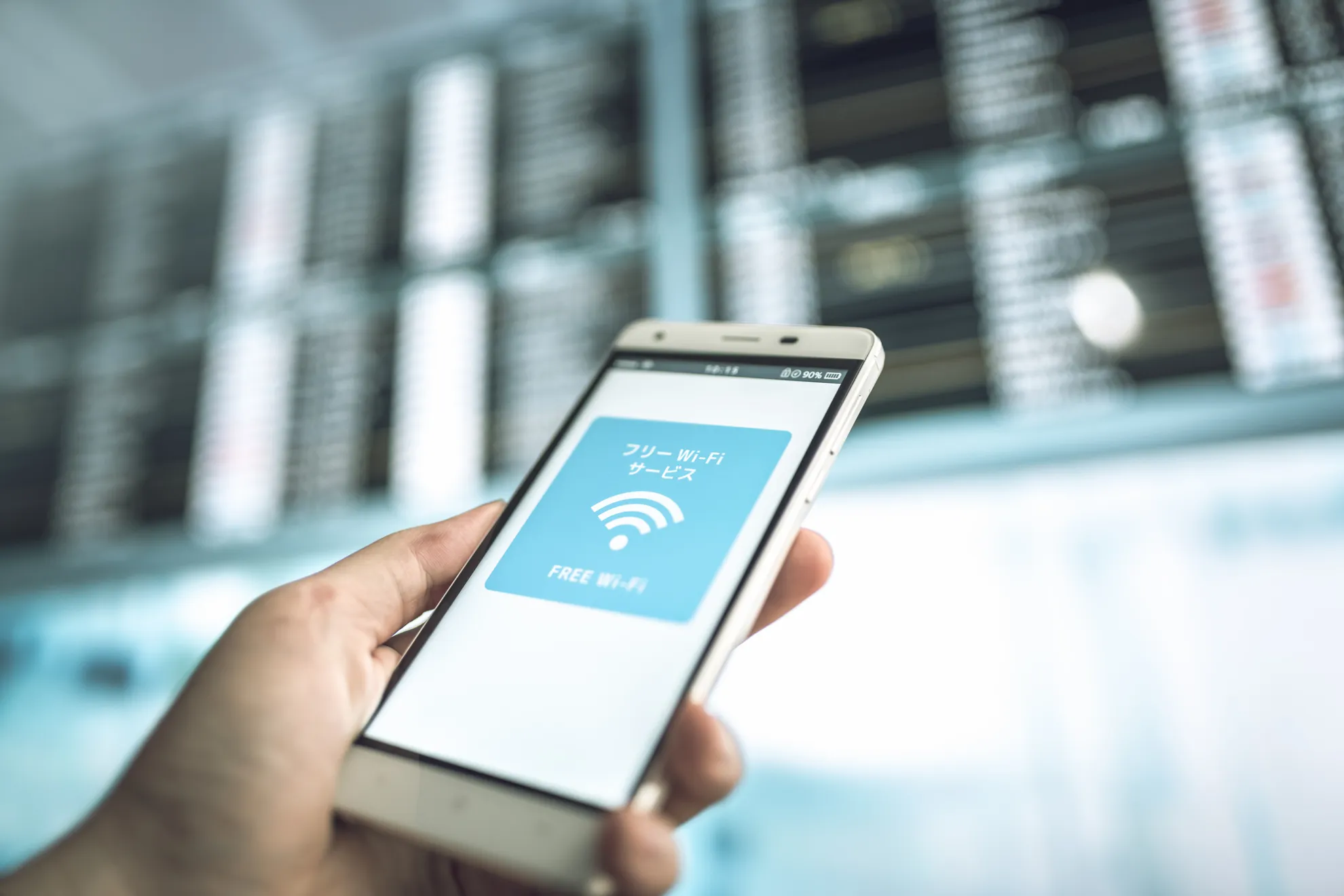
In addition to mobile data, you can also connect your smartphone or tablet to the internet using Wi-Fi. Wi-Fi is a type of "wireless LAN (Local Area Network)" standard, and is a technology that wirelessly connects network-compatible devices such as smartphones, computers, and game consoles to a LAN or network device.
At home, many people connect to the internet using Wi-Fi on a fixed line. Unlike mobile data communications, which have data volume restrictions depending on fees plan, with Wi-Fi you can use data communications without worrying about data limits by paying a fixed line usage fee. In addition, because Wi-Fi allows for large data volumes, you can comfortably enjoy watching movies, dramas, and other videos.
The main difference between mobile data and Wi-Fi is the availability and location.
First of all, in terms of communication conditions, mobile data communication tends to be unstable depending on the location, while Wi-Fi tends to be more stable.
Another difference in terms of availability is that mobile data communication is available almost nationwide (within the range of the signal), while Wi-Fi can only be used within the range of a connection.
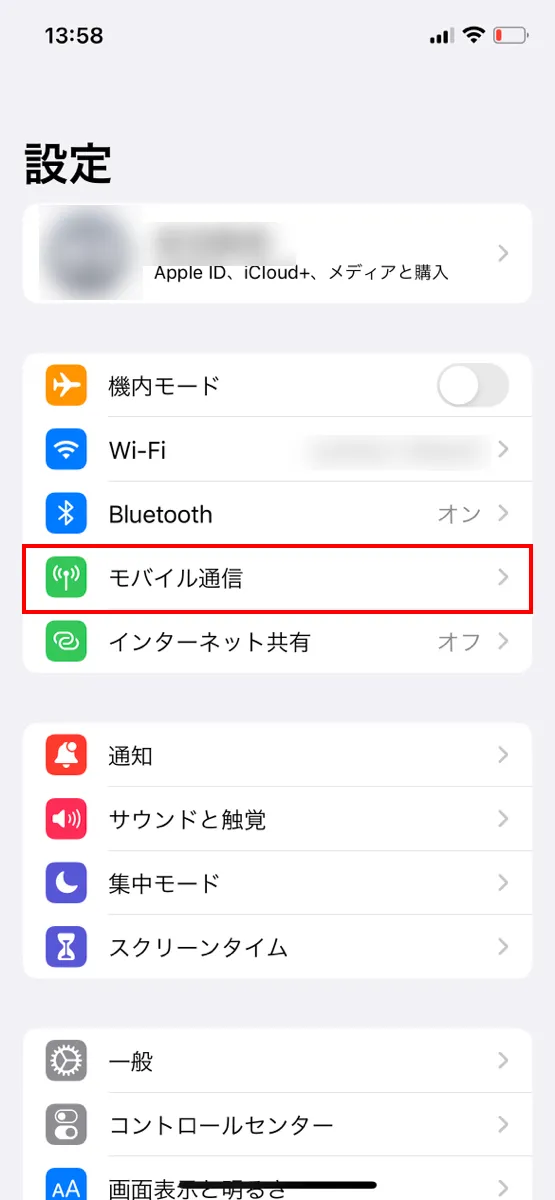
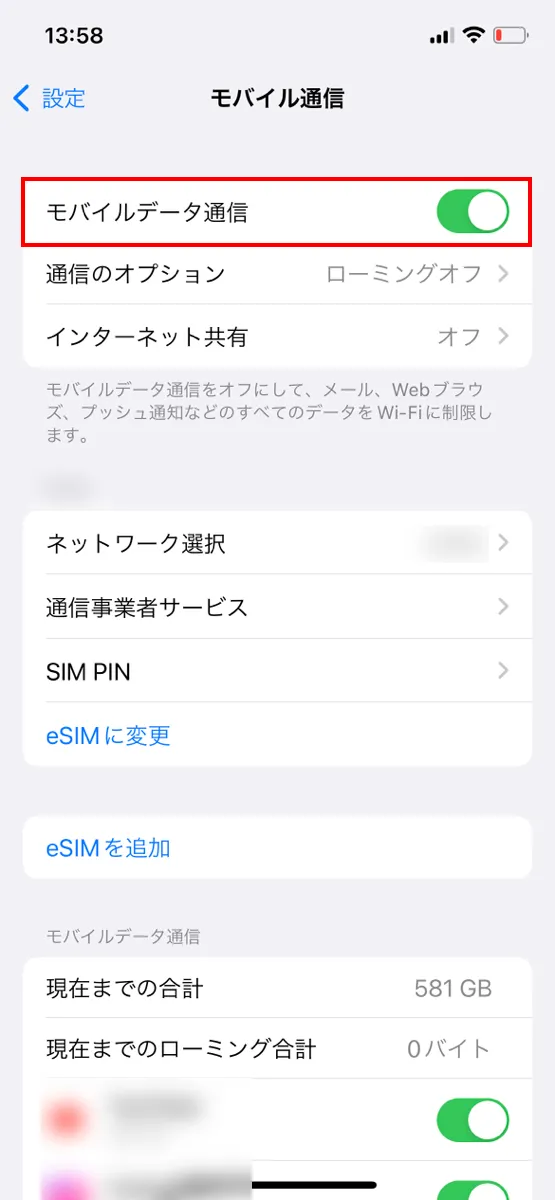
Mobile data communication can be turned on or off from the settings menu of your smartphone. Turning it off will prevent you from connecting to the Internet via your mobile phone line, but in some situations it may be better to turn it off.
Here we will look at the advantages and disadvantages of turning off mobile data settings.
With mobile data, if you exceed your monthly data limit, your data speed will be limited, which can be very frustrating as it slows down everything you do online.
When you are approaching your monthly data limit, turn off your mobile data. This will prevent you from using up your data, as you will be unable to connect to the Internet unless you have Wi-Fi.
Turning off mobile data communication also reduces battery consumption. For example, in places where it is difficult to receive a signal, such as underground, in a city surrounded by buildings, or in the mountains, your smartphone will continue to search for a signal, which will drain the battery. In such poor signal environments, it is a good idea to temporarily turn off mobile data communication to prevent battery consumption.
When you turn off mobile data, you will not be able to connect to the Internet using your mobile phone line. Unless you are connected to Wi-Fi, you will not be able to use apps or functions that require an Internet connection, which can be inconvenient.
When you turn off mobile data, background communication is also stopped. Background communication refers to the state in which information is automatically retrieved and updated even when you are not operating the app on the screen. In other words, while mobile data communication is turned off, updates to news apps and notifications from messaging apps will stop.
Another disadvantage is that you will no longer be able to make voice calls over LTE lines, such as VoLTE (Voice over Long Term Evolution). However, you will still be able to make regular voice calls even if you can't make calls over LTE lines.
Next, we'll explain how to turn mobile data on and off on your iPhone and Android smartphone.
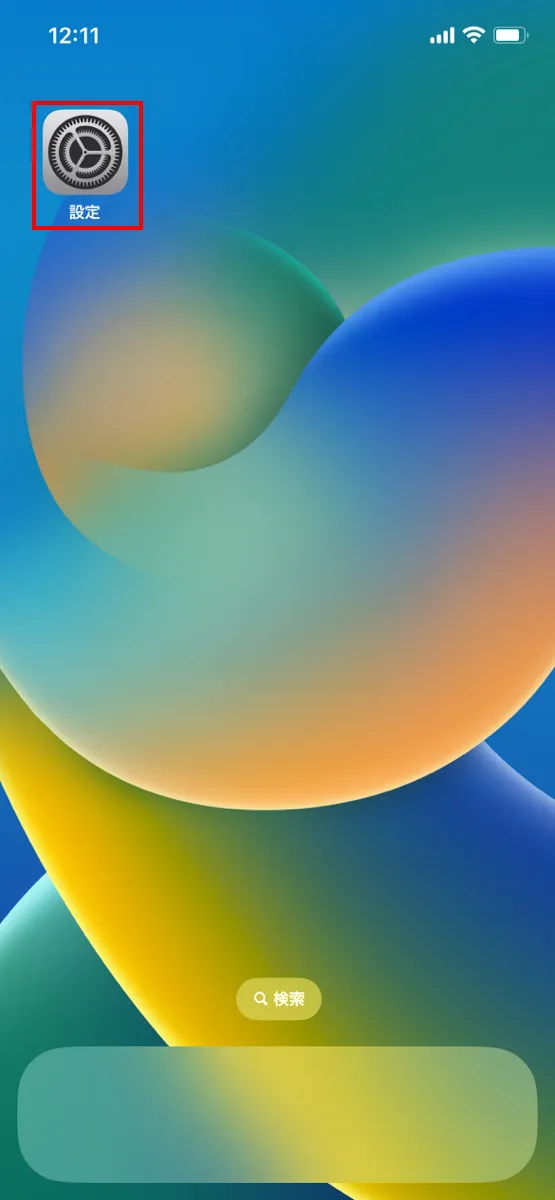
To turn off mobile data on an iPhone:
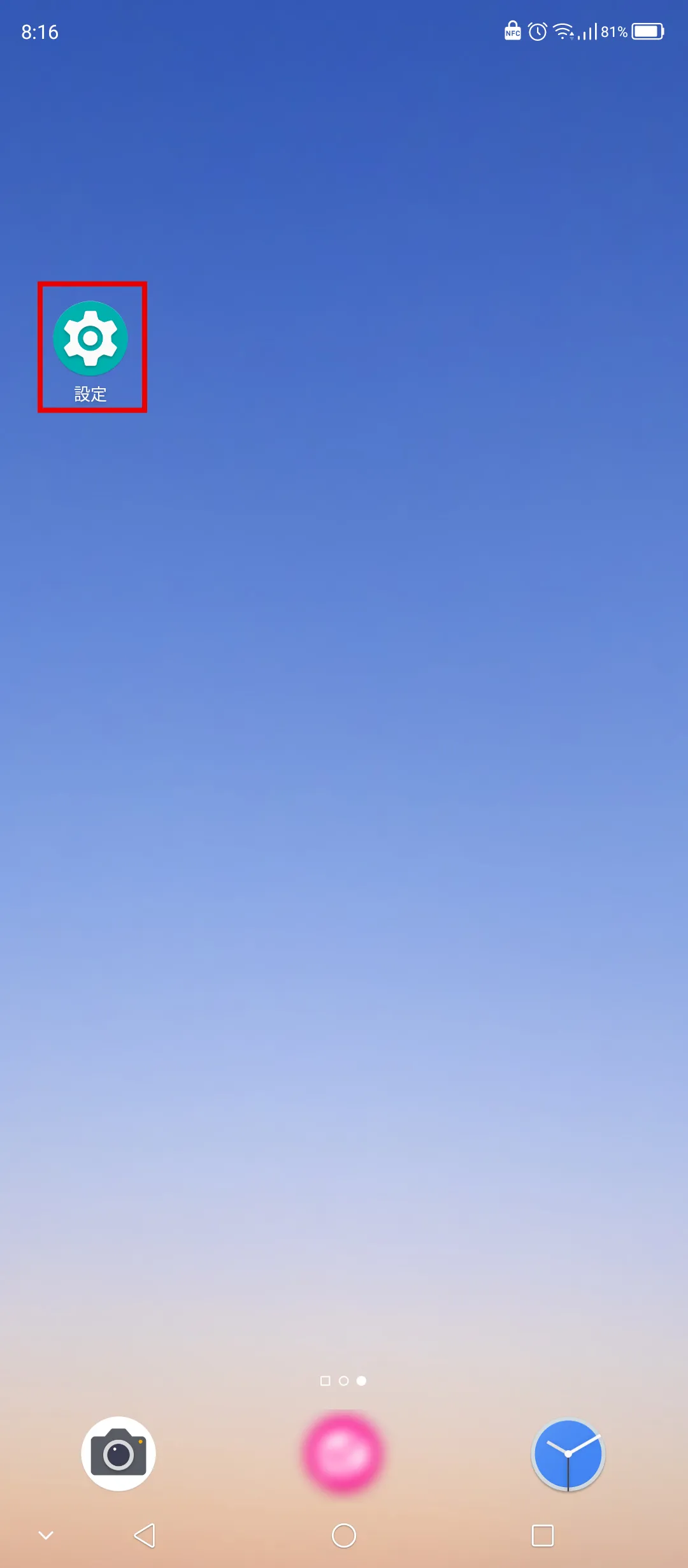
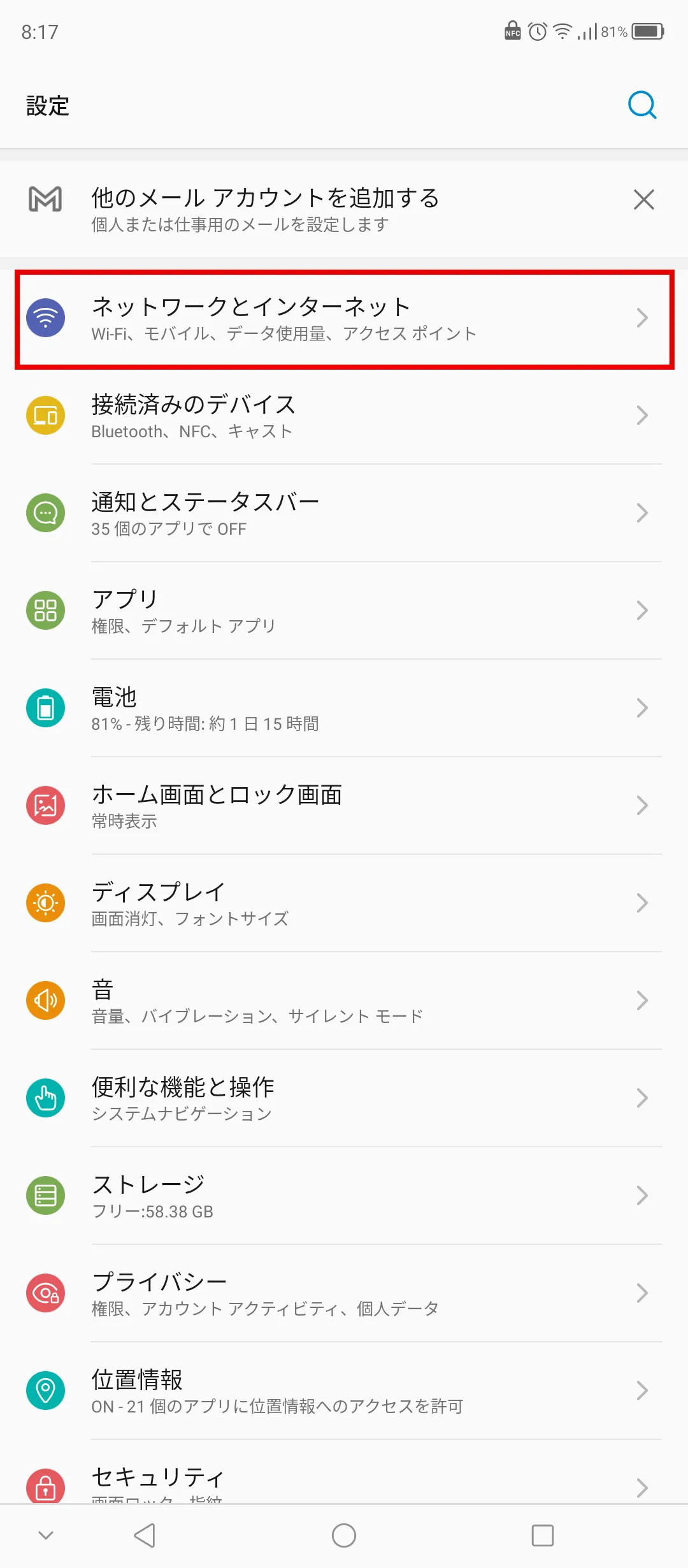
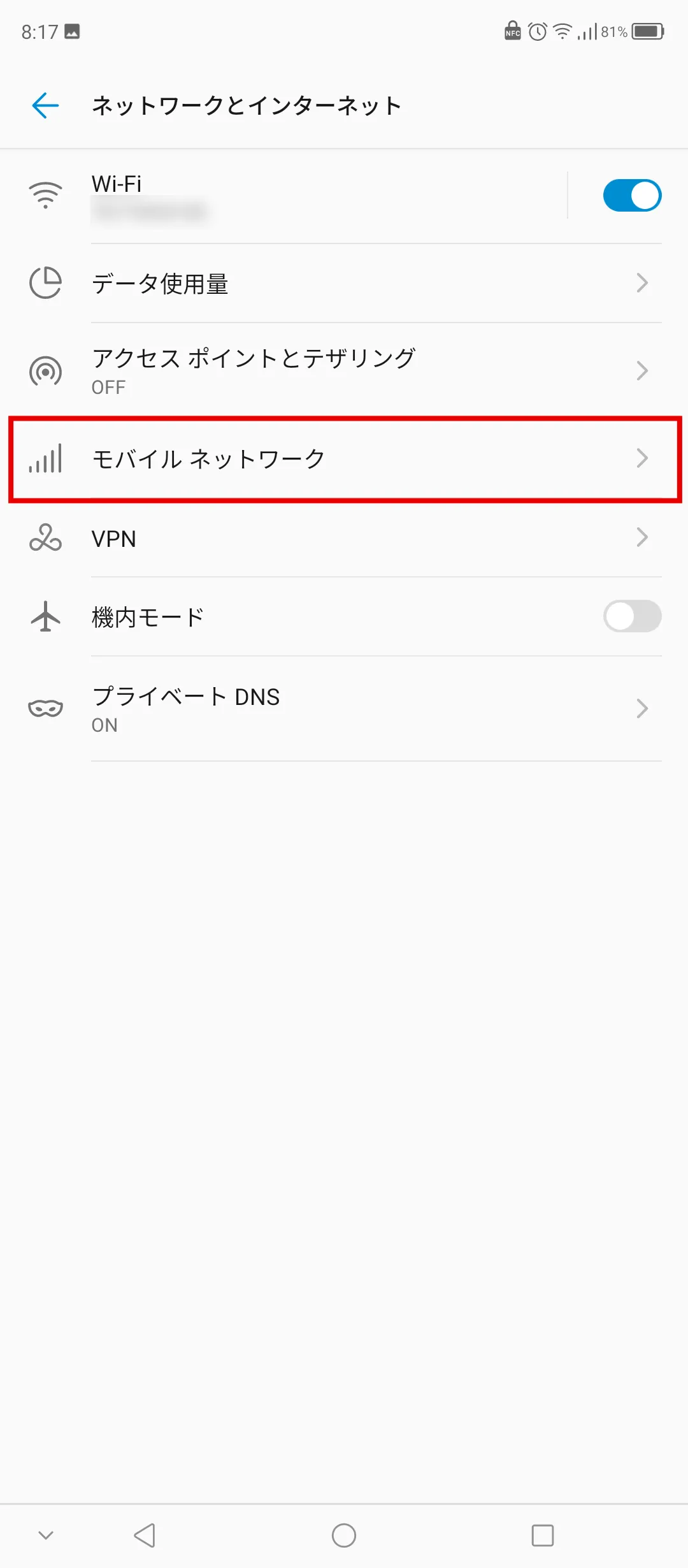
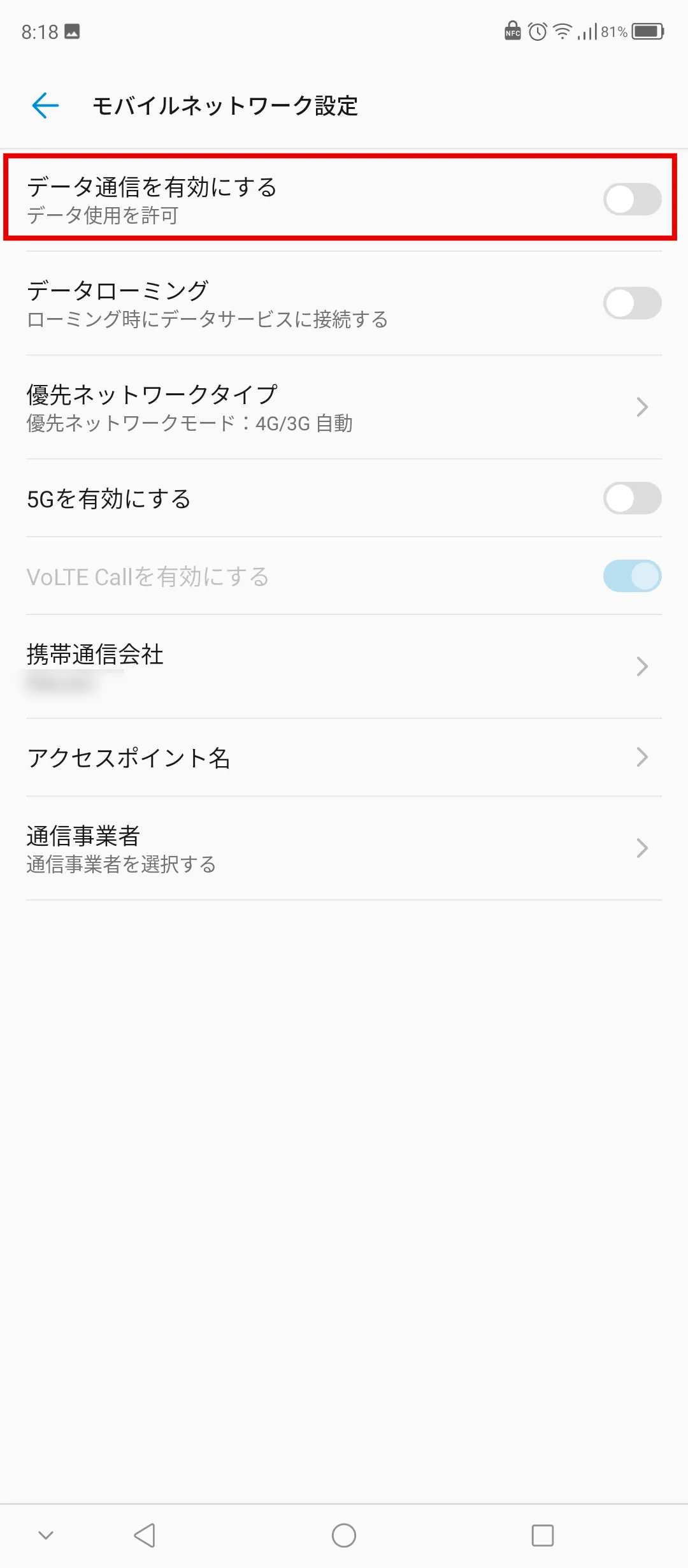
On Android, the method may vary depending on the model and OS version you're using. The general method for turning it off is as follows:
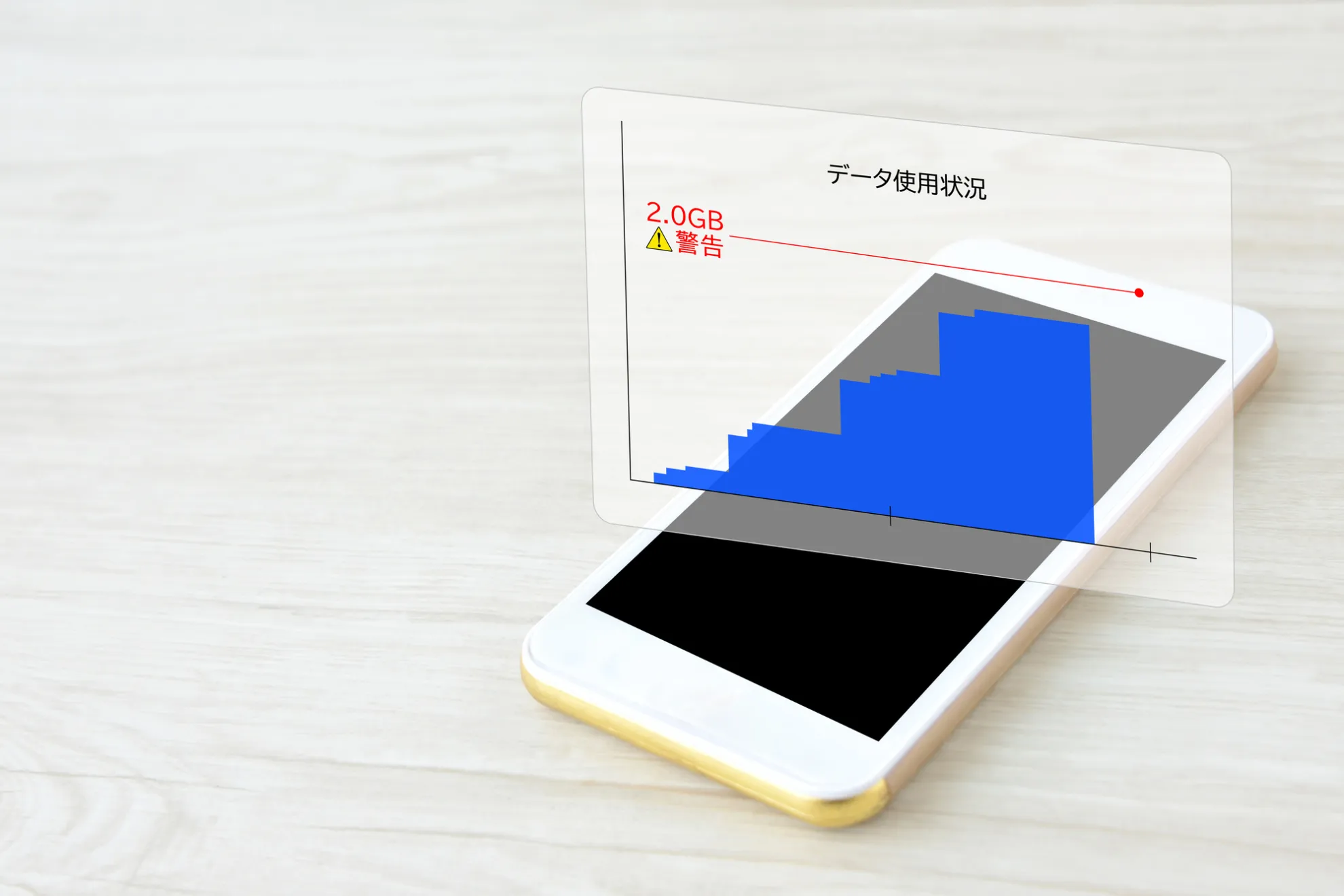
Smartphones are now used for a variety of purposes, including making calls, browsing the web, posting on social media, and watching videos. Because there are so many opportunities to connect to the Internet, making good use of mobile data communications can help you save on monthly fees.
Also, if you are conscious of your data consumption on a regular basis, you won't have to panic when your data speed is limited at the end of the month.
Here we will introduce some tips to help you save money by wisely reducing your mobile data usage.
Whenever possible, try to perform tasks that require data capacity while connected to Wi-Fi. For example, watching videos, uploading data, and downloading games, apps, and e-books are examples of such tasks.
In addition to Wi-Fi at home, you may be able to use free Wi-Fi provided by various telecommunications carriers at public institutions, commercial facilities, restaurants, etc. Although you need to be careful about security, using this free Wi-Fi is also an effective way to save on data consumption.
If background communication or location services are turned on, data communication may occur even when you are not browsing the internet or using social media. If you want to reduce data consumption, turn on background communication and location services only when you are connected to Wi-Fi, and turn them off at other times.
Many smartphones and apps have a data saving mode.
For example, on an iPhone or iPad, you can reduce the amount of mobile data you use by enabling low data mode. However, be aware that this can affect the quality of video and music content when streaming.
You can also save data by changing the settings for individual apps such as X (formerly Twitter), Instagram, YouTube, etc. For video and music streaming services, you can reduce data usage by lowering the image quality and sound quality.
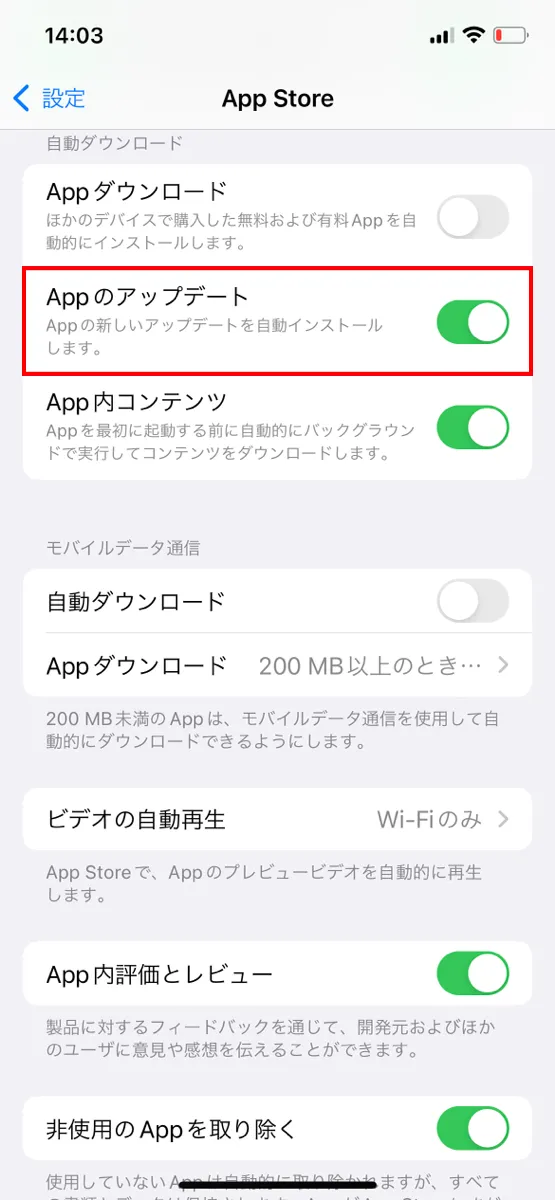
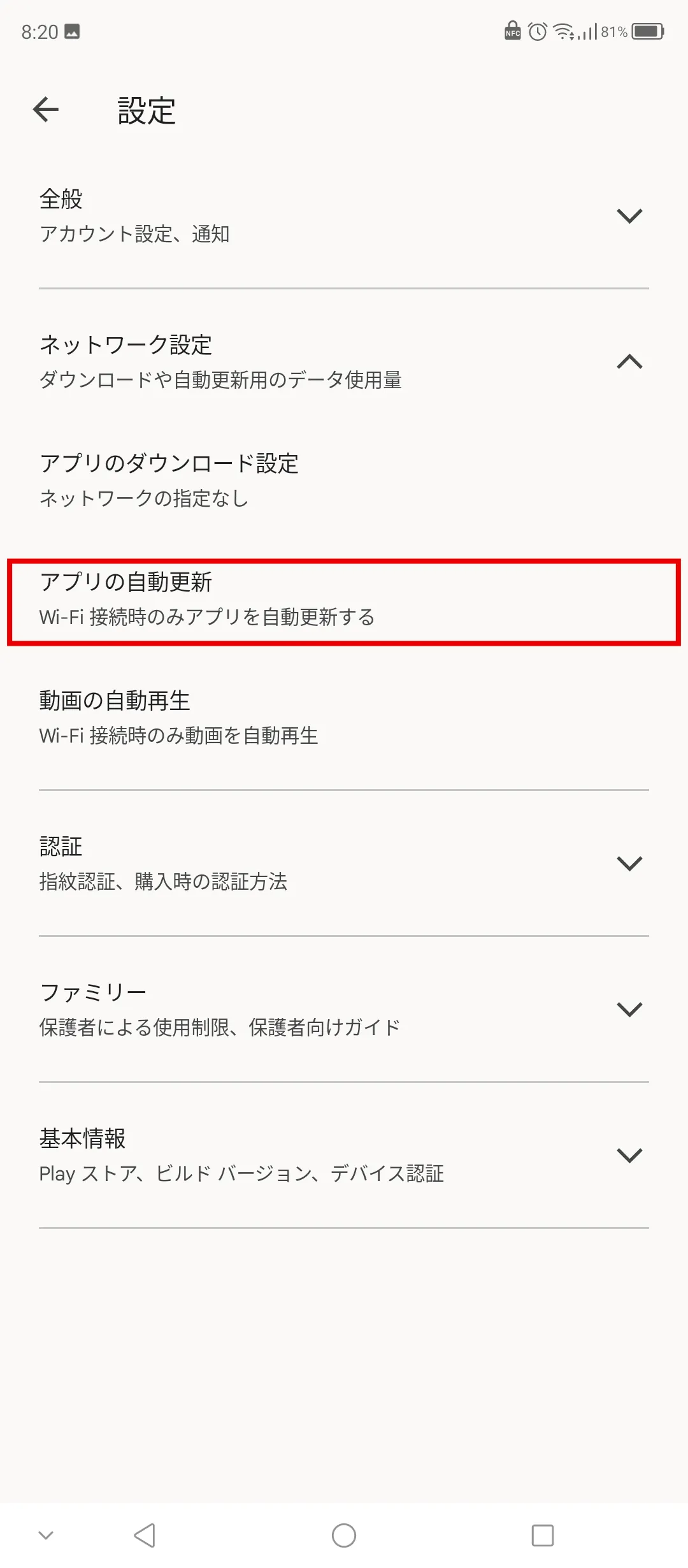
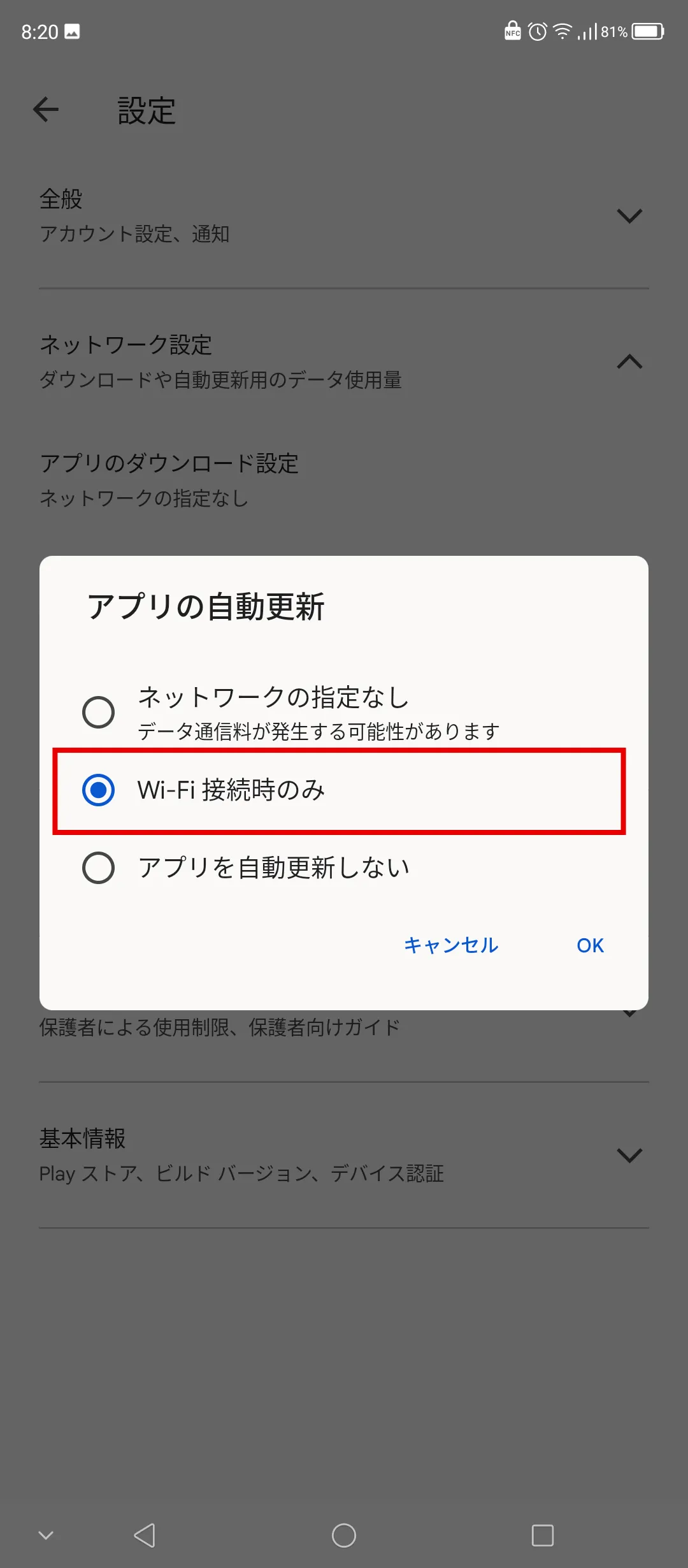
There are two ways to update apps: "automatic updates" and "manual updates." While automatic updates keep your apps up to date, they can also be updated without your knowledge, consuming data.
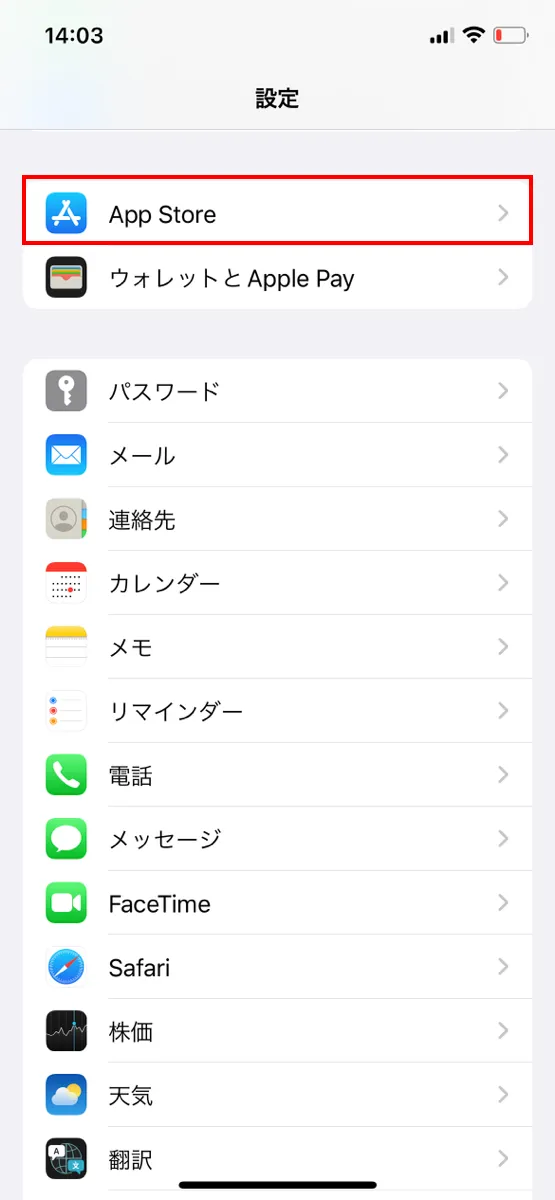
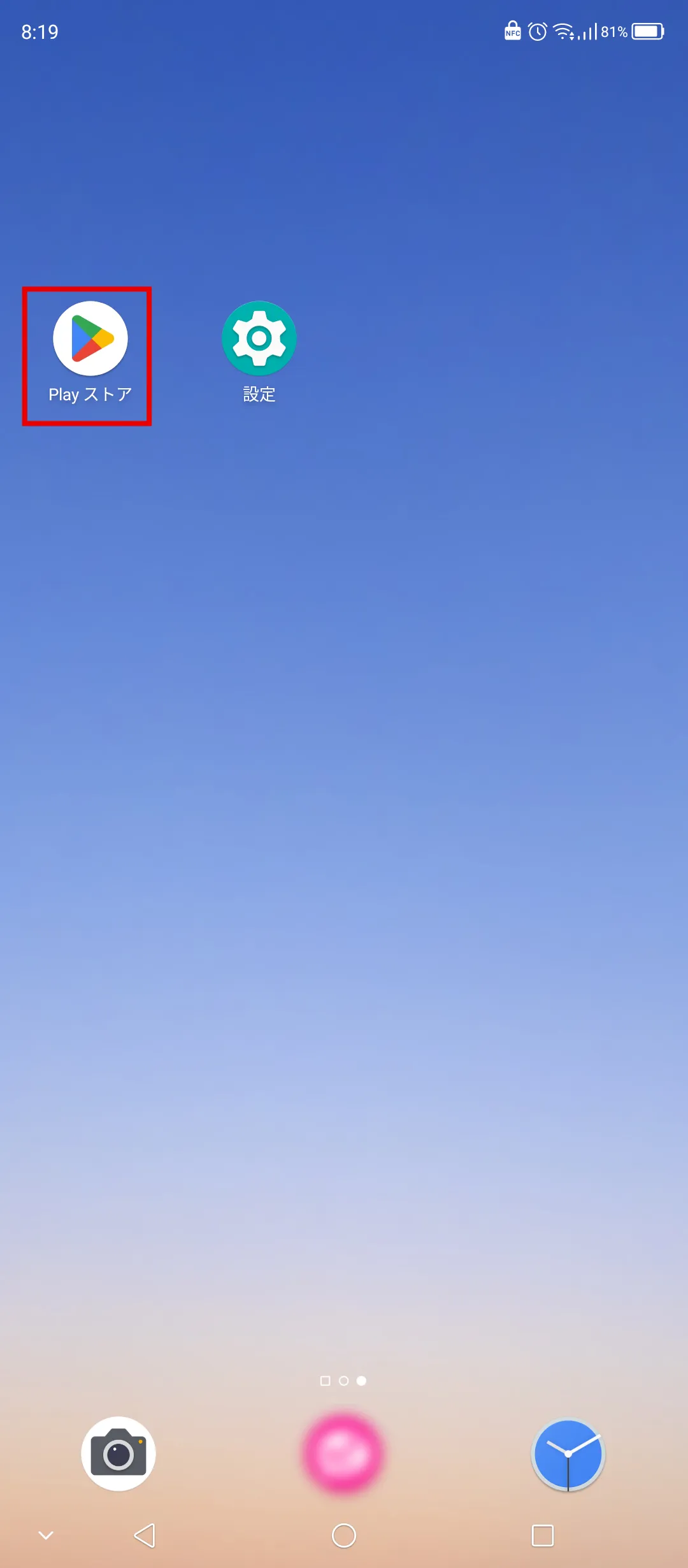
The solution is to change the settings so that updates are only performed via Wi-Fi.
For iPhone, set it up as follows:
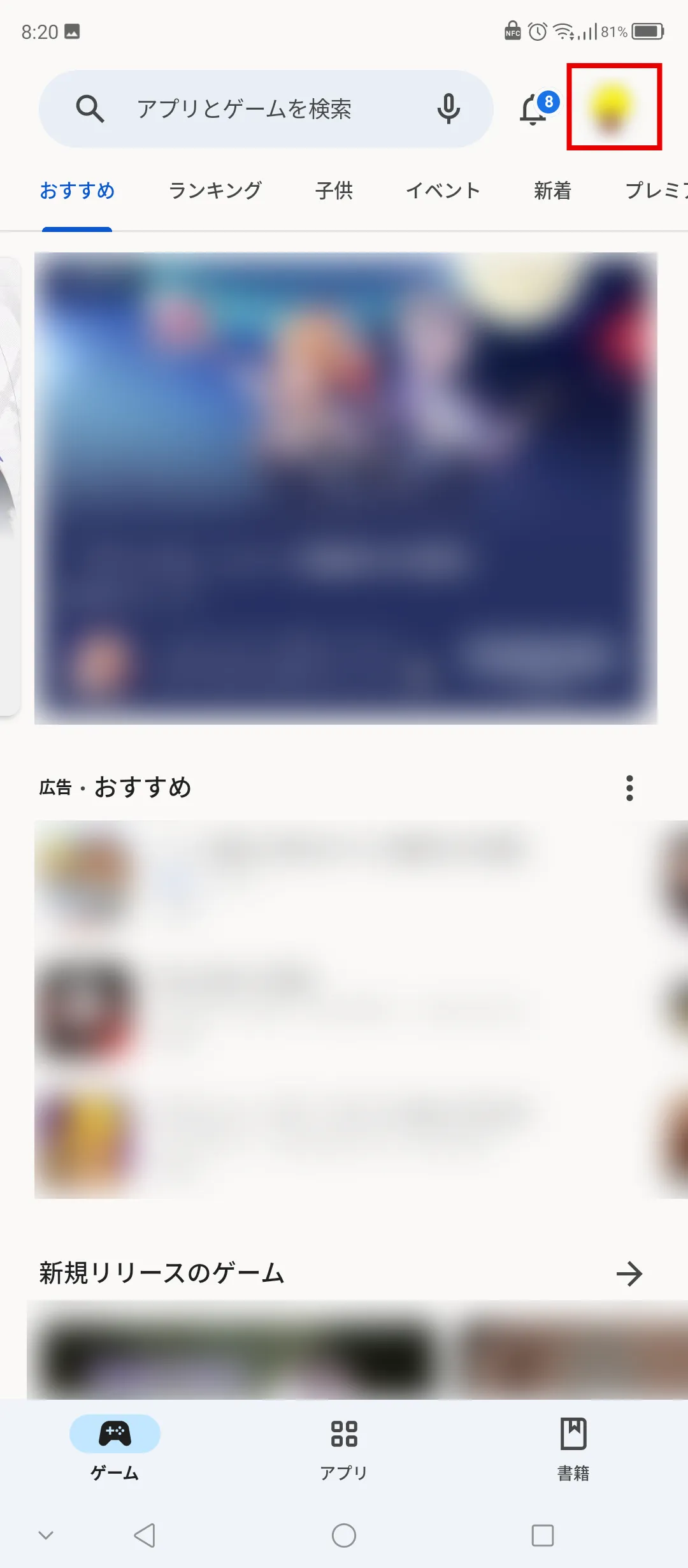
For Android, set it as follows:
KDDI's online-only brand "povo2.0 (※2)" has a basic fees 0 yen (※3) (※4) (※5), and allows you to Topping only the services you need for a fee.
For those who mainly use Wi-Fi and don't use mobile data much, we recommend low-capacity toppings such as "Data Top-up 1GB (7 days) for 390 yen/time including tax included" or "Data Top-up 3GB (30 days) for 990 yen/time tax included." For those who want to use a lot of data, there are a variety of paid Topping available, such as "Data Top-up 150GB (180 days) for 12,980 yen/time including tax included" and "Unlimited data Topping *6)."
If you want to reduce your monthly smartphone fees by limiting your mobile data usage, we recommend povo2.0. We are currently running special campaigns, so please consider it.
Reference: "Campaign List" (povo)
*2: All procedures and support are online. povo2.0 Please contact us through the application or the official website. 3: If you subscribe to 5 lines(*) under the same name, a contract administration fee of tax included 3,850 yen/line will be charged after the 6th line. validity for 180 days or more, or if you have never purchased Topping for a fee, your service may be suspended or your contract may be terminated.
*Includes lines that have been terminated or cancelled by the Company within the past year. 4:Domestic calls are charged separately at tax included 22 yen/30 seconds, and SMS sending is charged separately at tax included 3.3 yen/text (up to 70 characters). Depending on the model, up to 670 two-byte characters can be sent; up to 134 characters are counted as two SMS messages, and thereafter one SMS message is charged for every 67 characters. Calling rates may differ for some calls, such as calls to satellite phones. For more information, please contact this way (direction close to the speaker or towards the speaker) The following is a list of the most common problems with the "C" in the "C" column.
Reference: povo2.0 Plan Details" (povo)
*5: If data Topping is not purchased, the maximum sending/receiving rate is 128 kbps. *6: Communication speed may be limited during network congestion or when using videos, cloud games, etc.
Mobile data communication connects devices such as smartphones to the Internet using the mobile phone lines provided by telecommunications carriers. When mobile data communication is turned on, data capacity may be consumed without your knowledge due to background communication and automatic app updates, so you need to be careful.
If you want to keep your monthly smartphone fees down, try using Wi-Fi in conjunction with your smartphone and turning off mobile data depending on the situation to make the most of it.
*The names of products and services mentioned in this article are trademarks or registered trademarks of the respective companies.
・Apple, iPad, and iPhone are trademarks of Apple Inc., registered in the U.S. and other countries. The iPhone trademark is used under license from Aiphone Co., Ltd.
TM and (C) 2023 Apple Inc. All rights reserved.
・Android, Google, and YouTube are trademarks of Google LLC.
・Wi-Fi is a registered trademark of the Wi-Fi Alliance.
・X (formerly Twitter) is a trademark or registered trademark of X Corp. (formerly Twitter, Inc.).
・Instagram is a registered trademark of Meta Platforms, Inc.
・"LINE" is a trademark or registered trademark of LINE Corporation.


![[For parents] I want my junior high school student to have a smartphone! Explaining the benefits and things to be aware of](/cms/povo/img/service/library/article-064/article-064_1.webp)


