Mention is a feature on social media that lets you send a message to a specific person, and you will receive a notification so you won't miss it. Each social media platform has different features, so we'll introduce some useful information for those who want to know how to use them.
First, let's explain the function of mentions and how they differ from replies and direct messages.
Mention is a word that means to mention or mention something.
Mentions on social media apps like Instagram, Twitter, LINE, Facebook, and TikTok have the meaning of "addressing a specific person." The purpose of mentions is to clearly indicate to a specific person out of many people that "the message is for you."
The biggest benefit of mentions is that notifications make it easier for people to notice your message.
On social media, multiple people often exchange messages. When multiple messages are posted in rapid succession, important messages can get buried. Even in such situations, using the mention feature will notify the other person, preventing them from missing important messages.
Similar to mentions are replies and direct messages. The meaning of each is as follows:
Mention: A feature that lets you send a message to a specific person, clearly indicating that the message is for you. The contents of the message can be viewed by other users.
・Reply: A feature that allows you to send a message in response to a message posted by another user. The contents of the message can be viewed by other users. It is also possible to mention other users in a reply.
・Direct Message: A feature that allows you to send messages only to specific people. Other users cannot view the contents of the message.
Unlike direct messages, mentions allow other people to see the contents of the message. You can also mention multiple people in a message to ensure they see important content.

Instagram is a service that allows users to interact with others primarily through the exchange of photos and videos. Text is used as a description of the photos and videos you upload.
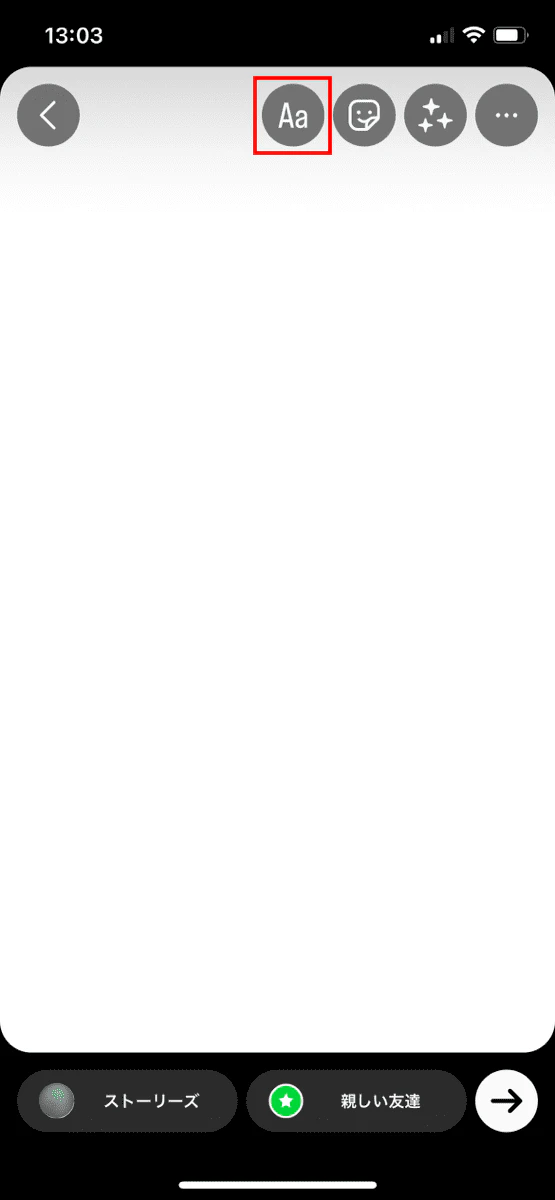
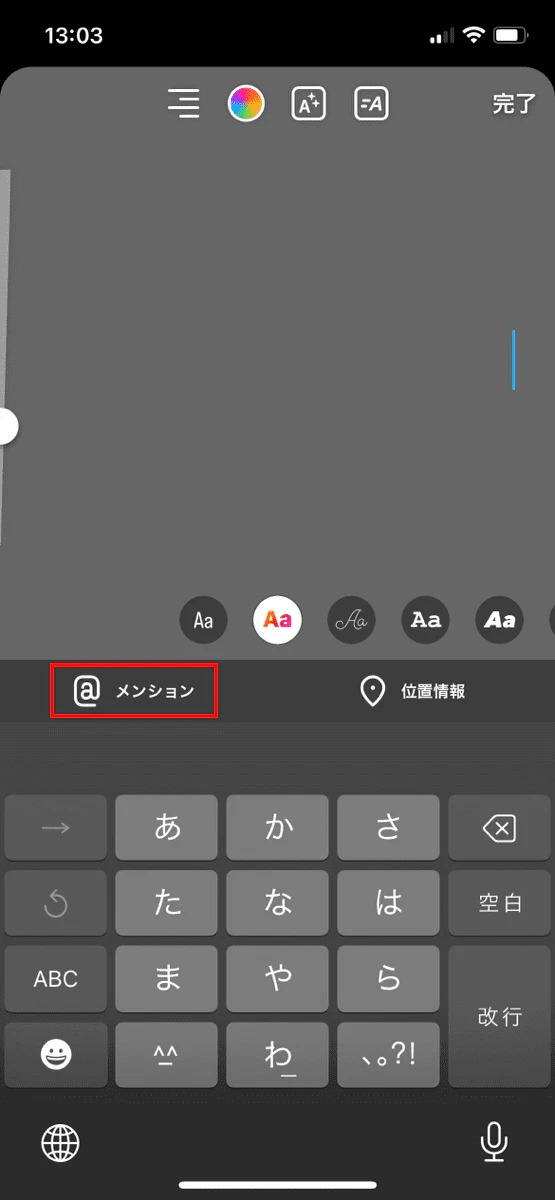
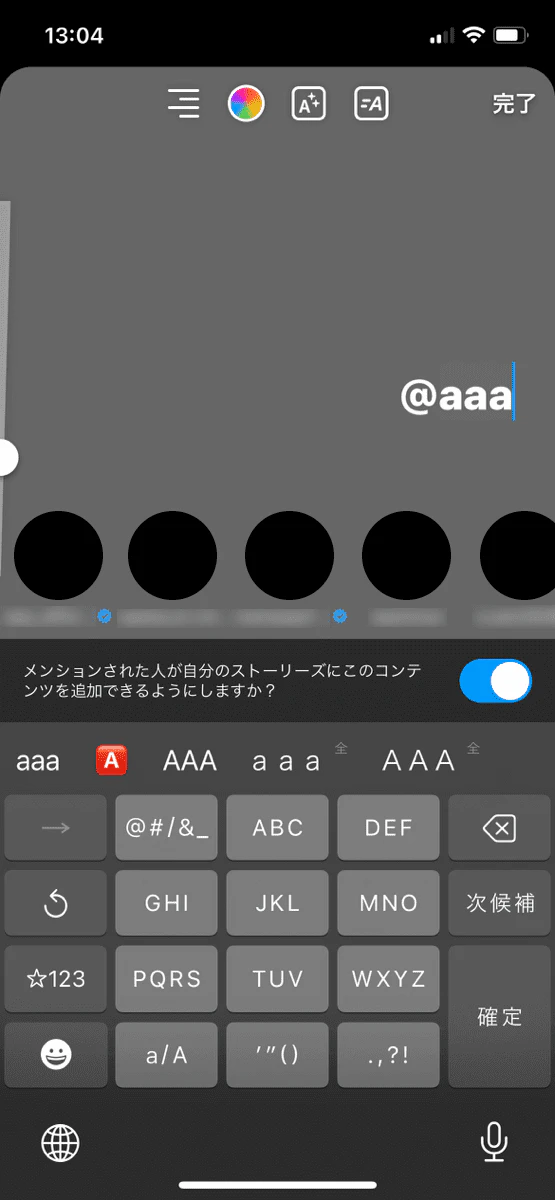
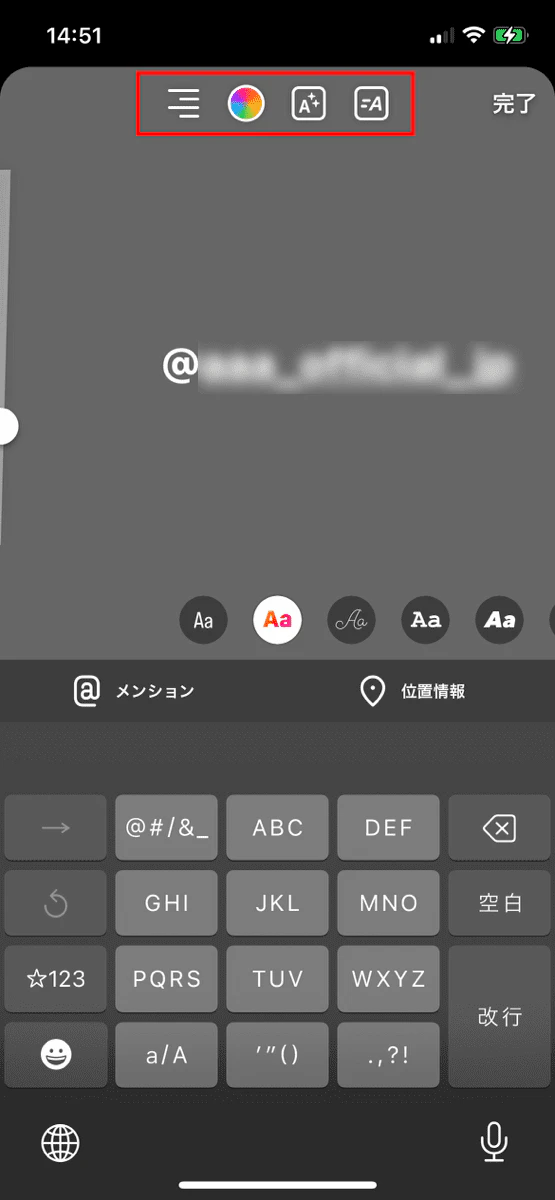
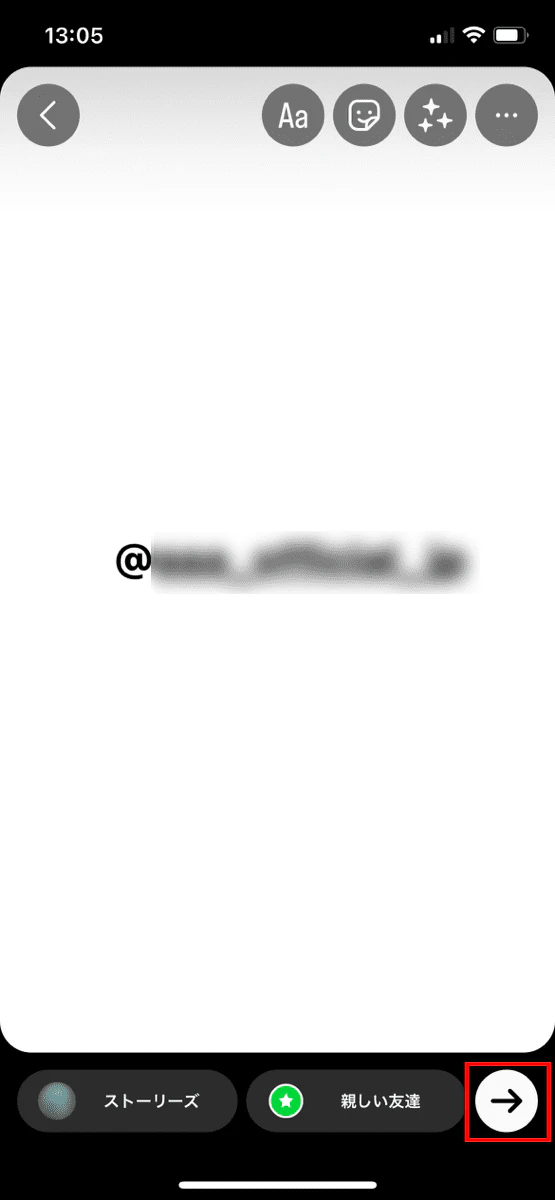
On Instagram, mentions are mainly used to mention specific people in stories.

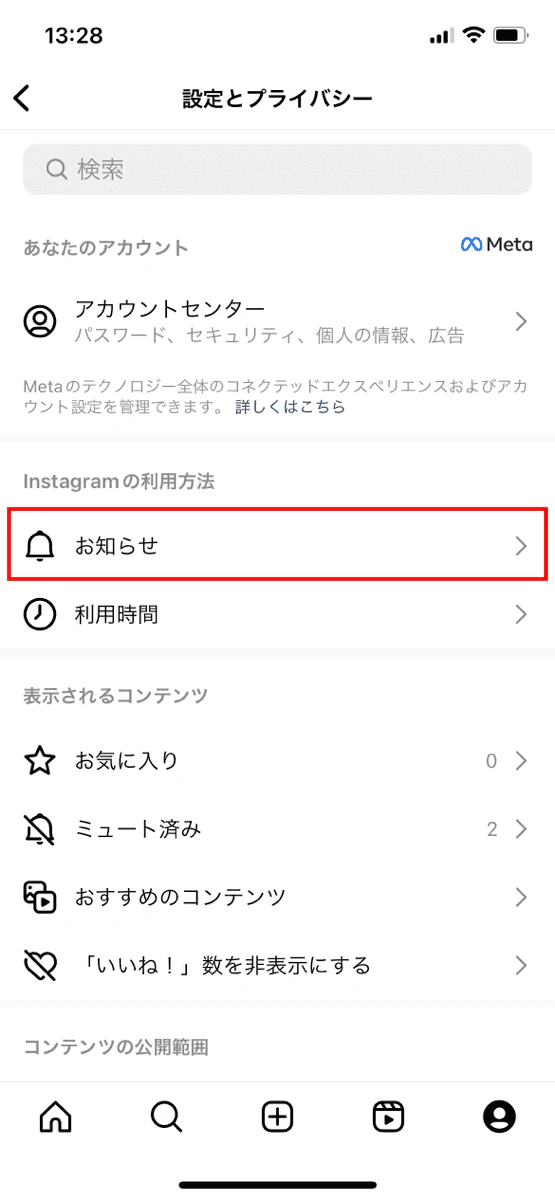
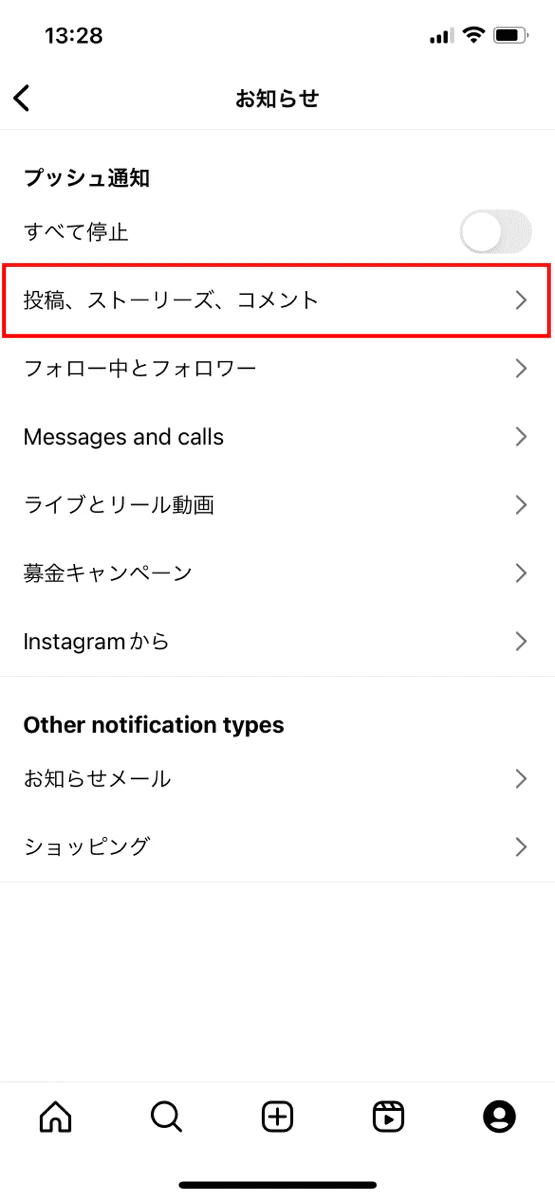
On Instagram, the person you mention will receive a direct message notification.
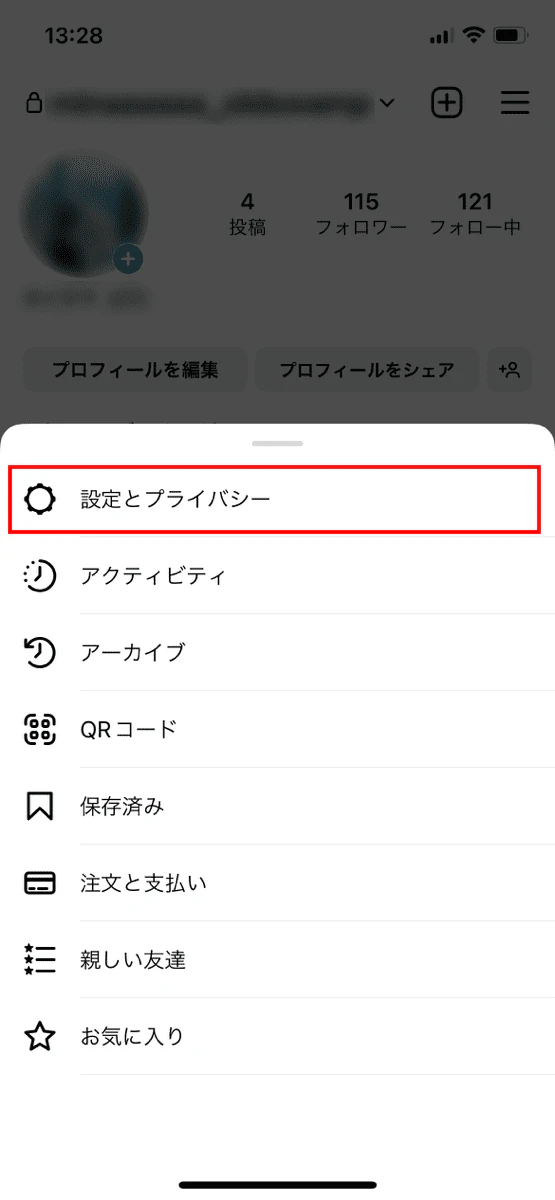
You can turn notifications on or off by following the steps below.
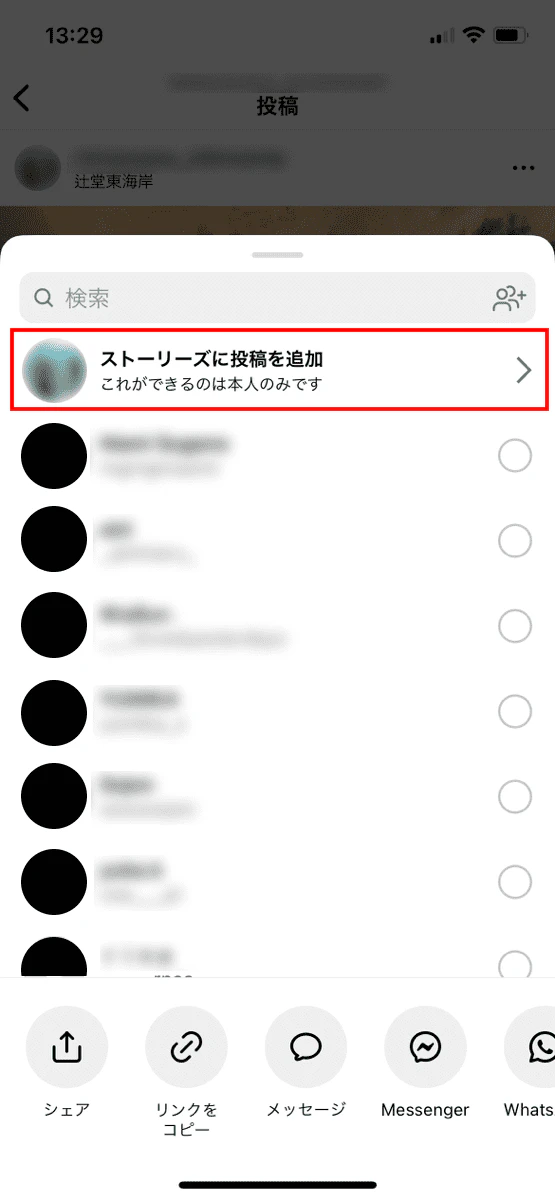
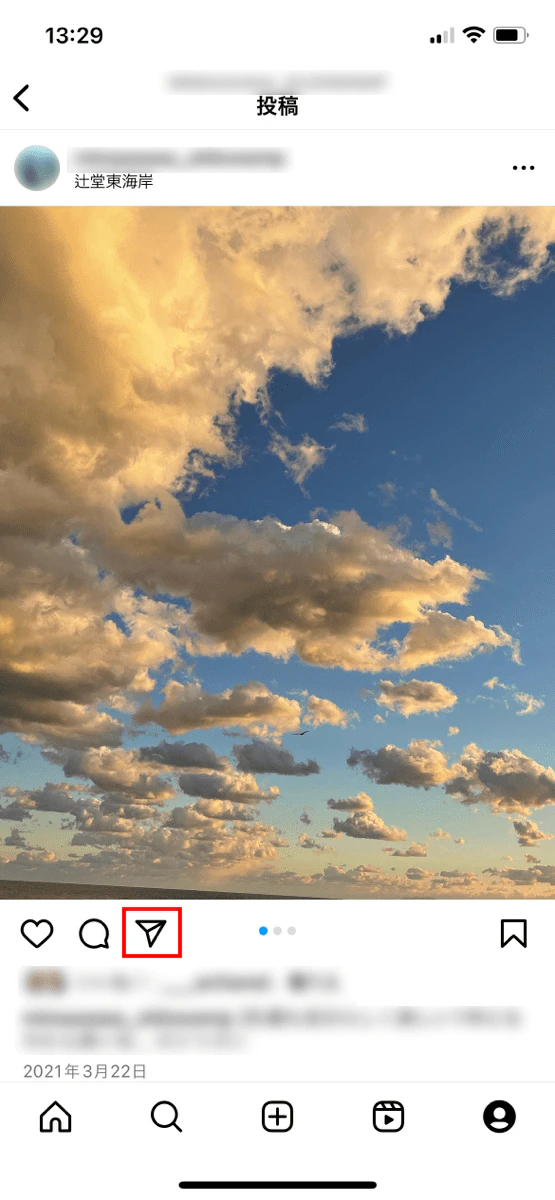
A feature unique to Instagram is "reposting," which allows the person you mention to include your post in their own story and share it.
On Instagram, the trend of "reposting when mentioned" is relatively common, so if a friend or acquaintance mentions you, we recommend reposting.
If you don't want your repost to be publicly visible, you can add just yourself and the other person to your "close friends list" and post the repost there.
Please note that "Add post to Stories" will not be displayed in the following cases.
・ The other person has made their account private
・ The other person has set up a rejection setting for reposting
Twitter is a service that allows users to communicate with each other through short messages. Because information spreads quickly, it is easy to get the latest information on celebrities, brands, and manufacturers.
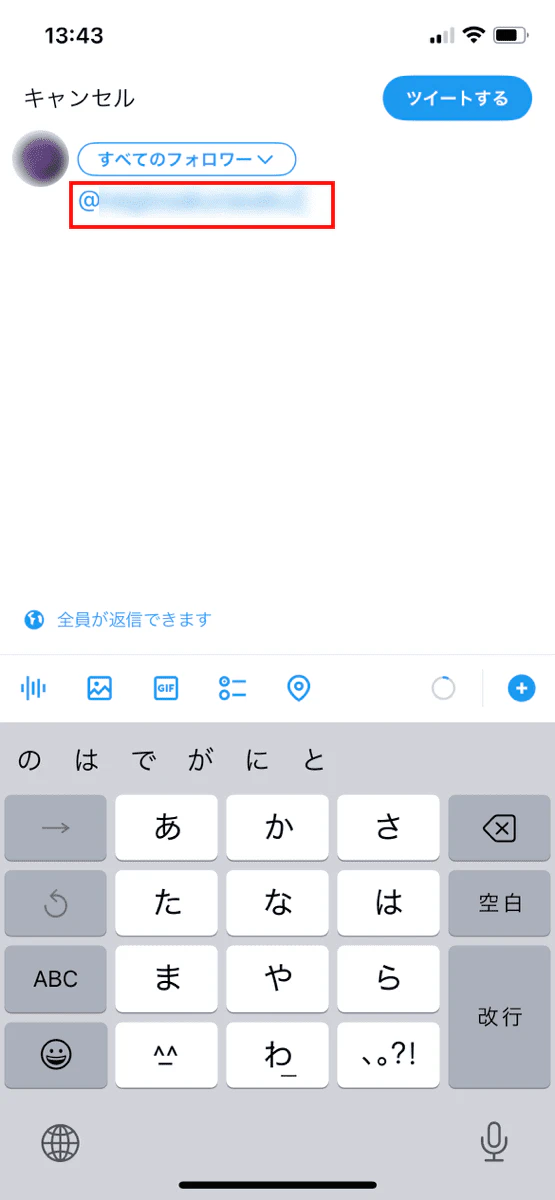
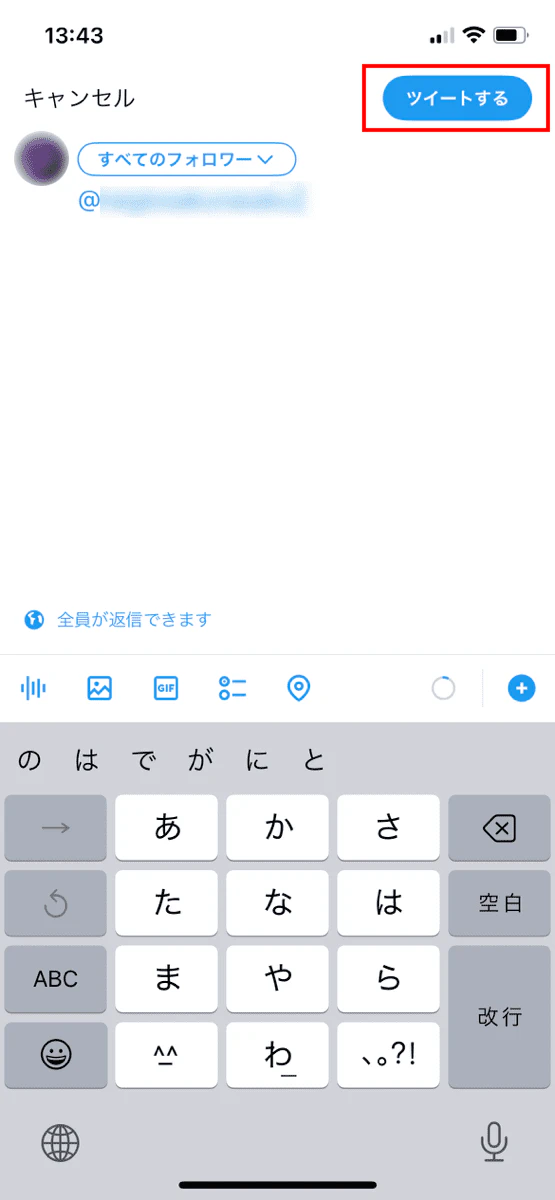
On Twitter, you can use the mention function by adding "@username" to the body of your tweet.
On Twitter, you can mention people you follow as well as people you don't follow.
Additionally, if you tap the "Tweet" button while viewing someone's profile, a posting screen will appear with the other person's "@username" entered. You can also mention them this way.
On Twitter, the other person will receive a push notification and a number will be added to the notification icon (bell mark). You can check the message by tapping this notification icon and opening the "@Tweet" tab. Mentions addressed to you will also appear on your timeline.
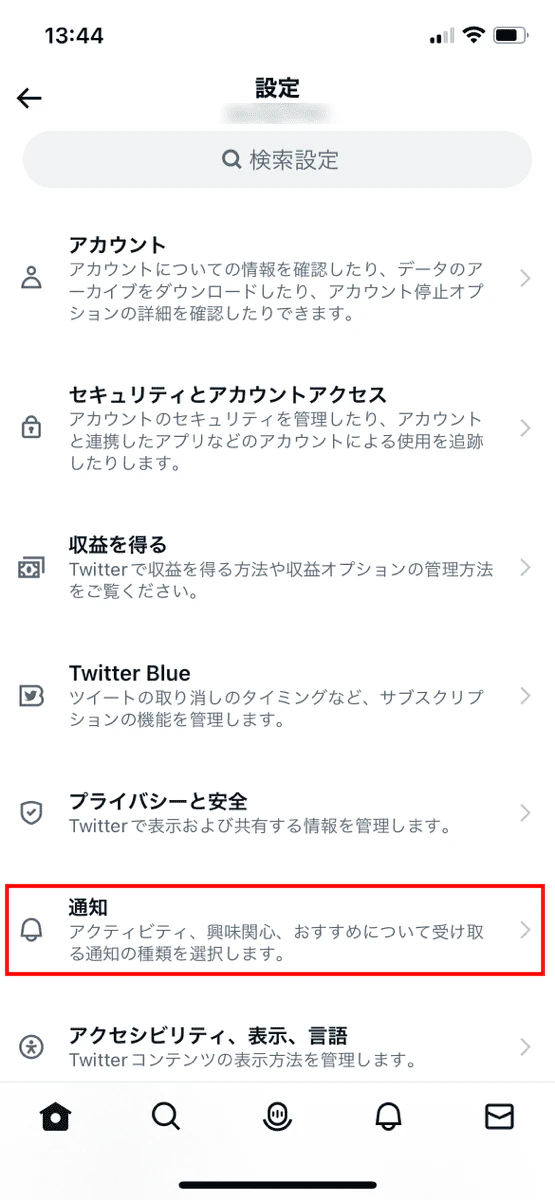
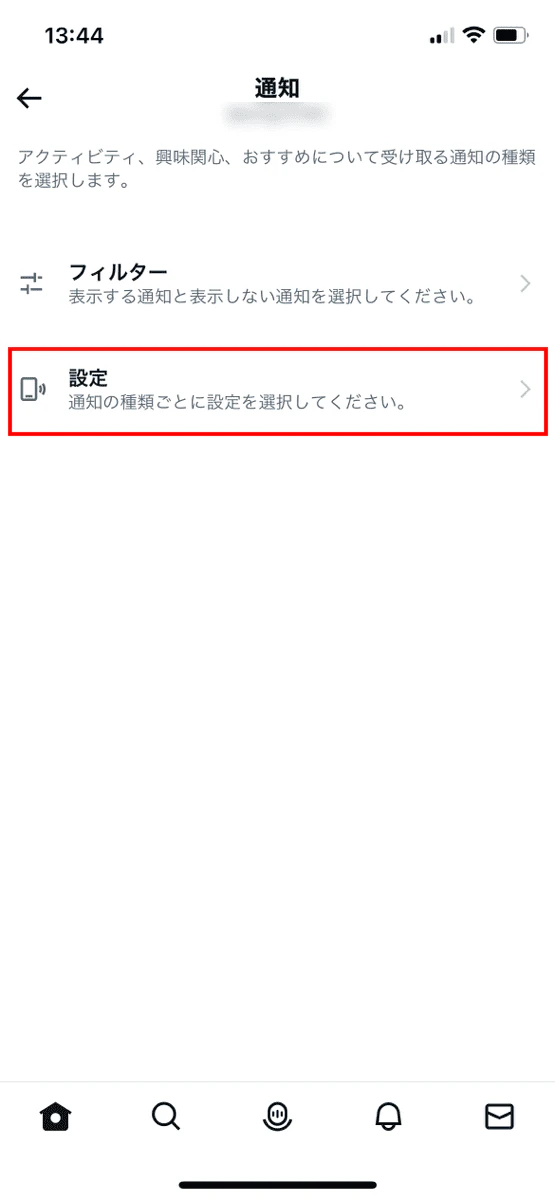
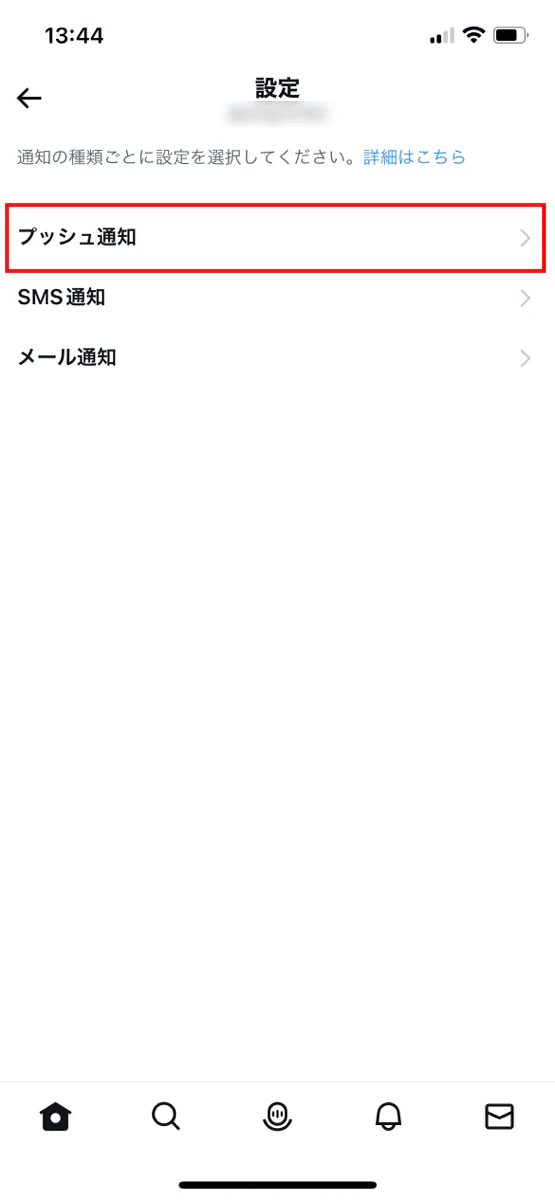
You can turn notifications on or off by following the steps below.
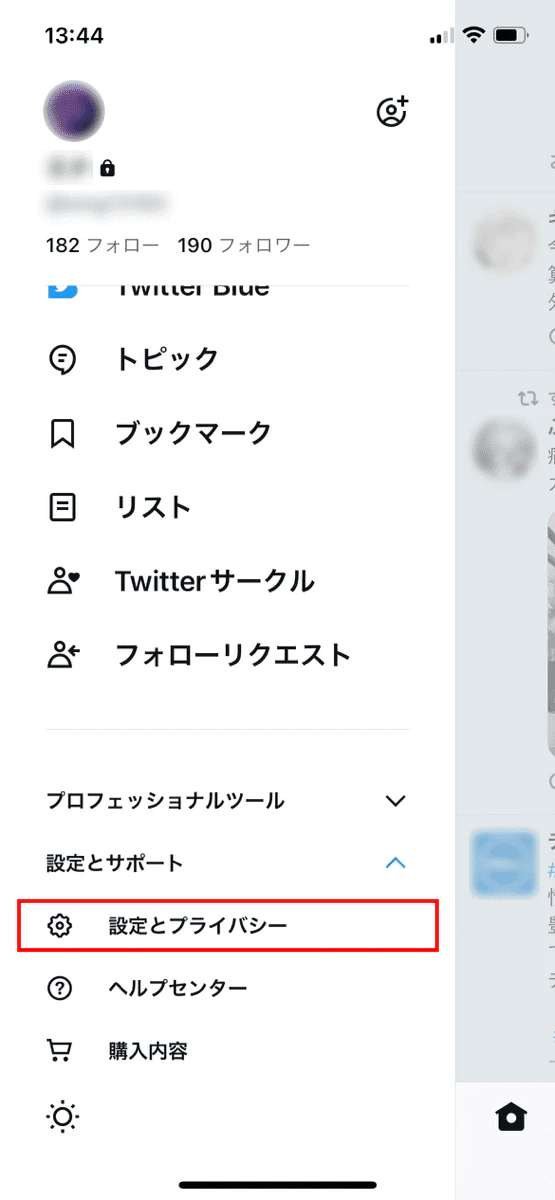
If you are not receiving notifications even after turning the setting on, it may be that other settings are blocking notifications. You can try changing the quality filter or advanced filter settings in "Settings and Privacy."
Please note that on Twitter, if a tweet you mention gets attention and goes viral, it is possible that not only you but the person you mention will receive a large number of notifications. Therefore, please be careful about the content of your tweets and your relationship with the other person.

LINE is a free messaging and calling service. In addition to one-on-one messaging and calling, you can also create groups to send messages and make calls with multiple people.
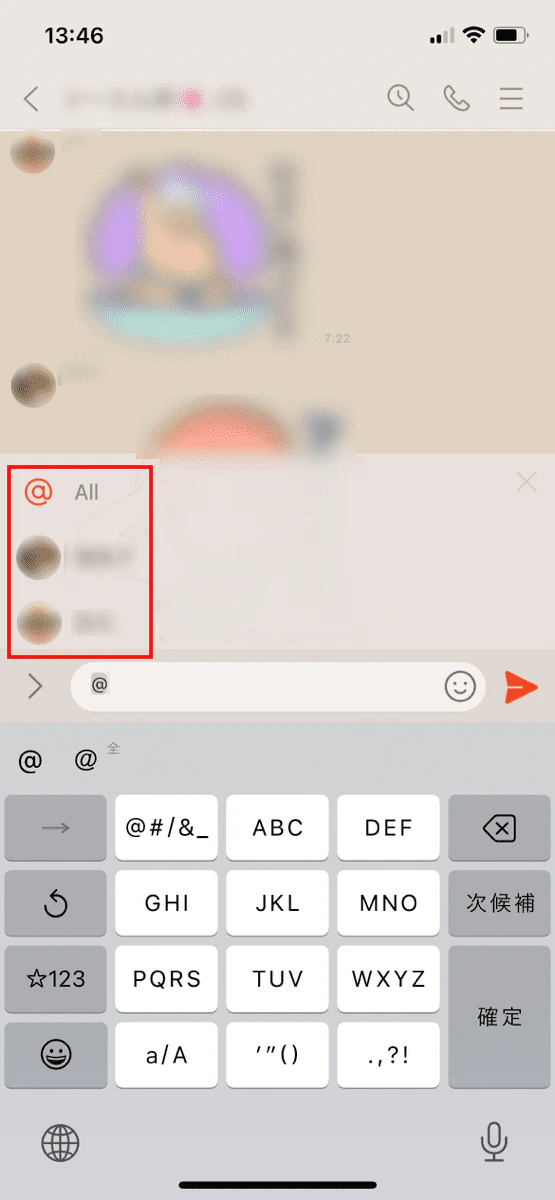
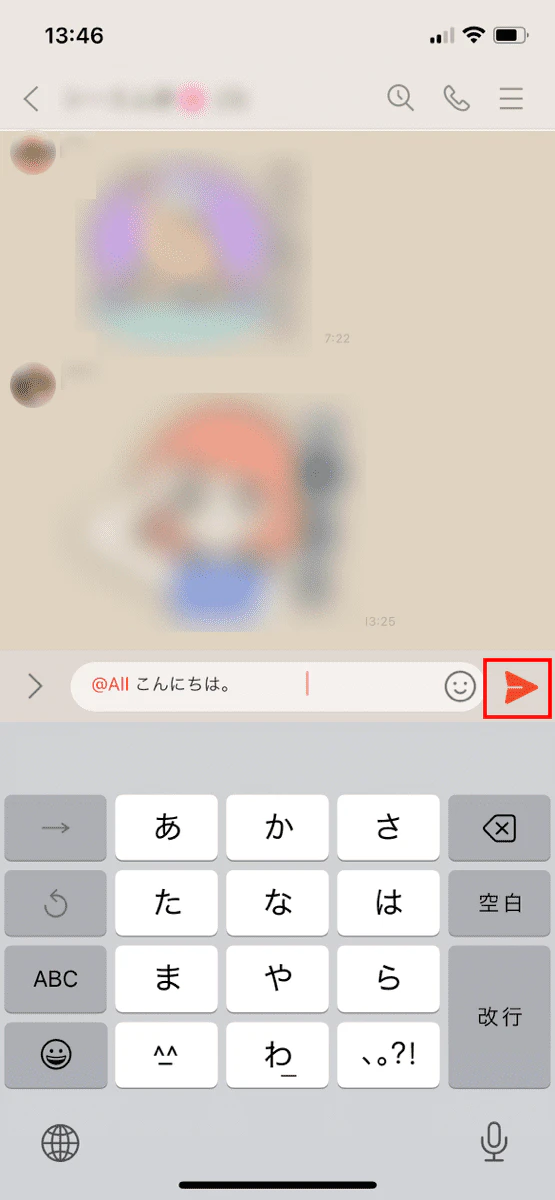
Mentioning someone on LINE allows you to post a message to a specific person or an entire group.
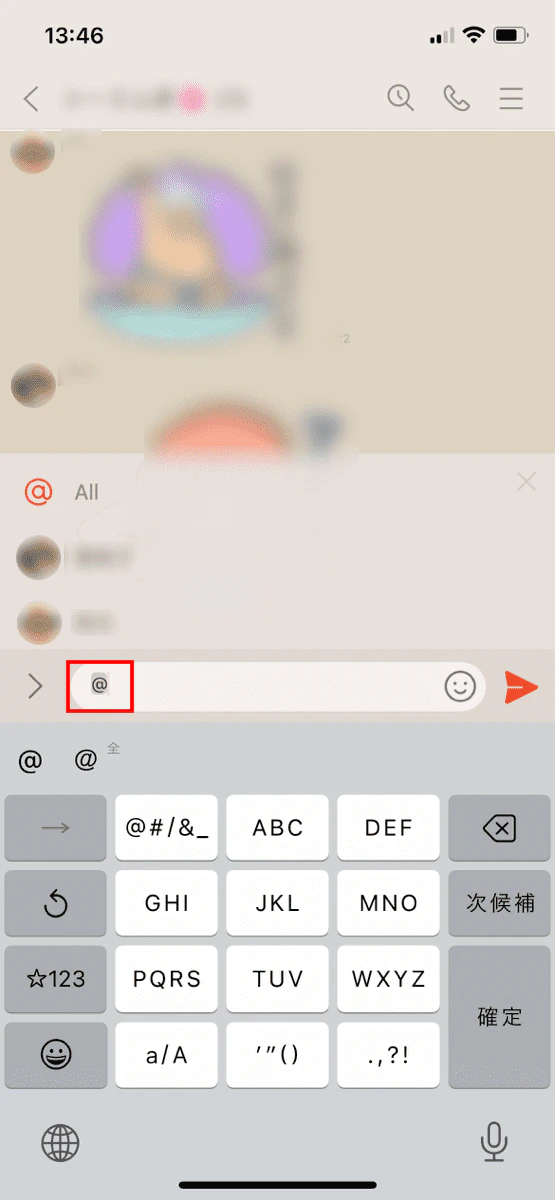
Please note that you cannot mention someone in the following cases:
・ You haven't added the other person as a friend
・ Blocking the other person
・ The other person is not in the group chat
・ Trying to mention someone in a private chat
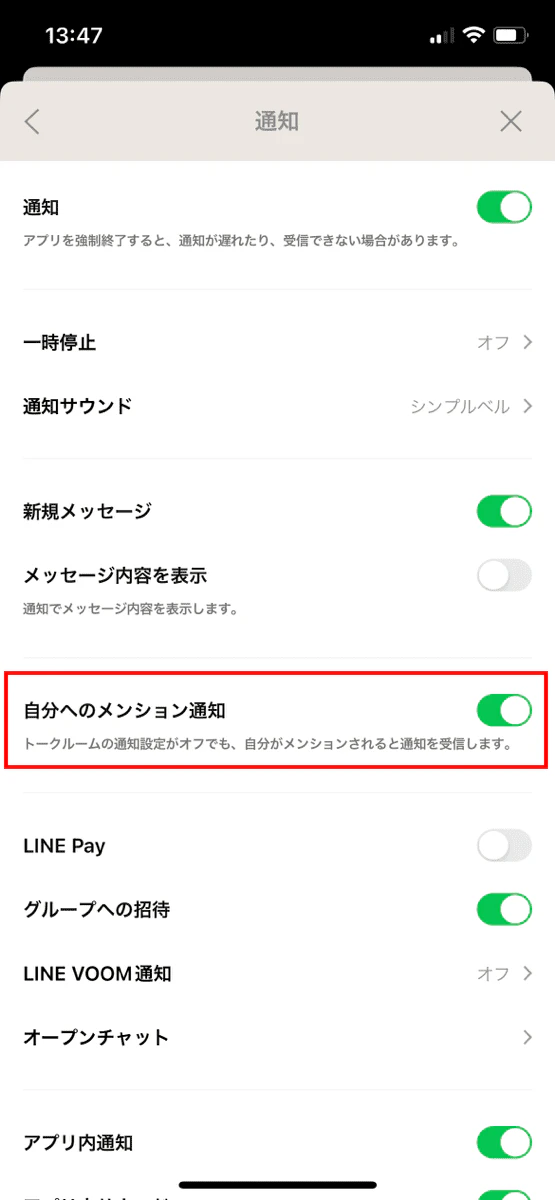
When you mention someone on LINE, they will receive a push notification and a notification will appear in the banner at the top of the LINE app and in the chat list.
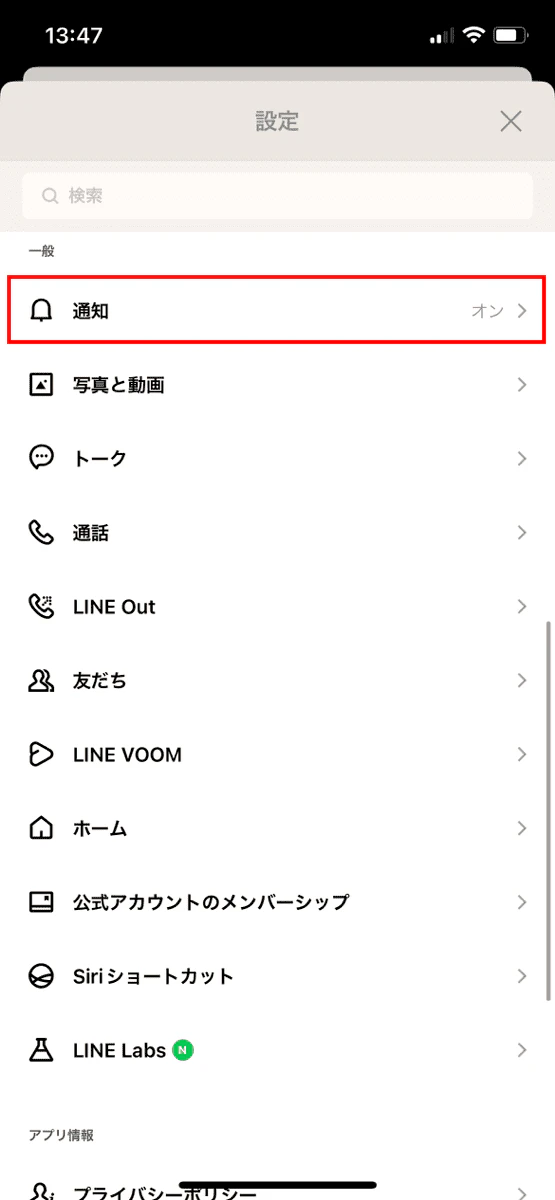
To turn notifications on or off, follow the steps below.
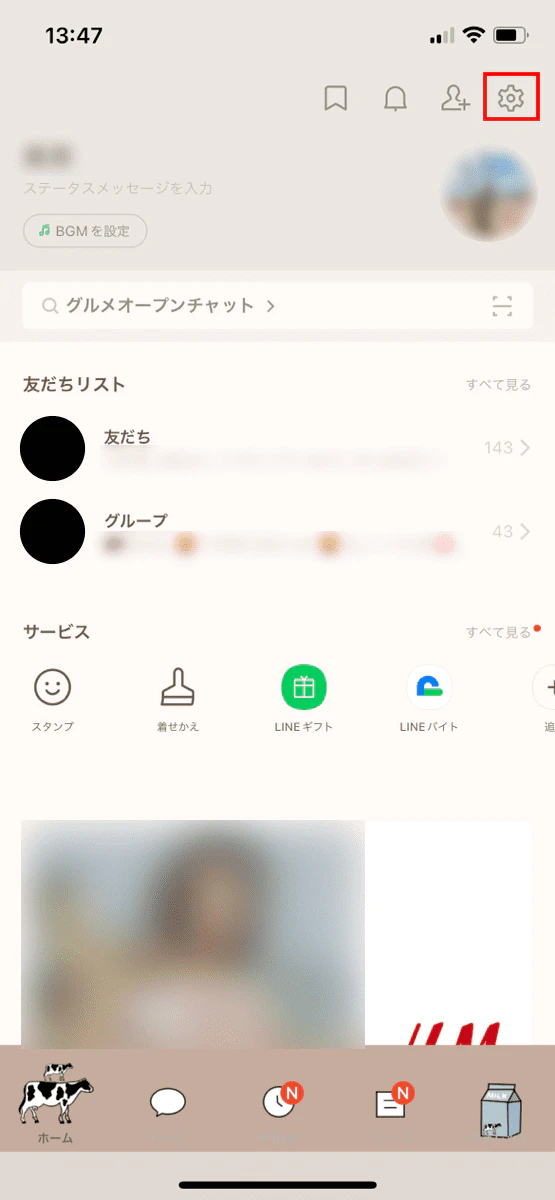
Furthermore, if you mention a specific person in a group chat, only that person will receive a notification, but the post itself will be viewable by all participants. Therefore, if you have a personal message that you don't want others to see, it's best to send it in a private chat.
You can also mention people on LINE VOOM, the video platform within the LINE app. The benefits of mentioning people on LINE VOOM are as follows:
・You can have specific people watch your videos
・When multiple people comment, you can reply by mentioning them and specifying the person, making it easier to understand who the comment is directed to.
LINE has a feature called "Reply" that allows you to reply by quoting the other person's message. In LINE group chats, we recommend using mentions when you want to send a message to a specific person, and replying when you want to reply by specifying a message.
If you press and hold the other person's message, you will be able to select "Reply." By tapping "Reply," you can reply by quoting the other person's message.
Facebook is a service where you can register with your real name and interact with acquaintances and friends. It is a convenient social networking service for interacting with multiple acquaintances and friends rather than one-on-one, but you can also communicate one-on-one by using Messenger.
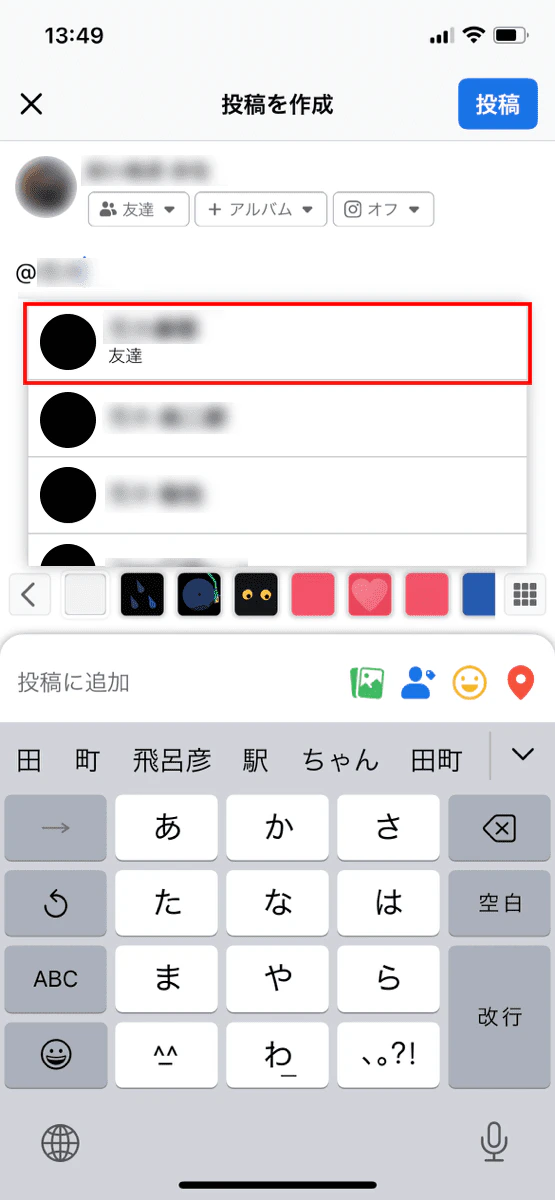
On Facebook, you use mentions to mention a specific person in a regular post or in Messenger.
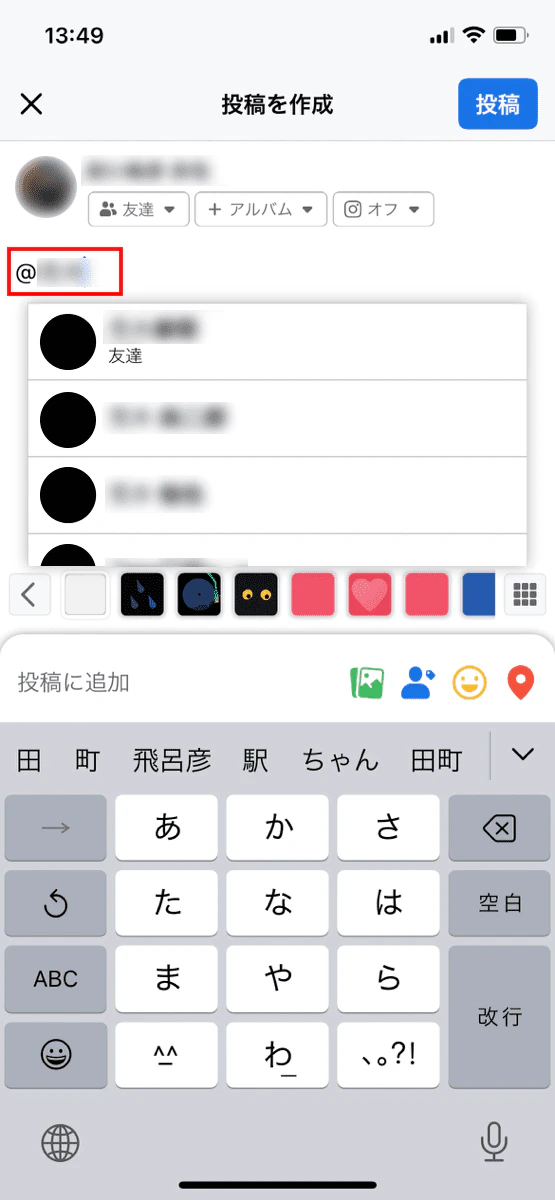
Please note that depending on the other person's settings, you may not be able to mention them.
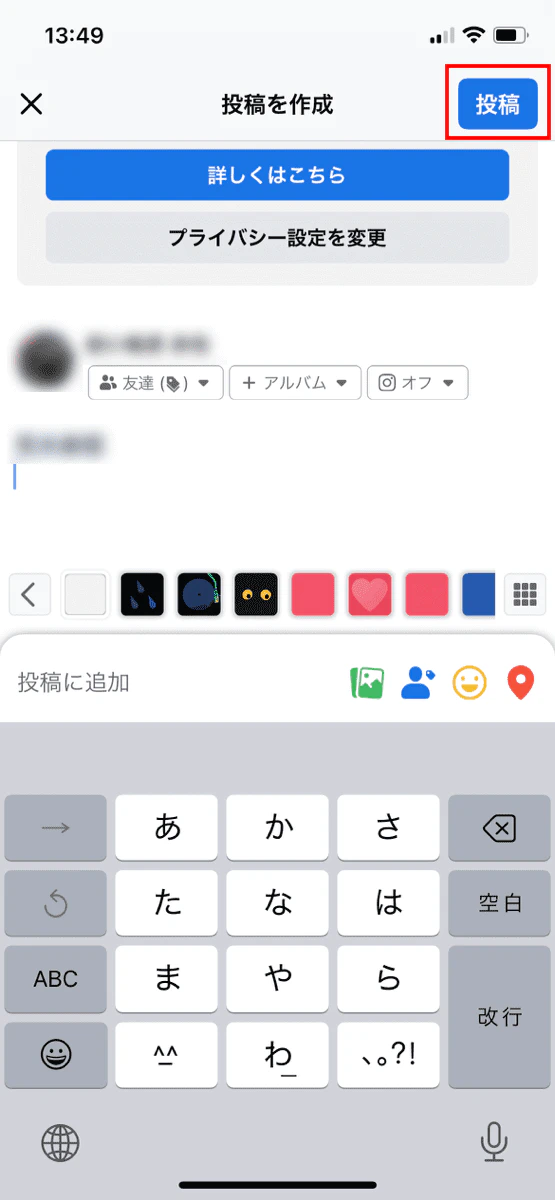
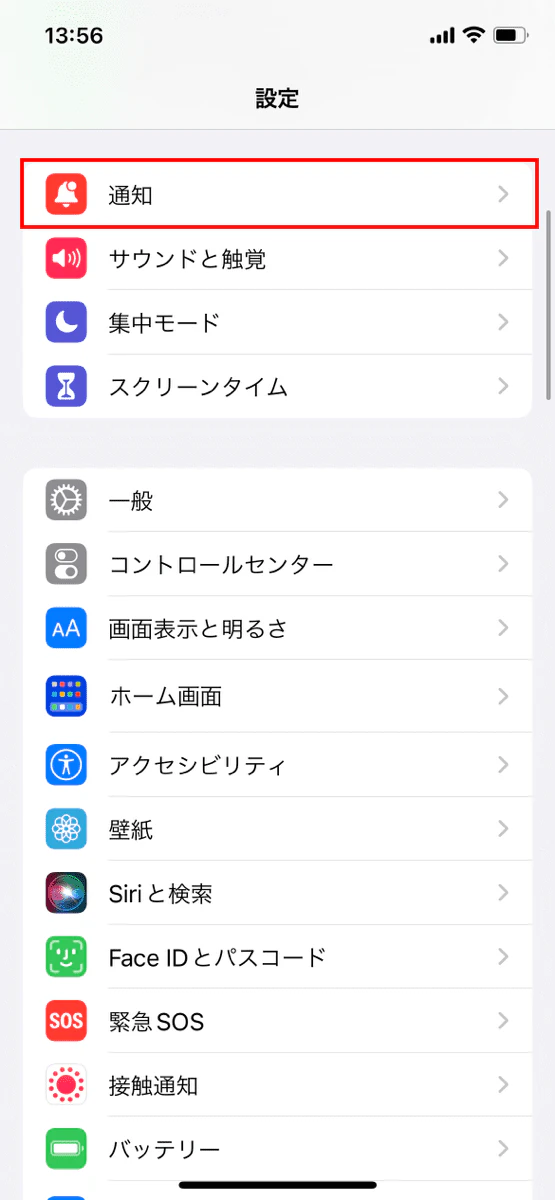
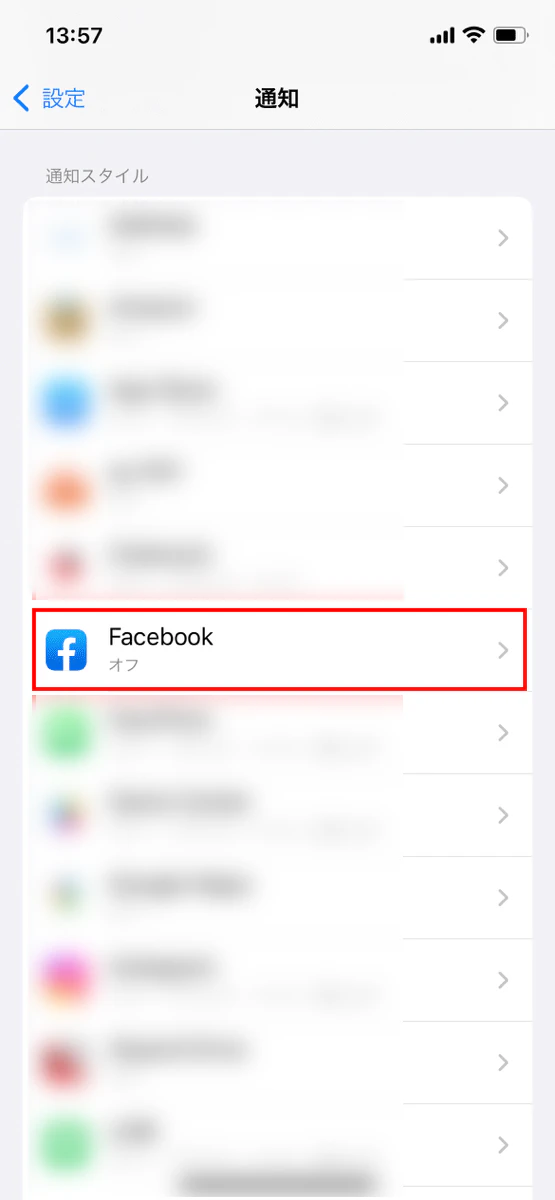
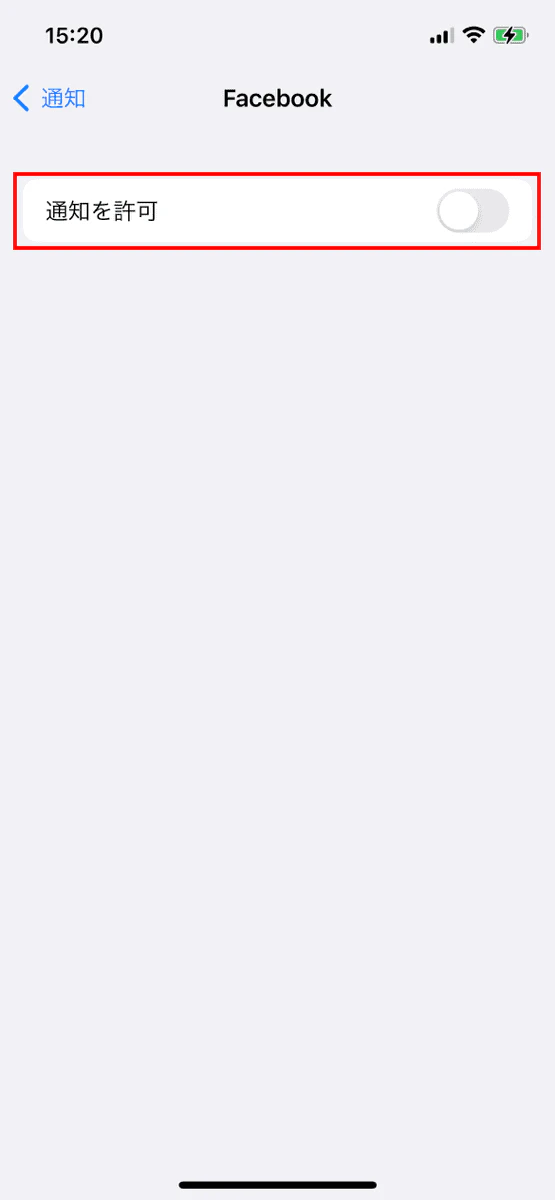
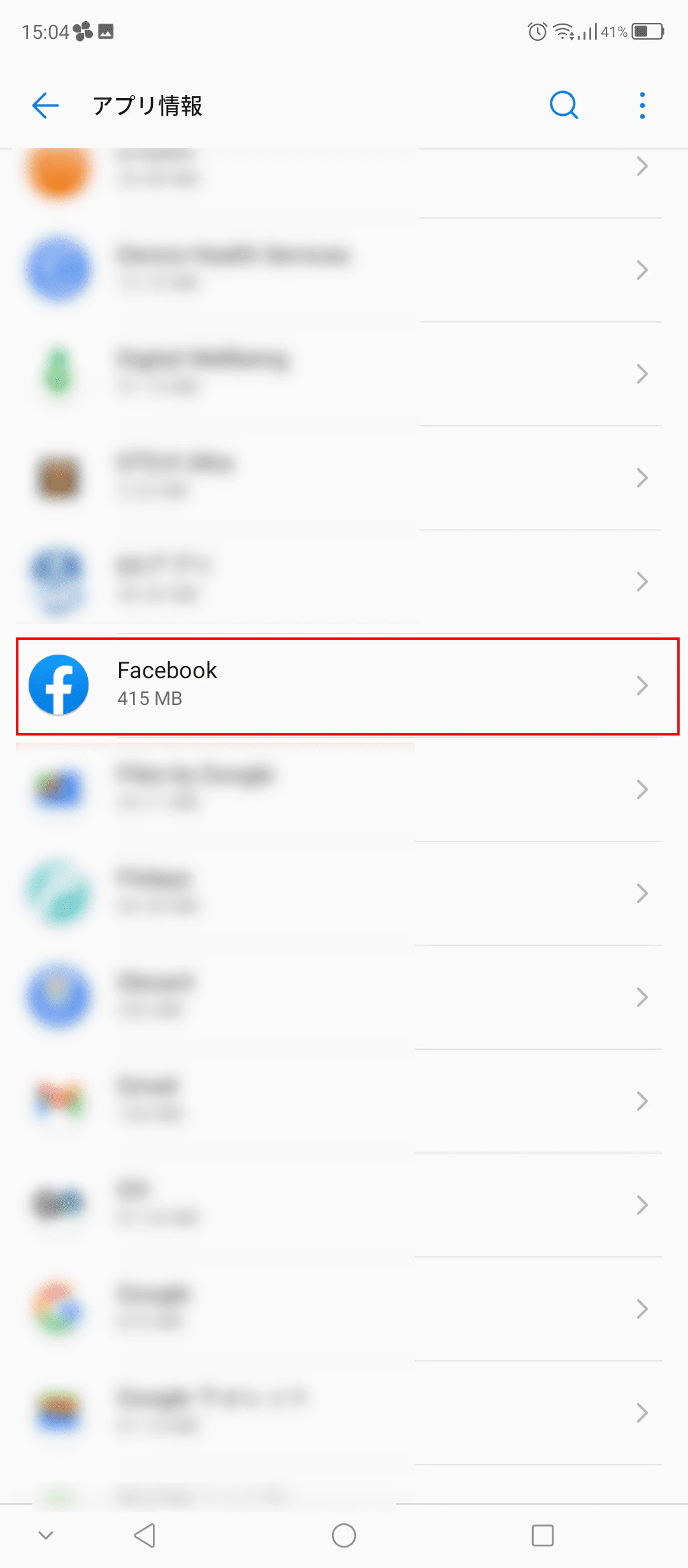
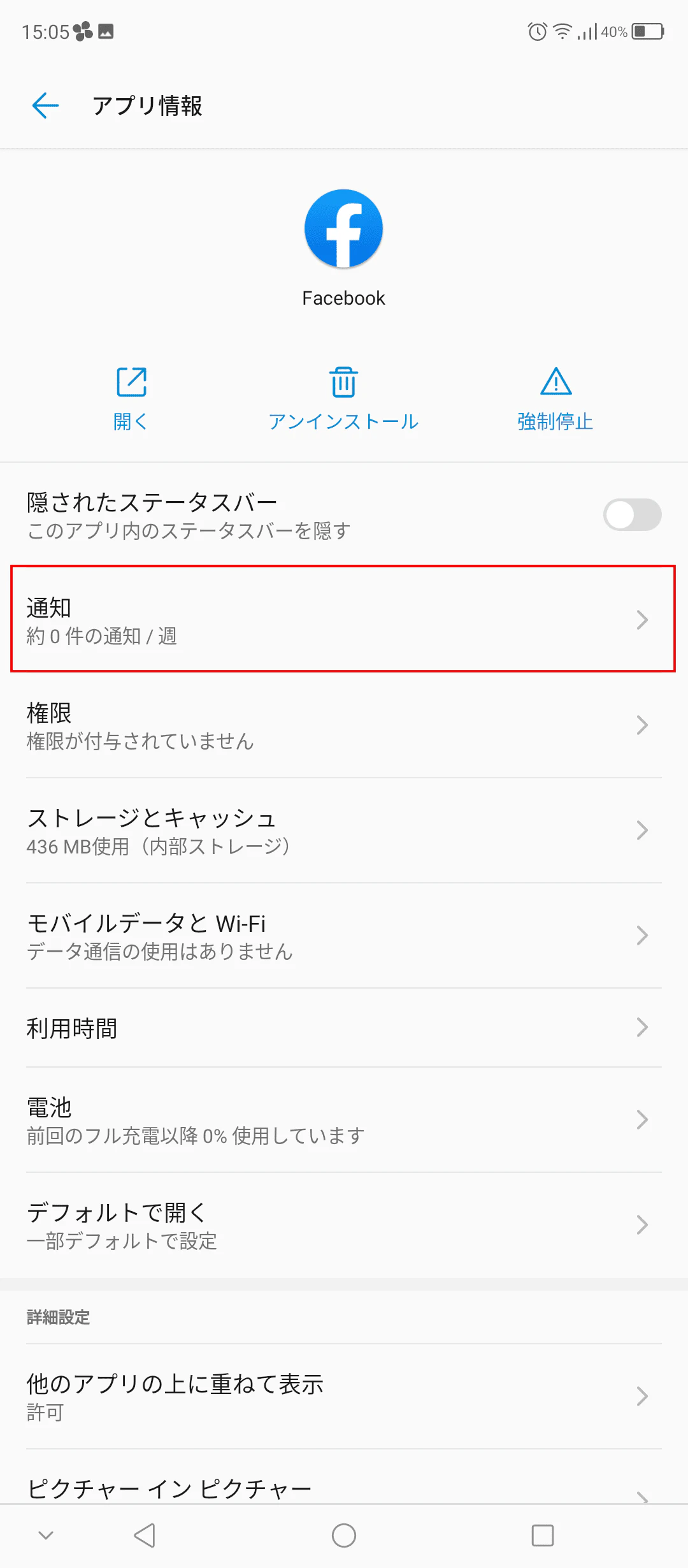
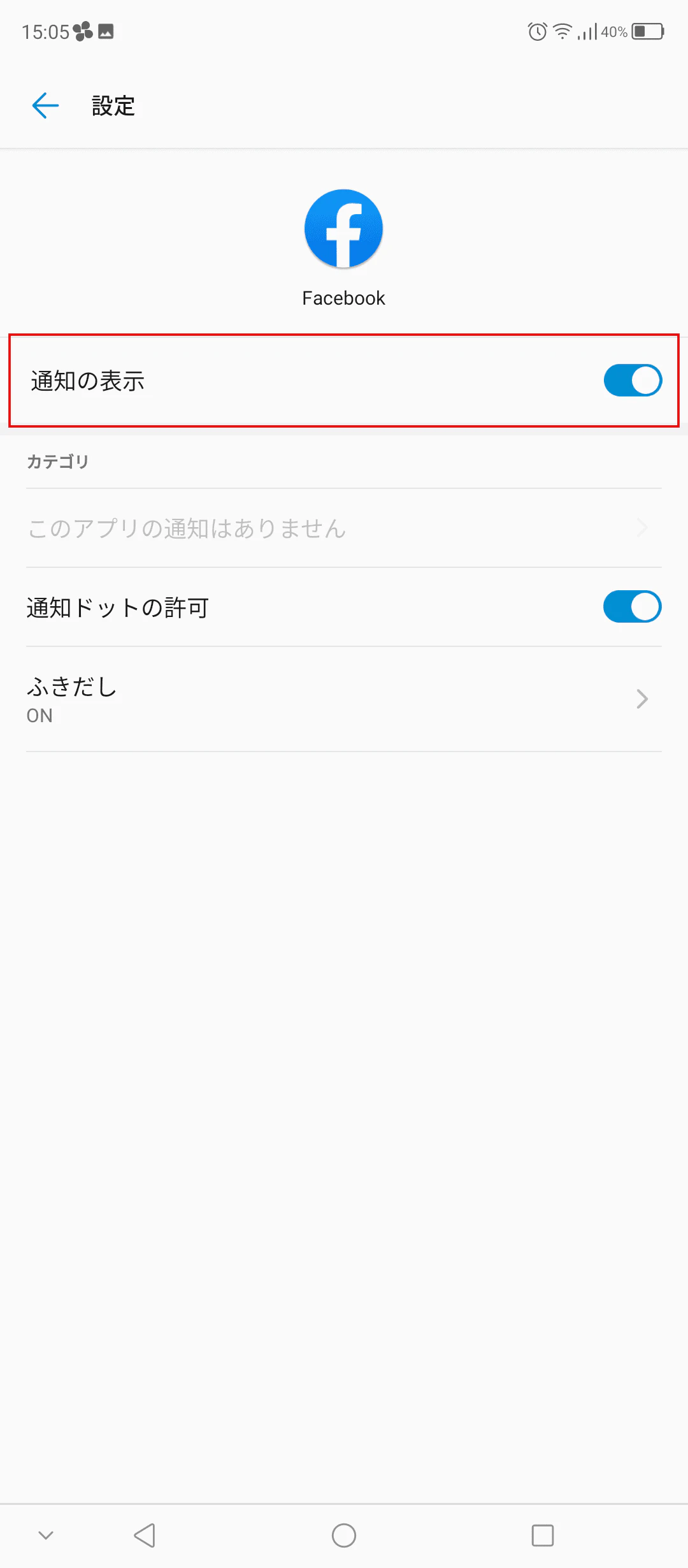
On Facebook, the other person will receive push notifications. You can turn notifications on or off by following the steps below.
In addition to mentioning specific people, Facebook also allows you to mention specific pages and groups. To mention a page or group, type "@" followed by the name of the page or group, then select the name from the list that appears.
TikTok is a service that allows users to share short videos. Most of the videos posted are entertaining.
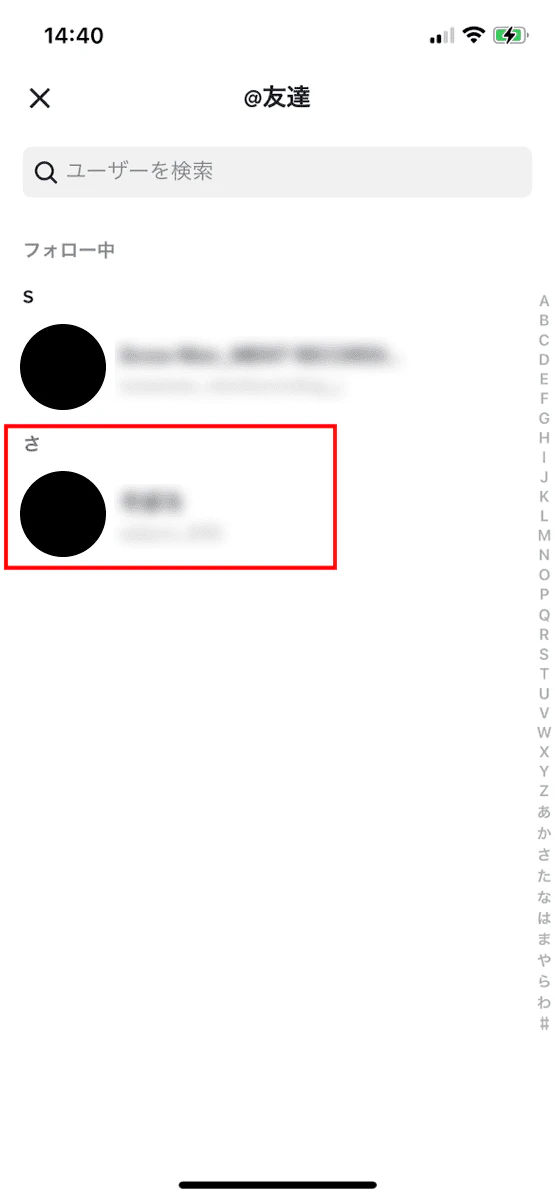
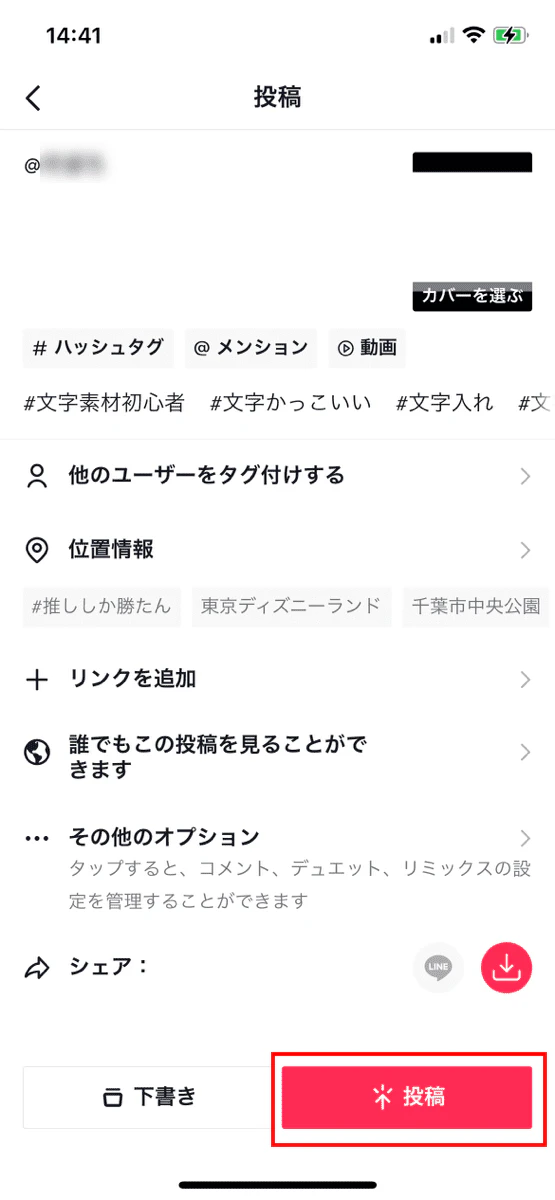
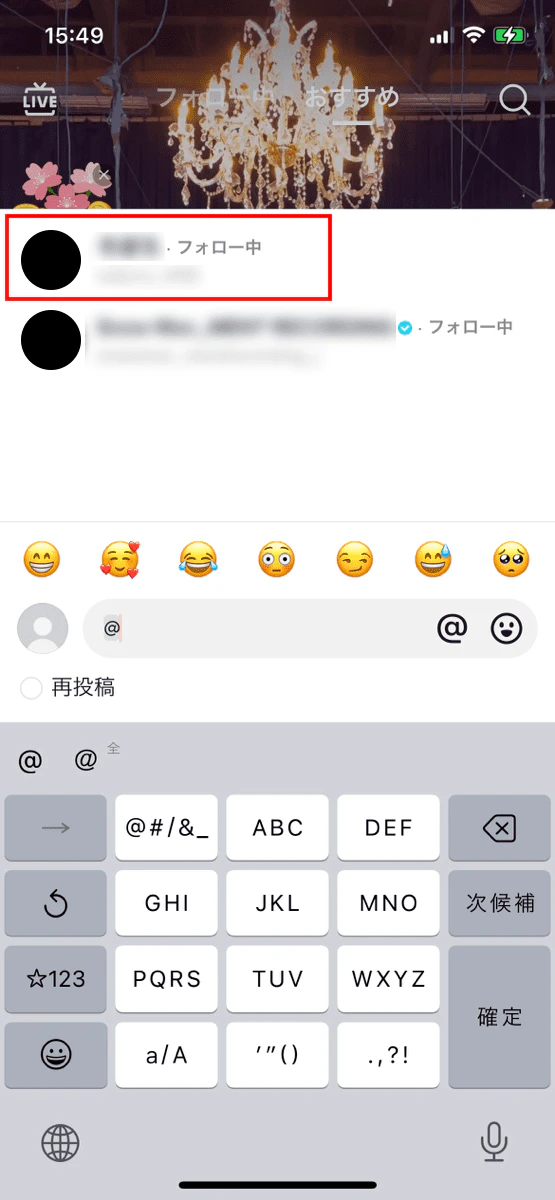
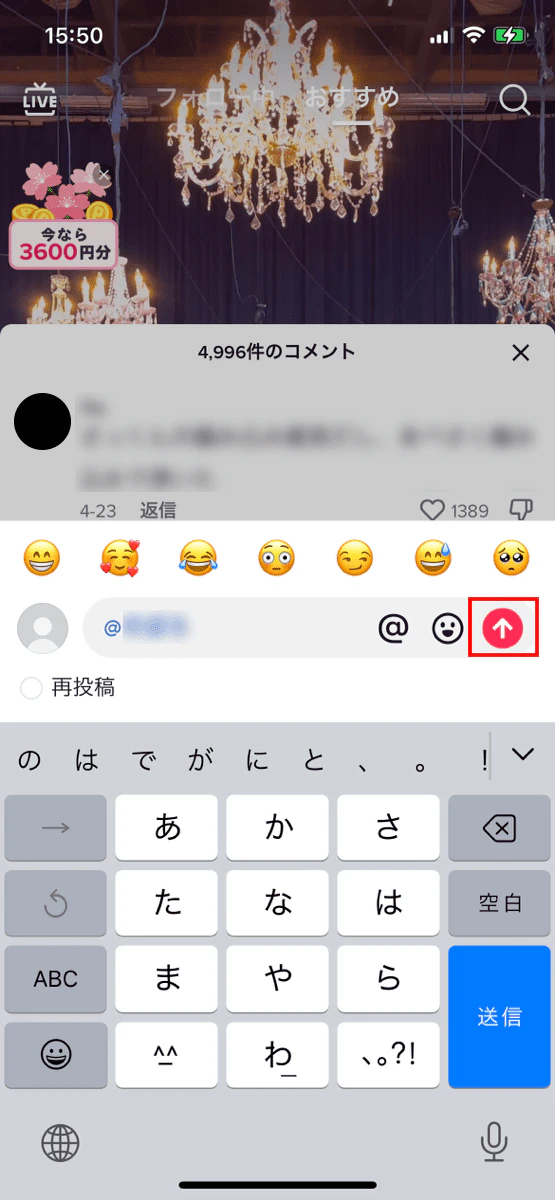
TikTok mentions are useful when posting videos or comments and you want others to notice your post.
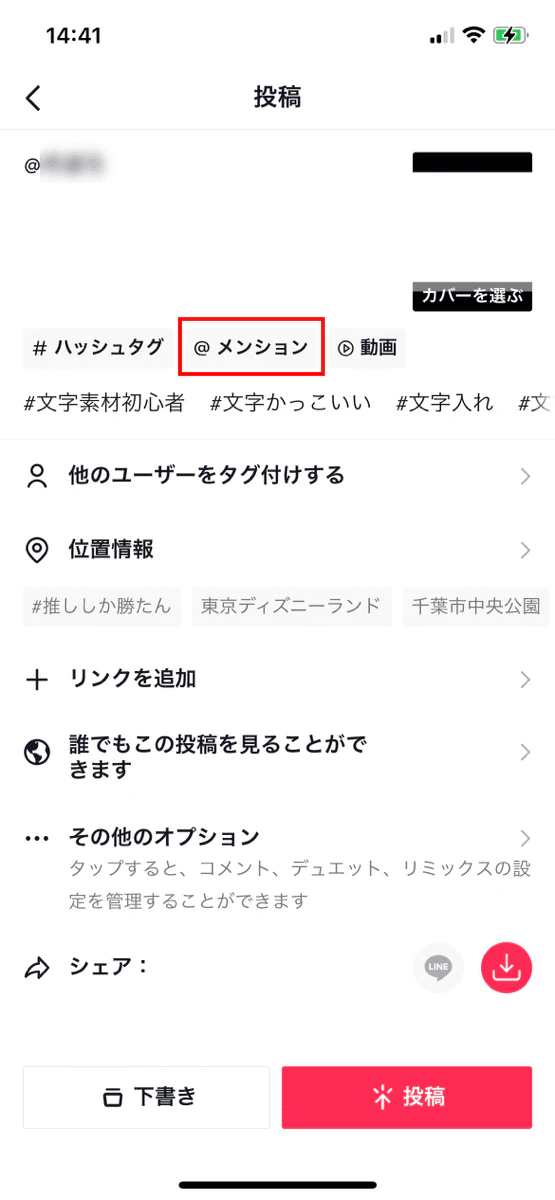
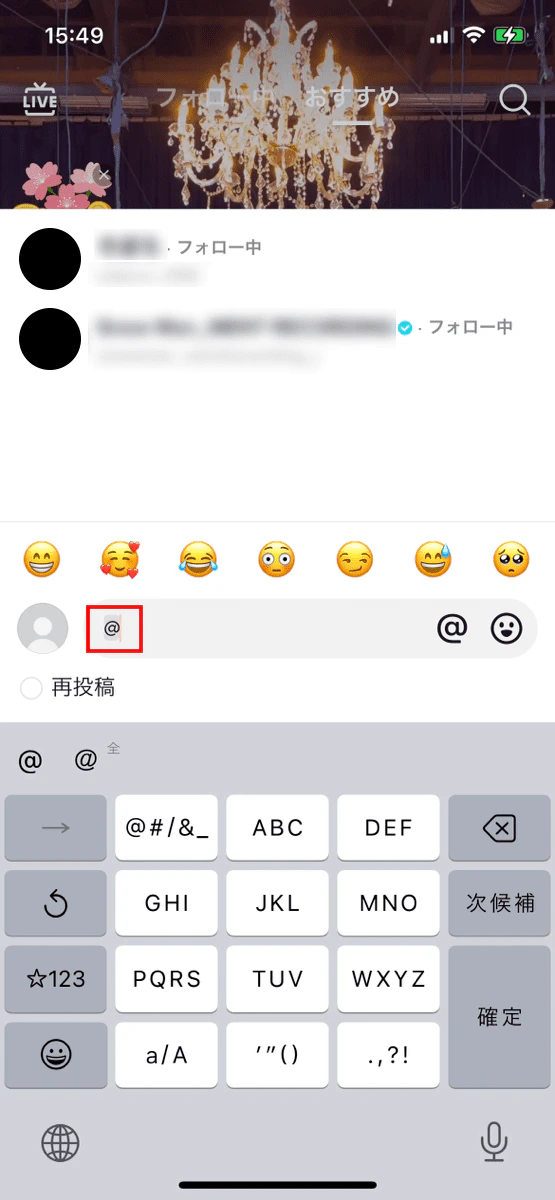
Please note that you may not be able to mention someone in the following cases:
・ You have been blocked by the other party
・ Blocking the other person
・ There is a problem with TikTok
When you mention someone on TikTok, they will receive a push notification. You can also use mentions as an announcement to expand your follower base.
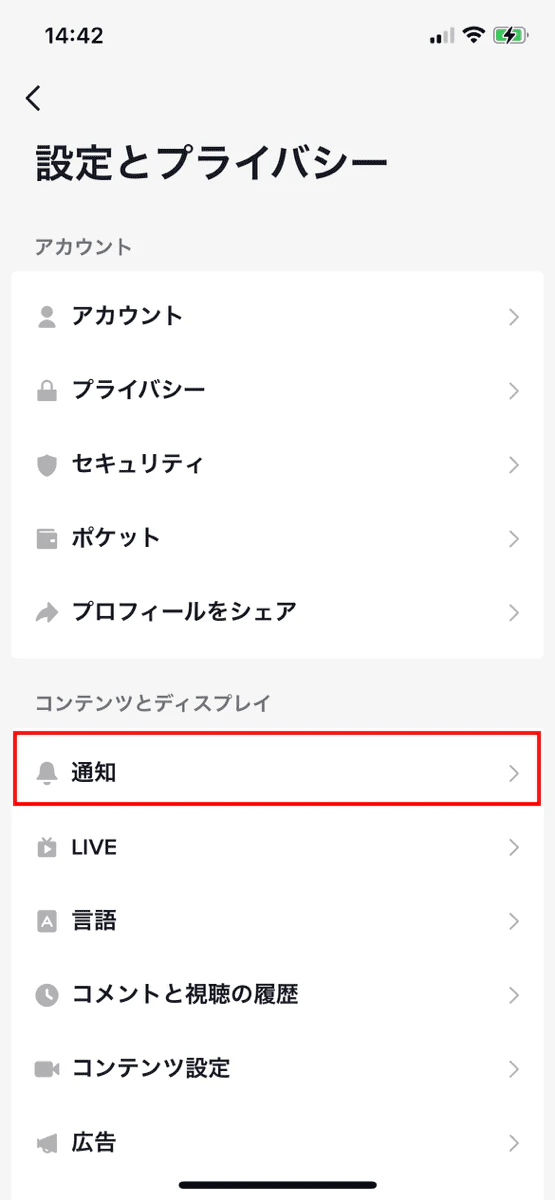
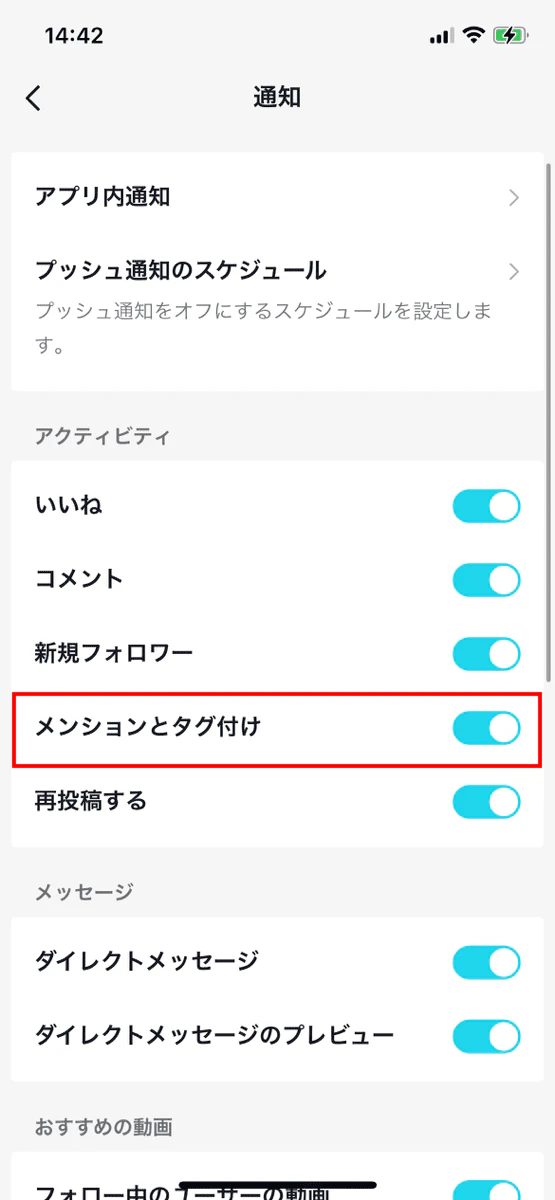
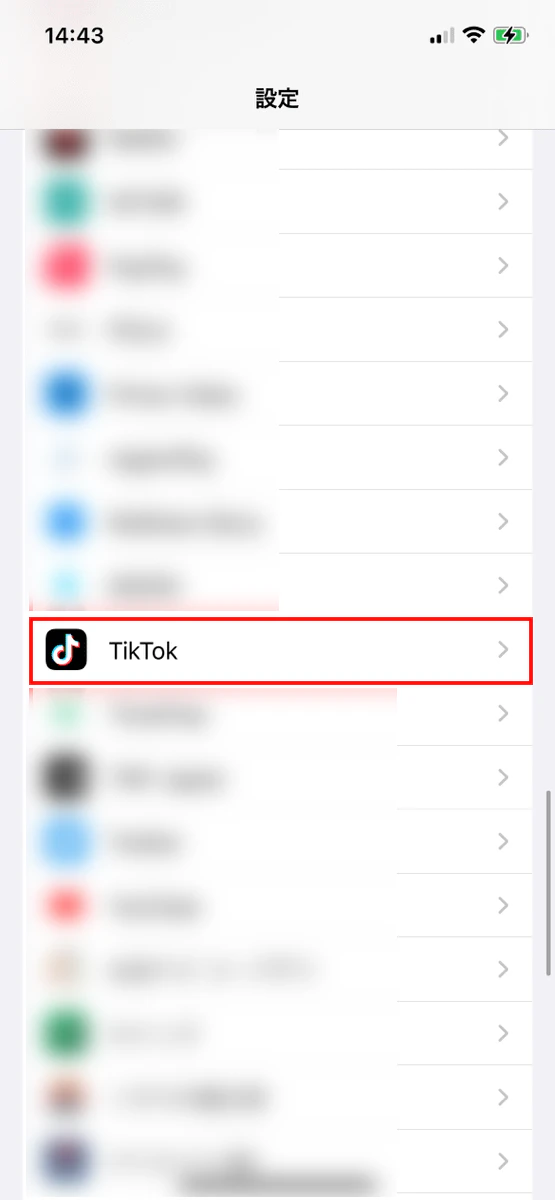
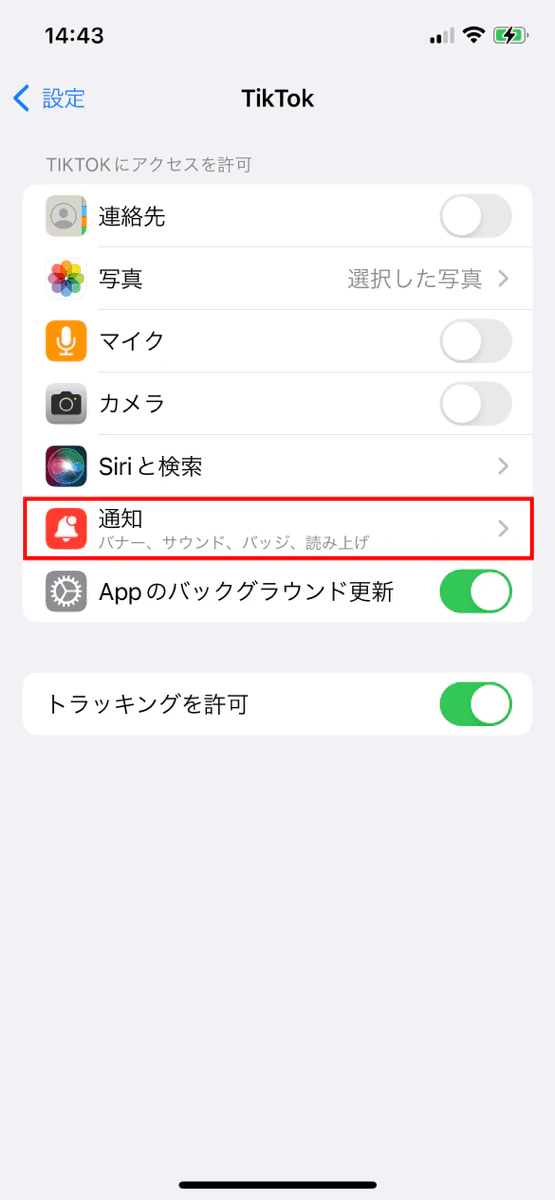
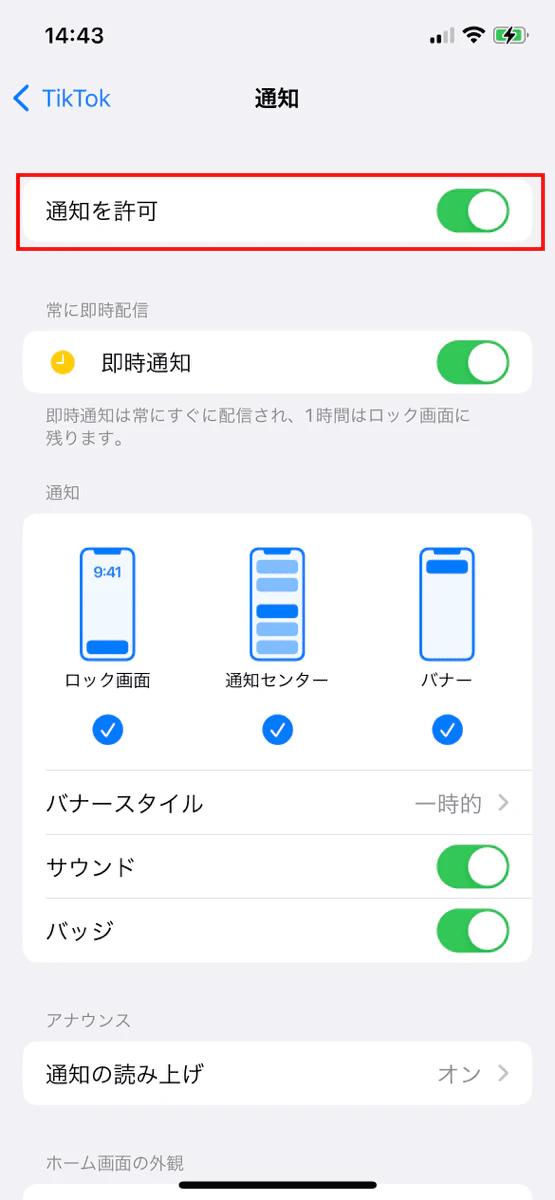
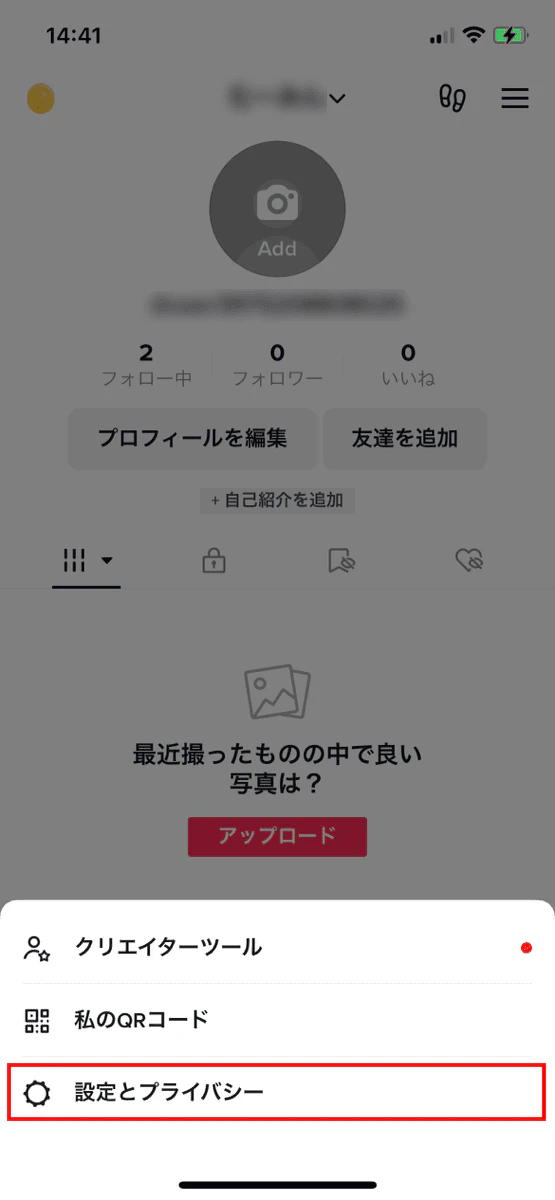
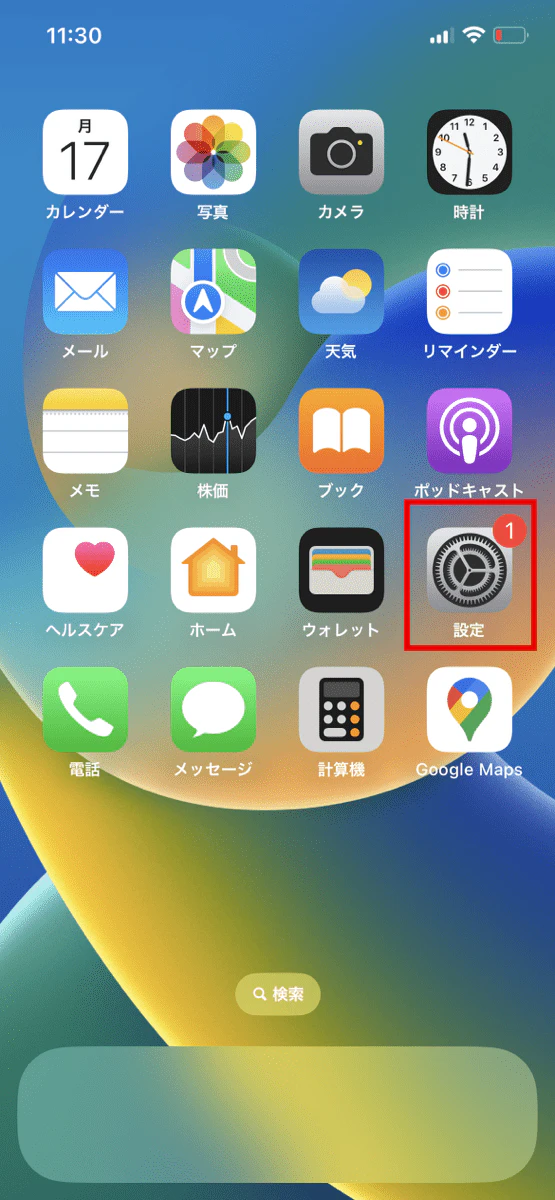
To turn notifications on or off, follow these steps:
We've explained the SNS mention feature, but for those who use SNS, we recommend povo2.0 (*1). povo offers" Unlimited data (24 hours) Topping" (*2) for those who use SNS to their heart's content. You can also add as much data as you need.
povo2.0 is au 's online-only brand, and is available with a basic fee starting from 0 yen (*3) (*4) (*5). It is a new type of fees plan that allows you to freely choose the number of gigabytes you need, call Topping, and content Topping you want. If you're not sure which paid Topping are right for you, try asking for advice through the official povo2.0 chat.
You can purchase paid Topping precisely, so you can customize your smartphone fees to suit your usage. You can choose and combine paid Topping that are perfect for you. Why not try using your smartphone at a great price with povo2.0?
*1: All procedures and support are online. povo2.0 Please contact us through the application or the official website. *2: Communication speed may be limited during network congestion or when using videos, cloud games, etc. 3: Fees and other additional costs may apply. 180 days or more without paid Topping purchases may result in suspension of use or termination of contract.
If you subscribe to 5 lines(*) under the same name, a contract administration fee of tax included 3,850 yen/line will be charged for the cumulative 6th line and thereafter.
*Includes lines that have been terminated or cancelled by the Company within the past year.
Reference: "povo2.0 Plan Details" (povo)
4: For Data Only, initial Topping purchase is required at the time of contract. Calls+Data For domestic calls: tax included 22 yen/30 seconds Some calling charges may differ, such as calls to satellite phones. For more information The company will charge a specified rate for calls to the following numbers. In addition, designated call charges will apply to phone numbers set by other companies to fees. Sending domestic SMS: tax included 3.3 yen/text (up to 70 characters) Receiving: Free Up to 670 full-width characters can be sent depending on the model. However, up to 134 characters will be charged for two SMS, and after that, one SMS will be charged for every 67 characters. *5: When 0 yen and 0 GB, the maximum sending/receiving speed is 128 kbps.
The names of products and services mentioned in this article are trademarks or registered trademarks of the respective companies. Android" is a trademark of Google LLC. Twitter" is a trademark or registered trademark of Twitter, Inc. Facebook" and "Instagram" are registered trademarks of Facebook, Inc. LINE" is a trademark or registered trademark of LINE Corporation. The iOS trademark is used under license from Cisco in the United States.