By using the reply function on social media, you can reply to a post that someone else has made. However, the definition and usage of the reply function differ depending on the social media, so you must be careful when using it.
In this article, we will explain what a reply is in the first place and how to use the reply function on each social media platform.
We will also introduce the differences between mentions and direct messages, so please take a look.

From here, we will introduce the meaning of reply and points to be careful about when using it.
Reply means "answer" or "reply" in Japanese. Even on social media, it refers to replying to a message or post sent by someone.
However, reply functions differ depending on the social networking site, so you must understand them well before using them.
For example, by using the reply function on LINE, you can reply or comment while quoting the message of the person you are communicating with.
On the other hand, the reply function on X (formerly Twitter) allows you to simply reply to the other person's post by tapping the reply icon. (The specific features of each SNS will be discussed later.)
As you can see, the functions differ depending on the SNS, so be sure to understand them fully before using them.
When using social media, one thing that is often confused is the difference between "mentions" and "direct messages." Understand the characteristics of each and use them appropriately.
| function | Features | Different uses |
|---|---|---|
| reply (reply) |
・A function that allows you to reply to messages or posts sent by others. ・Reply content can be viewed by other users |
・When you simply want to reply to the other person ・When you want to mention other users from a reply (you will also need to use the mention function) |
| Mention (mention) |
・By adding the "@" symbol, you can send a message to a specific person even in situations other than replying. ・By mentioning someone, the other person will also be notified. ・The contents of messages sent to other users can be viewed by other users. |
・When you want to ensure that the other person is notified of the message ・When you want to make sure your posts and messages get to the other person without getting buried when communicating with multiple people. |
| Direct Message (DM) |
・Ability to send messages only to specific people ・Messages sent to others, such as replies and mentions, cannot be viewed by other users. |
・When you want to send a message to a specific person and do not want other users to see it |
Replies and mentions can be viewed by other users, but direct messages can only be viewed by the person who sent them.
For this reason, direct messages are recommended when you want to communicate one-on-one with someone.
Also, reply is a function that allows you to reply to the other person, but when communicating with multiple people, there is a risk that your reply to the other person will get buried in the messages.
In such cases, it is effective to notify the recipient by mention to ensure that the message is delivered to them.
[Key points for distinguishing between the two]
When you simply want to reply → Reply
When you want to notify the other person of a message → Mention
When you want to communicate one-on-one with someone → Direct Message
For information on how to use mentions on each social media platform, please refer to the following articles:
reference: What to do when you get mentioned? A detailed explanation of the feature and how to use it on social media!

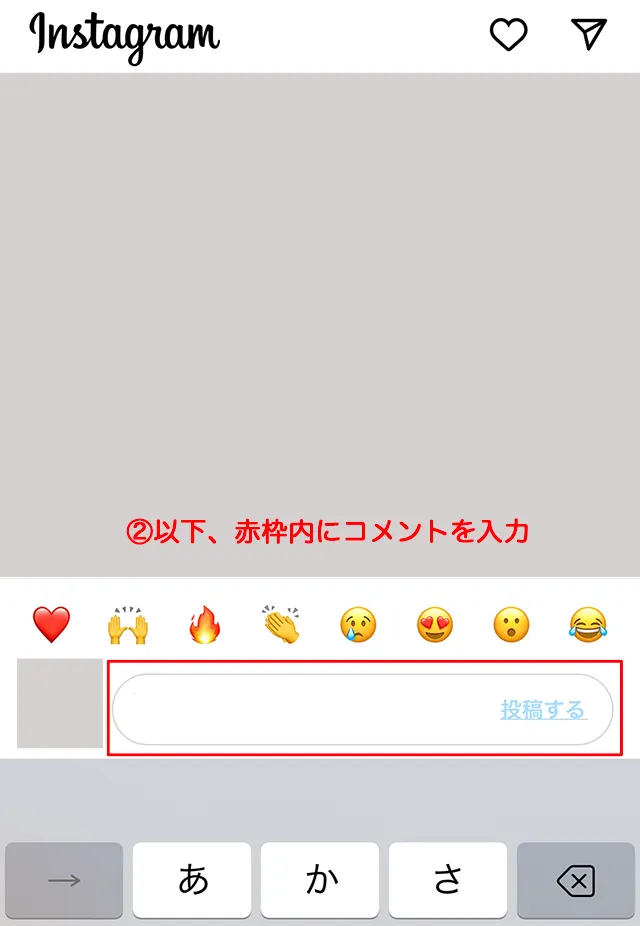
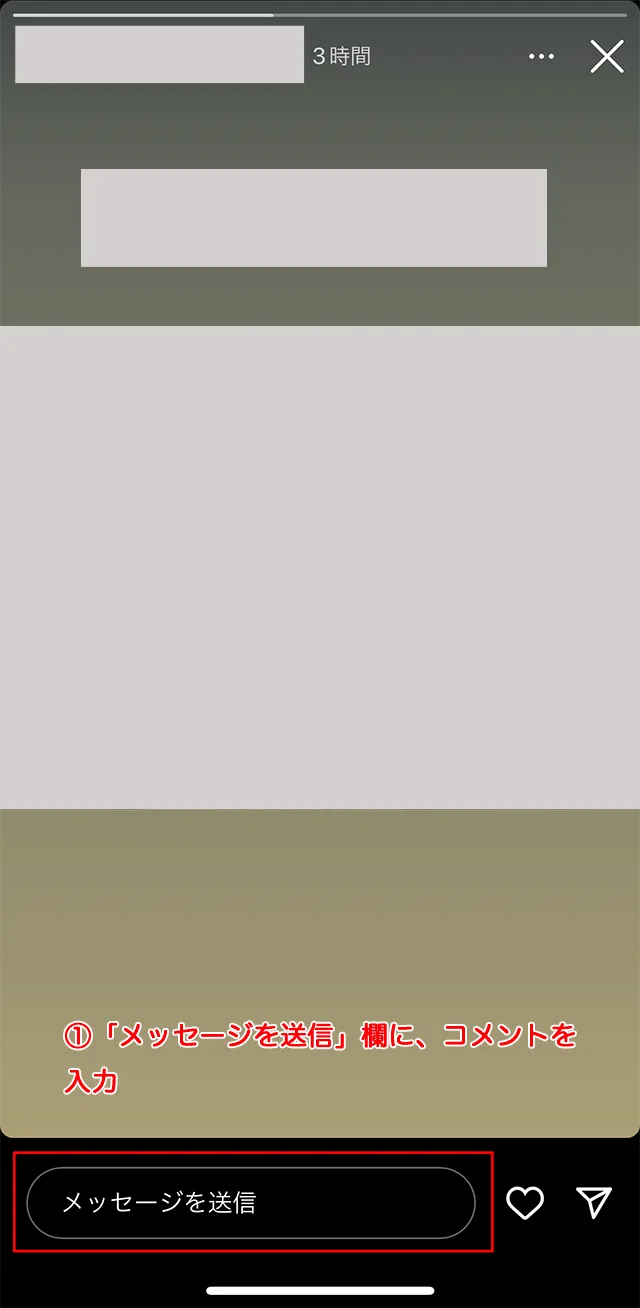
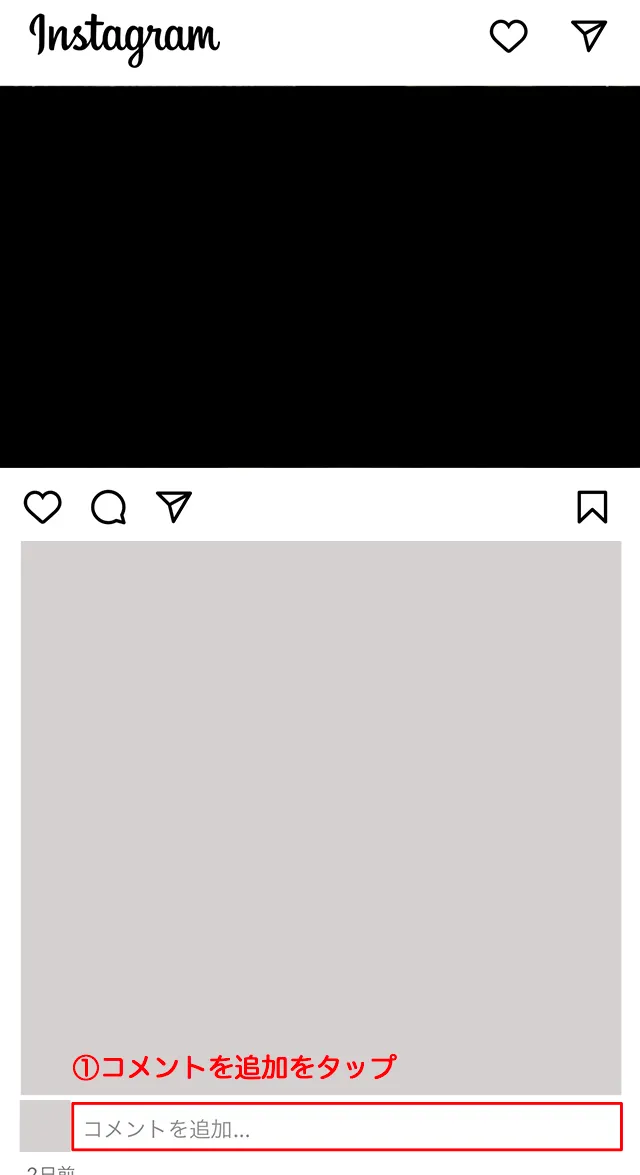
Instagram is a social networking site where you can interact with other users, primarily through the exchange of photos and videos. There are two types of replies available:
How to reply to a feed post
How to reply to stories


X (formerly Twitter) is a social networking site where users can post short 140-character messages and interact with each other.
Additionally, if you sign up for a subscription called "X Premium," you can post up to 12,500 characters.
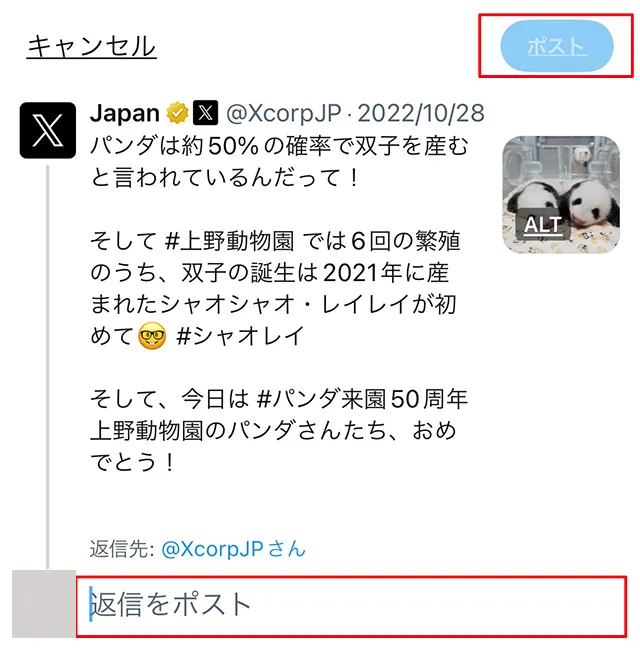
Now, let's explain how to use the reply function on X (formerly Twitter).
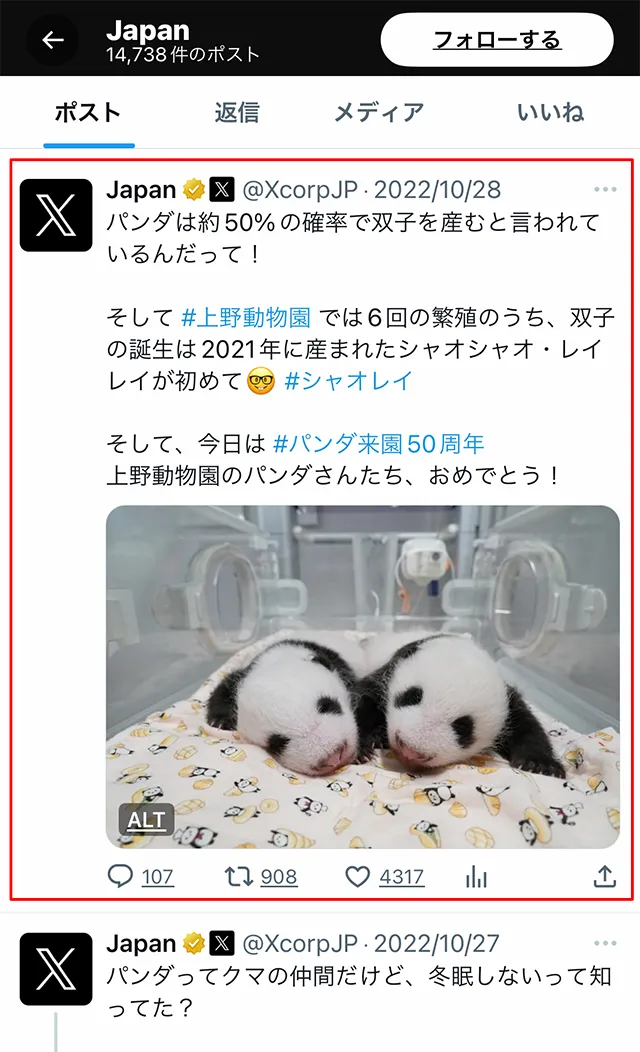
Replies are visible to third parties who follow either of the people in the conversation, and will appear on their timelines.
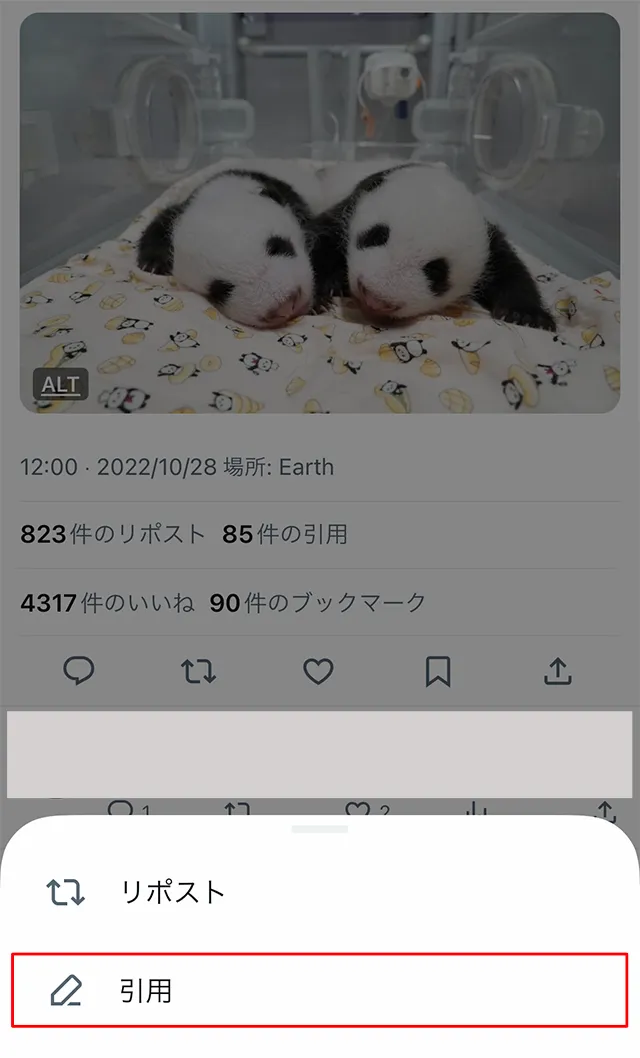
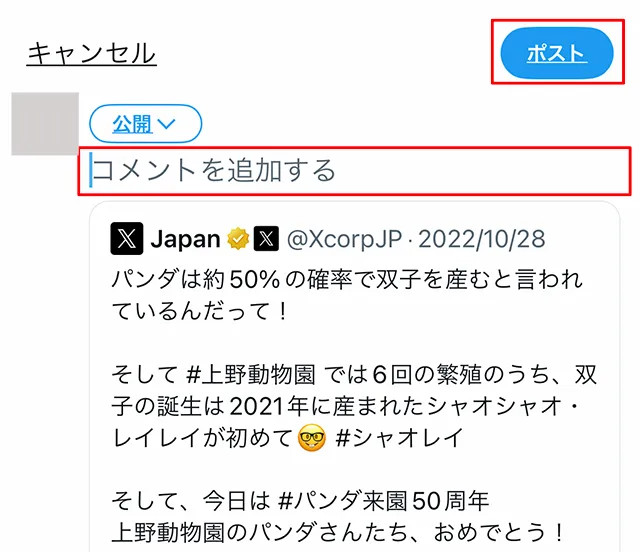
Quote post (quote retweet) is a feature that allows you to repost another user's post with your own comment.
When you quote a post (quote retweet), the original post and the comment you just added will appear on your timeline.
Another feature is that the content of a quoted post (quoted retweet) is also reflected to your followers, making it highly likely to spread.
In addition, by making a quote post (quote retweet), the user who quoted the post will also be notified, allowing them to know who made the quote post (quote retweet).
This is a recommended feature if you want to share your own views and opinions with other users' posts and share them with your followers.
However, if you quote post (quote retweet) using a locked account, only followers of the locked account can view it.
Please note that the original account cannot see quoted posts (quoted retweets) from locked accounts, and the specifications change depending on whether the account is locked or not.
On the other hand, reply is simply a function to reply to other users' posts and is not intended to spread them.
Here's how to quote post (quote retweet):

reference: What is a retweet? | X Help Center
reference: What is a reply? | X Help Center
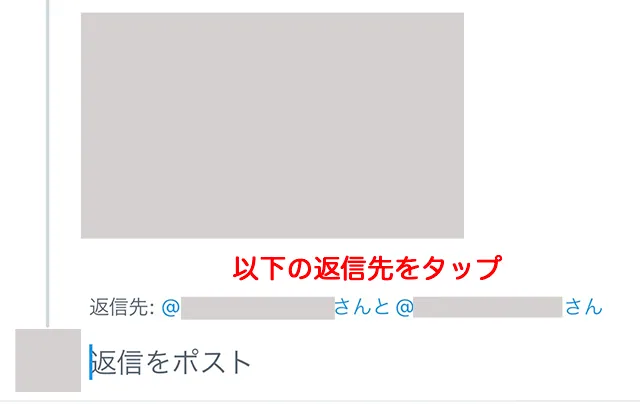
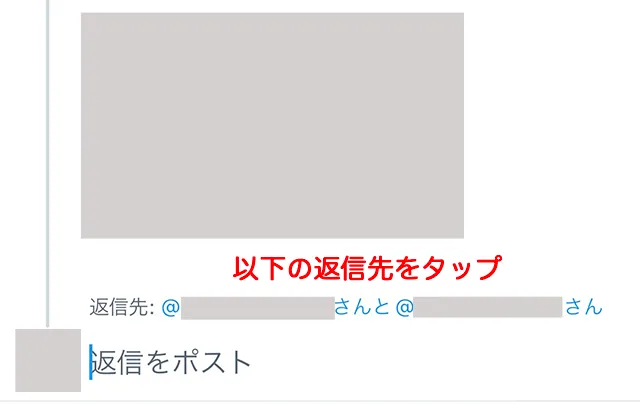
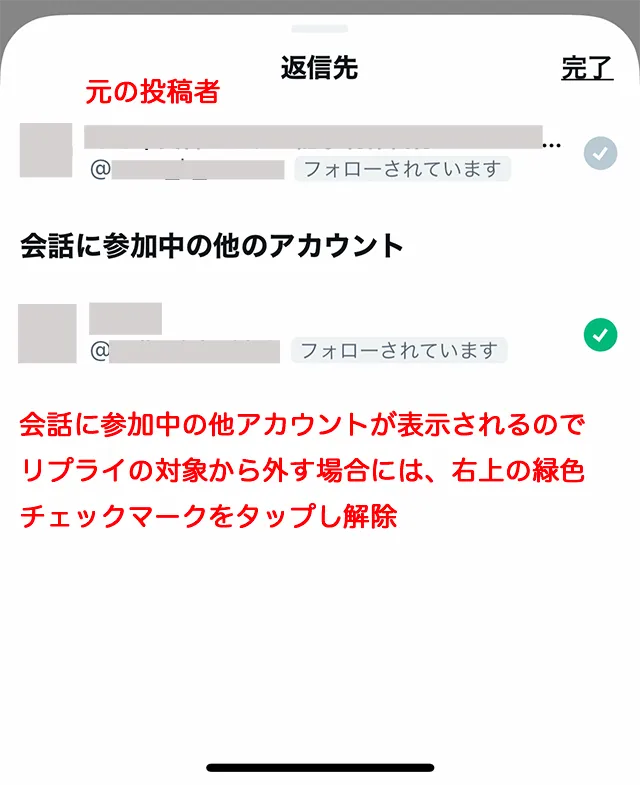
A "reply with multiple people" is when you reply to a post by sending a reply to an unrelated third party.
The conditions under which a replay is likely to occur are as follows:
・When replying to a reposted (retweeted) post
・When replying to a reply
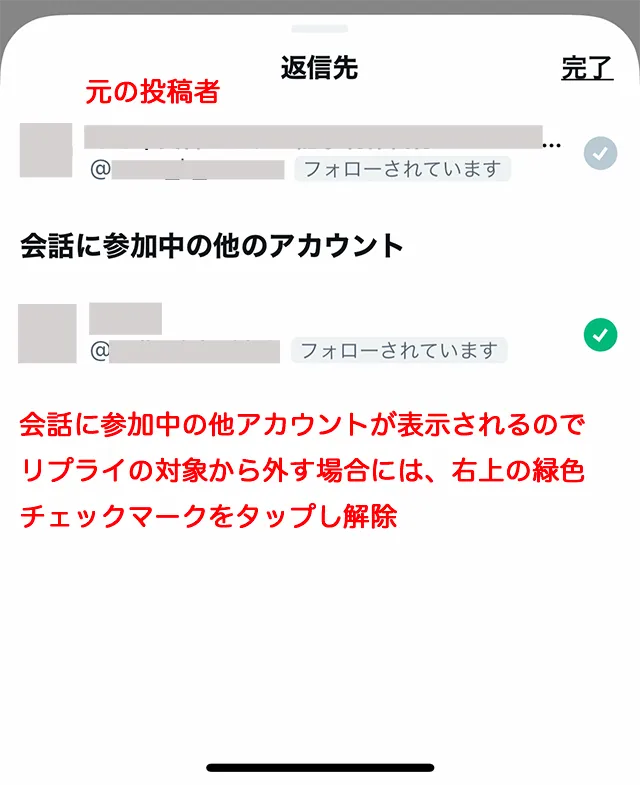
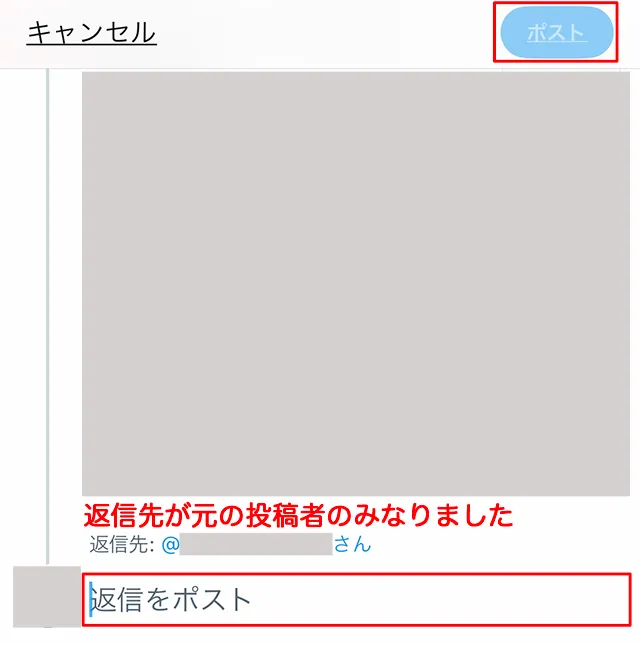
Next, we will introduce ways to avoid multiple replies.
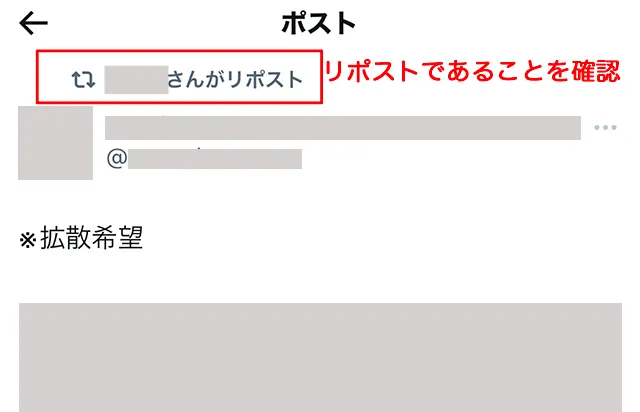
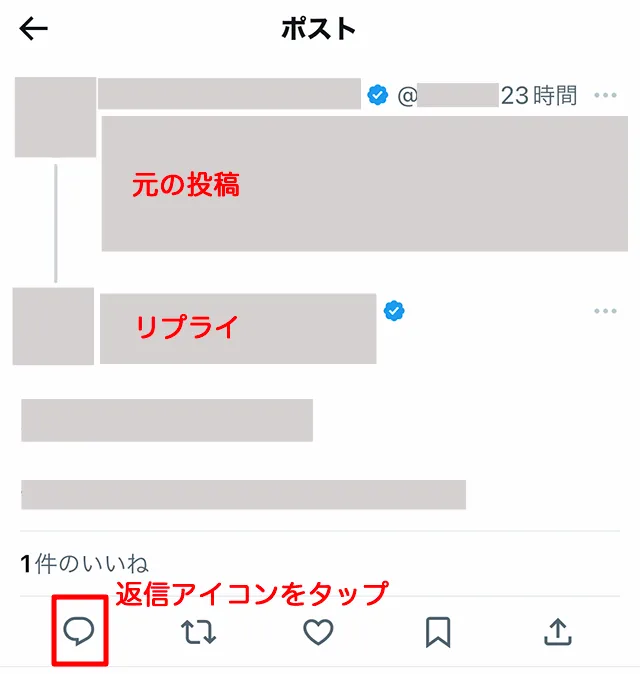
When replying to a reply, the procedure for dealing with replies that include other people is the same as when reposting (retweeting).

LINE is a mobile messenger app that allows you to exchange messages and make calls for free. You can not only communicate one-on-one with others, but also create groups to communicate with multiple people.
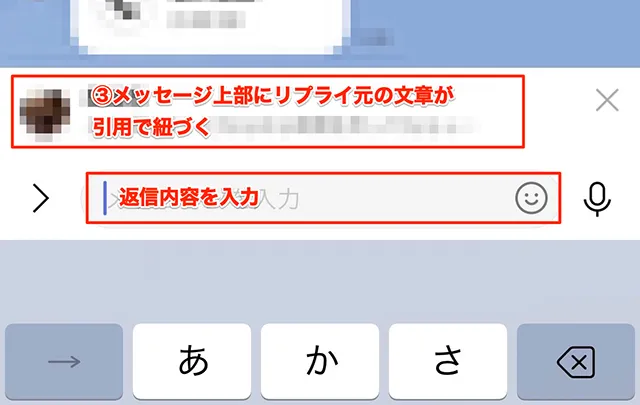
Now, let me show you how to reply on LINE.
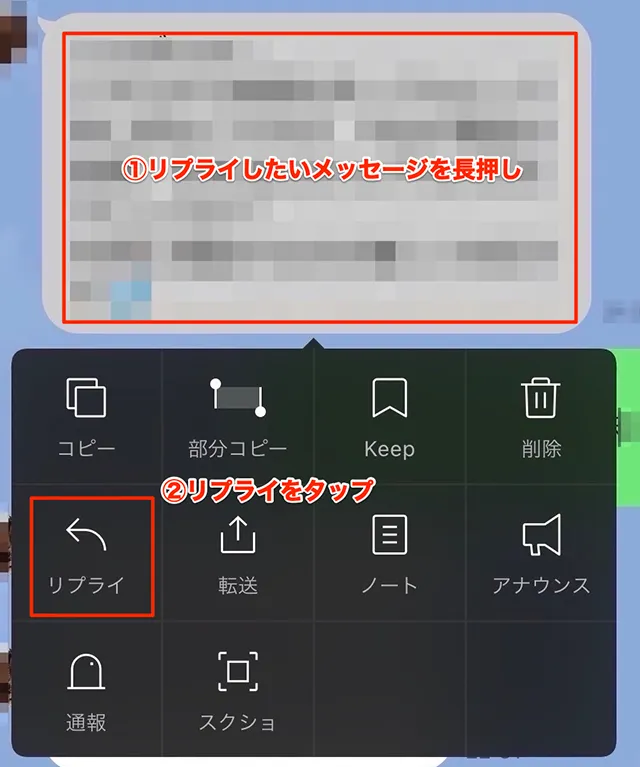
Reference: Using the chat reply function | LINE Everyone's Guide
Unlike a simple reply, LINE's reply function has the unique feature that the original reply text is linked as a quote to the message you are about to send.
Therefore, by looking at the quoted text, it is easy to understand which conversation the reply is to, even when there are multiple people in the conversation, making it very convenient.
However, a reply is simply a quote reply to a specific message, and the person you are replying to will not be notified.
If you want to ensure that your message reaches the recipient, we recommend that you also use mentions, which can send notifications.
Please refer to the following article for how to mention someone.
Reference: What to do when you get mentioned? A detailed explanation of the feature and how to use it on social media!

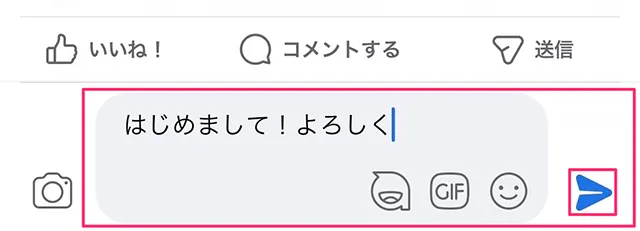
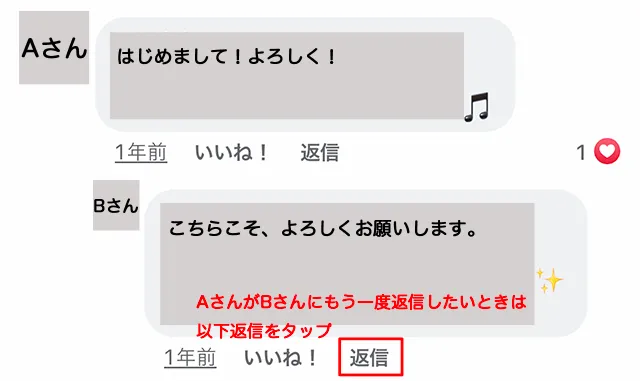
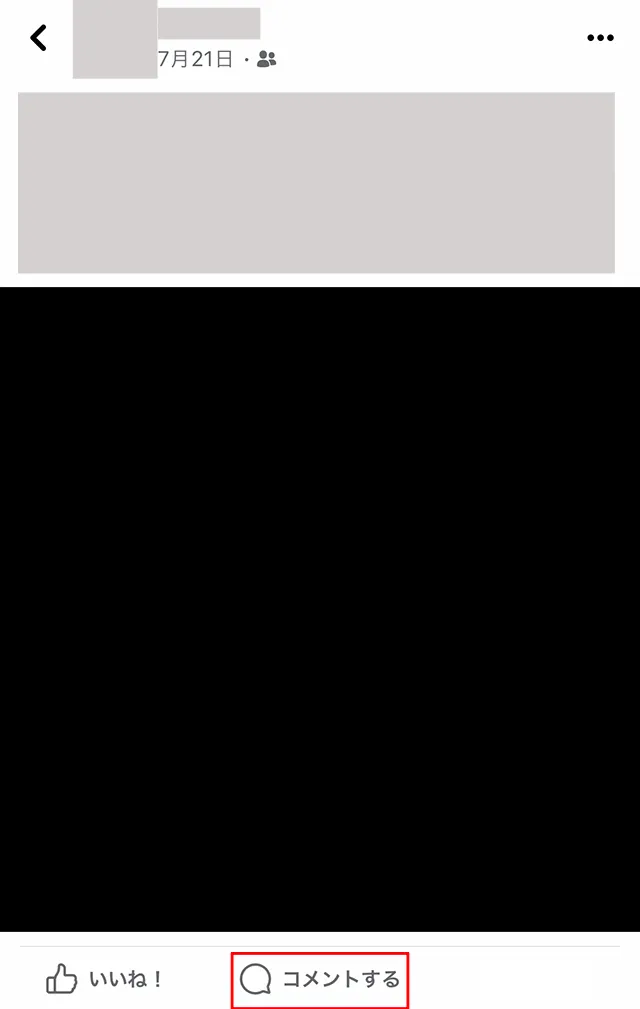
Facebook is a social networking site where you can enjoy interacting with friends and acquaintances, and you must register your real name. Naturally, Facebook also has a reply function, so we will show you how to use it.

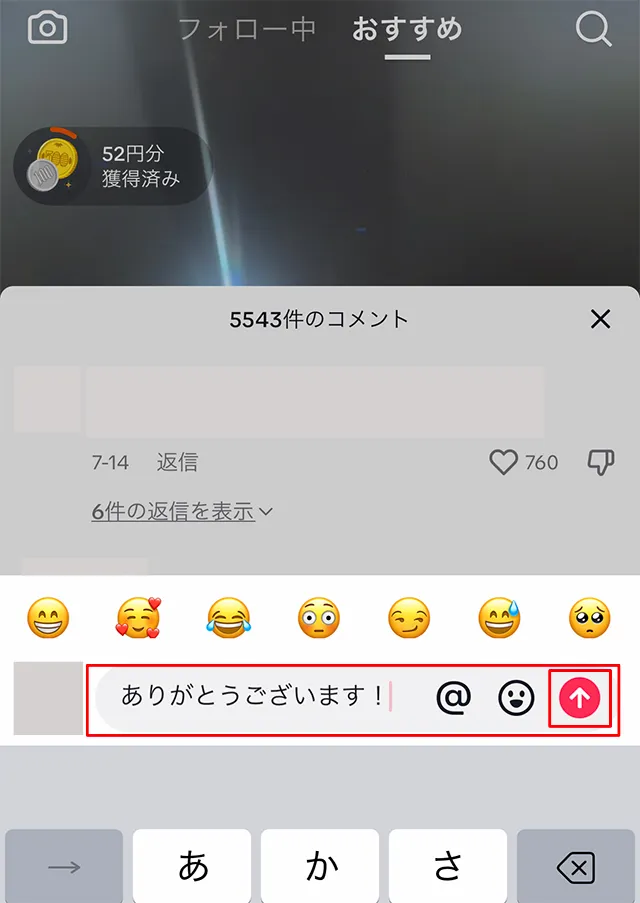
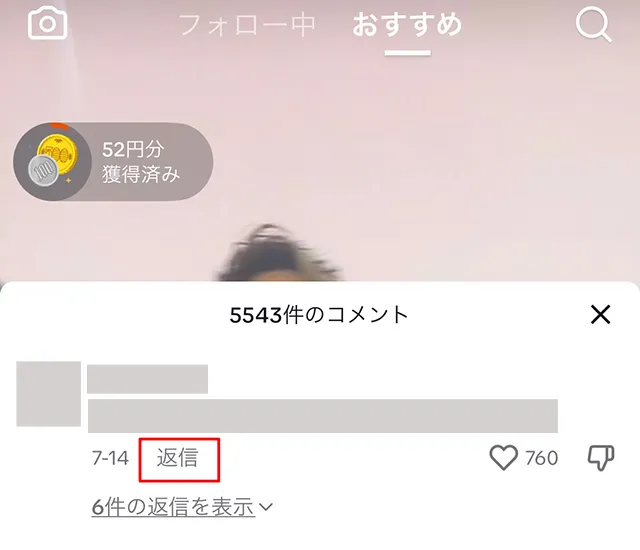
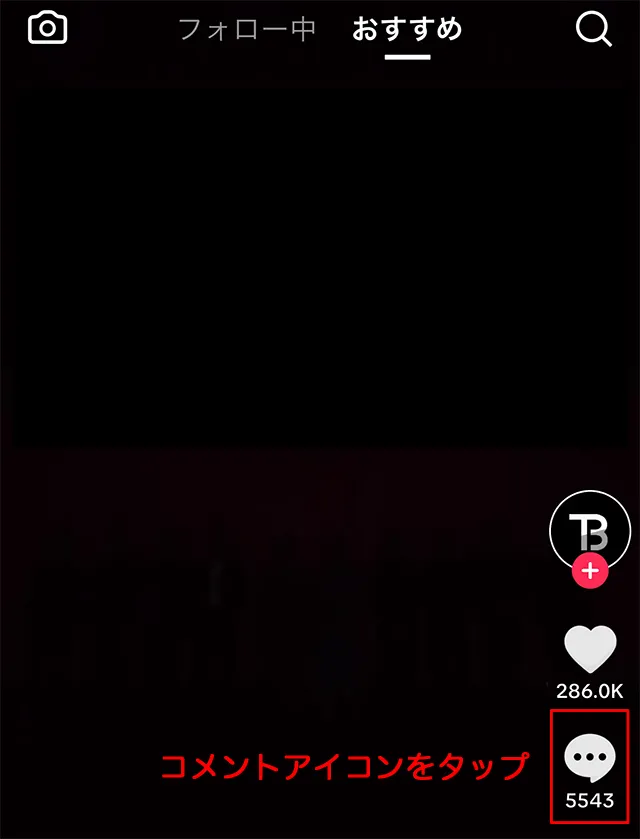
TikTok is a social networking site where users can post and share short videos, and is widely used by people in their teens and twenties. Let's take a look at how to reply on TikTok.

In this article, we've introduced the meaning of "reply" and how it's used on each social networking site. "Reply" means a reply, but the definition and usage differ slightly depending on the social networking site, so it's important to understand this beforehand.
Please use this article as a reference to deepen your understanding of replies on the social media platforms you use.
For those who want to enjoy each SNS to their heart's content, we recommend povo2.0 (※1), au 's online-only brand. povo2.0 is available for a basic fees of 0 yen (※2) (※3) (※4), and you can freely choose Topping (paid) you need, when you need them.
When you want to enjoy social media to your heart's content, you can add the "Unlimited data (24 hours) 330 yen/time tax included) (※5) "Topping and enjoy social media without worrying about data usage.
Please take this opportunity to consider povo2.0.
*1: All procedures and support are online. povo2.0 Please contact us through the application or official website. *2: Additional fees such as handling charges may apply. validity for 180 days or more, or if you have never purchased Topping for a fee, your usage may be suspended or your contract may be terminated. Please understand this in advance.
If you subscribe to 5 lines(*) under the same name, a contract administration fee of tax included 3,850 yen/line will be charged for the 6th line and thereafter.
*2: Including lines that have been terminated or cancelled by the Company within the past year. 3:Domestic calls are charged separately at tax included 22 yen/30 seconds, and SMS sending is charged separately at tax included 3.3 yen/text (up to 70 characters). Depending on the model, up to 670 two-byte characters can be sent; up to 134 characters are counted as two SMS messages, and thereafter one SMS message is charged for each 67 characters. Call charges may differ for some calls, such as calls to satellite phones.
Reference:" povo2.0 Plan Details" (povo)
*4: If data Topping is not purchased, the maximum sending/receiving rate is 128 kbps. *5: Communication speed may be limited during network congestion or when using videos, cloud games, etc. *6: The names of products and services mentioned in this article are the trademarks or registered trademarks of the respective companies. Android" is a trademark of Google LLC.
X (formerly Twitter)" is a trademark or registered trademark of X Corp.
Facebook and Instagram are registered trademarks of Meta Platforms, Inc.
LINE" is a trademark or registered trademark of LINE Corporation.
All other trademarks are trademarks or registered trademarks of their respective owners.