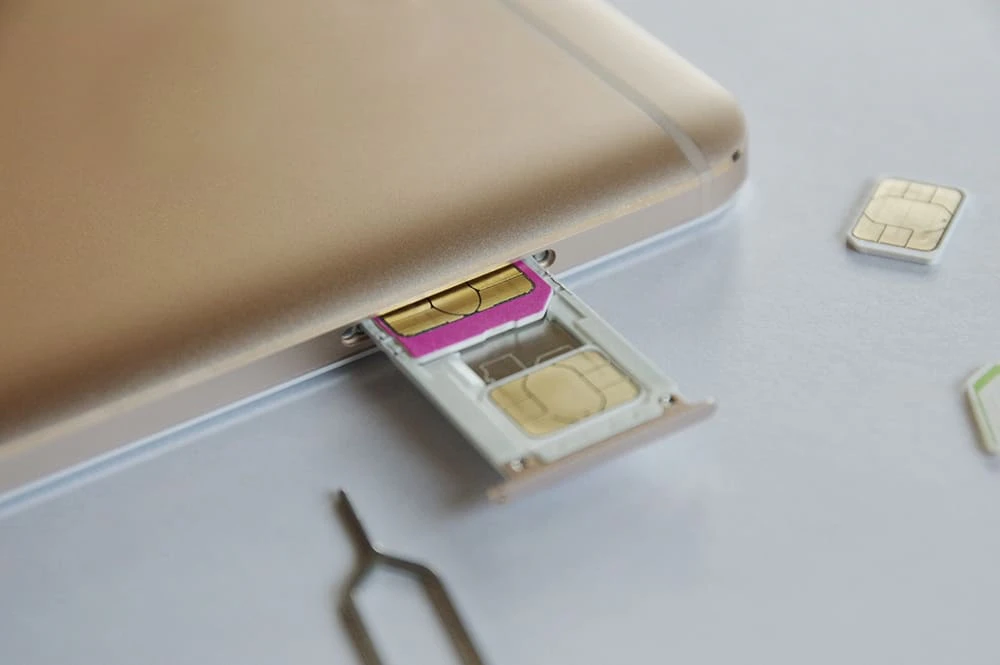
"Is it possible to change your phone model and change your carrier at the same time?"
"If I'm changing phones at the same time, which should I check first, the model or the carrier?"
I'm sure there are many people who have similar concerns. It's true that if you try to change your phone model or carrier without fully understanding the process, you'll be left with a vague sense of unease.
To put it simply, you can change your phone model and carrier at the same time.
In this article, we will introduce the specific steps to change your model and carrier at the same time, as well as three ways to change carriers at a bargain price.

When changing carriers at the same time as changing your phone model, many people wonder whether they can use the phone number they use with their current carrier with the new carrier.
In conclusion, you can use your current phone number with your new carrier without any problems.
There are two ways to transfer your phone number when changing carriers: MNP *1 "one-stop" and "two-stop (traditional method)."
Previously, the two-stop process was used, which required you to issue an MNP reservation number *2 with your current carrier, then register an MNP reservation number with the carrier you were changing to before applying.
In other words, the procedure had to be completed twice, once at the source and once at the destination.
However, starting May 24, 2023, MNP One-Stop will be available for online procedures between some carriers.
MNP One-Stop is a system that eliminates the need to issue an MNP reservation number, which was previously required in advance. Instead, you can check your MNP reservation number while completing the application process with your new carrier, allowing you to keep your current phone number even if you change carriers.
With this new system, you can now continue using your current phone number with just one procedure at your new location.
*1: MNP is an abbreviation for "Mobile Number Portability," a system that allows you to carry your phone number with you. *2: The MNP reservation number is the number required for the procedure to continue using your phone number with the new carrier.
When changing your phone model or carrier at the same time, it doesn't matter whether you change your phone model or carrier first. Here we will introduce the procedure for changing your phone model or carrier first.
After preparing your new device in advance and changing your model, follow the steps below to change carriers.
1. Check the SIM type of your old device (SIM card/eSIM, etc.)
2. Check the SIM types supported by the carrier you plan to switch to
3. Prepare a SIM-free or SIM-unlocked device that meets conditions 1 and 2.
4. Back up the data on your old device
5. Swap the SIM card from your old device into your new one
6. Change carriers on your new device
7. Replace with the new SIM card sent by your new carrier.
8. Configure APN settings
If you have followed step 5 and would like to continue using the phone number you are using with your old carrier with your new carrier, you will need to issue an MNP reservation number with your old carrier.
After that, confirm your MNP reservation number and complete the carrier change procedure on your new device. However, this procedure is not required for carriers that have made MNP One-Stop available for online procedures since May 24, 2023.
For information on carriers that support MNP One-Stop, please refer to the Ministry of Internal Affairs and Communications' mobile phone portal site below.
Reference: Mobile phone portal site | Ministry of Internal Affairs and Communications
Please note that the steps introduced above are only a general guideline, and for more details please check the website or contact point of the carrier you plan to switch to.
Next, the general steps for changing carriers and then changing your phone model are as follows:
1. Check the SIM type of your old device (SIM card/eSIM, etc.)
2. Check the SIM types supported by the carrier you plan to switch to
3. Switch to a new carrier on your old device
4. Insert the SIM card sent by your new carrier into your old device (carrier change procedure complete)
5. Back up your data on your old device
6. Prepare a new device
7. Swap the SIM card into your new device
8. Configure APN settings
If you wish to issue an MNP reservation number, issue one with your old carrier before step 3, and then take the MNP reservation number with you to step 3. Of course, if you use MNP One Stop, this step is not necessary.
Please note that the steps introduced above are only a general guideline, and for more details please check the website or contact point of the carrier you plan to switch to.
So far, we've introduced the specific steps for changing your phone model and carrier. We'll go into more detail about SIM types below, and also explain other things you should check, such as whether or not there are cancellation fees or penalty charges.
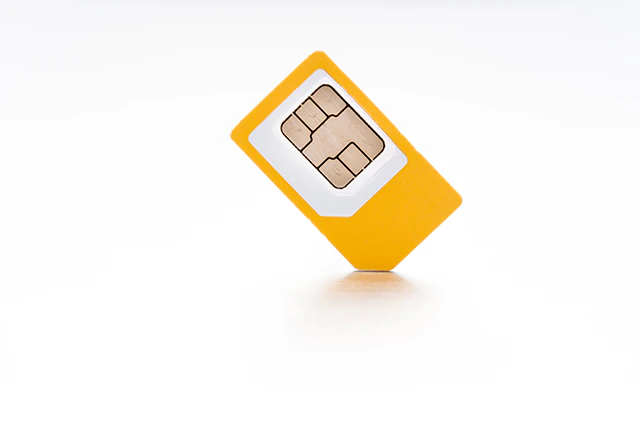
When changing carriers and models, you will need a SIM card to use with the new carrier.
However, even though they are all called SIM cards, there are differences in size, such as "standard SIM (25 x 15 mm)," "microSIM (15 x 12 mm)," and "nanoSIM (12.3 x 8.8 mm)."
There are also "eSIM" cards that use chips built into smartphones, so when changing carriers and models, you must check in advance whether the SIM card is compatible with your device.
In particular, while eSIMs have advantages such as "less hassle to receive" and "quick replacement," they also have the disadvantage of being compatible with only a limited number of models.
SIM cards that are physically inserted into the device can be used with any device as long as the size is compatible, but it will take several days for the SIM card to arrive from your new carrier.
Some models have dual SIM capabilities, meaning you can insert two SIM cards, but some only support one eSIM and one SIM card, so you should check in advance.
In addition, povo2.0 also supports the activation procedure for eSIM, so please consider it.
For more information about the types and functions of SIM cards, please refer to the following page.
Reference: What is a SIM card? Explaining its role, types, and precautions when using it

You'll also want to know fees that will be incurred when changing your phone model or carrier. Here we'll introduce the breakdown of fees and give you an idea of what they are.
If you use two-stop MNP instead of one-stop MNP, you will need to issue an MNP reservation number.
Previously, when switching to another carrier, you had to pay an "MNP transfer fee" to your original carrier, but as of April 2021, the MNP transfer fee will be free.
However, the carrier you switch to may charge a new contract fee of around 3,000 to 4,000 yen, so be sure to check in advance.
In the past, some carrier fees plans had "high penalties for cancellations within two years" or "restrictions that prevent you from switching plans."
However, with the review of the rules in October 2019, cancellation fees and penalty fees have been eliminated for major carriers.
However, it is also true that some carriers have cancellation fees and penalties, and although the two-year contract limit has been abolished, there is a minimum usage validity.
Let's check the contract details of your carrier again.
For information on switching carriers, please refer to the Ministry of Internal Affairs and Communications' mobile phone portal site.
Reference: Mobile phone portal site "What are the checkpoints for transferring?" | Ministry of Internal Affairs and Communications
If you are currently paying for your device in installments, please also check if you have any remaining balance.
In particular, if you are using a service provided by your carrier that partially exempts you from paying the remaining balance on your device, be sure to check the conditions in advance. If you do not meet the conditions, the remaining balance will not be exempted, so be careful.
Also, when you cancel your contract, you may no longer be able to use any discounts that have been applied to you, and your future payments may be more burdensome, so it is best to check in advance.
Here are two things to keep in mind when changing your phone model:
SIM lock is a state in which a device is locked so that it can only be used with communication services provided by a specific carrier.
Even if you insert a SIM card from Company B into a device purchased from Company A, it will not work.
However, due to the issue of not being able to freely choose a carrier with SIM-locked devices, SIM locking is now prohibited in principle for models released after October 2021.
Given this background, please check whether the model you are currently using is a model from October 2021 or later.
If you have an earlier model, you will not be able to use a SIM card from another carrier unless you unlock the SIM.
SIM lock removal is free of charge, and the method for doing so is described in the article below, so please take a look.
Reference: What is SIM unlocking? A detailed introduction to the advantages, disadvantages, and how to unlock it
When changing your device, you will need to transfer data such as images and apps stored on your old device to your new one.
The details of data migration vary greatly depending on whether your smartphone is an Android device or an iPhone, so we won't go into detail here, but please note the following points.
By identifying risks in advance, you can prevent failures during data migration.
・Check what information will be saved in the backup associated with the data migration and what information will not be saved
Decide how you will back up your data: manually or automatically.
・Some apps, such as LINE and Suica, require individual transfer, so please check in advance.
For example, for iPhone, you can back up and transfer data using the following method.
・iTunes
・iCloud
・Quick Start
・Data transfer apps available for each carrier
Of these, if you are transferring data from one iPhone to another, it is convenient to use "Quick Start."
Quick Start is a method that allows you to easily transfer data without the need for backups, cables, or a computer, and can be used on devices running iOS 12.4 or later.
It is recommended to choose the easiest method that suits you best, as this will reduce the chance of failure.
For more information on how to transfer data from your iPhone, please refer to the following article:
reference: What to do before changing your iPhone model, data transfer, and timing for changing your SIM card

Finally, here are three ways to make switching carriers as affordable as possible. Taking advantage of trade-in offers and carefully considering when to switch can also help you save money.
This will vary depending on your carrier, but make sure to check whether charges can be calculated on a pro rata basis for the month of cancellation or whether you will be billed monthly.
Major carriers tend to charge the full amount rather than pro-rated. In this case, it is more cost-effective to switch carriers at the end of the month after making full use of the services under your contract.
When changing your phone model, it would be a waste to keep the old smartphone you no longer use.
Many carriers offer trade-in offers where they will buy back your old device.
Taking advantage of trade-in benefits can be a great deal as you can get discounts or cash back from your new carrier.
For example, with povo2.0 's "Smartphone Gigatrade," you can exchange your smartphone for a trade code *3 that can be used in the povo2.0 app, depending on the purchase price.
For more information, please click the link below.
*3: Those who are not povo2.0 users can also apply for "Smartphone Gigatrade", but a povo2.0 contract is required to use the trade code.
Reference: Smartphone Gigatrade
Although it varies depending on the carrier, some carriers offer "switching campaigns" that offer great deals when changing carriers (MNP).
Reference: Campaign list
In this article, we also introduced whether it is possible to change models and carriers at the same time, and the procedure for changing them.
If you pay attention to a few key points, such as checking the SIM type with the carrier you plan to change and migrating data to a new device, changing models and carriers is not that difficult.
Many carriers have pages that explain the procedure in an easy-to-understand manner when changing models or carriers, so please refer to that as well.
au online-only brands ※4 be povo2.0 is a recommended fees plan for those who are considering changing careers and want to reduce usage fees as much as possible.
Specifically, the basic fees is 0 yen ※5 ※6 ※7 to Topping the data freely.
For example, "Unlimited data ※8 You can choose the best plan according to your data communication capacity, such as (24 hours) tax included 330 yen/time" or "Data Top-up 1GB (7 days) tax included 390 yen/time".
In addition, a great deal campaign when changing careers, Campaign list page It is updated from time to time.
Currently, transfer (MNP) ※9 If you activate the SIM after linking your povo ID au to your account and purchase an eligible Topping by 7 days, you will receive up to 10,000 yen worth (tax-free) back to your au PAY balance. ※ We are conducting it.
*This campaign will end at 23:59 on April 30, 2025.
Reference: Transfer from another company to au PAY balance return campaign!
In addition, if you want to replace the device, you can also purchase it with "au Online Shop".
In addition, povo2.0 allows you to purchase old terminals. Smartphone Gigatrade" is also being implemented.
If you're looking for a great deal on careers, you should also consider povo2.0.
*4: As this is an online-only plan, all procedures and support will be handled online. Please contact us via the povo2.0 app or official website.
*5: Separate fees may apply. If you have not purchased any paid Topping validity 180 days or more, your service may be suspended or your contract may be terminated. Please be aware of this in advance.
If you sign up for 5 lines* under the same name, a contract administration fee of 3,850 yen (tax included included) per line will be charged for the 6th line and beyond.
*This includes lines that have been terminated or cancelled by our company within the past year.
6: Domestic calls are charged separately at tax included 22 yen/30 seconds, and SMS sending is charged separately at tax included 3.3 yen/text (up to 70 characters).
Depending on the model, up to 670 two-byte characters can be sent; up to 134 characters are counted as two SMS messages, and thereafter one SMS message is charged for every 67 characters. Calls to satellite phones are charged separately at tax included 177.1 yen/30 seconds.
Reference:" povo2.0 Plan Details"
*7: If you do not purchase a data Topping, the maximum sending and receiving speed will be 128kbps.
※8:ネットワークの混雑時や動画・クラウドゲームなどの利用時に通信速度を制限する場合があります。
*9: If you change from au / UQ mobile / povo1.0 to povo2.0, you will not be eligible for this campaign.